

QR Payments Gateway
QR Payments For Woocommerce Payment Gateway for the following e-wallets
Plugin info
Maintenance & Compatibility
Maintenance score
Possibly abandoned • Last updated 821 days ago
Is QR Payments Gateway abandoned?
Possibly abandoned (last update 821 days ago).
Compatibility
Similar & Alternatives
Explore plugins with similar tags, and compare key metrics like downloads, ratings, updates, support, and WP/PHP compatibility.
Description
QR Payments For Woocommerce Payment Gateway for the following e-wallets
– Touch N Go
– DuitNow
– Grab
– Shopee Pay
– Boost
This plugin is compatible with WooCommerce HPOS
Please do take note that this plugin is a manual upload, no api to payment gateway, you are required to use your own QR code.
More Details
- For Support Kindly Email to [email protected]
Installation
- Be sure you’re running WooCommerce 8.2.1 in your shop.
- You can:(1) upload the entire ‘qr-pay-gateway’ folder to the ‘/wp-content/plugins/’ directory,
(2) upload the .zip file with the plugin Uploader under > Plugins > Add New > Upload - Activate the plugin through the PLUGINS menu in WordPress
- Go to WooCommerce > Settings > Payment and select “Qr Pay Gateway” to configure
- Visit our page for more details https://www.equilibrium.my/qr-pay-gateway/
Frequently Asked Questions
The text domain is ‘qr-pay-gateway’.
As for now this is a manual payment gateway, which user will required to update the information
Review feed
Screenshots
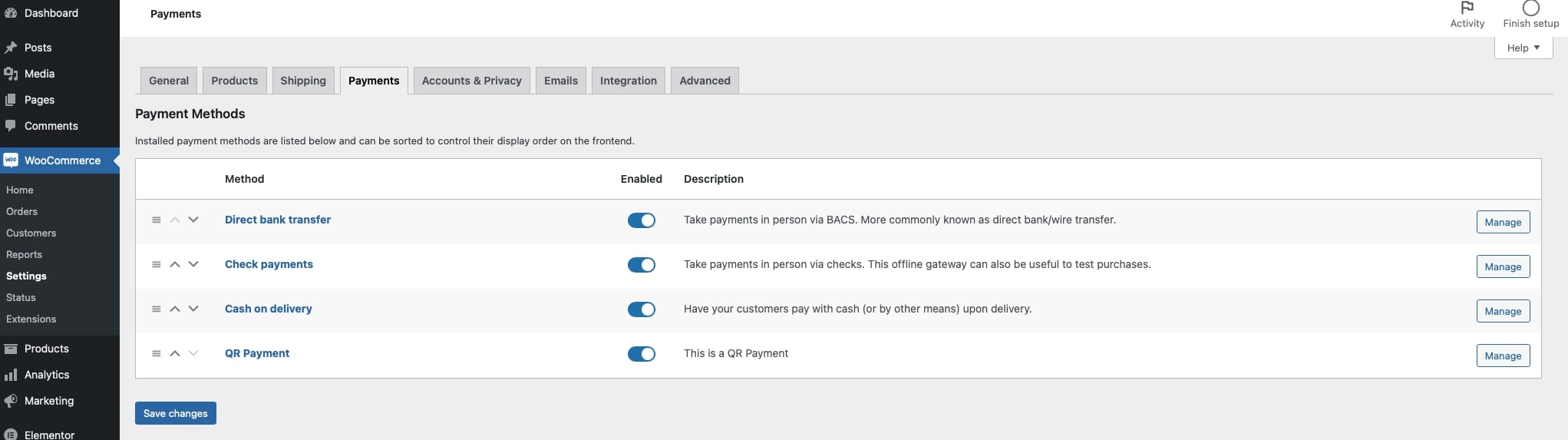
screenshot-1.jpg

screenshot-2.jpg

screenshot-3.jpg
Changelog
1.1.9
- Added New: Media Upload for Qr Code Image Selector.
1.1.8
- Fix: Typo Fix
- Added New: New Style For Account Holder Name.
1.1.7
- Added New: Required Transaction
1.1.6
- Fixed Major: Restructure codes flow and layout for batter control & security and enhancement capabilities.
- Fixed Minor: PHP Bug Fixes
- Fixed Minor: Typo Fixes
- Added New: Added Styling CSS File
- Added New: Added Script JS File
- Added New: Added QR Download Image
- Added New: WooCommerce HPOS Compatible
- Added New: Account holder name field
1.1.5
- removed not required functions
1.1.4
- Change readme.md to readme.txt
1.1.3
- Change payment mode functions
- Added Multiselect options for Payment type e.g Shopee, Grab etc.
- Sanitise codes and enhance security & validations
1.1.2
- changes to TXTDOMAIN Path
- Added Language pot file
1.1.1
- Redesign Struture code.
1.1.0
- Release Manual Payment Gateway