

Question Generator
This plugin active your Wordpress Restful API and connect your Question Generator Account.
Plugin info
Maintenance & Compatibility
Maintenance score
Possibly abandoned • Last updated 1189 days ago • 1 reviews
Is Question Generator abandoned?
Possibly abandoned (last update 1189 days ago).
Compatibility
Similar & Alternatives
Explore plugins with similar tags, and compare key metrics like downloads, ratings, updates, support, and WP/PHP compatibility.
Description
This plugin active your WordPress Restful API and connect your Question Generator Account.
What this plugin can do for you
** Create and Edit Post **
Schedule and Create a post on your wordpress website with the content generated from your question Generator Account.
** Get and Add Categories **
From your question Generator account, you can choose a category that you will post the content ( or create a new one )
3rd Party or External service
To verify that the API Key registered in the plugin settings is Valid, this plugin make API call through the enpoint https://www.question-generator.com/api/verify
This call is a security to disable any changes on your wordpress website.
We do not register any other data except the api Key is valid.
please refer to:
https://www.question-generator.com/api_doc
https://www.question-generator.com/privacy-policy
https://www.question-generator.com/terms
Features
Installation
Step to install and setup the Question Generator plugin
1- install and active the plugin
2- get your API key from your Question generator Account
3- set your API Key in the QG plugin settings.
4- Check you have “connected” printed.
Frequently Asked Questions
Yes, on install and activation of the plugin, first time users will be asked to enter their API Key (https://www.question-generator.com/account/api). This is needed to support all the features offered by the plugin.
It seems that your api Key changed or your Question generator account has been deleted. please contact [email protected]
Review feed
Screenshots
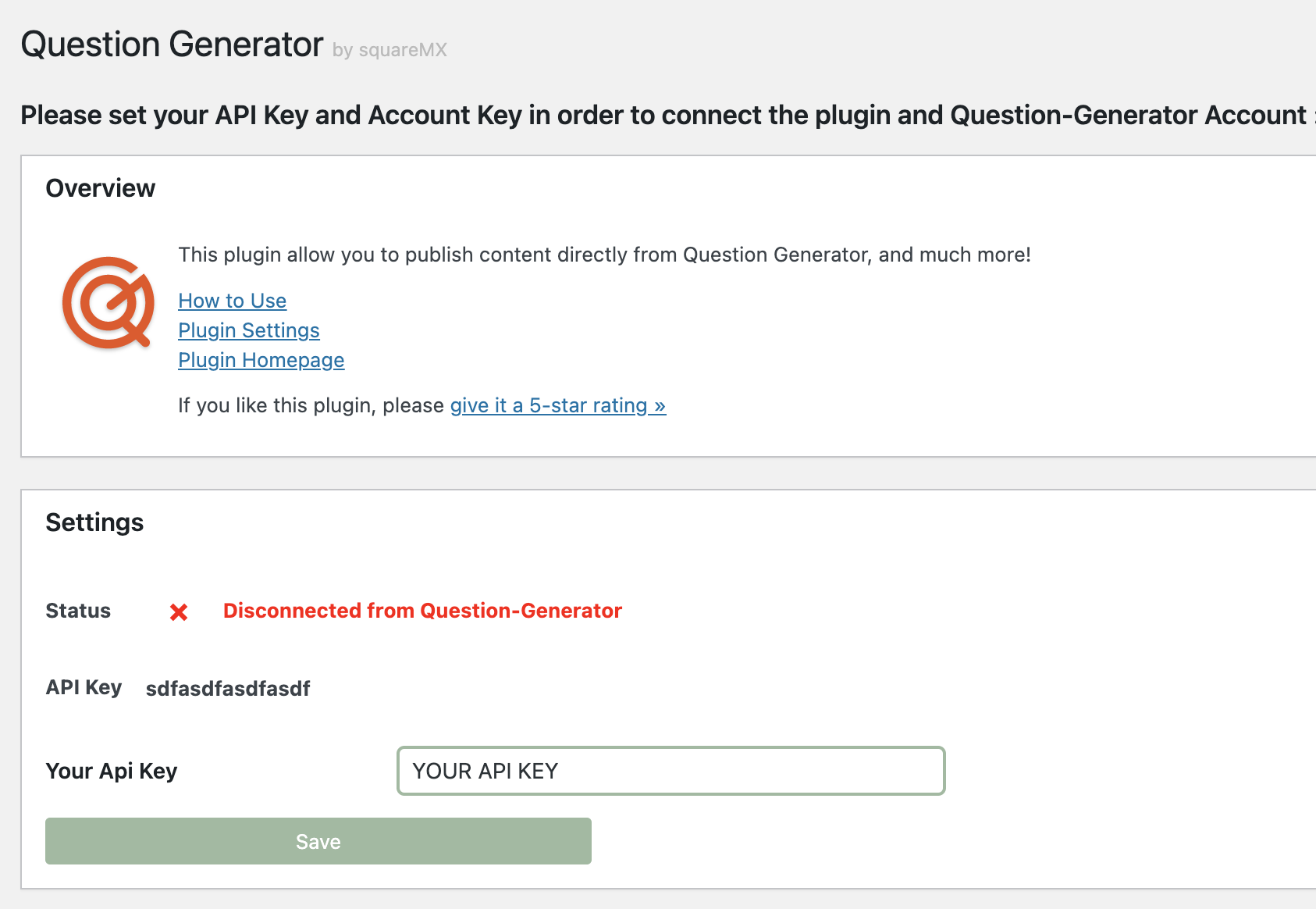
Configuration page of this plugin

Generate or change your API Key from your Question Generator Account
Changelog
2022111601
- update to 6.1.1
- fix update Post
2022102601
- fix css bug with some themes
2022081801
- add url endpoint
2022081402
- add new endpoint get all pages
20220814
- add new endpoints, get_all_post,post_info,version_check,reset_qg_plugin
20220810
- update main image on Post update
20220808
- fix sanitize on request_method
- first release