
Quick Drafts Access
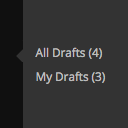
Adds links to 'All Drafts' and 'My Drafts' under Posts, Pages, and other custom post type sections in the admin menu.
Plugin info
Maintenance & Compatibility
Maintenance score
Stale • Last updated 352 days ago • 7 reviews
Is Quick Drafts Access abandoned?
Likely maintained (last update 352 days ago).
Compatibility
Similar & Alternatives
Explore plugins with similar tags, and compare key metrics like downloads, ratings, updates, support, and WP/PHP compatibility.
Description
By default in WordPress, accessing the drafts listing of any given post type (including posts and pages) in the admin requires multiple clicks. Then filtering the drafts listing by a particular user (generally to view only your drafts) additionally requires some non-obvious manual URL hacking.
This plugin allows you one click access to all drafts, as well as to just your drafts, of each post type via the main admin menu.
In addition, the plugin provides a count of the number of current drafts for that post type in the link (i.e. the link could read “All Drafts (3)” to indicate there are three drafts for that post type, and “My Drafts (1)” to indicate you only have one draft for that post type).
When the user is responsible for all of the drafts of a given post type (and the “My Drafts” link is not disabled via a hook) then only the “My Drafts” links will appear. It would be redundant to show both the “All Drafts” and “My Drafts” links in this situation. This behavior also ensures only one link is present for single-author blogs.
Also, the draft link(s) only appear for users who have the capability to edit posts of that post type.
The plugin hides the two types of draft links when no related drafts for that post type are present. See the Filters section for how to override this behavior. Filters are also provided to disable the plugin from ever showing the “All Drafts” or the “My Drafts” links.
On admin listings of only draft posts, this plugin also adds a dropdown above the table that allows for the listing to be filtered by the selected draft author. (Only users who actually have a draft post are included in the dropdown.)
Links: Plugin Homepage | Plugin Directory Page | GitHub | Author Homepage
Developer Documentation
Developer documentation can be found in DEVELOPER-DOCS.md. That documentation covers the numerous hooks provided by the plugin. Those hooks are listed below to provide an overview of what’s available.
c2c_quick_drafts_access_post_types: Customize the list of post_types for which the draft links will be shownc2c_quick_drafts_access_show_all_drafts_menu_link: Customize whether the ‘All Drafts’ link will appear at all for a post type.c2c_quick_drafts_access_show_my_drafts_menu_link: Customize whether the ‘My Drafts’ link will appear at all for a post type.c2c_quick_drafts_access_show_if_empty: Customize whether the ‘All Drafts’ and/or ‘My Drafts’ links will appear for a post type when that post type currently has no drafts.c2c_quick_drafts_access_disable_filter_dropdown: removal of the ‘Drafts By’ dropdown from drafts post list table.
Installation
- Install via the built-in WordPress plugin installer. Or download and unzip
quick-drafts-access.zipinside the plugins directory for your site (typicallywp-content/plugins/) - Activate the plugin through the ‘Plugins’ admin menu in WordPress
Frequently Asked Questions
Does that post type have any drafts? By default, the plugin does NOT display the drafts links if no drafts are present for that post type. This behavior can be overridden (see the Filters section).
The “All Drafts” link is always hidden for users who are responsible for all drafts of a given post type, assuming the “My Drafts” link is configured to be displayed (which it is by default).
Like the Posts and Pages admin tables in WordPress, the default behavior of the plugin is to not show the drafts link if none are present for the post type since there isn’t anything meaningful to link to. Bear in mind that the behavior can be overridden (see the Filters section).
Yes, which is why the plugin hides the “All Drafts” link when the “My Drafts” link is configured to be displayed (which it is by default) and the user is responsible for all of the drafts for a given post type.
Yes. The tests are not packaged in the release .zip file or included in plugins.svn.wordpress.org, but can be found in the plugin’s GitHub repository.
Review feed
Screenshots

A screenshot of the main admin menu (with the menu expanded) showing the "All Drafts" and "My Drafts" link (with pending draft counts) for both posts (in the sidebar menu popup) and pages (in the expanded sidebar menu). Note that for pages, the "All Drafts" link is not shown because the current user is responsible for all of the current page drafts.

When viewing a listing of drafts, the plugin introduces a dropdown above the posts table that allows filtering the drafts by post author.
Changelog
2.4 (2025-03-08)
Highlights:
This minor release prevents translations from containing unintended markup, adds caching, notes compatibility through WP 6.8+ and PHP 8.3+, improves unit testing while also removing unit tests from release packaging, and updates copyright date (2025).
Details:
- New: Cache results of query for draft authors
- New: Extract logic for getting draft author IDs into new
get_draft_post_authors() - Change: Prevent translations from containing unintended markup
- Change: Discontinue explicit and unnecessary loading of textdomain
- Change: Note compatibility through WP 6.8+
- Change: Note compatibility through PHP 8.3+
- Change: Update copyright date (2025)
- Change: Add missing inline comments for translators
- Change: Remove development and testing-related files from release packaging
- Change: Reduce number of ‘Tags’ from
readme.txt - Change: Prevent unwarranted PHPCS complaints
- New: Add
.gitignorefile - Unit tests:
- Allow tests to run against current versions of WordPress
- New: Add
composer.jsonfor PHPUnit Polyfill dependency - Change: Explicitly define return type for overridden method
- Hardening: Prevent direct web access to
bootstrap.php - Change: In bootstrap, store path to plugin directory in a constant
2.3.1 (2023-04-29)
- Change: Note compatibility through WP 6.3+
- Change: Update copyright date (2023)
- Fix: Fix typo for link to DEVELOPER-DOCS.md in README.md
- Fix: Fix typo in readme.txt
- New: Add a possible TODO item
2.3 (2021-09-22)
- New: Add DEVELOPER-DOCS.md and move hooks documentation into it
- Change: Only support public post types, but also exclude ‘attachment’
- Change: Improve and tweak developer documentation and code examples
- Change: Note compatibility through WP 5.8+
- Unit tests:
- New: Add
setUp(), namely to actually register post types - Change: Test support for actual post types
- Change: Change
c2c_quick_drafts_access_post_types()to actual use the post types sent to it - Change: Restructure unit test directories
- Change: Move
bin/intotests/ - Change: Move
tests/intotests/phpunit/ - Change: Move unit test file into
tests/phpunit/tests/
- Change: Move
- Change: Remove ‘test-‘ prefix from unit test file
- Change: Rename
phpunit.xmltophpunit.xml.distper best practices - Change: In bootstrap, store path to plugin file constant
- Change: In bootstrap, add backcompat for PHPUnit pre-v6.0
- New: Add
- New: Add a possible TODO item
Full changelog is available in CHANGELOG.md.