

Quick Embed PDF – PDF viewer, PDF embeds, PDF Reader, PDF Embedder
Quickly embed and display (viewer) PDF files in WordPress posts and pages using a simple shortcode or Gutenberg block.
Plugin info
Maintenance & Compatibility
Maintenance score
Possibly abandoned • Last updated 423 days ago • 1 reviews
Is Quick Embed PDF – PDF viewer, PDF embeds, PDF Reader, PDF Embedder abandoned?
Possibly abandoned (last update 423 days ago).
Compatibility
Similar & Alternatives
Explore plugins with similar tags, and compare key metrics like downloads, ratings, updates, support, and WP/PHP compatibility.
Description
100% FREE
Quick Embed PDF is a lightweight WordPress plugin that allows you to embed PDF files directly into your posts and pages using a simple shortcode or a Gutenberg block.
Features
- Embed PDF files using the
[qepw_pdf_viewer file="..."]shortcode or the “Quick Embed PDF” block in Gutenberg. - Customizable PDF viewer width through the admin settings.
- Supports media library integration for automatic shortcode insertion.
- Includes navigation controls (Previous/Next Page).
- Optional download button for users to download the PDF file.
- Lightweight and responsive design.
- Improved Gutenberg support with a custom block for embedding PDFs.
- Option to disable the download button in the settings.
- Using Mozilla’s PDF.js.
- Best pdf reader wordpress plugin
Usage
Embedding a PDF using the Shortcode:
To embed a PDF file into your post or page using the plugin, use the following shortcode:
[qepw_pdf_viewer file=”YOUR_PDF_FILE_URL”]
Replace YOUR_PDF_FILE_URL with the actual URL of the PDF file.
Embedding a PDF using the Gutenberg Block:
- In the Gutenberg editor, add the “Quick Embed PDF” block from the “Embed” category.
- Select the PDF file from your media library or upload a new one.
- The PDF will be embedded and displayed directly in your post or page.
Customizing the PDF Viewer:
You can customize the width of the PDF viewer in the plugin’s settings page. There, you can also enable or disable the download button.
Installation
- Upload the
quick-embed-pdffolder to the/wp-content/plugins/directory. - Activate the plugin through the ‘Plugins’ menu in WordPress.
- Go to the settings page under ‘Settings > Quick Embed PDF’ to configure options.
- Use the
[qepw_pdf_viewer file="YOUR_PDF_FILE_URL"]shortcode to embed a PDF in your posts or pages. - Alternatively, use the “Quick Embed PDF” block in Gutenberg to insert PDF files directly.
Frequently Asked Questions
Use the [qepw_pdf_viewer file="YOUR_PDF_FILE_URL"] shortcode in your post or page content, replacing YOUR_PDF_FILE_URL with the URL of the PDF file you want to embed. Alternatively, use the “Quick Embed PDF” block in Gutenberg for easier embedding.
To embed a PDF into WordPress, you can use either the [qepw_pdf_viewer file="YOUR_PDF_FILE_URL"] shortcode or the “Quick Embed PDF” block in the Gutenberg editor. Replace YOUR_PDF_FILE_URL with the actual URL of your PDF file.
Yes, you can set a custom width for the viewer on the plugin’s settings page.
Yes, the plugin provides navigation buttons for browsing multi-page PDFs.
Yes, the download button can be disabled in the plugin’s settings.
Review feed
Good plugin!
Screenshots

Gutenberg block for embedding PDF files.
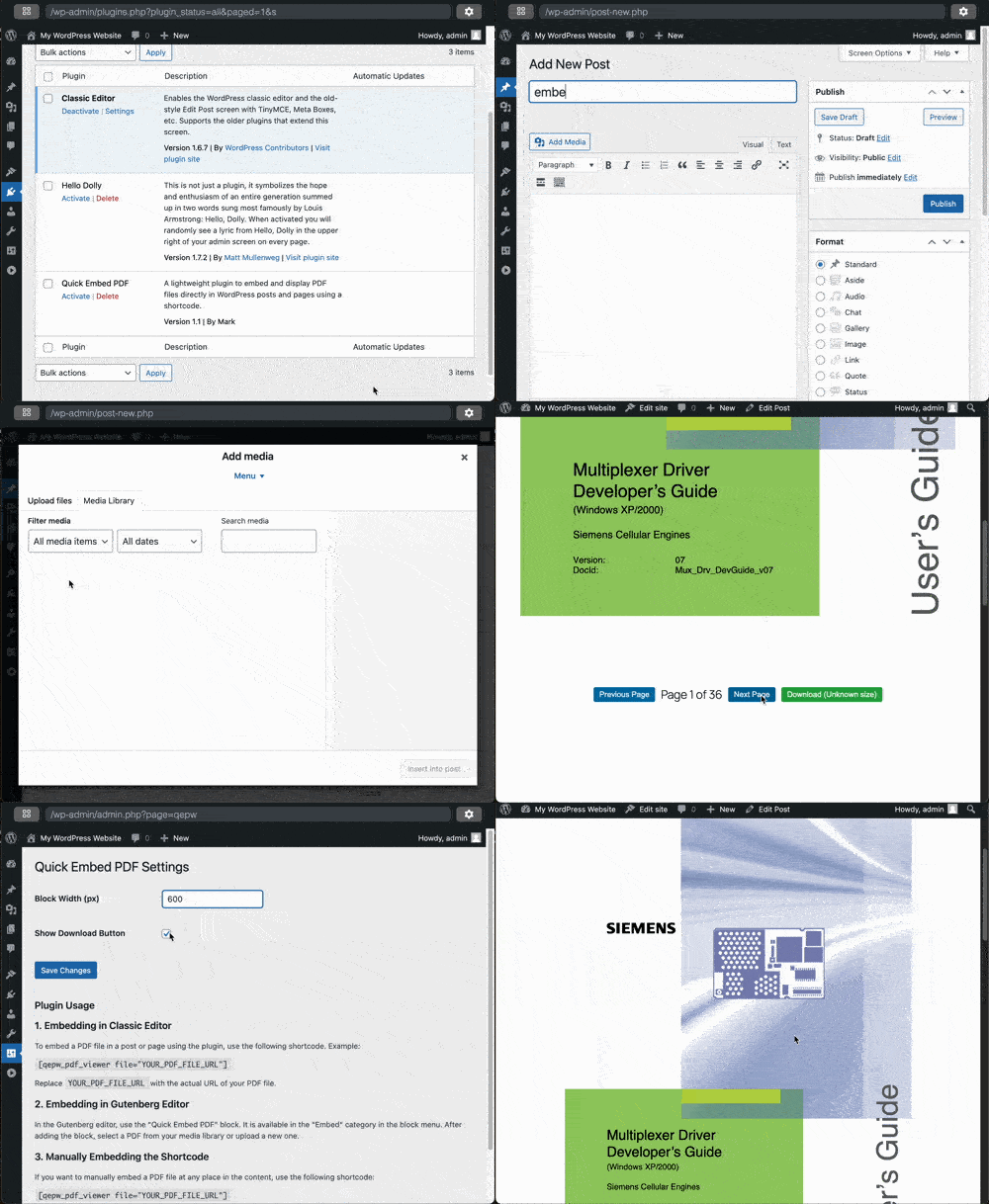
Classic Editor for embedding PDF files.
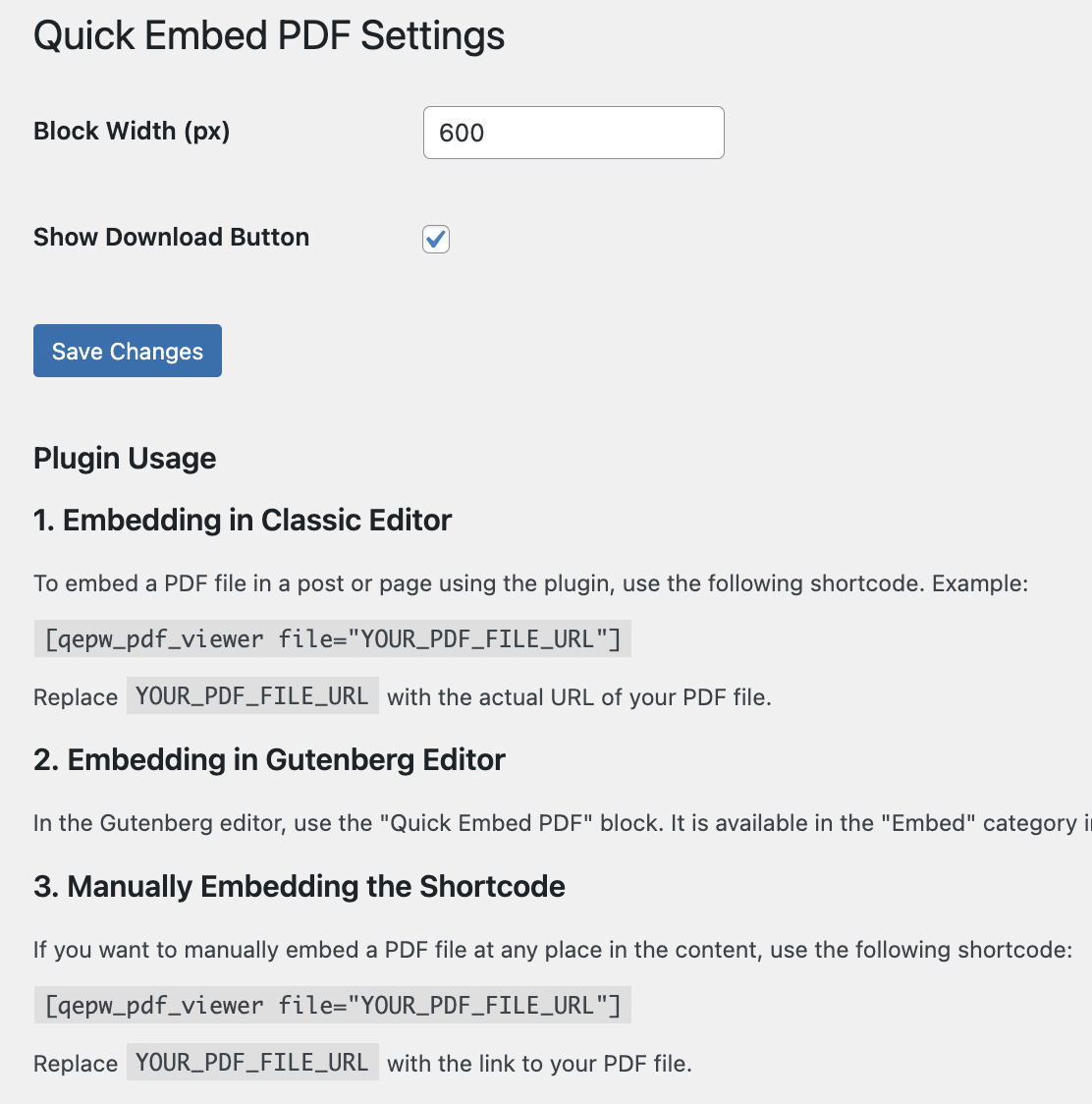
Admin page Quick Embed PDF

Example pdf to post
Changelog
1.1 – January 31, 2025
- Added Gutenberg block for embedding PDF files directly.
- Improved functionality for embedding PDFs through the block.
- Updated the settings page to allow disabling the download button.
- Minor bug fixes and performance improvements.
1.0
- Initial release.
- Added shortcode functionality to embed PDF files.
- Integrated PDF.js for rendering PDF files.
- Provided admin settings for customizing viewer width.
- Automatic shortcode insertion for PDFs added through the media library.
- Added Gutenberg block for embedding PDF files easily.