
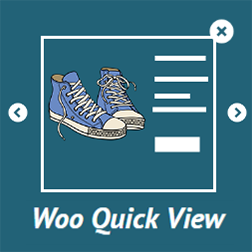
Quick View WooCommerce
WooCommerce Quick View Enables customer to have a quick look of product without visiting product page.
Maintenance 44/100348d since update
Active installs
2,000
Downloads
49,011
Reviews
73
Age
9.7y
Plugin info
Total downloads: 49,011
Active installs: 2,000
Total reviews: 73
Average rating: 4.8
Support threads opened: 0
Support threads resolved: 0 (0%)
Available in: 3 language(s)
Contributors: 1
Last updated: 4/19/2025 (348 days ago)
Added to WordPress: 7/13/2016 (9 years old)
Minimum WordPress version: 3.0.1
Tested up to WordPress version: 6.8.3
Minimum PHP version: f
Maintenance & Compatibility
Maintenance score
Stale • Last updated 348 days ago • 73 reviews
44/100
Is Quick View WooCommerce abandoned?
Likely maintained (last update 348 days ago).
Compatibility
Requires WordPress: 3.0.1
Tested up to: 6.8.3
Requires PHP: f
Similar & Alternatives
Explore plugins with similar tags, and compare key metrics like downloads, ratings, updates, support, and WP/PHP compatibility.
Quick View for WooCommerce
Rating 0.0/5 (0 reviews) • Active installs 10
CWM Stylish woo Quick View
Rating 5.0/5 (1 reviews) • Active installs 0
Description
Live Demo
Quick View WooCommerce is a simple and light weight plugin which allows users to get a quick look of products without opening the product page.Customers can navigate from one product to another using next and previous product button.
Features And Options:
- Works for all types of products.
- Customizable Lightbox for product images & gallery.
- Next and previous product button for navigating from one product to another.
- Product Link button to visit the product page.
- Choose your own position for quick view button.
- Cool animations for Quick View modal.
- Option to enable/disable on mobile devices.
Installation
- Upload the plugin files to the
/wp-content/plugins/plugin-namedirectory, or install the plugin through the WordPress plugins screen directly. - Activate the plugin through the ‘Plugins’ screen in WordPress
- Click on Quick menu on the dashboard.
Frequently Asked Questions
Everything is already setup.Just activate the plugin & you are done.
Review feed
No reviews available
Screenshots

The quick view button.

The quick view modal.

The quick view admin settings page.

The quick view admin settings page.
Changelog
1.7
- Fixed lightbox issue for woocommerce 3.0.
1.6
- Fixed navigation icon disappearing.
- New premium features.
1.5
- New – Quick View button on image hover.
- Fixed Bugs.
1.4
- New – Select animation for quick view modal/box.
- New – Exit quick view using ESC key.
- New – Enable/Disable quick view icon.
- New – Set your own font size.
1.3
- Fix – Fully Responsive now.
- Added image width option
1.2
- Fix – Added animation to lightbox preloader.
1.1
- Translation Available.
- Fixed bugs.
1.0
- Initial Public Release.