

R2K Security Captcha (for reCAPTCHA Enterprise & Cloudflare Turnstile)
Protect your WordPress website from spam and abuse with R2K Security Captcha. This plugin offers powerful security by integrating with two of the most …
Plugin info
Maintenance & Compatibility
Maintenance score
Actively maintained • Last updated 85 days ago
Is R2K Security Captcha (for reCAPTCHA Enterprise & Cloudflare Turnstile) abandoned?
Likely maintained (last update 85 days ago).
Compatibility
Similar & Alternatives
Explore plugins with similar tags, and compare key metrics like downloads, ratings, updates, support, and WP/PHP compatibility.
Description
R2K Security Captcha is a comprehensive security plugin designed to safeguard your WordPress site’s critical entry points. By leveraging advanced captcha technology, it effectively blocks bots and malicious traffic without compromising user experience.
Key features include:
* Dual-Service Support: Seamlessly integrate with either Google reCAPTCHA Enterprise or Cloudflare Turnstile.
* Smart Protection: Use reCAPTCHA Enterprise’s score-based system to dynamically assess risk and block suspicious activity.
* User-Friendly Turnstile: Implement a non-intrusive, privacy-first security solution with Cloudflare Turnstile.
* Advanced Form Protection: Secure your login, registration, and lost password forms.
* IP Whitelisting: Easily add trusted IP addresses to a whitelist to bypass captcha checks for specific users or locations.
* Error Notifications: Receive email notifications if your captcha keys fail, ensuring you are always aware of your site’s security status.
This plugin provides a robust and secure layer of defense, making your website a safer place for real users while frustrating spammers and bots.
Installation
- Upload the
r2k-captchafolder to the/wp-content/plugins/directory. - Activate the plugin through the ‘Plugins’ menu in WordPress.
- Go to
Tools > R2K Security Captchain your WordPress admin dashboard. - Select your preferred captcha service (reCAPTCHA Enterprise or Turnstile).
- Enter your Site Key, Secret Key, and Project ID (for reCAPTCHA Enterprise) or Secret Key (for Turnstile).
- Save your changes, and the plugin will begin protecting your site.
Frequently Asked Questions
Google reCAPTCHA Enterprise offers a sophisticated risk-scoring system that can be tuned for high accuracy. Cloudflare Turnstile provides a completely non-interactive, privacy-focused solution that requires zero user input for most visitors. The choice depends on your specific security and user experience priorities.
This version is specifically designed to protect core WordPress forms: login, registration, and lost password. Future updates may include support for other form types.
The IP Whitelist allows you to add specific IP addresses that will be exempt from captcha verification. This is useful for administrators or a group of known, trusted users.
The plugin will send a notification email to the address you configured in the settings, alerting you to the issue. It also displays an admin notice on the dashboard to help you quickly resolve any security problems.
Review feed
Screenshots
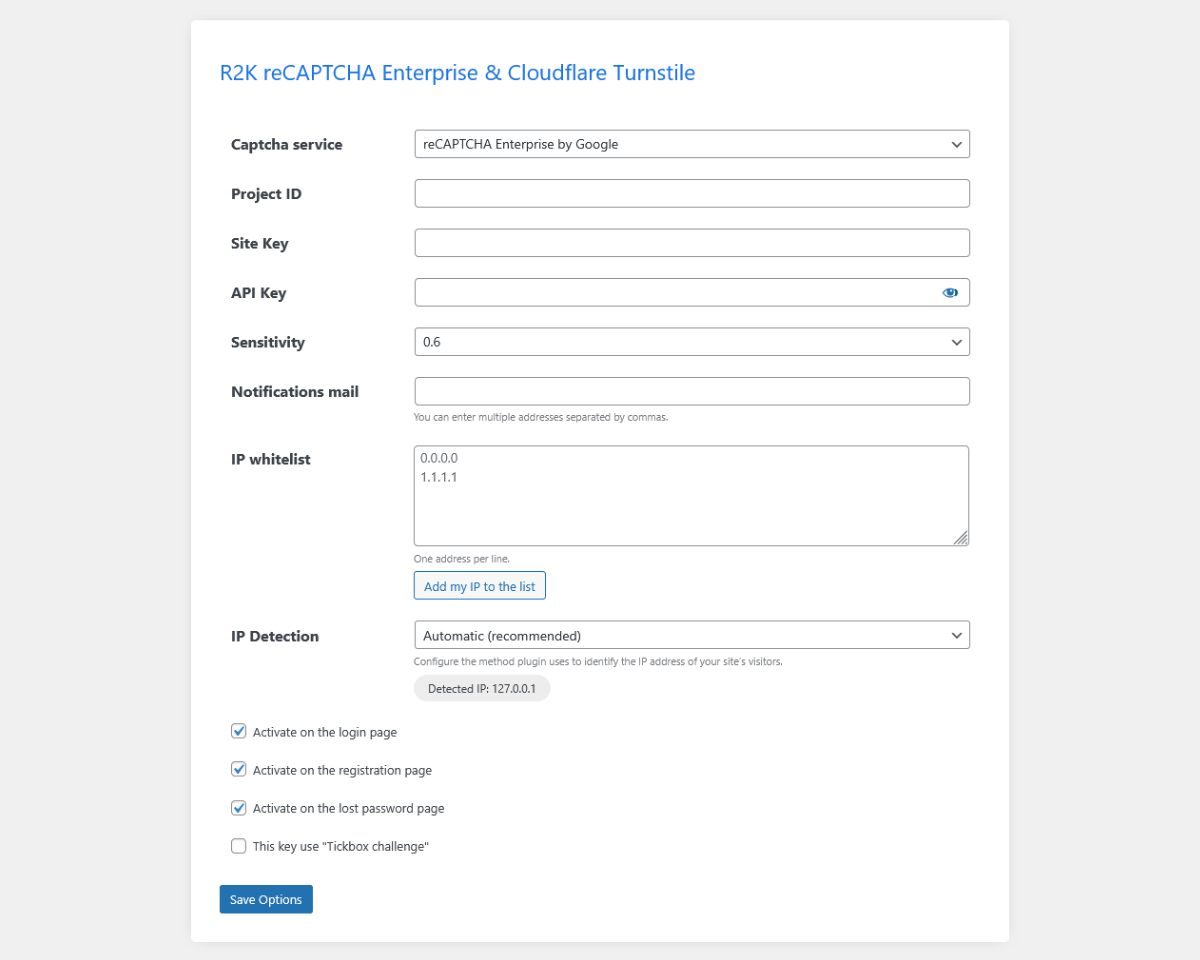
reCAPTCHA Enterprise Settings: A view of the settings for Google's reCAPTCHA Enterprise, including fields for Project ID, Site Key, and sensitivity.
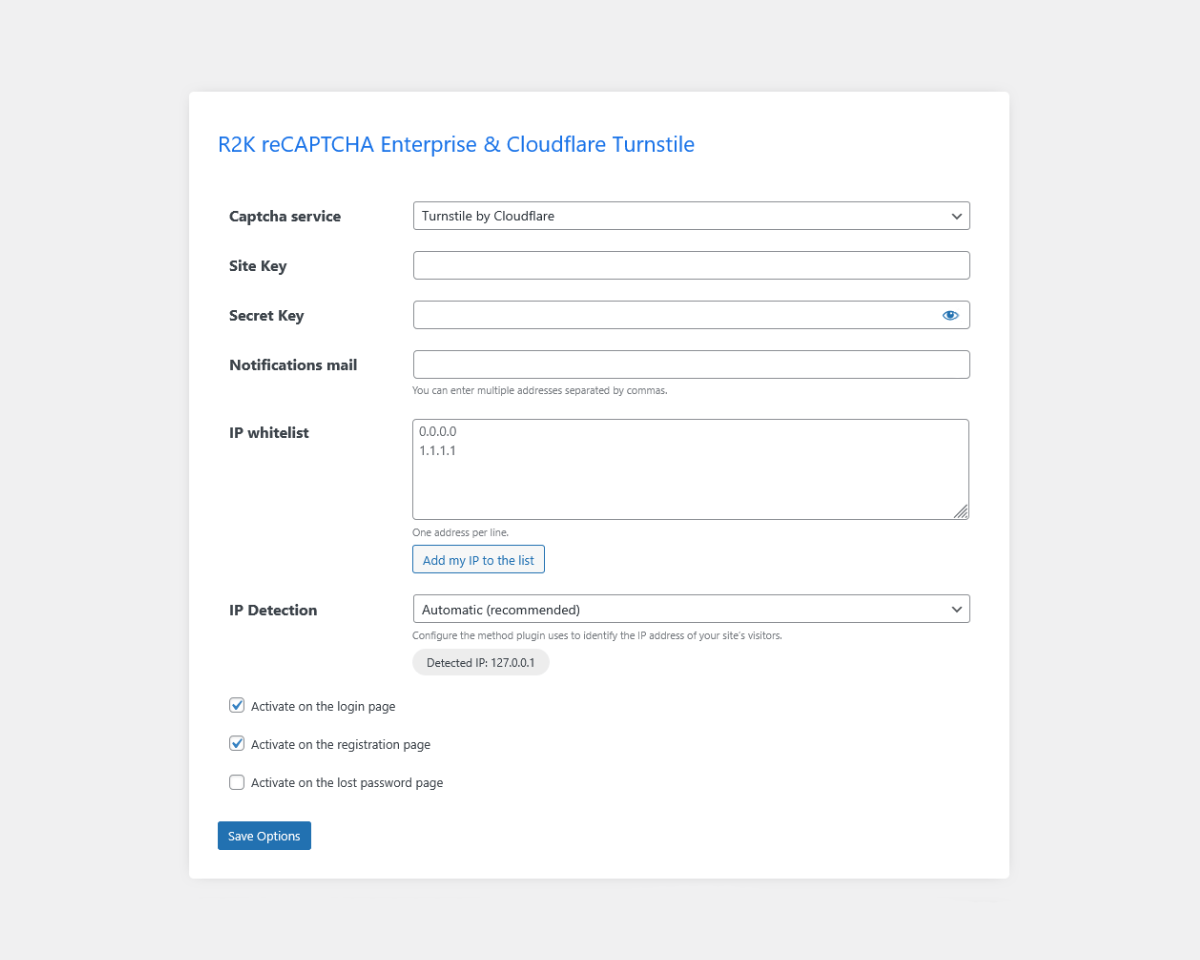
Turnstile Settings: A view of the settings for Cloudflare's Turnstile, showing fields for the Site Key and Secret Key.
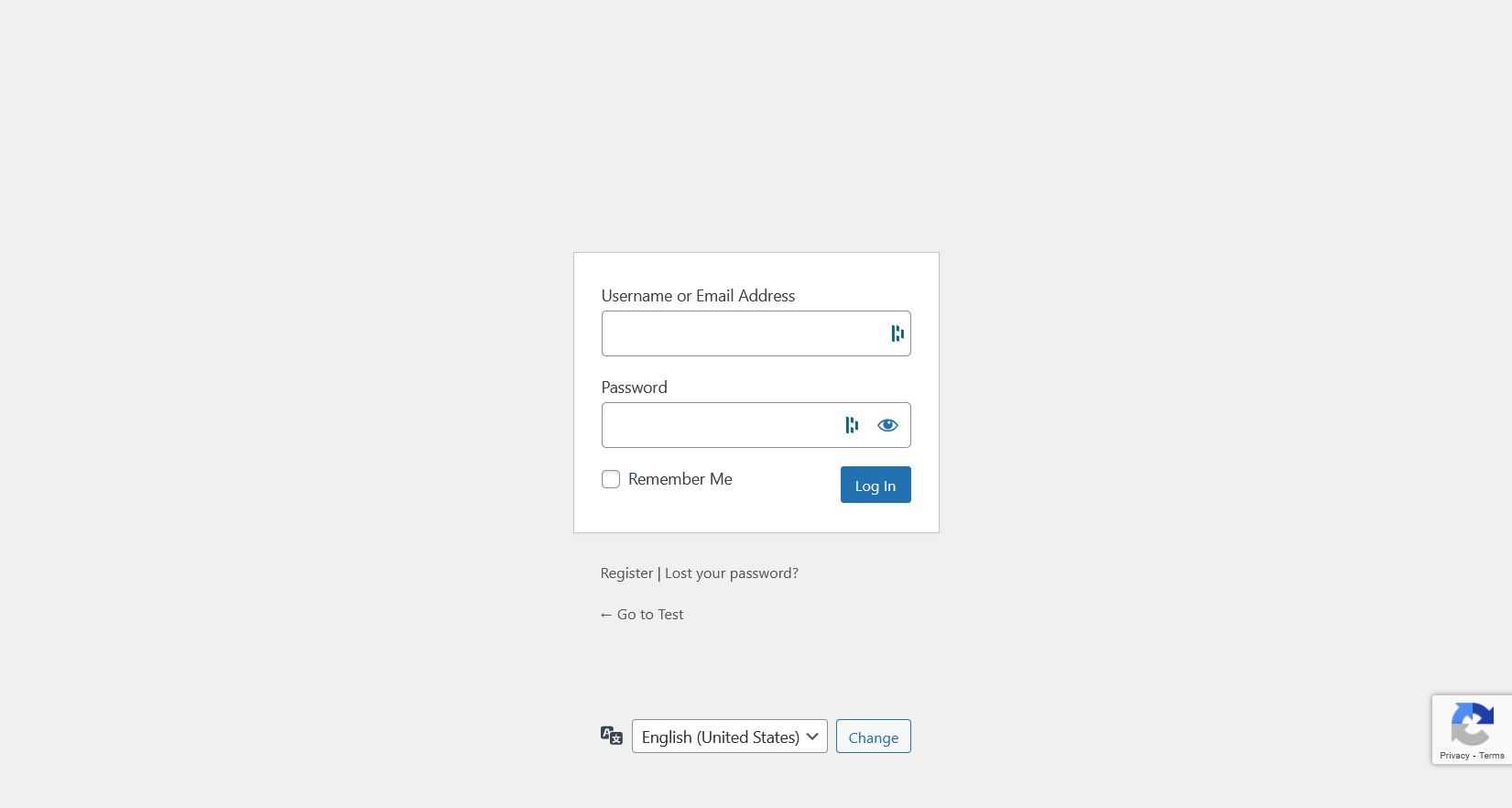
WordPress Login: A view of WordPress after activate recaptcha.
Changelog
1.0.2
- Fix Javascript error
1.0.1
- Update Screenshots
1.0
- Initial release.
- Support for Google reCAPTCHA Enterprise and Cloudflare Turnstile.
- Protection for login, registration, and lost password forms.
- IP whitelisting and email notifications.