

Radio Image Buttons for Elementor & CF7 Lite
Visual radio buttons with images and labels for Contact Form 7 and Elementor. Supports RTL/LTR. Includes basic Elementor Pro Forms integration (Lite).
Plugin info
Maintenance & Compatibility
Maintenance score
Maintained • Last updated 165 days ago
Is Radio Image Buttons for Elementor & CF7 Lite abandoned?
Likely maintained (last update 165 days ago).
Compatibility
Similar & Alternatives
Explore plugins with similar tags, and compare key metrics like downloads, ratings, updates, support, and WP/PHP compatibility.
Description
This plugin lets you create “sets” of options where each option has an image and a label (RTL/LTR),
and insert them into Contact Form 7 or Elementor Pro Forms as a visual radio group.
- Create and reorder items (drag & drop)
- Direction-aware labels and images (RTL/LTR)
- Sends the selected value with your CF7 submission
- Elementor Pro Forms (Lite): pick a Set directly inside an Elementor form field
Pro version adds unlimited sets/items, Style tab controls, live preview, columns/direction settings, and more.
Learn more: https://inline-studio.co.il/radio-image-buttons-for-elementor-cf7/
Upgrade to Pro
Upgrade to the Pro version to unlock advanced features:
– Unlimited sets & items – no more Lite restrictions
– Choose your Set, Direction and numer of columns per row
– Go to the Style tab to customize the look and preview
👉 Click here to upgrade to Pro
Installation
- Upload the plugin to
/wp-content/plugins/radio-image-buttons-for-elementor-cf7-lite/. - Activate the plugin through the “Plugins” menu in WordPress.
- Create a Set under “Radio Image Buttons for CF7 Lite”.
-
In your CF7 form, add the shortcode:
[ida_room_selector id=”123″ name=”radio-name-p” dir=”rtl” columns=”2″]
- Use
dir="rtl"for right-to-left ordir="ltr"for left-to-right.- Add a hidden field
[hidden radio-name]to receive the selected value.
- Add a hidden field
Using with Elementor Pro (Lite)
- Add an Elementor Pro Form widget to your page.
- Add a new field and choose Radio Image Buttons (Lite).
- Select the Set you created under “Radio Image Buttons for CF7 Lite”.
Frequently Asked Questions
Use the tag [radio-name] in CF7 Mail/Webhook. The plugin syncs the chosen option into that hidden field.
Yes. Elementor Pro is only needed for the Forms widget integration. Contact Form 7 integration works standalone.
Review feed
Screenshots
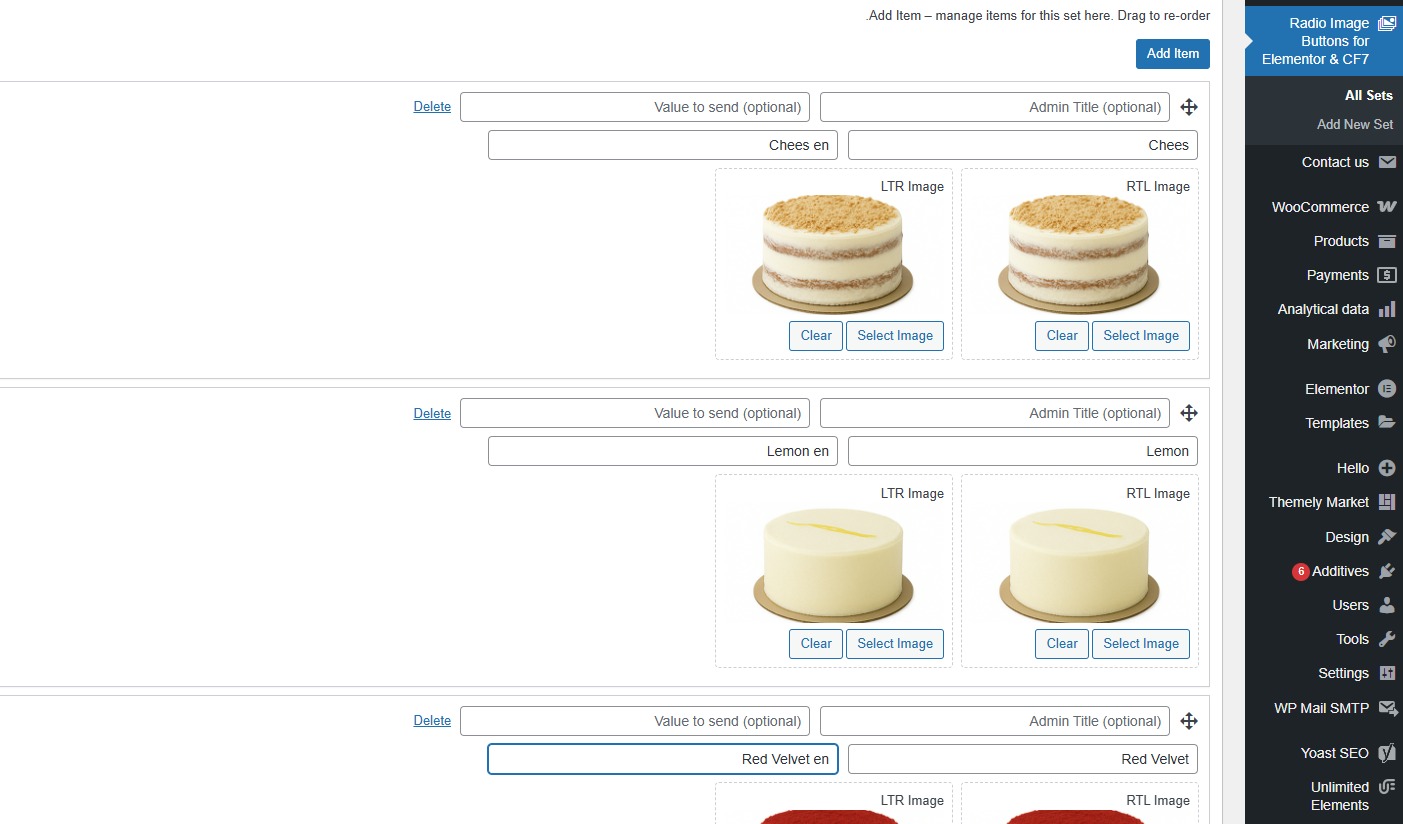
Admin set editor: add items with RTL/LTR labels and images.
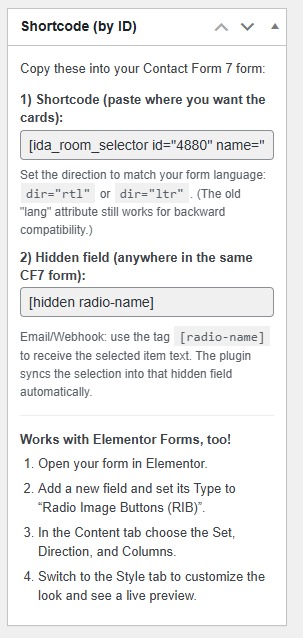
Shortcode.
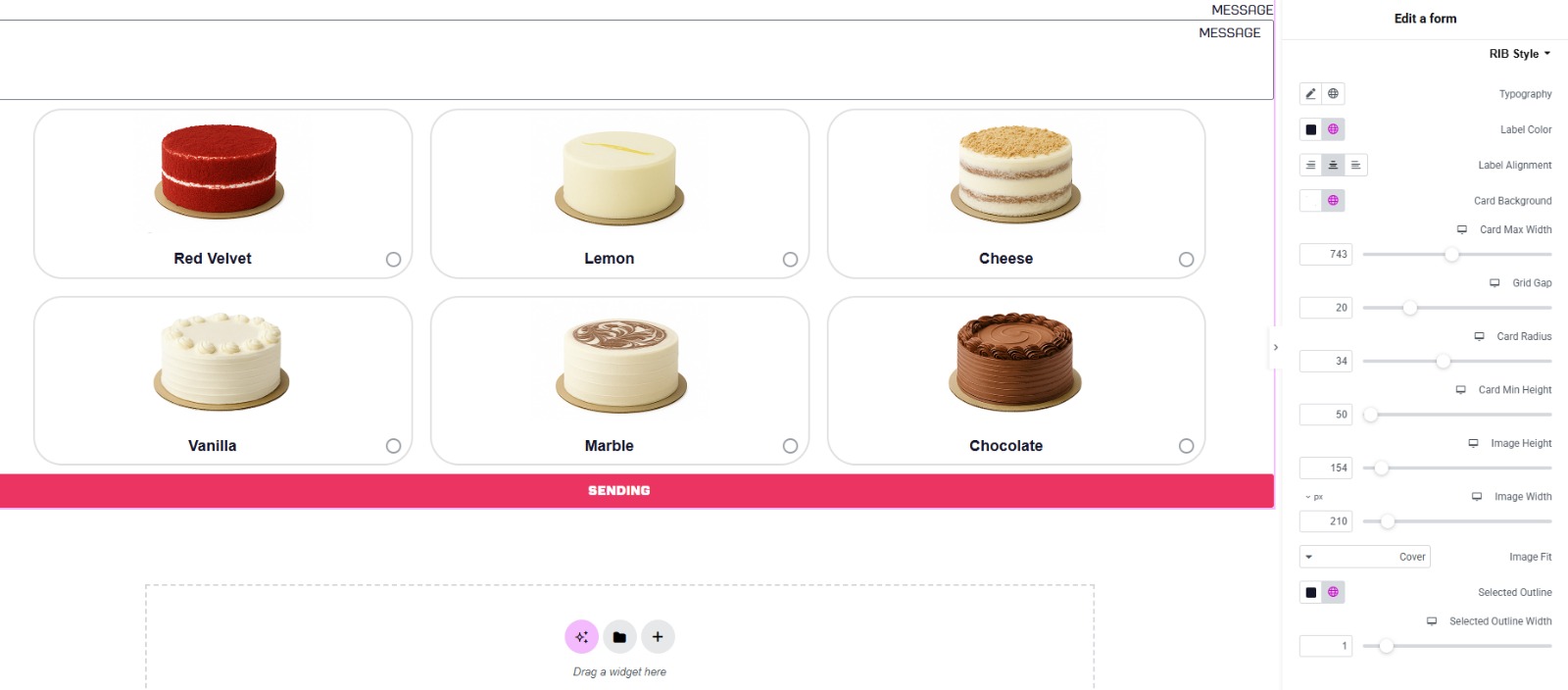
Elementor Form: visual radio cards and stye Tab.
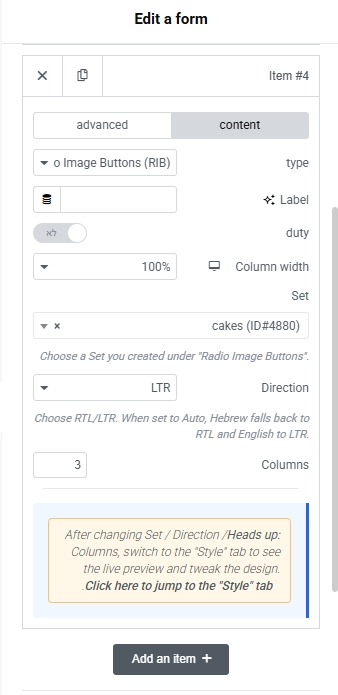
Content set.
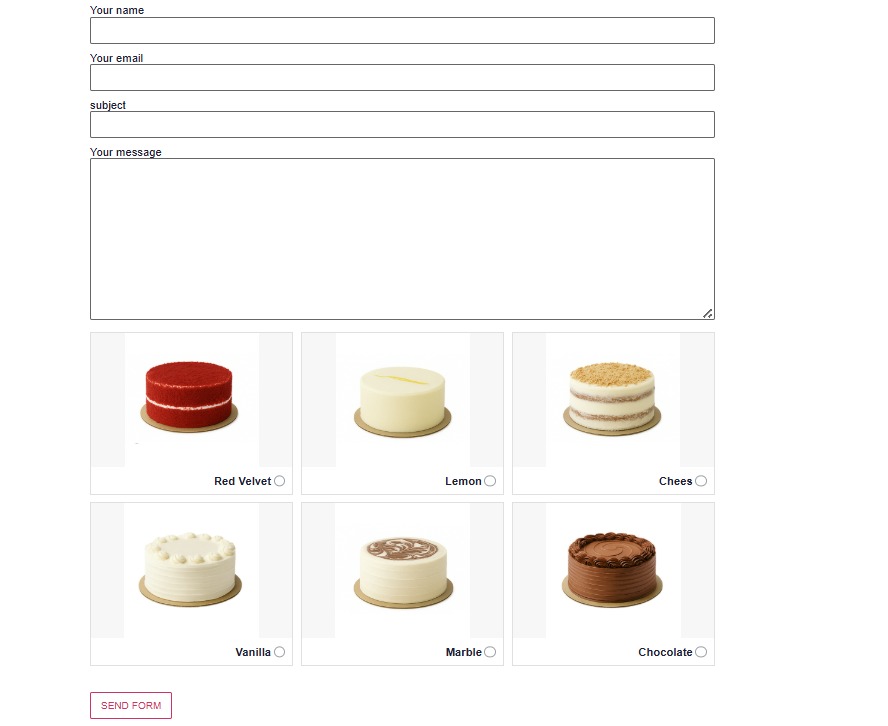
CF7 visual.
Changelog
1.6.0
- Fix: Ensure first item is not overwritten on initial save.
- Fix: Proper escaping and sanitization (per WP.org review).
- Fix: wp_enqueue usage for scripts/styles.
- Tweak: all inline comments in English only.
- Tested up to WordPress 6.8.
1.5.4
- Fix: item template indices and saving logic for labels and images when adding multiple items.
- Fix: removed inline admin/shortcode JS; moved to enqueued files.
- Fix: stricter nonce/capability checks and sanitization/escaping.
- Fix: Elementor Forms (Lite) – safe registration with guards to avoid duplicate control injection.
- Tweak: admin UI copy and i18n strings.
- Tested up to WordPress 6.8.
1.4.0
- Added: Minimal Elementor Pro Forms integration (Lite) with basic “Set” selector field.
- Added: notice in Elementor editor about Pro-only live preview and Style tab.
- Updated: unified frontend rendering (via shortcode).
- Docs: readme updated with Elementor section.
1.2.9
- Added:
dir="rtl|ltr"attribute (replaces legacy “lang”; backward compatible). - Updated: admin help text under the shortcode box.
1.2.7
- Fix: i18n text domain alignment and file naming.
- Fix: PHPCS-level escaping and sanitization.
1.2.0
- Initial public version.