
Random Banner
Display random image, SWF, or script ads across your WordPress site with this powerful, customizable, and user-friendly Random Banner plugin.
Plugin info
Maintenance & Compatibility
Maintenance score
Stale • Last updated 353 days ago • 53 reviews
Is Random Banner abandoned?
Likely maintained (last update 353 days ago).
Compatibility
Similar & Alternatives
Explore plugins with similar tags, and compare key metrics like downloads, ratings, updates, support, and WP/PHP compatibility.
Description
Random Banner is a flexible WordPress plugin that enables you to display various types of banner ads (Image, SWF, or Script) randomly throughout your website. Whether you’re running ad campaigns or promoting content, this plugin offers powerful placement and control options.
Features
- Supports banner types: Image, SWF, and Script.
- Assign individual links to Image and SWF banners.
- Display banners randomly from the list uploaded on the settings page.
- Use shortcodes or widgets to place banners anywhere.
- Set custom titles via widget settings.
- Organize banners using categories.
- Display banners as sliders via widgets or shortcodes.
- Enable/disable banners on individual posts.
- Global enable/disable settings under Settings Others.
- Option to hide banners for logged-in users.
- Show banner ads as popups (Settings Popup).
- Filter ads by category when assigning banner locations.
Scripts and Styles used
- Bootstrap
- SweetAlert
- Moment.js
- Owl Carousel
Demo
Free Vs Pro
Shortcode Usage
In PHP
Inside Posts or Pages
[bc_random_banner]
Available Shortcode Attributes
[bc_random_banner category=category_name slider=no autoplay=true delay=3000 loop=false dots=false]
- category: default or any custom category slug.
- slider: yes / no
- autoplay: true / false
- delay: e.g., 3000 (milliseconds)
- loop: true / false
- dots: true / false
For Pro Version : Random Banner Pro Support
Installation
- Upload the “random-banner” directory to your
/wp-content/plugins/directory. - Activate the plugin through the “Plugins” menu in WordPress.
- Navigate to “Random Banner” in your dashboard.
- Upload banner images, SWFs, or scripts and assign links.
- Go to Appearance Widgets and drag the Random Banner widget to your desired sidebar or area.
- Customize the title and save.
Frequently Asked Questions
Visit: Random Banner FAQ
Yes, you can update. Please ensure you back up your existing banners before upgrading.
Images remain in your media library. However, click URLs may need to be re-added manually. It’s recommended to back up link data.
You’ll receive full access to premium features and updates. Login details will be sent after successful payment.
Log in to your plugin page at https://buffercode.com, complete any pending payments, and download updates using your existing login.
You can verify your license on the support page using your Activation Code.
More info : Random Banner Support
Review feed
Screenshots
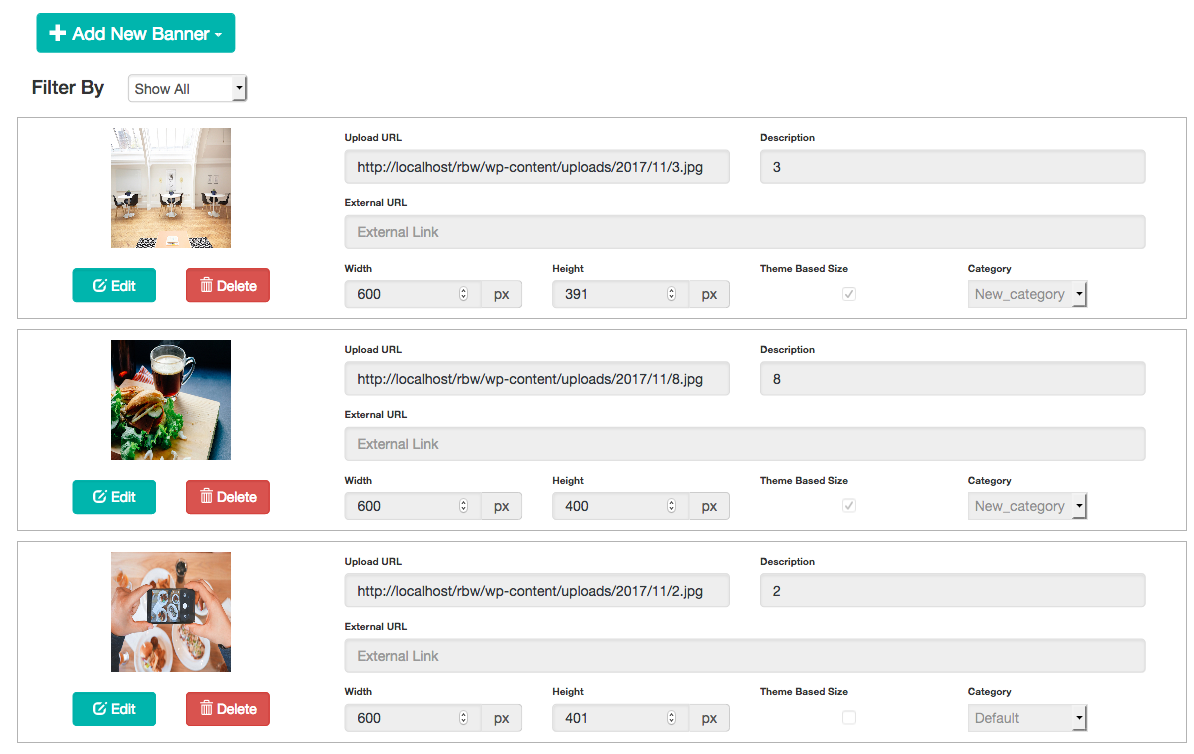
Add New Banner
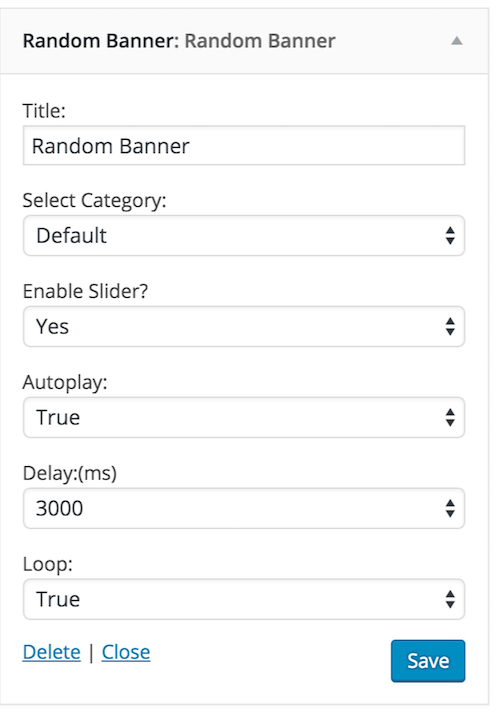
Widget Page
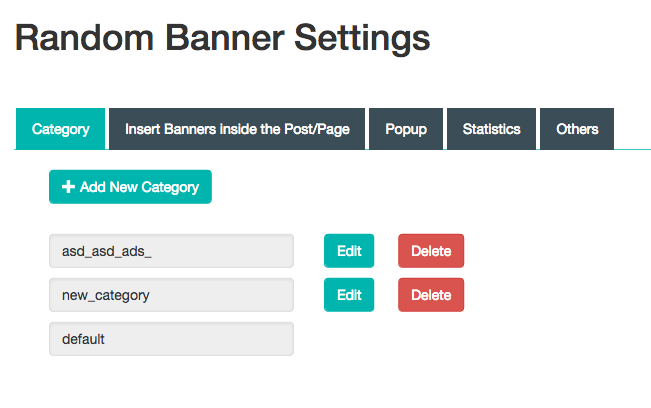
Admin Category Page
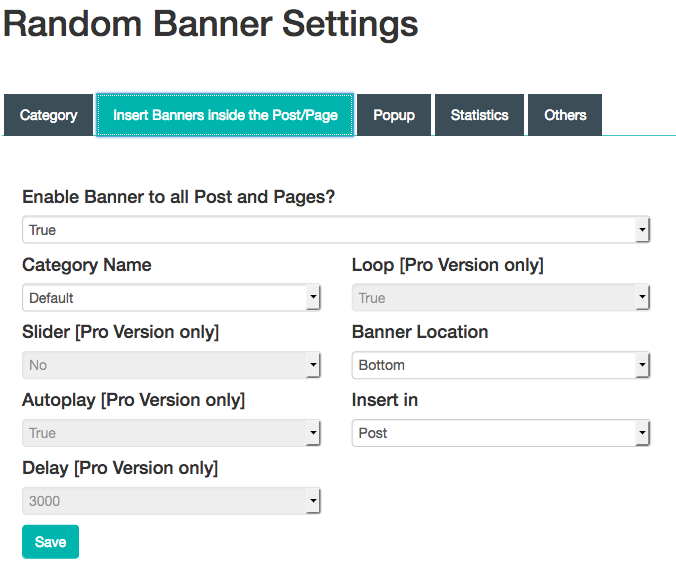
Insert ads inside the Post
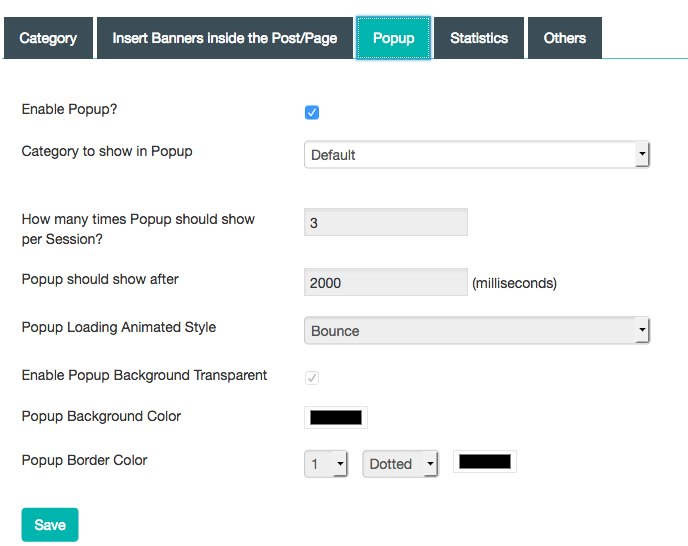
Admin Popup Settings
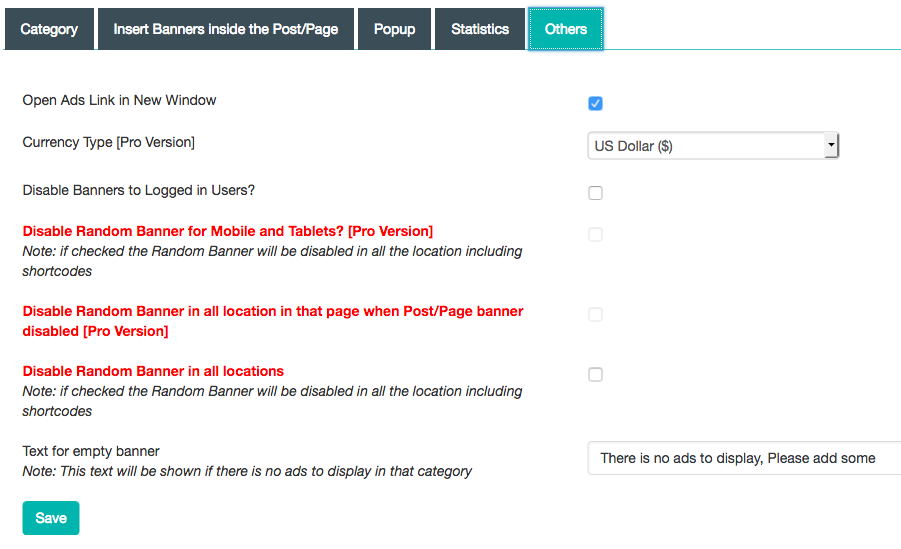
Other settings

Disable banner for particular page

Banner view on frontend pages
Changelog
v 4.2.11 (20250406)
- Documentation update
v 4.2.10 (20250227)
- Code Refactor.
See changelog.txt in the plugin directory for full changelog history.