

Plugin info
Maintenance & Compatibility
Maintenance score
Possibly abandoned • Last updated 1051 days ago • 34 reviews
Is Random Content abandoned?
Possibly abandoned (last update 1051 days ago).
Compatibility
Similar & Alternatives
Explore plugins with similar tags, and compare key metrics like downloads, ratings, updates, support, and WP/PHP compatibility.
Description
This plugin allows you to display random content anywhere on your site using a shortcode or widget. You can group your random content together, allowing you to display different content in multiple locations throughout your site.
The content is added via a custom post type, so you have full access to the tinyMCE editor. This allows you to easily add images, text, and links to your random content.
Using a widget
- Navigate to Appearance->Widgets and add the Random Content widget to a sidebar.
- Select a group from the dropdown. If you don’t create a group, the widget will use all entries.
Using a shortcode
Place the shortcode [random_content] anywhere on a post or page.
To choose entries from a specific group, add the group_id parameter. For example, [random_content group_id="64"].
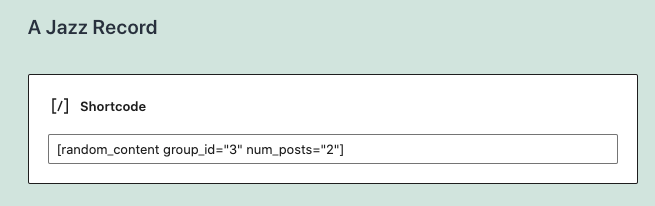
To specify the number of posts to show, add the num_posts parameter. For example, [random_content group_id="13" num_posts="3"].
Installation
- Upload
random-content.phpto the/wp-content/plugins/directory - Activate the plugin through the ‘Plugins’ menu in WordPress
- Create an entry in the Random Content post type.
- Categorize your content using Groups.
Only content within the content editor will be displayed.
Frequently Asked Questions
Yes. Create a group, and assign specific entries to the group. It works just like categories.
Click on Random Content > Group in the WordPress admin. Look for the number in the ID column.
In the shortcode, use the num_posts parameter. In the widget, enter a number in the “Number of Posts to Show at Once” input.
Review feed
Screenshots

Adding the widget to a sidebar.
Changelog
1.4.1
- Ensure compatibility with latest WP version
1.4.0
- Add support for block editor
- Update widget settings
1.3.2
- Update tested to version
1.3.1
- Fix shortcode output so that multiple posts will display
1.3
- Add rc_content filter for extending the plugin output in both the shortcode and the widget
- Add content filter to widget output to allow for oembed support
1.2
- Add localization files for translation support
1.1
- Add num_posts parameter to old version of shortcode for backwards compatibility
1.0
- Update shortcode to [random_content] to help prevent conflicts with other plugins
- Added a num_posts paramenter to the shortcode so that more than one post can show at a time
- Added the ability to not choose a group in a widget, even if a group exists
- Added the ability to control the number of posts that show in the widget
- Rebuilt the plugin using OOP principles based on the WordPress plugin boilerplate
- Added plugin banner graphic
- Updated screenshot image
0.4
- Update input text syntax in widget
0.3
- Add shortcode functionality.
- Reset post data after widget query.
0.1
- First released into the wild.