

Random Quote – Daily Inspirational Quotes for WordPress
Enhance your WordPress site with beautiful, daily-refreshing inspirational quotes. Easy integration via Gutenberg block or shortcode.
Plugin info
Maintenance & Compatibility
Maintenance score
Possibly abandoned • Last updated 385 days ago
Is Random Quote – Daily Inspirational Quotes for WordPress abandoned?
Possibly abandoned (last update 385 days ago).
Compatibility
Languages
Similar & Alternatives
Explore plugins with similar tags, and compare key metrics like downloads, ratings, updates, support, and WP/PHP compatibility.
Description
Random Quote is a powerful yet lightweight WordPress plugin that brings daily inspiration to your website through carefully curated quotes from the ZenQuotes API. Perfect for blogs, business websites, or any platform seeking to engage visitors with meaningful content.
Key Features
- Daily Fresh Quotes – Automatically fetches and displays new inspirational quotes every 24 hours
-
Multiple Integration Options:
- Modern Gutenberg Block for visual integration
- Classic [wpprq_quote] shortcode support
-
Performance Optimized:
- Smart 24-hour quote caching
- Minimal API requests
- Lightweight and fast loading
Check out our other Plugins
Enhance your WordPress site with our other powerful plugins:
- Smart Password Protect – Secure your WordPress site with password protection and IP whitelisting.
- Redirect After Logout – Redirect users to a custom page after logging out for enhanced user experience.
- Access Defender – Advanced security plugin to protect your WordPress site from unauthorized access and malicious attacks.
- Contributors Gallery – Showcase your WordPress contributors in a beautiful and customizable gallery layout.
- Product Spotlight Badge – Highlight your WooCommerce products with eye-catching badges to boost sales.
Please Note: This plugin relies on the ZenQuotes API to fetch the daily quotes. By using this plugin, you agree to the ZenQuotes API Terms and Conditions and Privacy Policy. Your website will send a request to the ZenQuotes API to retrieve a quote, and the API’s servers may log certain data such as IP addresses as part of their normal operations.
Privacy Policy
Random Quote uses Appsero SDK to collect some telemetry data upon user’s confirmation. This helps us to troubleshoot problems faster & make product improvements.
Appsero SDK does not gather any data by default. The SDK only starts gathering basic telemetry data when a user allows it via the admin notice. We collect the data to ensure a great user experience for all our users.
Integrating Appsero SDK DOES NOT IMMEDIATELY start gathering data, without confirmation from users in any case.
Learn more about how Appsero collects and uses this data.
API Credits
The plugin uses the ZenQuotes API (https://zenquotes.io/) to fetch daily inspirational quotes.
License
This plugin is licensed under the GNU General Public License v2 or later.
Installation
Via WordPress Repository (Recommended):
- Log in to your WordPress Dashboard
- Navigate to Plugins > Add New
- Search for “Random Quote”
- Click “Install Now” and wait for the installation to complete
- Click “Activate” to enable the plugin
- Start using the plugin by adding the Gutenberg block or shortcode
Manual Installation:
- Download the plugin zip file from WordPress.org
- Log in to your WordPress Dashboard
- Navigate to Plugins > Add New > Upload Plugin
- Choose the downloaded zip file and click “Install Now”
- After installation, click “Activate”
- Begin using the plugin’s features
How to Use
Using Gutenberg Block (Recommended):
1. Create or edit a post/page
2. Click the ‘+’ button to add a new block
3. Search for “Random Quote”
4. Select the Random Quote block
5. The quote will automatically appear in the editor
6. Customize the appearance using block settings
Using Shortcode:
1. Edit any post, page, or widget
2. Add the shortcode [wpprq_quote] where you want the quote to appear
3. Save your changes
4. The quote will be displayed on your page
Frequently Asked Questions
The plugin fetches a new quote daily from the ZenQuotes API. The quote is cached for 24 hours to optimize performance and reduce API calls.
Yes! The Gutenberg block provides basic styling options. For advanced customization, you can use custom CSS to style the quote container.
Yes, you can use the shortcode [wpprq_quote] with any page builder that supports shortcodes.
The plugin itself does not store any user data. However, when fetching a quote from the ZenQuotes API, certain data such as IP addresses may be logged by the API provider.
Yes, the plugin is GDPR compliant. It only processes the minimum data necessary for functionality and clearly discloses any data collection through Appsero SDK (which is opt-in only).
Review feed
Screenshots
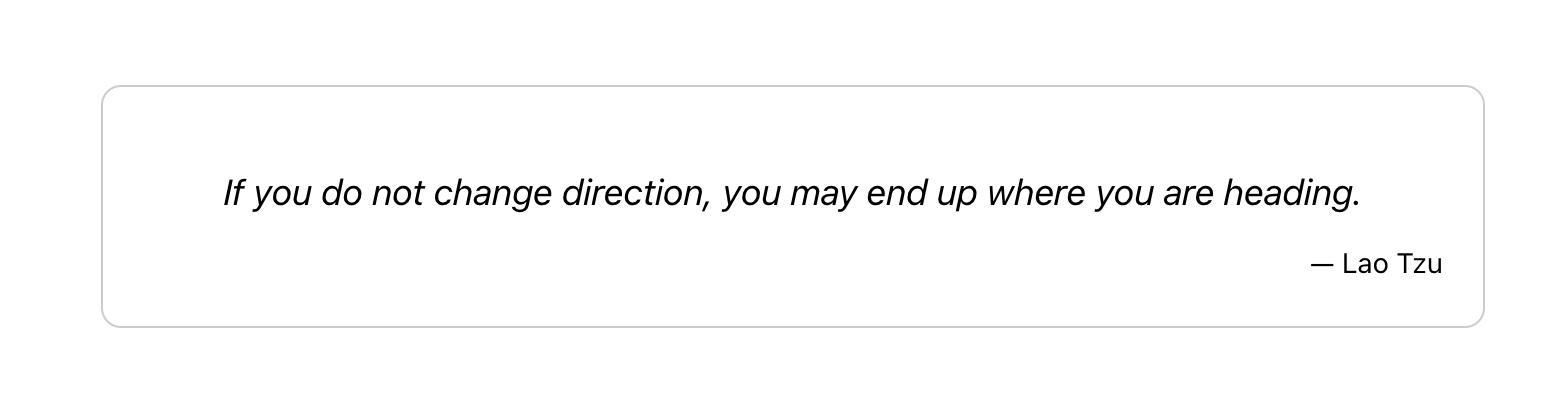
Screenshot of the daily inspirational quote displayed on a website.
Changelog
1.1.0
- Added Gutenberg block support for easier quote integration
- Improved code organization with PSR-4 autoloading
- Optimized API calls with 24-hour quote caching
- Enhanced performance by minimizing API requests
1.0.2
- Added integration with AppSero for tracking plugin usage and updates.
1.0.1
- Update Description.
1.0.0
- Initial release.