

Plugin info
Maintenance & Compatibility
Maintenance score
Possibly abandoned • Last updated 681 days ago • 2 reviews
Is LocaliQ – Tracking Code abandoned?
Possibly abandoned (last update 681 days ago).
Compatibility
Similar & Alternatives
Explore plugins with similar tags, and compare key metrics like downloads, ratings, updates, support, and WP/PHP compatibility.
Description
The LocaliQ WordPress plugin adds the tracking code to the WordPress site. This plugin adds the required javascript code on all pages in order to track analytics and enable other features for the LocaliQ products and other digital marketing solutions.
The required javascript is loaded from a CDN at cdn.rlets.com/capture_static/mms/mms.js. This file is under continuing development to provide the best performance and stability across all browser and OS combinations.
As new features and functionality are added to LocaliQ Tracking, those updates will be rolled out through the mms.js file, and no updates of this plugin will be required.
For more information, visit https://localiq.com.
API Interaction provided by capture_configs js from the CDN
- The capture_configs js loads the customer’s configuration data from LocaliQ
- Sends analytics data back to LocaliQ for performance metrics.
- Sends visit & referrer attribution back to LocaliQ for analytics
- Sends visit, email, and form post data back to LocaliQ to provide lead management.
- Email links are replaced with contact forms and the form data and sending of email is offloaded to LocaliQ’s servers.
Installation
- Activate plugin.
- In the WordPress dashboard, navigate to the ‘Settings’ menu.
- Select the ‘LOCALiQ Tracking Code’ option from the menu.
- Enter your tracking code ID into the ID field, and click the ‘Save Changes’ button.
Frequently Asked Questions
Review feed
Screenshots
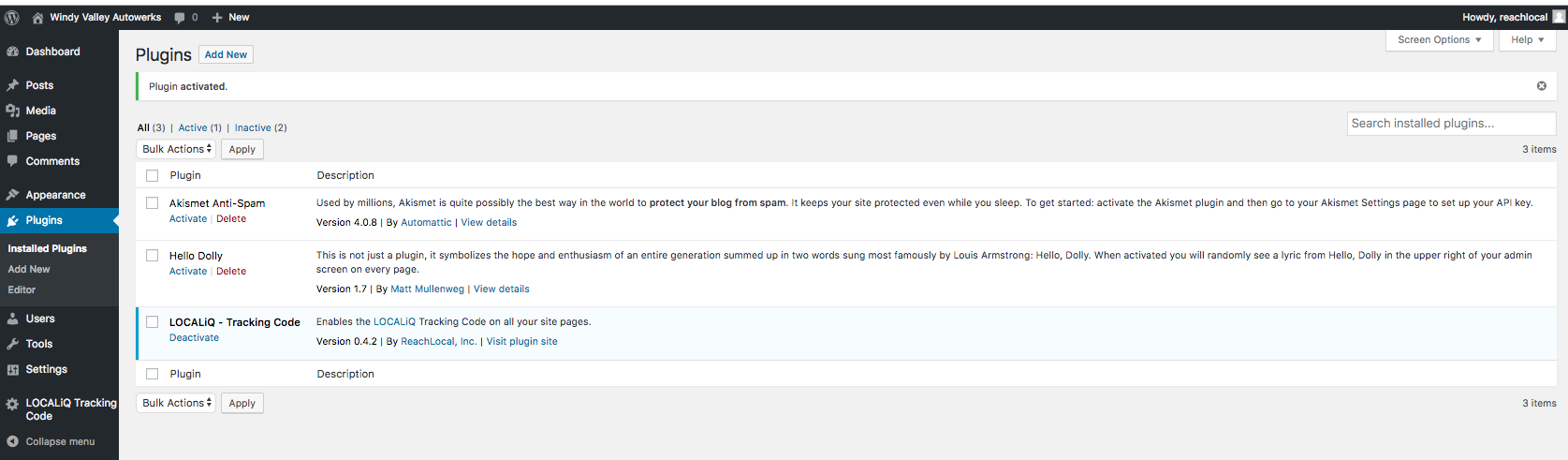
Modified settings panel with LocaliQ tracking.
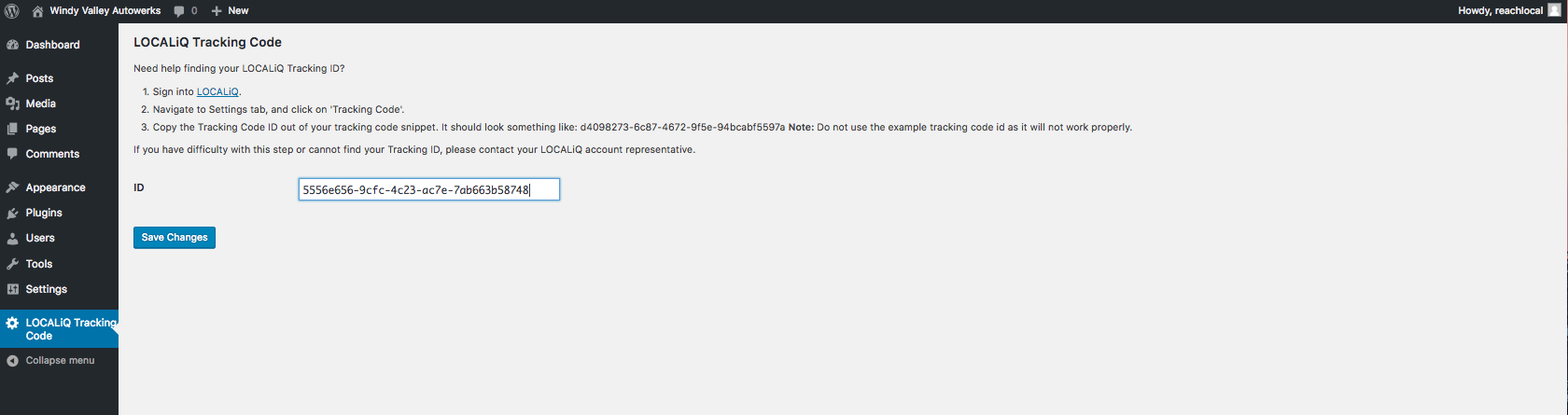
LocaliQ tracking settings page.
Changelog
1.9.1
- Remove clean_url filter to fix async loading of tracking code
1.9
- Tested with WordPress 6.4
1.5
- Tested with newer WordPress Version
1.4
- LOCALiQ branding changes, combined MMS and MIT license
0.4.1
- Updated README with information about why JavaScript asset is loaded from CDN.
0.4.0
- Changed the tracking code name for greater uniqueness
- Use enqueue_script to place capture JS on the page
0.3.0
- Restructured plugin for easier distribution
0.2.0
- Formalize the plugin a bit more
- Added better docs
0.1.0
- Initial skeleton and start of plugin