

Redirect On First Login
Suppose you have some information you want to redirect first time users to, such as a rules page, or a list of certain posts, etc.
Plugin info
Maintenance & Compatibility
Maintenance score
Possibly abandoned • Last updated 3252 days ago
Is Redirect On First Login abandoned?
Possibly abandoned (last update 3252 days ago).
Compatibility
Similar & Alternatives
Explore plugins with similar tags, and compare key metrics like downloads, ratings, updates, support, and WP/PHP compatibility.
Description
Suppose you have some information you want to redirect first time users to, such as a rules page, or a list of certain posts, etc. You would like to do that the first time they login as a new user. You can do with using this “Redirect ON First Login” Plugin. In this Plugin you can see how to redirect the user to the change password page if it is the first time they have logged in.
Redirect On First Login Features
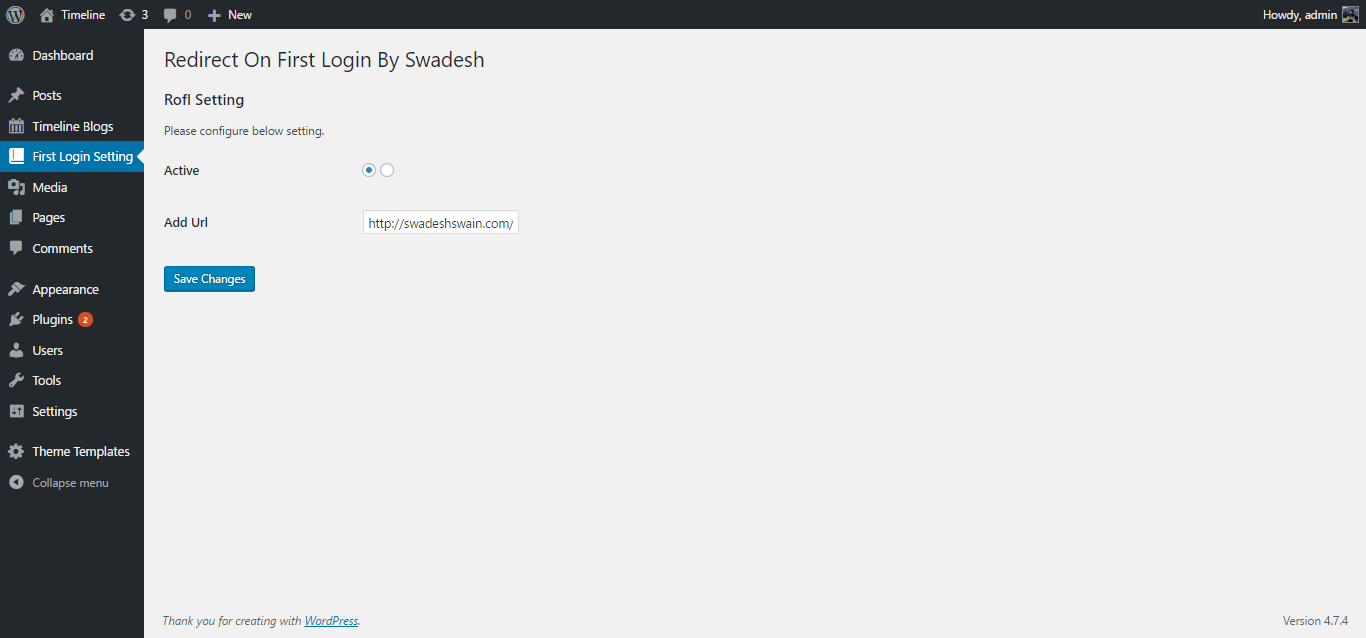
- Plugin config page
- User can active or deactive redirect funtion from plugin config page
HOW TO USE IT
- active the plugin option to “Yes” on plugin config page
- Add redirect URl on config page
NOTICE
YOUR IMPORTANT FEEDBACK IS HIGHLY VALUABLE FOR US, PLEASE WRITE TO ME IF YOU HAVE ANY PROBLEM IN INSTALLATION OR YOU RECOMMEND SOME NEW FEATURE. WE WILL FIX THE ISSUE IN PRIORITY.
SUPPORT EMAIL: [email protected] or fill this form Feed Back Form
THANK YOU
Installation
Installation of this plugin is pretty easy.
- Upload the extracted plugin folder to the
/wp-content/plugins/directory of your WordPress installation, or upload it directly from your plugins section in the WordPress admin panel. - Activate the plugin through the ‘Plugins’ menu in WordPress.
- That’s it!
Frequently Asked Questions
Installation Instructions
Installation of this plugin is pretty easy.
- Upload the extracted plugin folder to the
/wp-content/plugins/directory of your WordPress installation, or upload it directly from your plugins section in the WordPress admin panel. - Activate the plugin through the ‘Plugins’ menu in WordPress.
- That’s it!
Getting Page Not Found on Read More button
Goto Settings -> Permalinks -> Select “Post name” Name -> Click Save Changes
https://swadeshswain.com/
If you want us to install the plugin on your wordpress page you can contact us at [email protected]
1.0.0
- Initial Release
Review feed
Screenshots
screenshot-1