
Reshuffle – Change Post Order, Product Order, Taxonomy Order
Reorder posts, products, and taxonomy terms via a drag-and-drop interface.
Plugin info
Maintenance & Compatibility
Maintenance score
Possibly abandoned • Last updated 374 days ago
Is Reshuffle – Change Post Order, Product Order, Taxonomy Order abandoned?
Possibly abandoned (last update 374 days ago).
Compatibility
Similar & Alternatives
Explore plugins with similar tags, and compare key metrics like downloads, ratings, updates, support, and WP/PHP compatibility.
Description
Change Post Order, Product Order, Category Order
Reshuffle allows users to reorder posts, pages, products, and taxonomy terms using a simple drag-and-drop interface. This plugin provides custom ordering functionality for all post types and taxonomies, including WooCommerce products and categories.
With Reshuffle, you can:
– Drag and drop posts, products, or taxonomy terms to reorder them.
– Maintain custom sorting on the front-end and admin side.
– Ensure that custom order persists even after a page refresh.
– Apply custom ordering to WooCommerce product pages and categories.
– Support for additional taxonomies.
This plugin adds a simple and user-friendly interface for changing the order of items in WordPress, without the need for custom code.
Requires PHP
This plugin requires PHP version 7.2 or higher to work properly. Make sure your server is running the recommended PHP version to ensure compatibility and performance.
Installation
- Upload the
reshuffleplugin folder to the/wp-content/plugins/directory. - Activate the plugin through the ‘Plugins’ menu in WordPress.
- Go to the Post, Page, or Product editor and start dragging to reorder the posts.
- For taxonomy sorting, go to the Term (Category/Tag) editor to start dragging and sorting.
Frequently Asked Questions
Simply go to the Posts, Pages, or Products section in the WordPress admin area. You will now see a sortable list where you can drag and drop posts or products to reorder them.
You can reorder terms for custom taxonomies, including Categories and WooCommerce product categories, by going to the Term editor in WordPress and sorting them via drag-and-drop.
Yes, the plugin ensures that the custom order is saved and persists even after refreshing the page or browser.
Yes, this plugin is fully compatible with WooCommerce, allowing you to reorder products and product categories.
Review feed
Screenshots
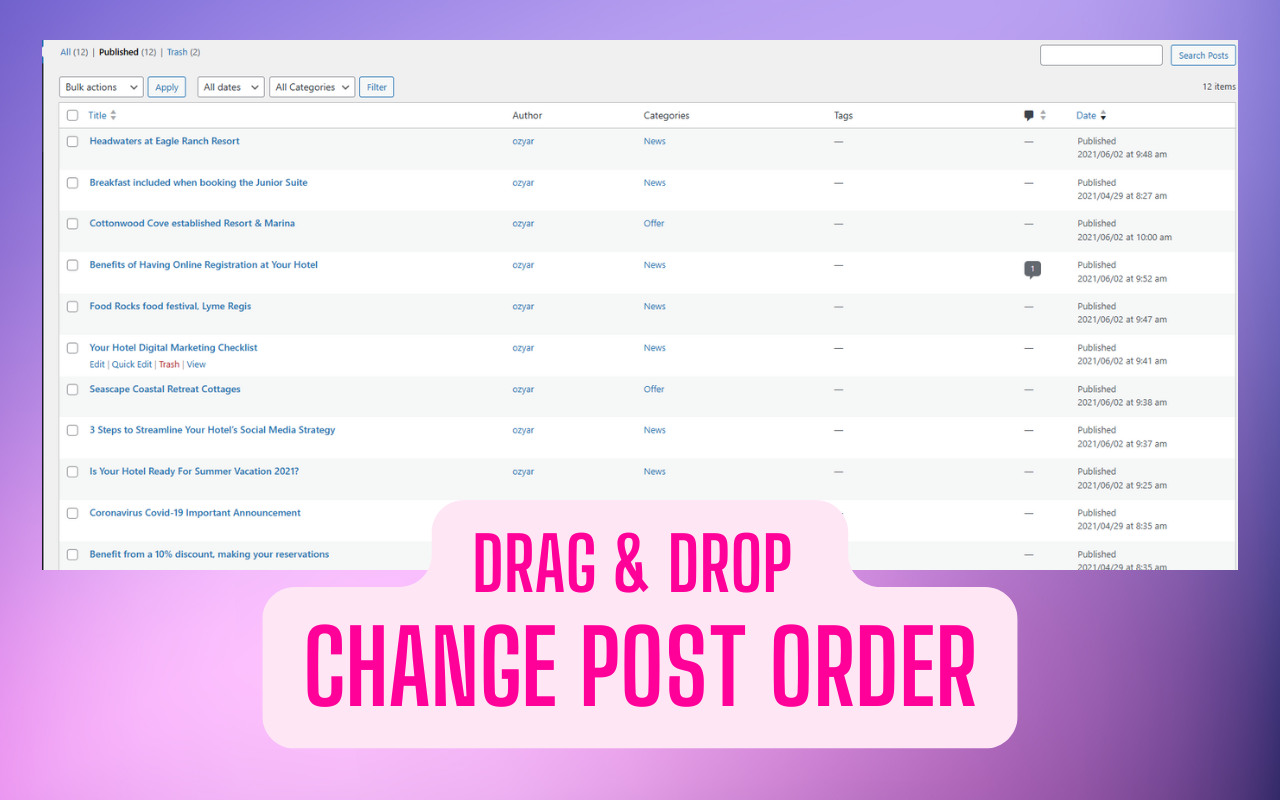
Post/Page Reordering Interface
A screenshot showing the drag-and-drop interface in the Posts or Pages admin area.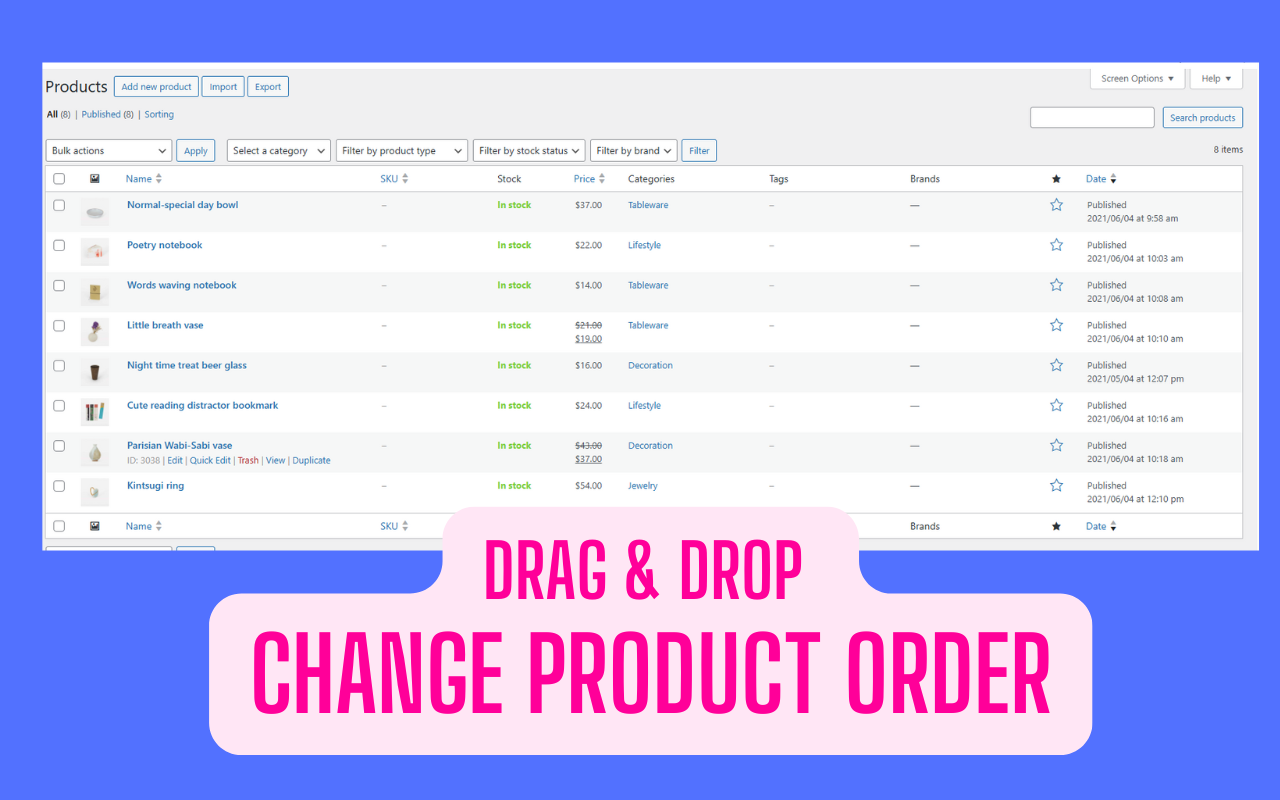
WooCommerce Product Reordering
A screenshot of the product reordering interface in WooCommerce.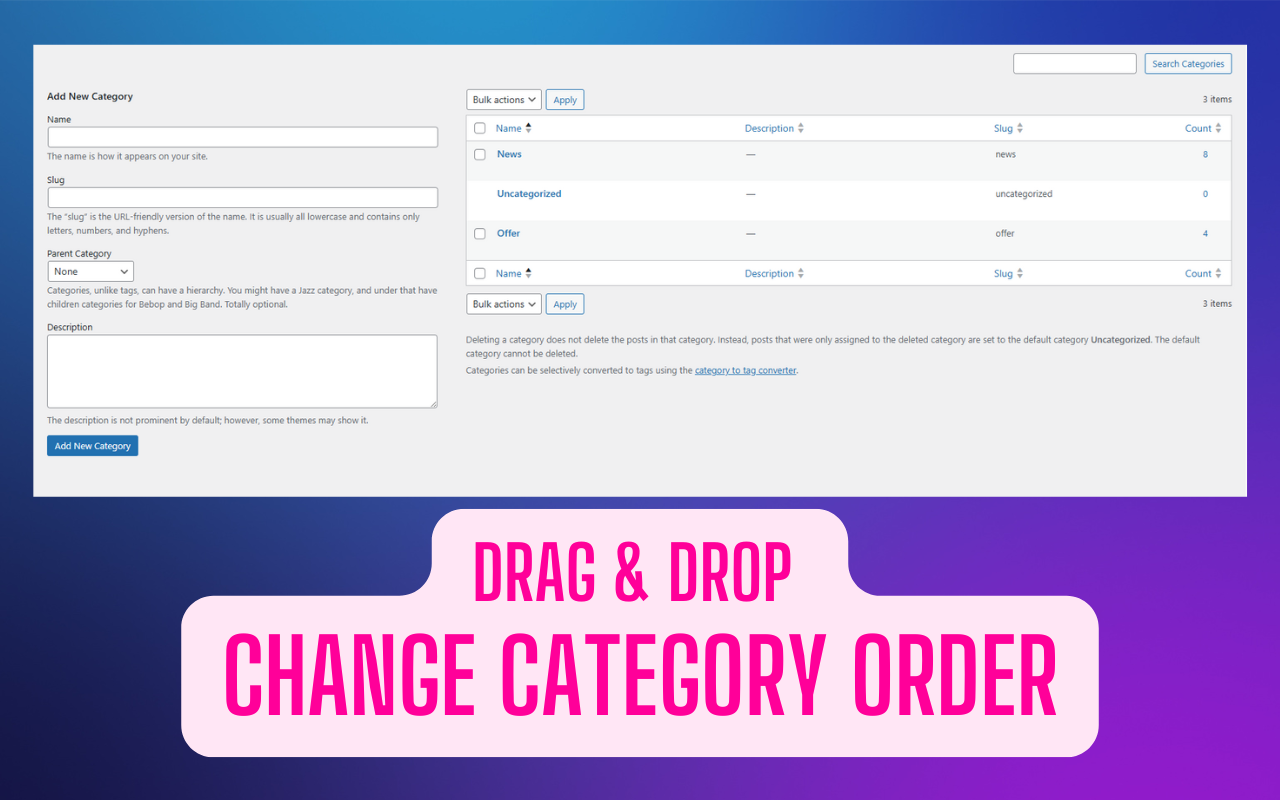
Taxonomy Term Reordering
A screenshot showing how to reorder taxonomy terms (such as Categories) via drag-and-drop.
Changelog
1.0.0
- Initial release of Reshuffle – Change Post Order, Product Order, Taxonomy Order.
- Includes drag-and-drop reordering functionality for posts, pages, products, and taxonomy terms.
- Compatibility with WooCommerce for reordering products and categories.
- Ensures custom order persists across page refreshes.