

Resize Control – Compress and resize images after upload
Auto resize, optimize images; ensure compression for WP accounts to save time, speed, space, and bandwidth.
Plugin info
Maintenance & Compatibility
Maintenance score
Stale • Last updated 324 days ago • 1 reviews
Is Resize Control – Compress and resize images after upload abandoned?
Likely maintained (last update 324 days ago).
Compatibility
Similar & Alternatives
Explore plugins with similar tags, and compare key metrics like downloads, ratings, updates, support, and WP/PHP compatibility.
Description
Try the plugin in sandbox mode.
Auto resize and compress all your future uploads. Automate all your media resolutions and sizes for you and your wp accounts to save time, site speed, SEO score, disk space and bandwidth. This is a free and easy-to-use plugin that updates frequently. Created by the team behind Running Wombat.
Features
- Automatically optimize all future uploads.
- Set maximum image dimensions.
- Convert PNGs to JPGs.
- Set compression level from 0 to 10 (also for PNG).
- Ignore roles for all set resize settings.
- Don’t leave unnecessary files on the server.
- No change in the upload process at all.
- Easy setup.
Try our PRO version
The Pro version of Resize Control offers advanced features such as:
- Customize resize control per post type, allowing for different settings for products, blogs, etc.
- Convert any image automatically to JPG or WEBP, not just PNG to JPG.
- Choose between different resize methods: cover, contain, fill, and scale down.
- Set default background colors for resizing.
Find it here Resize control PRO
Do you have a question or suggestion
Contact support https://tuningwp.com/support/
Sources
- Browser image compression – Includes the uncompressed files for the browser compression library.
Installation
- Upload the
resize-controlfolder to the/wp-content/plugins/directory - Activate the plugin through the ‘Plugins’ menu in WordPress
- In the dashboard sidebar, click on “Resize control” to go to the “general” screen.
- Here, you can activate resizing globally and you can choose which WP roles shouldn’t be affected by the resize/optimization options (e.g., the admin role).
- Now go to “Per post type” in the sidebar and click “default” to set overarching options for all post types.
- Enter “Image dimensions,” check the option to convert png to jpg, and set the compression level.
- Click “Save.” All future uploads should now be automatically resized and compressed.
Frequently Asked Questions
Resize Control supports all common image file types like JPEG, WEBP and PNG.
Absolutely, this plugin squishes the original images, and you get to pick the quality.
In the ‘General’ screen of the plugin, you can select which roles should not be affected by resizing.
No, all media are optimized before upload, so there are no extra files or data left.
Images uploaded before installing this plugin won’t get resized.
Review feed
Screenshots
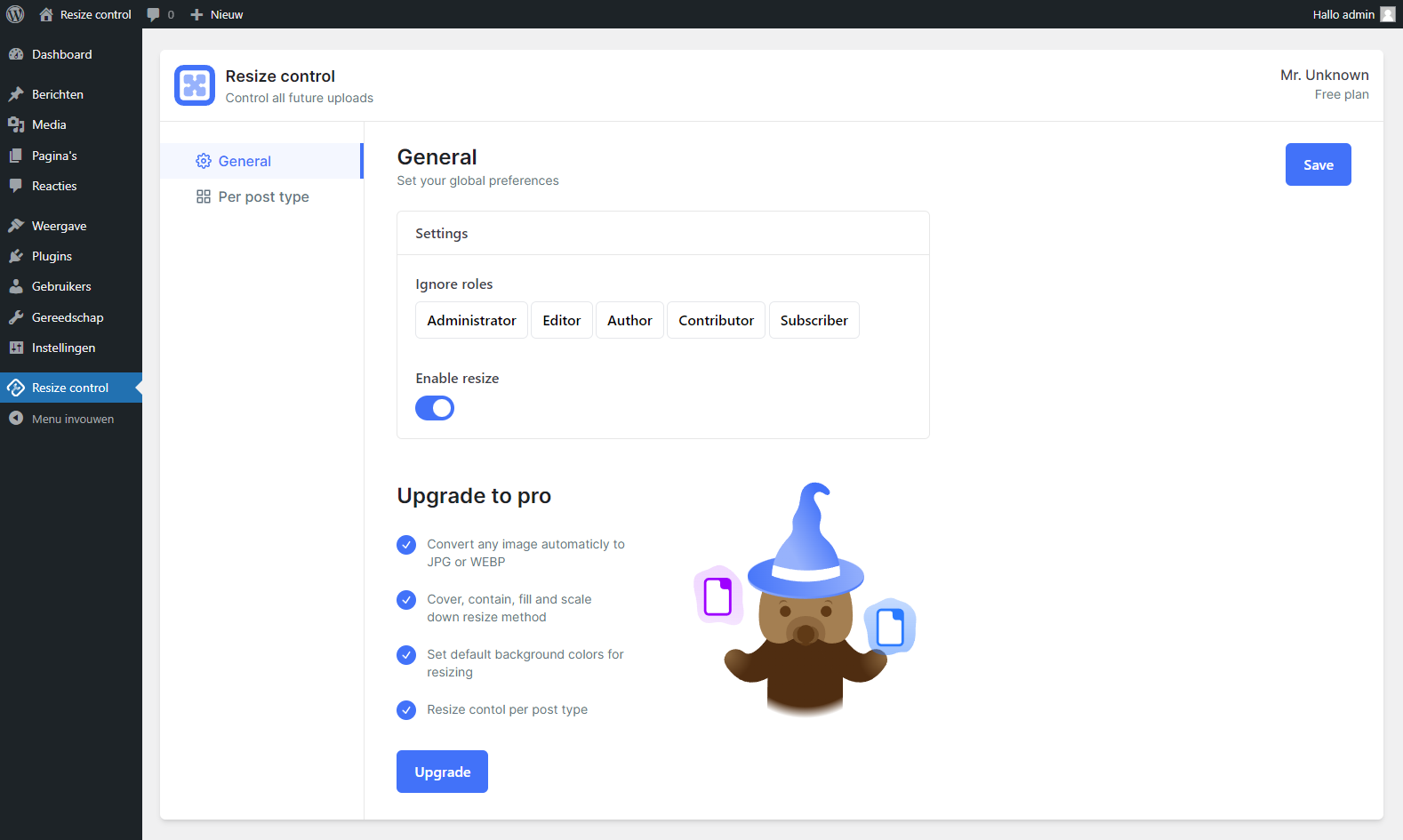
General settings panel

Settings page for all media like compress, resize etc.
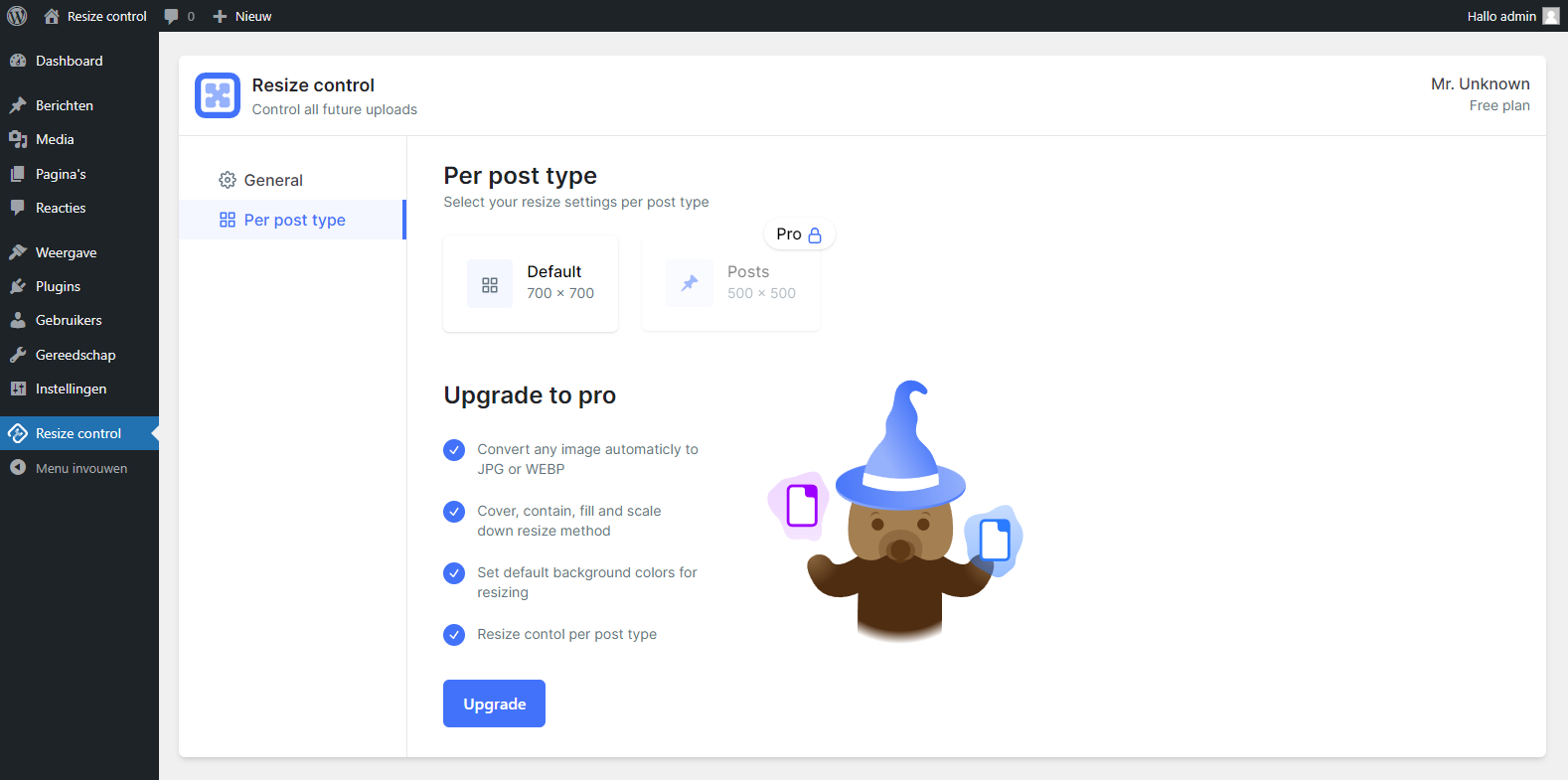
Per post type overview
Changelog
1.0.91 [May 13, 2025]
- Fix: Tested for WordPress 6.8.1
1.0.7 – 1.0.9 [October 16, 2024]
- Add: Integration with TasteWP
- Tweak: Removed coming soon from PRO version.
- Fix: Minor warnings on dashboard
- Tweak: Changed titles for clarity
- Tweak: Resizing is now enabled by default
1.0.6 [July 17, 2024]
- Fix: Tested for WordPress 6.6.
- Fix: Added translation to all tooltips
- Fix: PRO color picker bug
1.0.5 [July 5, 2024]
- Fix: Not loading media library.
1.0.4 [June 26, 2024]
- Add: Background color shadow.
- Fix: Premium posttype sizing.
- Fix: Posttype hitbox size.
1.0.3 [June 21, 2024]
- Added: Premium styles and features.
- Fix: Added all tooltips to translations.
- Fix: Minor styling tweaks.
- Fix: Minor js optimisations.
- Change: plugin title.
1.0.2 [Apr 14, 2024]
- Added: Extra install, features and FAQ documentation.
- Added: Preview plugin support.
- Fix: Background color placeholder change.
- Fix: Minor styling tweaks.
1.0.1 [Apr 3, 2024]
- Added: Translations pot file, to allow community to translate.
- Added: Compatibility for future pro version.
- Fix: Ignore role buttons did not work correctly.
- Fix: Minor styling tweaks.
- Fix: Tested for WordPress 6.5.
1.0.0 [Apr 3, 2024]
- Initial release, no changes.