

Responsive Block Visibility Swap
Easily hide and show Gutenberg blocks based on screen size to create responsive website layouts.
Plugin info
Maintenance & Compatibility
Maintenance score
Possibly abandoned • Last updated 701 days ago • 1 reviews
Is Responsive Block Visibility Swap abandoned?
Possibly abandoned (last update 701 days ago).
Compatibility
Similar & Alternatives
Explore plugins with similar tags, and compare key metrics like downloads, ratings, updates, support, and WP/PHP compatibility.
Description
Easily hide and show Gutenberg blocks based on the screen size to create responsive website layouts. With Responsive Block Visibility Swap, you can optimize your content for different devices and enhance the user experience.
What’s Coming Next
-
Additional Device Support:
Get ready for enhanced flexibility! In the upcoming update, we’re planning to introduce additional device support, allowing you to define more devices for precise control over block visibility. We have added support for mobile, tablet, and desktop devices and will be adding mobile landscape, tablet landscape, laptop, and widescreen support in the future. -
Adjustable Media Query Width:
Fine-tune your responsive layout like never before! We’re also planning to include the ability to adjust the media query width for each device, giving you greater control over how your blocks behave across different screen sizes. Whether you prefer pixel-perfect precision or a more fluid design, this feature will empower you to optimize your content for any device.
*Stay Updated:
Keep an eye out for future announcements and updates as we work to bring these exciting features to life. We’re committed to providing you with the tools you need to create exceptional, responsive content with ease.
Feedback and Suggestions
Your feedback is invaluable to us! If you have any thoughts, ideas, or suggestions for how we can improve our plugin or make these upcoming features even better, we’d love to hear from you. Please don’t hesitate to reach out to our team with your input.
Donate
Your willingness to donate or help others is truly appreciated and can bring joy to those in need. Thank you for considering it!
Installation
- Upload the plugin files to the
/wp-content/plugins/responsive-block-swapdirectory, or install the plugin through the WordPress plugins directory. - Activate the plugin through the ‘Plugins’ screen in WordPress.
Frequently Asked Questions
To hide or show blocks based on screen size:
1. Open any WordPress block editor (e.g., post, page, or theme editor).
2. Select the block you want to show or hide responsively.
3. In the right sidebar panel, open the Advanced settings.
4. Choose the screen sizes where the block should be hidden or shown.
5. Save your changes and preview the page to see the block visibility changes on different devices.
Yes! Responsive Block Visibility Swap allows you to create responsive layouts by swapping blocks on different devices. You can design custom experiences for mobile, tablet, and desktop users.
Review feed
Screenshots
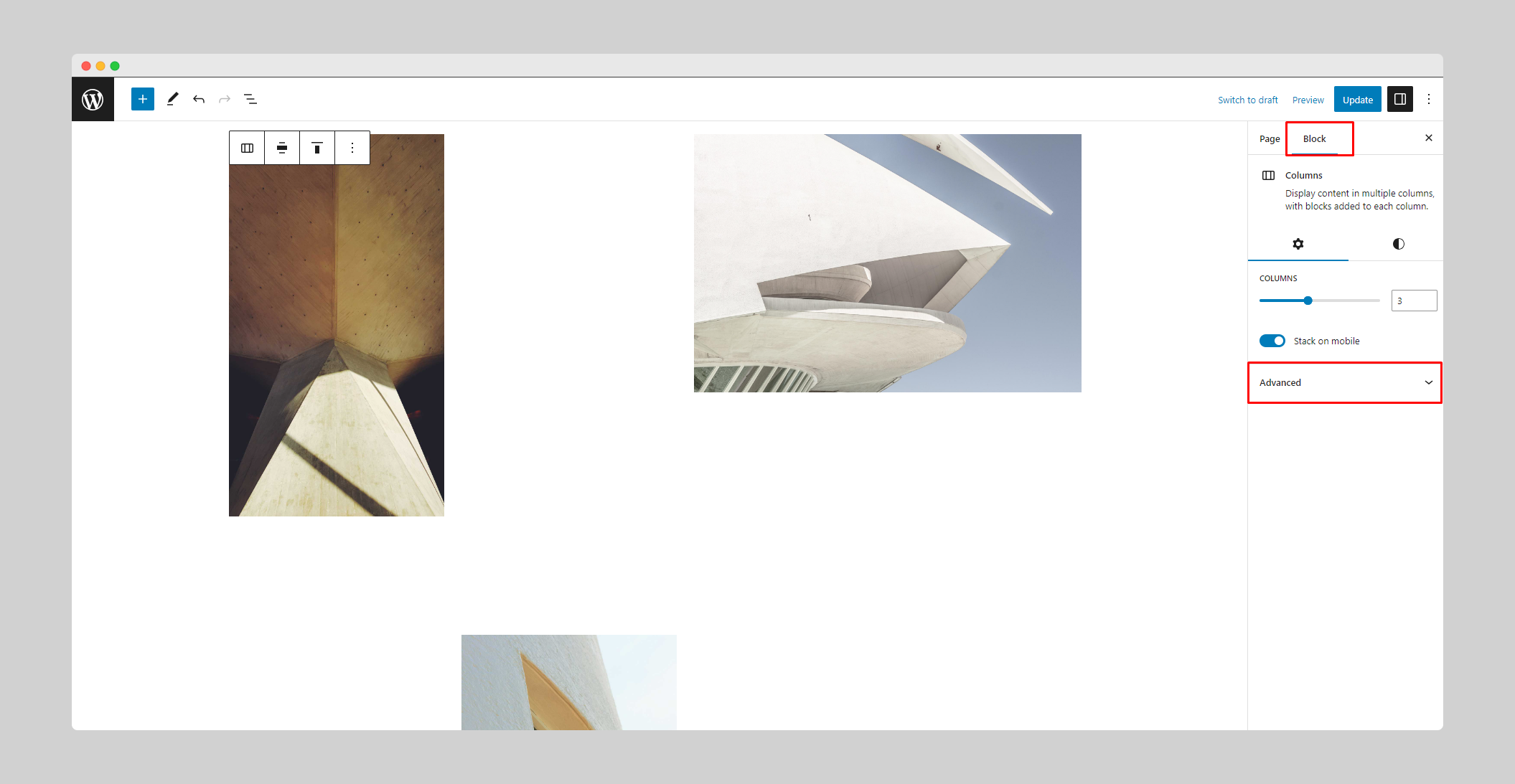
Open Editor and Right Sidebar and Select Block
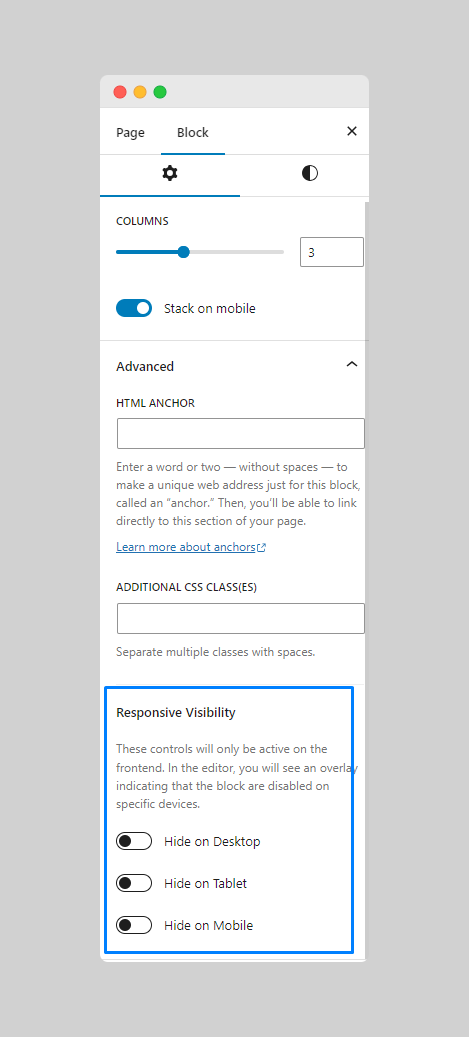
Open the Advanced settings to access Responsive Block Visibility Swap Controls
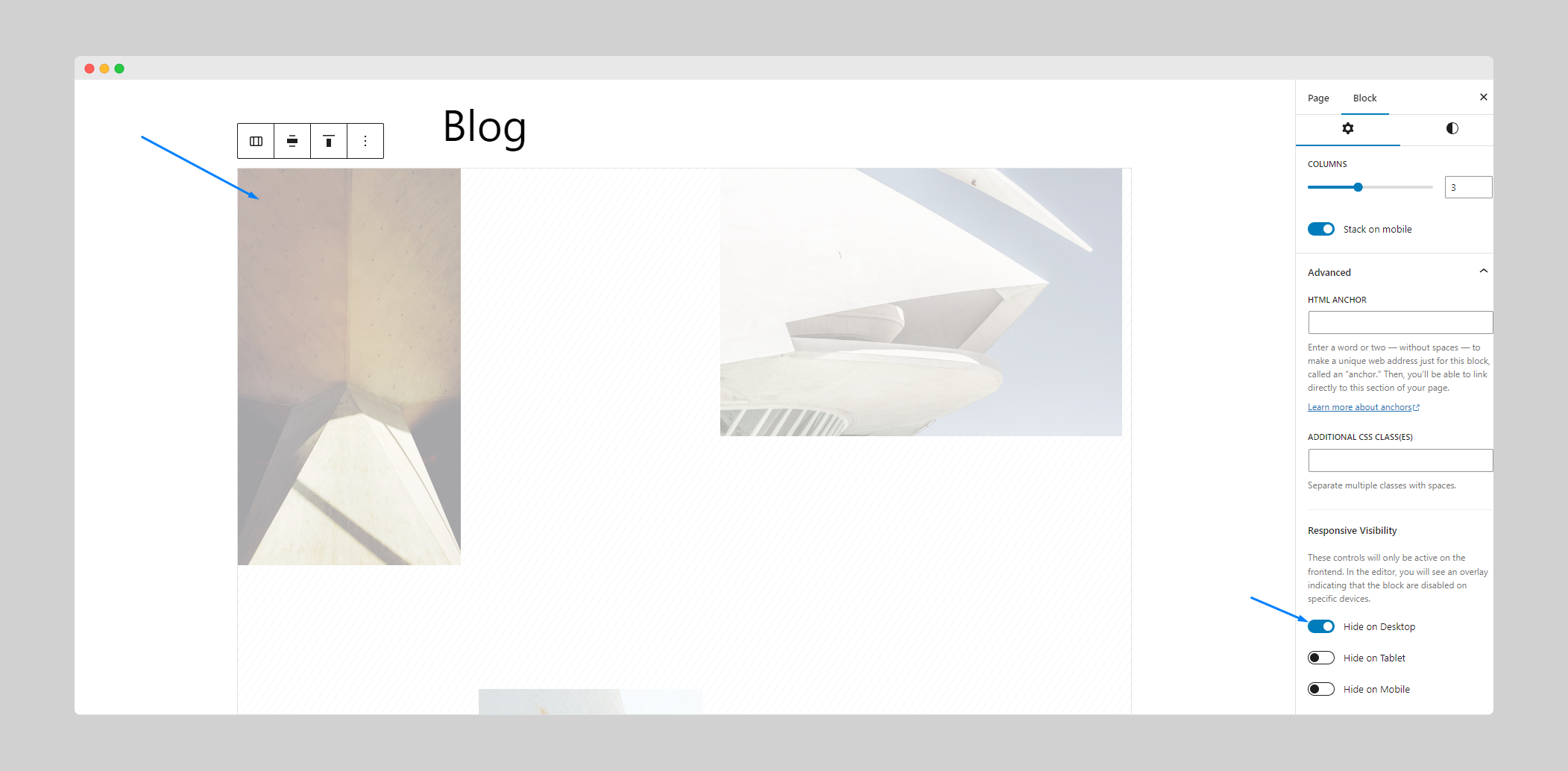
Choose which devices you want to hide this block. Done!
Changelog
1.0.1
- Fixed: Hide block instead of overlay on block in site editor.
- Improvement: Replaced deprecated functions with new ones.
- Improvement: Performance optimization & code refactoring.
1.0.0
- Initial release.