

Responsive Portfolio Image Gallery – Portfolio Gallery
A powerful and lightweight WordPress plugin for creating responsive, filterable image or portfolio galleries using [shortcode].
Plugin info
Maintenance & Compatibility
Maintenance score
Stale • Last updated 266 days ago • 7 reviews
Is Responsive Portfolio Image Gallery – Portfolio Gallery abandoned?
Likely maintained (last update 266 days ago).
Compatibility
Similar & Alternatives
Explore plugins with similar tags, and compare key metrics like downloads, ratings, updates, support, and WP/PHP compatibility.
Description
FREE VERSION DEMO | PRO VERSION DEMO | EXPLORE PRO | CONTACT US
Responsive Portfolio Image Gallery is a lightweight yet powerful plugin designed to help you display your portfolios in a modern, organized, and responsive layout. Whether you’re a photographer, designer, or creative professional, this plugin allows you to build beautiful grid-style portfolio galleries with a filterable interface using WordPress posts and [shortcode].
Each portfolio item uses the featured image for its thumbnail, which opens up a stunning preview area displaying a larger version, along with optional titles, descriptions, buttons, and a related carousel.
Customize the look and feel using the built-in settings panel – choose hover effects, filter animations, the number of posts to show, and much more.
Use simple [shortcode] to place your gallery anywhere on your website.
Important Notes
- A featured image must be set for each portfolio item.
Unlock more advanced features by upgrading to the Pro version:
- Create unlimited galleries with unique styles
- Add unlimited buttons in preview area
- Duplicate any Portfolio rather than resetting a new one.
- Backup and import/export settings
- More attractive hover and filter animations
- Google Fonts support
- YouTube and Vimeo video support
- Assign multiple categories per portfolio
- Admin preview of each gallery
Pro Version Video DEMO
Key Features
- Responsive for all devices
- Lightweight and fast-loading
- Built with custom post types and taxonomies
- Two built-in themes:
LightandDark - Set the number of items and description length
- Sort portfolios by
date,name, orID - Customize thumbnail
widthandheight - Choose from several hover and filter effects
- Display carousel of related images
- Hide/show description and carousel
- Portfolio description can be hidden
- Height of the expanding preview and carousel wrapper is adjustable
- Enable custom CSS
- Shortcode-based implementation
- Fully compatible with all modern browsers
Custom Post Type & Taxonomy
Portfolios are managed as a dedicated custom post type with their own taxonomy. This structure ensures easy organization and separation from other content types.
Two color schemes in style
There are two color variations for the portfolio gallery plugin, dark and light. You can switch between them and load one up which is suitable for your website.
Hover & Filter Effects
Add visual appeal with a wide variety of CSS-based hover and filter animations. Let users easily navigate your gallery by filtering items based on categories.
Expanding Preview Panel
When a thumbnail is clicked, a clean, expandable preview opens with more details including a large image, title, description, buttons, and related carousel.
Custom CSS Support
Add your own styles directly from the plugin settings panel. Your rules will override the default styles without needing to modify plugin files.
Migration Notes for Version 1.3
Version 1.3 is a major update with internal changes that may affect users upgrading from older versions. We’ve made structural improvements for better performance and flexibility, which means certain elements have been renamed or migrated.
Don’t worry – most changes are applied automatically through the version checker method.
However, please visit Portfolio Guide in your WordPress dashboard for detailed upgrade instructions.
What You Should Do
- ✅ Shortcodes: Go to the pages/posts where you added
[rcpig-gallery]and replace them with[rpgal-gallery]. - ✅ Post Type Visibility: If your portfolios are missing, go to your dashboard > Portfolios, and ensure items are listed under the new
rpgalpost type. - ✅ Check Gallery Settings: Visit the
Generate Portfoliosection to confirm your included categories are set correctly. - ✅ Custom Button Data: If you previously used buttons in your preview, confirm that they appear as expected. If not, re-enter them using the new fields.
We’ve tried to make this transition as seamless as possible. However, if you notice anything missing or broken, re-saving your portfolio settings or re-adding buttons under the new structure usually resolves the issue. If you need help, you can contact us at anytime.
Credits
- Classie – class helper functions by bonzo
- Direction Aware Hover Effect by Codrops
- Thumbnail Grid with Expanding Preview by Codrops
- Elastislide by Codrops
- Presented By: Realwebcare
- Facebook Page
Installation
Responsive Portfolio Image Gallery can be installed in two convenient ways: manually or directly from the WordPress plugin directory.
Manual Installation:
1. Log in to your WordPress admin dashboard.
2. Navigate to “Plugins” in the left menu and click “Add New.”
3. Click “Upload Plugin” and choose the responsive-portfolio-image-gallery.zip file. Click “Install Now.”
4. Once installed, activate the plugin.
5. Create your portfolio items and use the [shortcode] on any post/page.
Installation from WordPress Plugin Directory:
1. Log in to your WordPress admin dashboard.
2. In the left menu, click “Plugins,” then select “Add New.”
3. In the search field, type “Responsive Portfolio Image Gallery Realwebcare”.
4. Locate the plugin in the search results and click the “Install Now” button.
5. After installation, activate the plugin.
6. Create your portfolio items and use the [shortcode] on any post/page.
Frequently Asked Questions
Create portfolio items under the Portfolio post type by assigning them to appropriate categories and setting featured images. After that, go to the Generate Portfolio section from the admin menu. There, you can create a new gallery by including the categories you want to display. Once generated, use the [shortcode] from the right sidebar on any post or page to showcase your gallery.
Use the [shortcode] provided by the plugin. Example: [rpgal-gallery]. The free version supports one gallery per page.
In the free version, each portfolio can be assigned to only one category. For multiple categories per portfolio, please upgrade to the Pro version.
Yes. The featured image is used to generate the thumbnail for each portfolio item. Without a featured image, it won’t appear in the gallery.
Go to the Generate Portfolio >> Advance Settings page. You’ll find options for selecting different hover effects, filter styles, direction, and animation types.
Yes. You can hide both the description and the carousel from the settings panel in the admin area.
Absolutely. There’s a Custom CSS box in the settings where you can add your own styles. Your CSS will override the default plugin styles.
Please make sure to include the portfolio categories (instead of excluding them, as in earlier versions). This change was introduced in version 1.1.
In the free version, each portfolio supports a default button with text and link. In the Pro version, you can add unlimited buttons with custom labels, links, and open in new tab options.
Yes. The plugin is regularly tested and updated to maintain full compatibility with the latest versions of WordPress.
Review feed
Screenshots
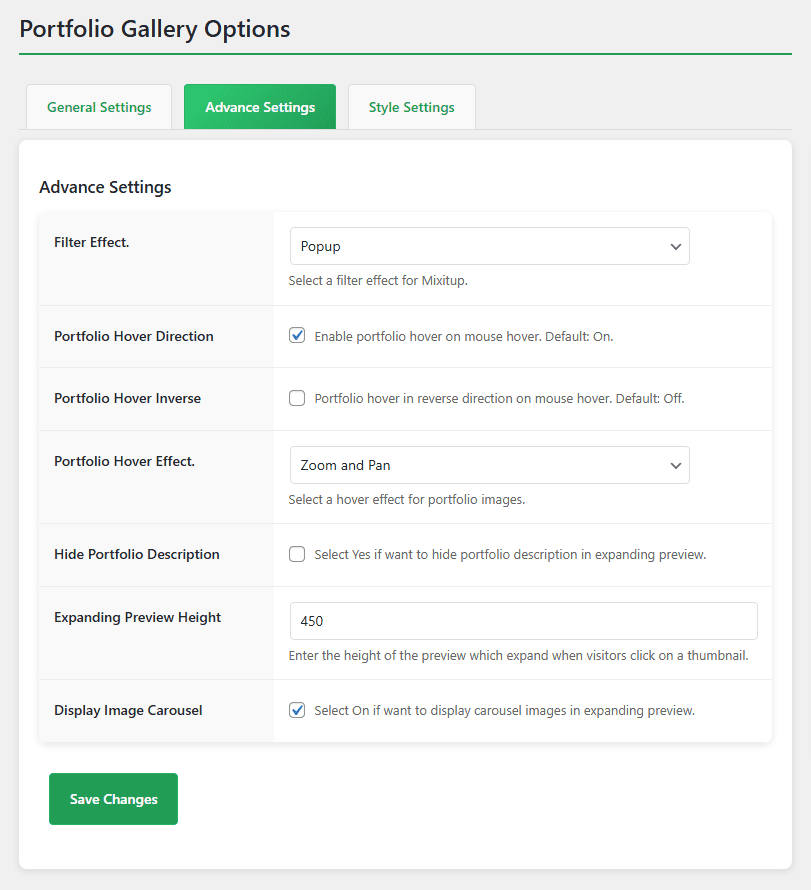
Responsive Portfolio Image Gallery Settings.
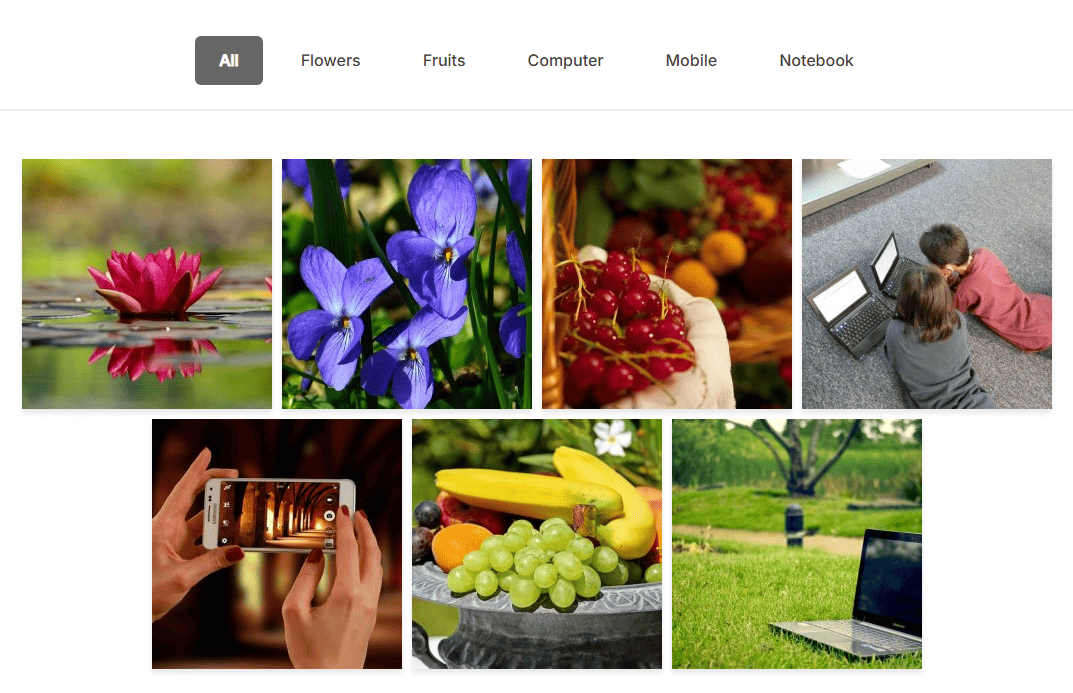
Responsive Portfolio Image Gallery Thumbnail View.
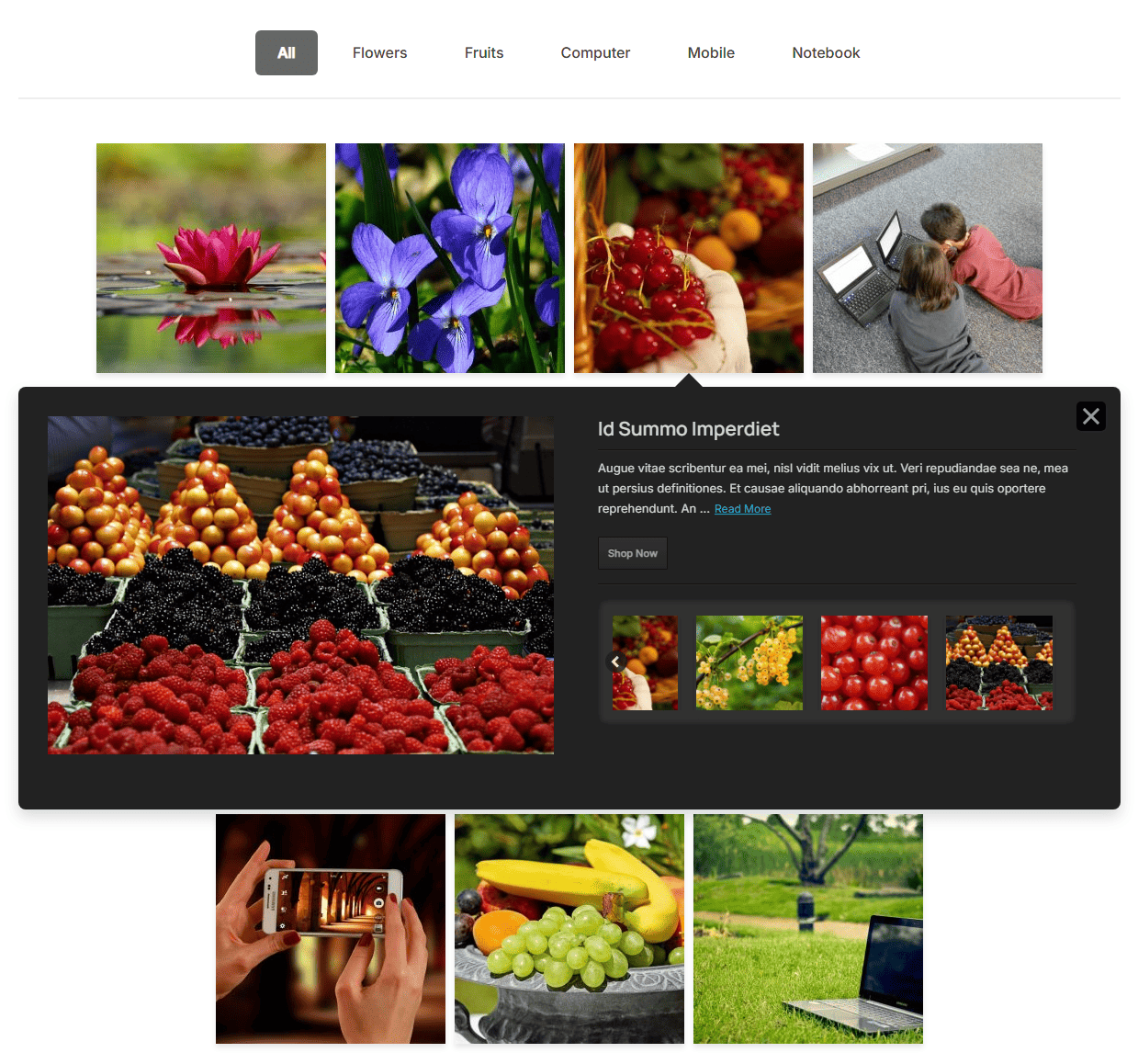
Responsive Portfolio Image Gallery Expanded Preview.
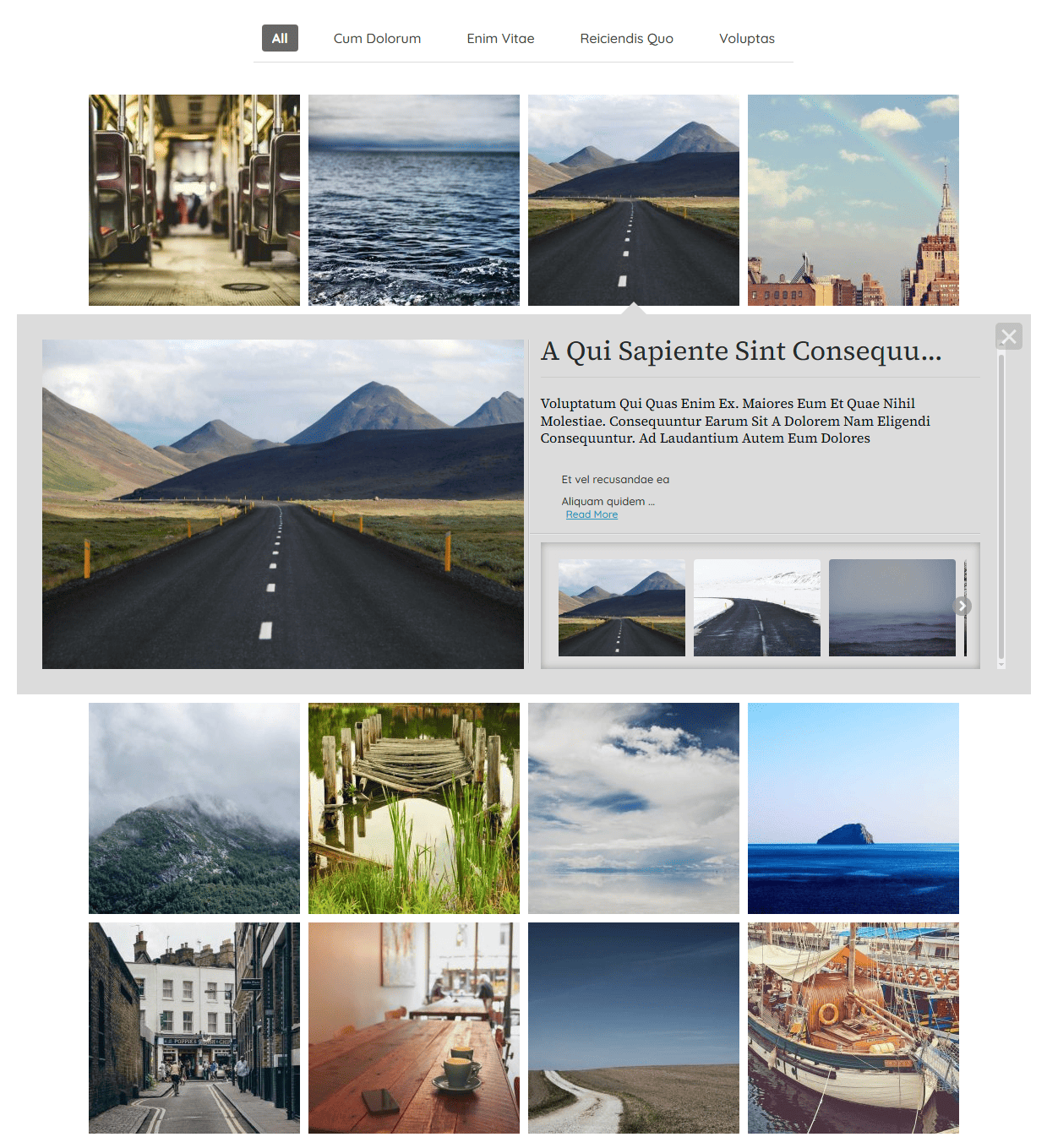
Expanded preview with Light Color Scheme.
Changelog
1.3 (10th July 2025)
- 13th major release.
NEW:Option to display preview content as plain text or styled HTML.ENHANCED:Entire admin interface redesigned with a cleaner, modern look.ENHANCED:Improved codebase security and compliance with WP standards.IMPROVED:Carousel logic now skips empty image sets—no blank sliders.FIXED:Resolved all known JS and CSS conflicts.COMPATIBILITY:Verified and compatible with the latest WordPress version.REFACTORED:Complete migration to OOP for better structure.NEW:Help page added with plugin usage documentation.
1.2 (30th April 2022)
- 12th release.
- Include Categories bug fixed.
- Category filtering bug fixed.
1.1 (26th February 2022)
- 11th release.
- Fixed few bugs to make the plugin more useful.
1.0.9 (12th August 2020)
- 10th release.
- Fixed a jQuery issue to make compatible with WP 5.5
1.0.8 (7 May, 2020)
- 9th release.
- Fixed some bugs.
1.0.7 (22 June, 2019)
- 8th release.
- Upgraded jQuery a little more to overcome few issues.
1.0.6 (27 November, 2016)
- 7th release.
- Fixed the bug of version 1.0.5
1.0.5 (14 November, 2016)
- 6th release.
- Fixed some bugs regarding displaying the gallery.
1.0.4 (2 September, 2016)
- 5th release.
- Added one more effects both for thumbnail filter and hover.
1.0.3 (27th August, 2016)
- 4th release.
- Included 2 color schemes to choose for portfolio galleries.
- Added option to hide portfolio description.
- Added option to hide carousel images.
- Carousel image wrapper has benn adjusted automatically.
1.0.2 (24th August, 2016)
- 3rd release.
- Post order and order by option added.
1.0.1 (19th August, 2016)
- 2nd release.
- Compatible with WordPress 4.6
1.0 (9th August, 2016)
- 1st release.