

REST API Products Importer for WooCommerce
Import products from any external WordPress/WooCommerce site's REST API directly into your store.
Plugin info
Maintenance & Compatibility
Maintenance score
Maintained • Last updated 139 days ago
Is REST API Products Importer for WooCommerce abandoned?
Likely maintained (last update 139 days ago).
Compatibility
Similar & Alternatives
Explore plugins with similar tags, and compare key metrics like downloads, ratings, updates, support, and WP/PHP compatibility.
Description
The Rest API WooCommerce Product Importer plugin allows you to seamlessly import products from an external WordPress site that has the WordPress REST API enabled and WooCommerce products. It’s perfect for syncing product catalogs from a main site to a satellite site, migrating products, or managing products from a central repository.
Key Features:
- Remote Product Import: Connect to any external WordPress site via its REST API endpoint.
- Complete Data Import: Imports product title, description, excerpt, categories, tags, featured image, and price.
- Smart Category & Tag Handling: Automatically creates matching product categories and tags on your site if they don’t already exist.
- Duplicate Prevention: Checks if a product has already been imported and provides a link to edit it instead of duplicating.
- Pagination: Browses through all available products from the remote site with a paginated interface.
- User-Friendly Interface: A clean admin UI within your WordPress dashboard for easy importing.
- Security: Uses nonces and security checks to validate all requests.
License
This plugin is licensed under the GPL v2 or later.
Disclaimer
This plugin is provided as-is. It is your responsibility to ensure you have the right to import content from the source website.
Installation
- Upload the
rest-api-products-importer-for-woocommercefolder to the/wp-content/plugins/directory. - Activate the plugin through the ‘Plugins’ menu in WordPress.
- Ensure the WooCommerce plugin is installed and activated.
- Navigate to WCAPI Importer > Settings and enter the full URL (e.g.,
https://example.com) of the source website you want to import from. - Go to WCAPI Importer > Products Importer to view and import available products.
Frequently Asked Questions
The source website must:
1. Be a WordPress site.
2. Have the WordPress REST API enabled (it is by default).
3. Have WooCommerce installed with products.
This means the remote server is taking too long to respond. This could be due to a slow host, a large number of products, or server configuration. Try again later. If the problem persists, contact the administrator of the source website.
The plugin attempts to create categories and tags with the same names. Ensure the names do not contain invalid characters and that your user role has the permissions to create new terms.
The current version (1.0.0) imports products as Simple, Virtual, and Downloadable products. Support for variable products is not implemented in this release.
No, the current version only supports fetching data from publicly accessible REST API endpoints.
Review feed
Screenshots
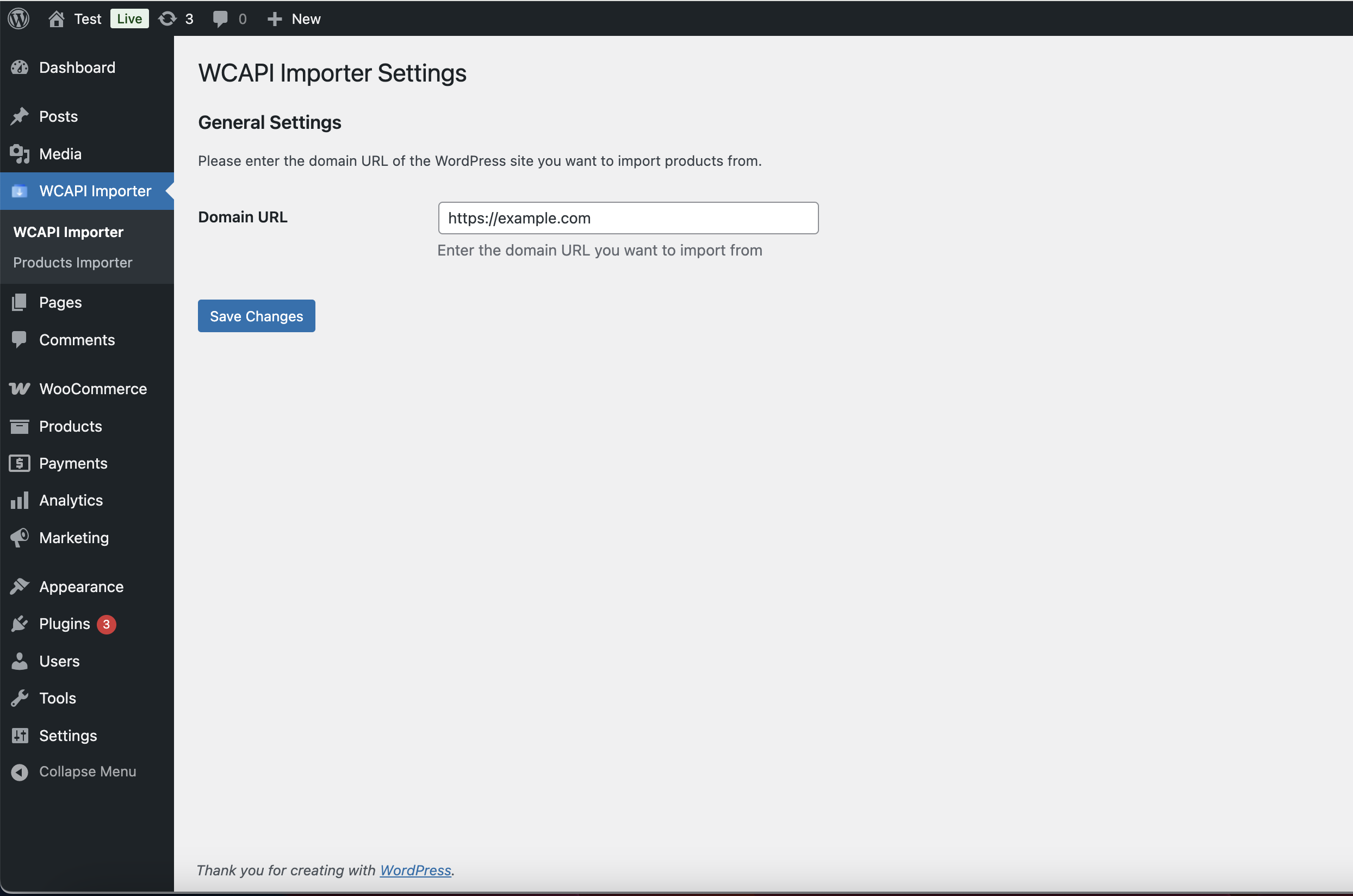
Settings page for entering the source website URL.
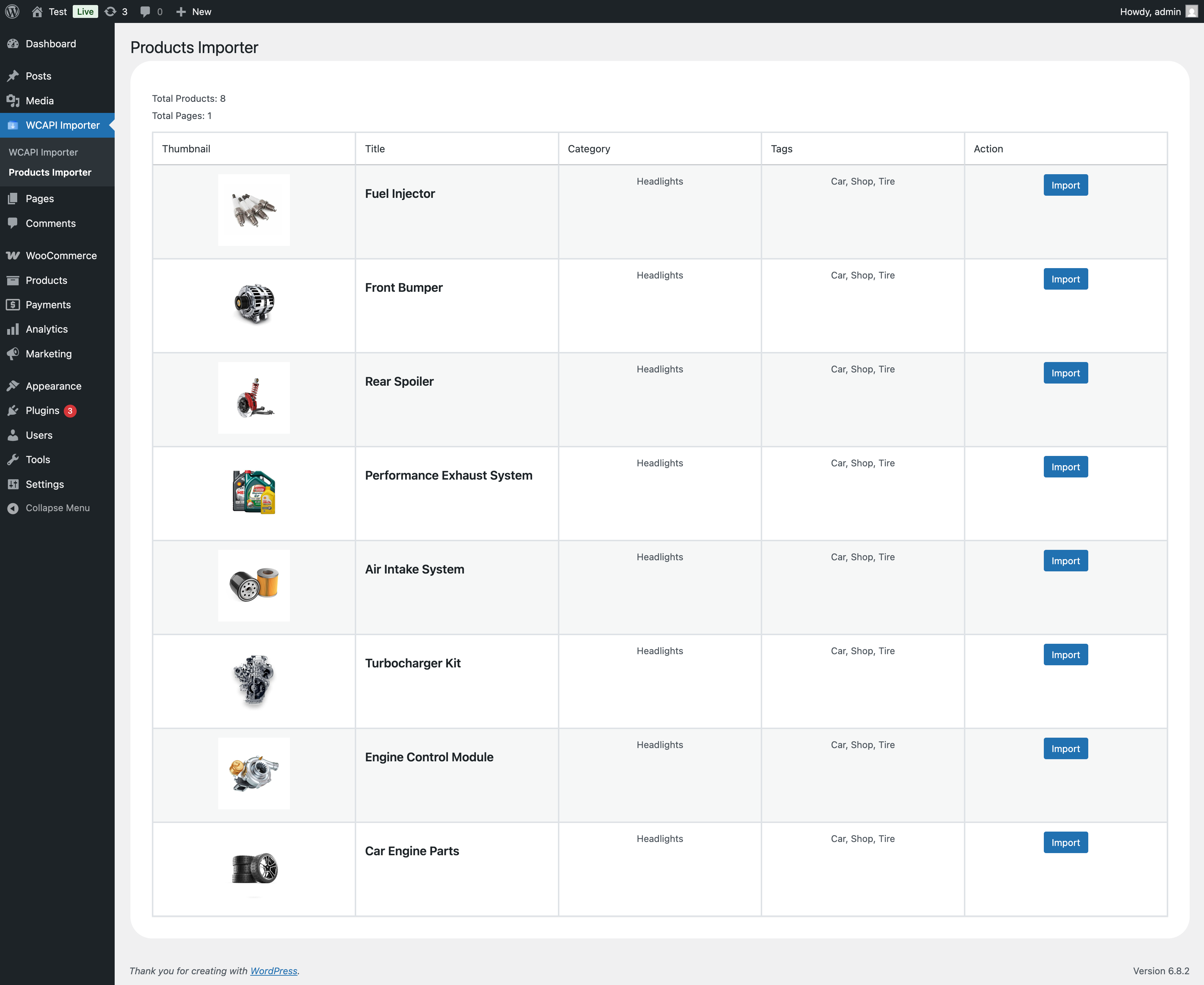
The main product importer table, showing products available for import.
Changelog
1.0.0
- Initial release.
- Core functionality: Connect to remote site, browse products, import product data, images, categories, and tags.