

Restock Notifier For WooCommerce
Notify customers via email when out-of-stock WooCommerce products are restocked. Simple, smart, and fully automated.
Plugin info
Maintenance & Compatibility
Maintenance score
Maintained • Last updated 164 days ago • Support resolved 0%
Is Restock Notifier For WooCommerce abandoned?
Likely maintained (last update 164 days ago).
Compatibility
Similar & Alternatives
Explore plugins with similar tags, and compare key metrics like downloads, ratings, updates, support, and WP/PHP compatibility.
Description
Restock Notifier For WooCommerce adds a lightweight and fully customizable “Notify Me” form to out-of-stock product pages. Customers can subscribe with their email address and will receive automatic notifications when the product is restocked.
Ideal for boosting sales and improving customer retention by keeping interested buyers in the loop — even when inventory runs low.
🔑 Key Features:
- 💬 Display a customizable “Notify Me” form on out-of-stock products
- 📧 Automatically sends email alerts when stock is updated
- 🗂️ Stores subscriber emails in a custom database table
- 🔁 Prevents duplicate subscriptions
- 🧩 Works with variable products (e.g. color/size)
- 🎨 Easily override the form template (
form-out-of-stock.php) - 🌐 Translation-ready with
.potfile included - ⚙️ Clean, optimized, and developer-friendly code
- 📊 Admin panel with subscriber list and email log
- 🖌️ Live form design customization with preview
- 📥 Export subscribers to CSV
- 🧹 Supports background cleanup and batch notification controls
Installation
- Upload the plugin files to the
/wp-content/plugins/restock-notifier-for-woocommercedirectory, or install it via the WordPress plugins screen. - Activate the plugin through the ‘Plugins’ menu in WordPress.
- Ensure WooCommerce is installed and activated.
- That’s it! The “Notify Me” form will now appear automatically on out-of-stock product pages.
Frequently Asked Questions
Yes. Notifications are tied to specific product variations (e.g. size or color).
Yes! You can override the form-out-of-stock.php template in your theme or use the built-in design panel to visually adjust styles.
Yes, subscriber data can be exported as a CSV file from the admin panel.
Yes. It uses standard WordPress i18n functions and includes a .pot file for translation.
Review feed
Screenshots
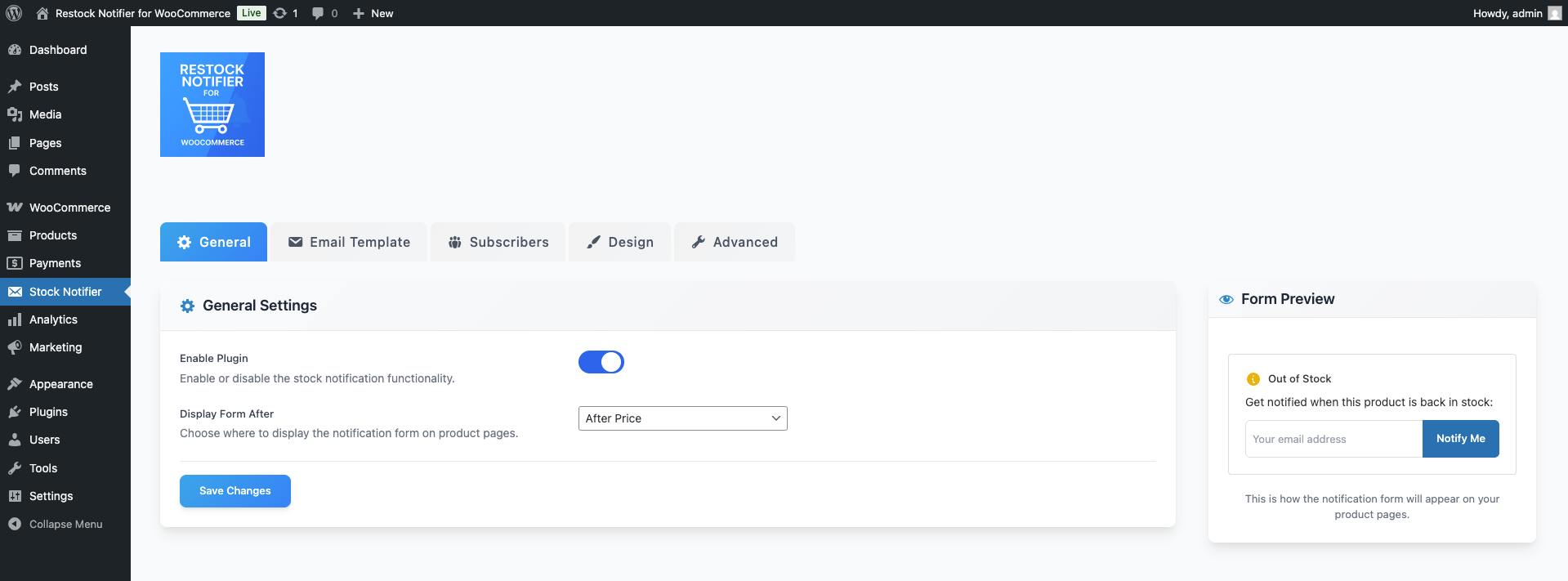
General settings tab with options to enable/disable the notifier and control form placement.

Email template editor with live preview and dynamic tag support.

Subscriber list with email, product, status, and export/delete options.

Design tab for customizing form layout, colors, borders, and more.

Advanced settings tab with options for stock threshold, batch limits, and cleanup schedule.

Debug tools for testing notifications and troubleshooting issues.
Changelog
1.0.1
- Fixed minor WooCommerce compatibility issue.
1.0.0
- Initial release of Restock Notifier For WooCommerce.