

Restrict Block Content
Applies Restrict Content / Restrict Content Pro level based restrictions to specific core blocks.
Plugin info
Maintenance & Compatibility
Maintenance score
Stale • Last updated 309 days ago
Is Restrict Block Content abandoned?
Likely maintained (last update 309 days ago).
Compatibility
Languages
Similar & Alternatives
Explore plugins with similar tags, and compare key metrics like downloads, ratings, updates, support, and WP/PHP compatibility.
Description
This plugin will allow you, by default, to add restrictions to core/group and core/row blocks in the block and full-site editors.
Restrictions involve enabling it for that block, then setting the access level used by RC/RCP, and then determine whether the user must have at least that access level, or not have that access level in the block editor.
For details about how Access Levels work, here is a resource from the creators: https://help.solidwp.com/hc/en-us/articles/360049322274-How-do-access-levels-work
This plugin relies on either Restrict Content available on the WordPress.org Plugins Repository, or the premium version of Restrict Content Pro.
Note: If you are using Restrict Content Pro, and facing an issue where this plugin’s dependencies do not seem to be met, make sure you are using RCP ≥ 4.5.46, which supports plugin dependencies for the free version as well through the wp_plugin_dependencies_slug filter.
If you need to use this with an older version, you can apply this filter manually:
/**
 * Filter so that plugins listing the free version as a dependency would also be satisfied by the Pro version.
 *
 * @param string $slug The plugin slug being checked.
 */
add_filter( 'wp_plugin_dependencies_slug', function( $s ) {
    if ( 'restrict-content' === $s ) {
        $s = 'restrict-content-pro';
    }
    return $s;
});
Source Code
Full source code is available on Github here:
https://github.com/bethinkstudio/restrict-block-content
Installation
Frequently Asked Questions
Review feed
Screenshots
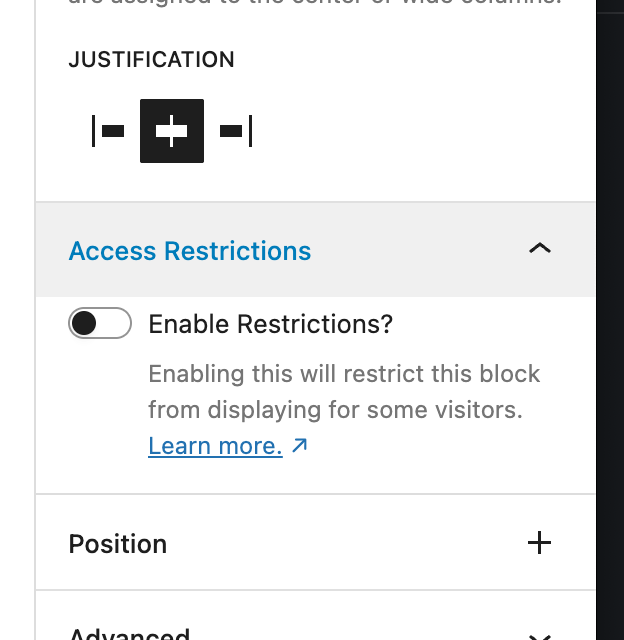
By default, Group and Row blocks will have this additional panel, to add restrictions.
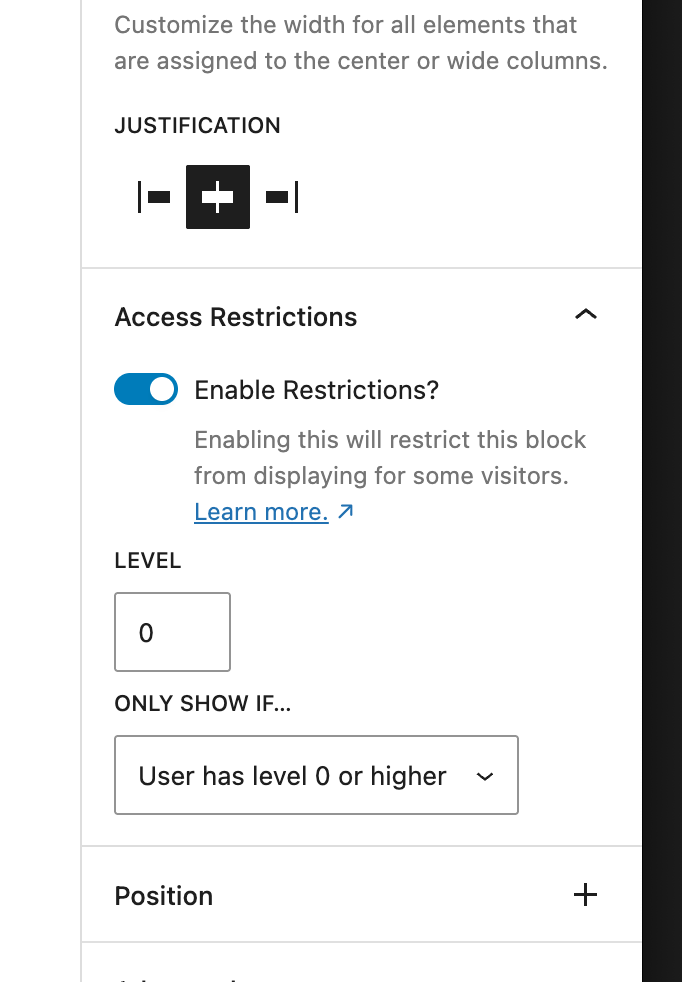
When enabled, it will expose the interface to specify the access level, and whether you would like it to restrict to users at that level and above, or those that do not meet the requirement.
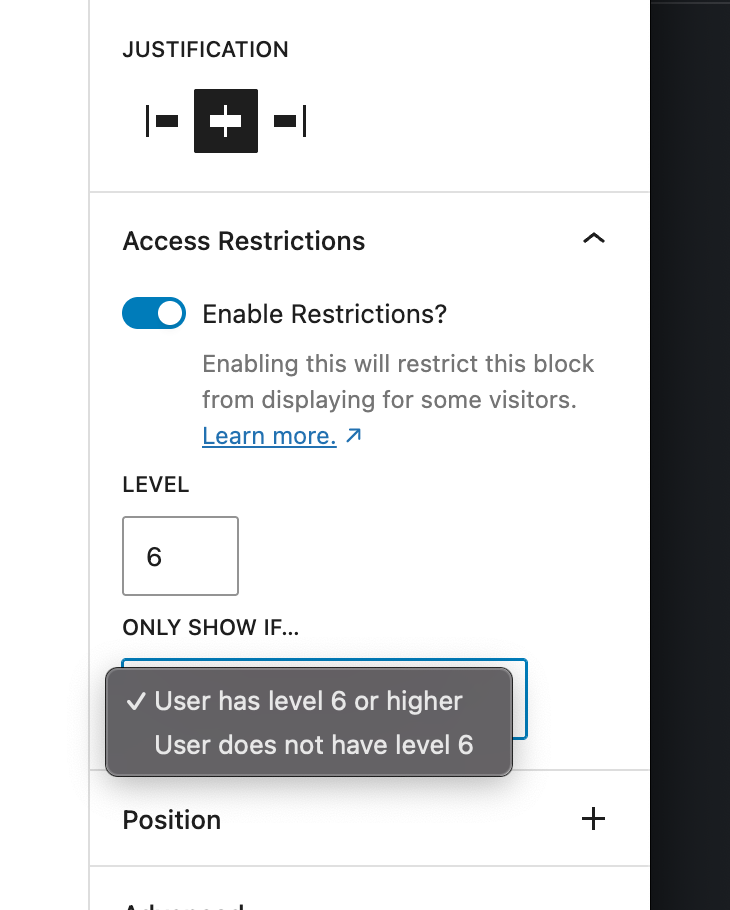
Once you specify the level, the text will update to clarify which level it is restricting based on.
Changelog
1.0.1
- Add fallback for default comparison value.
- Tidy up code formatting in readme.txt.
1.0.0
- Initial public release on WordPress.org.
0.9.1
- Minor changes to appease the plugin check to submit to .org.
0.9.0
- Release