

Reusable Content Blocks
Reusable Content Blocks plugin allows you to insert contents (pages, posts, custom post types) created with WPBakery Page Builder into other contents, …
Plugin info
Maintenance & Compatibility
Maintenance score
Possibly abandoned • Last updated 1158 days ago • 12 reviews
Is Reusable Content Blocks abandoned?
Possibly abandoned (last update 1158 days ago).
Compatibility
Similar & Alternatives
Explore plugins with similar tags, and compare key metrics like downloads, ratings, updates, support, and WP/PHP compatibility.
Description
Reusable Content Blocks plugin allows you to insert contents (pages, posts, custom post types) created with WPBakery Page Builder into other contents, Widget areas and Templates using Shortcode, Widget or PHP without missing custom/inline styles generated by page builders.
Features
- Works with WPBakery’s Page Builder.
- Works with WP Bakery elements from the The7 theme
- Dedicated Element for WP Bakery page builder.
- Extendable support for Elements from other Themes and addons.
- Allows to use Shortcodes, Widgets and PHP fucntion to place content blocks into other contents, Widgetised areas or Templates.
- Provides ready to use Shortcodes and functions for Reusable block post types.
- Lighweight.
Usage cases
- Create Reusable blocks and insert it on multiple places, manage it from a single place.
- Design custom footer layouts using page builders, and insert it using Widget
- Design a topbar like block using page builder, place it in templates using PHP or hooks.
- Insert contents of page, post or custom post types in other contents using shortcode.
Documentation & Help
Basic instructions are provided within your WordPress site’s admin area, Dashboard > Reusable Blocks > Options page. Detailed documentation with screenshots for guidance, is available on the Plugins page
Installation
From your WordPress website’s administration menu:
- Click Plugins > Add New
- Search for “Loomisoft” and locate the plugin
- Click “Install Now”
- Activate the plugin
- Go to Dashbord > Reusable Blocks > Options and Enable Widgets
Frequently Asked Questions
Yes. that is the main purpose of the plugin, load page builder contents without missing custom/inline CSS. Currently support WPBakery, Elementor, Beaver Builder, SiteOrigin, Gutenberg, WPB Elements from The7 theme, Ultimate addon, Massive addon for WPB. Refer to CSS Meta key section in documentation to add support for other addons and theme.
Content blocks can be placed within post/page/custom post type content using shortcode, in Widget areas using Widget and in templates using PHP.
Yes, you can insert Page, post and custom post type contents.
It is not a good practice to use multiple page builders anyway. Unfortunately no, most likely different page builders itself get conflicts.
Review feed
Simple and lightweight
Works as intended
Not Working With WPBakery's Page Builder carousel slider
Screenshots

Plugin settings page
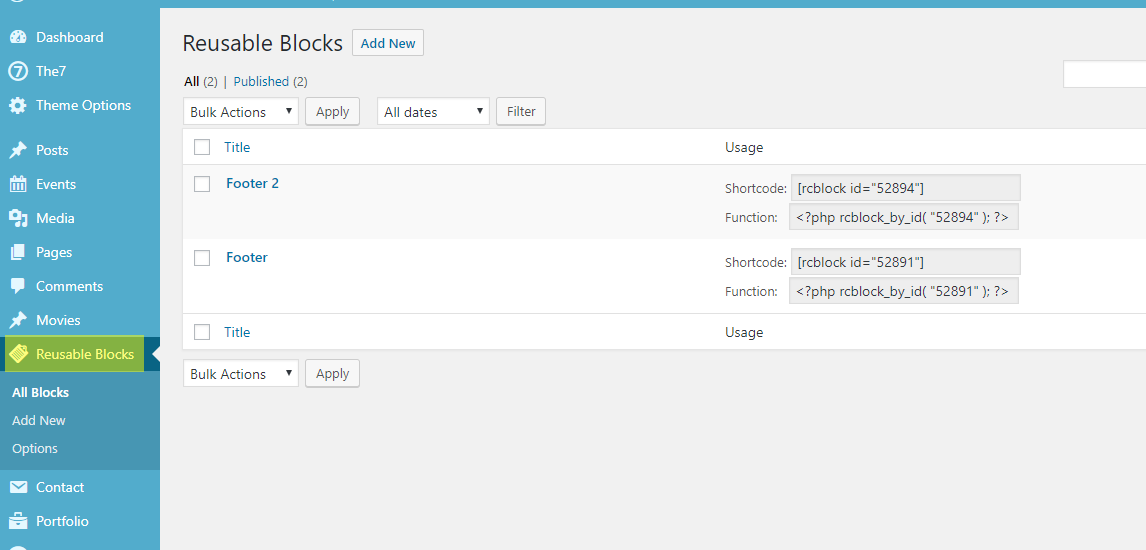
Adding Reusbable Blocks
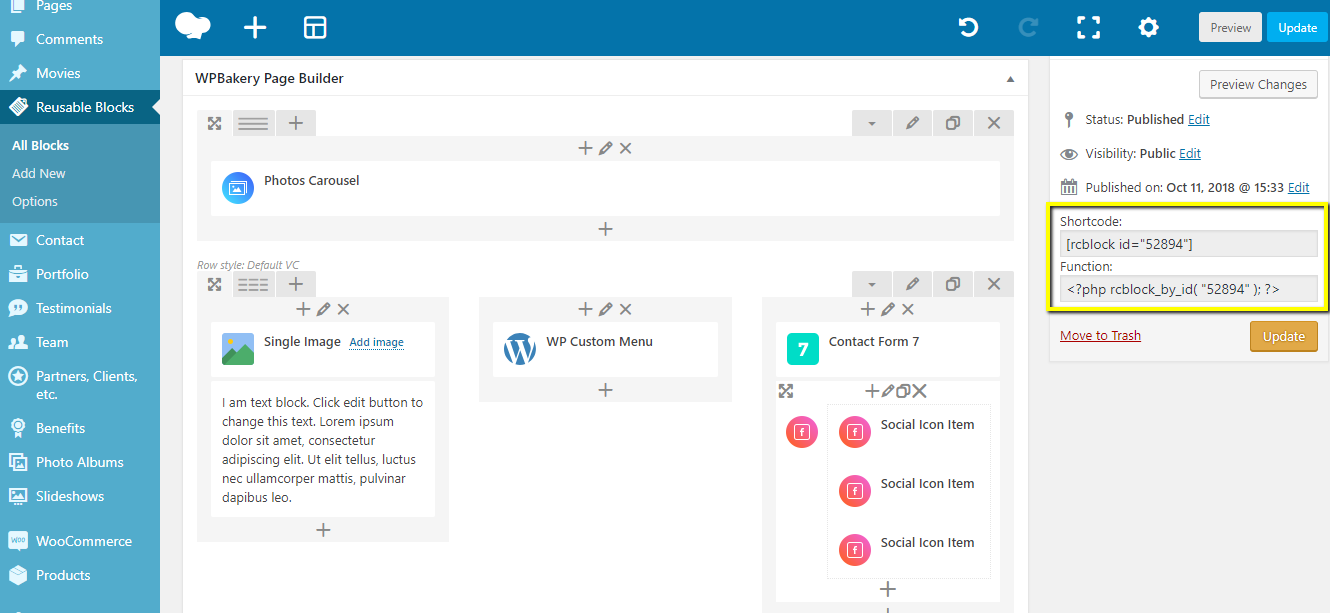
Reusbable Blocks auto generated Shortcode
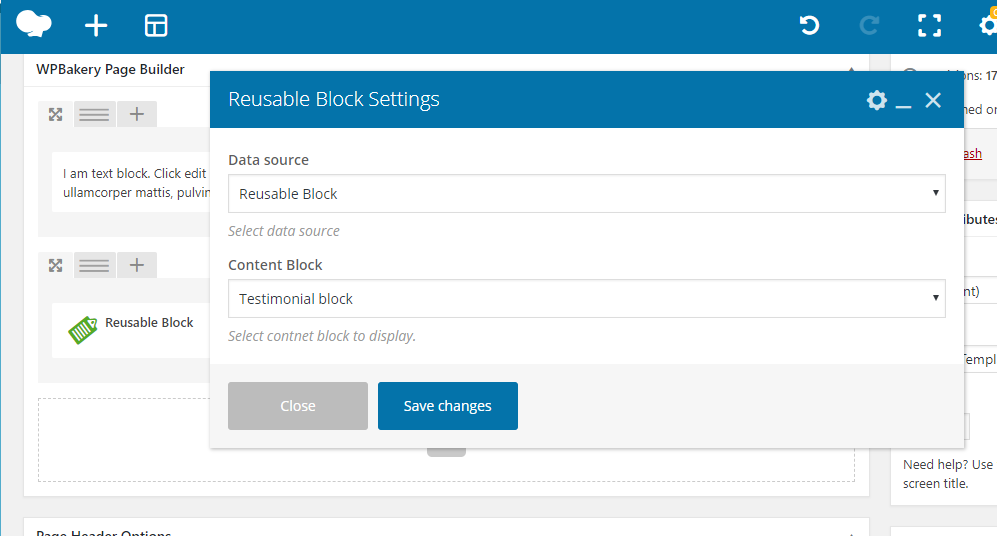
Inserting Content Blocks Using WP Bakery
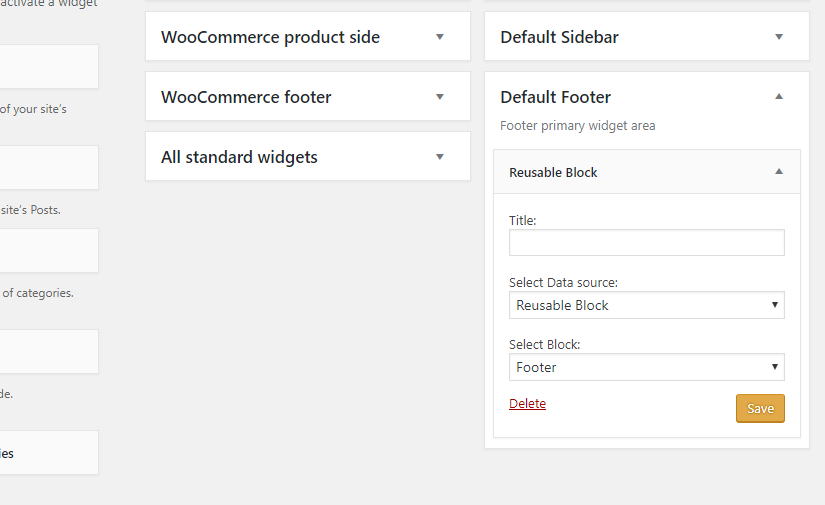
Inserting Content Blocks Using Widgets
Changelog
1.0.0
- Initial release
1.0.1
- Minor updates
1.0.2
- Minor fixes
1.0.3
- Comaptiblity with WP Bakery 6.0.2
1.0.4
- Fix for showing contnet blocks in excerps.
1.0.6
- WP 5.6 Comaptiblity
1.1.0
- Bug fixes
- New option added to disable displaying unpublished blocks.
1.1.1
- Bug fixes
1.1.2
- WP 6.0 Comaptiblity
1.1.3
-
- Bug fixe – WP Bakery Reusuable block is not editable.