

Plugin info
Maintenance & Compatibility
Maintenance score
Maintained • Last updated 171 days ago • 26 reviews
Is Rewrite Rules Inspector abandoned?
Likely maintained (last update 171 days ago).
Compatibility
Similar & Alternatives
Explore plugins with similar tags, and compare key metrics like downloads, ratings, updates, support, and WP/PHP compatibility.
Description
A simple WordPress admin tool for inspecting rewrite rules. View a listing of all your rewrite rules, see which rewrite rules match a given URL (and the priorities they match in), or filter by different sources of rewrite rules. Perform a soft flush of your rewrite rules to regenerate them.
Developed on GitHub — pull requests are always welcome. Please leave feedback, questions, bug reports, and feature requests in the GitHub issues.
Where to find it
Go to Tools Rewrite Rules in the WordPress admin.
URL Tester
Quickly test any URL (or path) against your site’s rewrite rules:
- See whether the URL would be a 404 or which rule would match first (the one WordPress uses).
- View the list of all matching rules, in match priority order.
- Inspect the query variables extracted from the match and the resulting final query WordPress would run.
Works with full URLs or paths and automatically handles sites installed in a subdirectory.
Permastructs
Browse a table of all permastructs that WordPress is aware of, including:
- Name — the permastruct key (e.g. for posts, taxonomies, authors).
- Structure — the permalink structure pattern used to generate rules.
- Description — a human-friendly summary of what the permastruct controls.
Installation
Install the plugin from within WordPress
- Visit the Plugins page from your WordPress dashboard and click “Add New” at the top of the page.
- Search for “rewrite-rules-inspector” using the search bar on the right side.
- Click “Install Now” to install the plugin.
- After it’s installed, click “Activate” to activate the plugin on your site.
Install the plugin manually
- Download the plugin from WordPress.org or get the latest release from our GitHub Releases page.
- Unzip the downloaded archive.
- Upload the entire
rewrite-rules-inspectorfolder to your/wp-content/pluginsdirectory. - Visit the Plugins page from your WordPress dashboard and look for the newly installed plugin.
- Click “Activate” to activate the plugin on your site.
Frequently Asked Questions
Review feed
A must have for permalinks work
Nice one!
Genius tool for debugging redirect errors
Screenshots
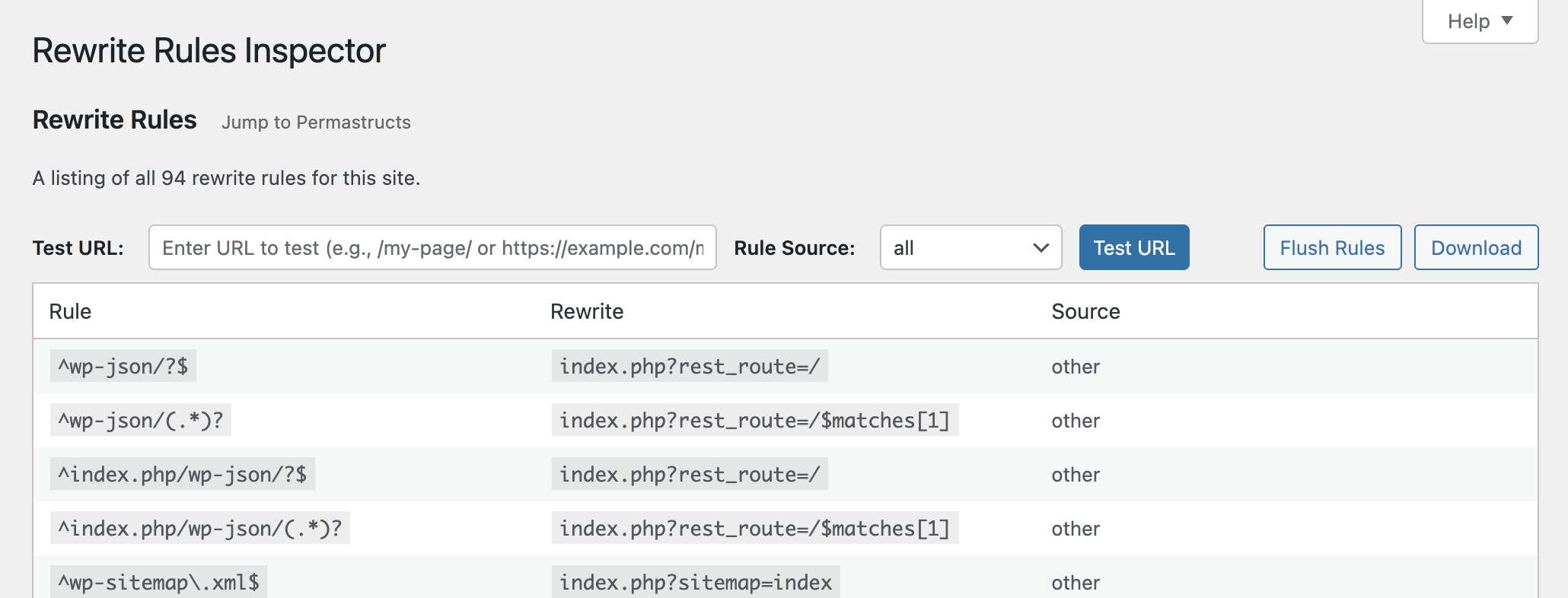
See all of the rewrite rules and flush them or download them.
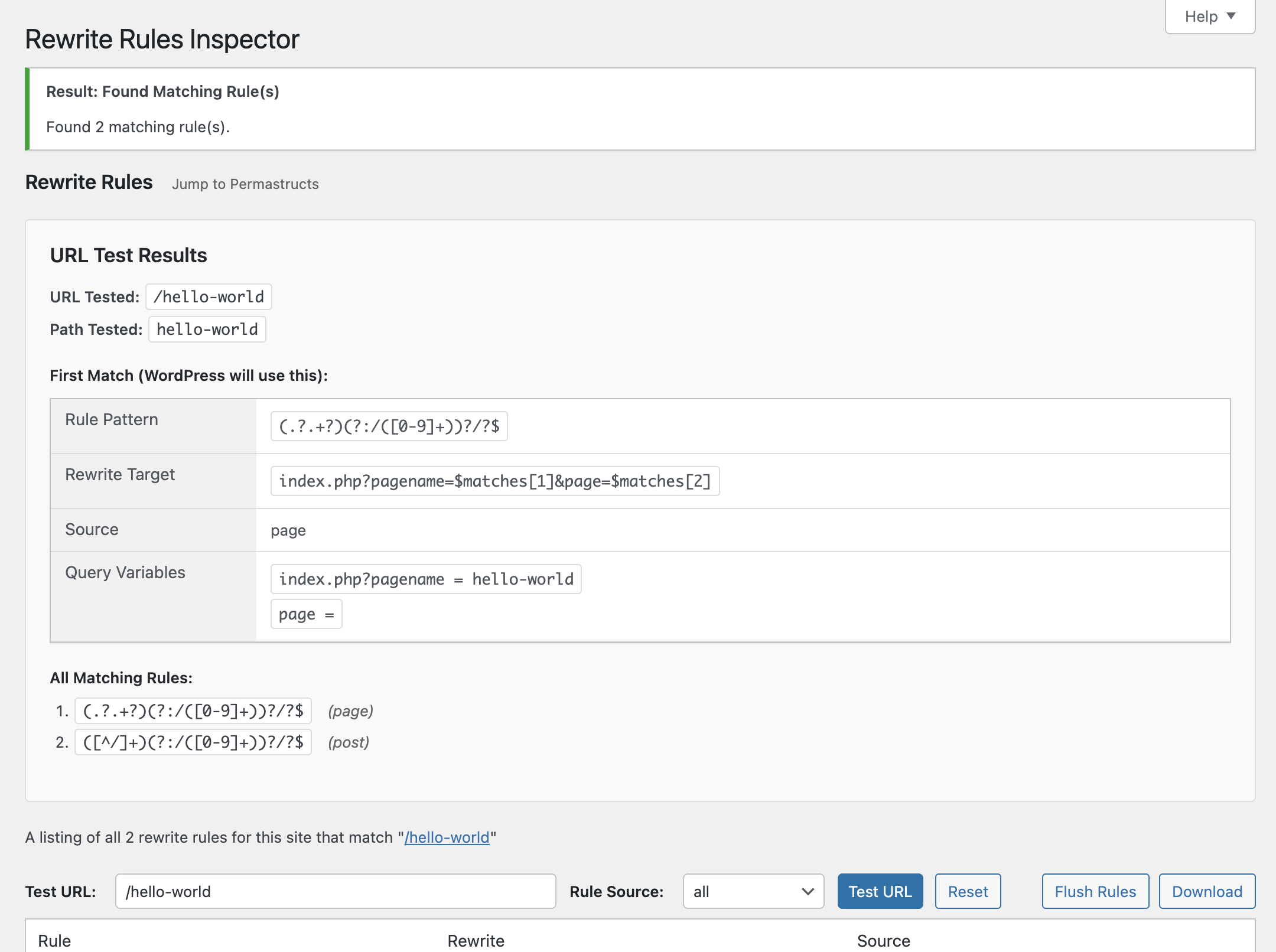
Test a URL against the rules to see which one(s) would match, and the priority they would match in.
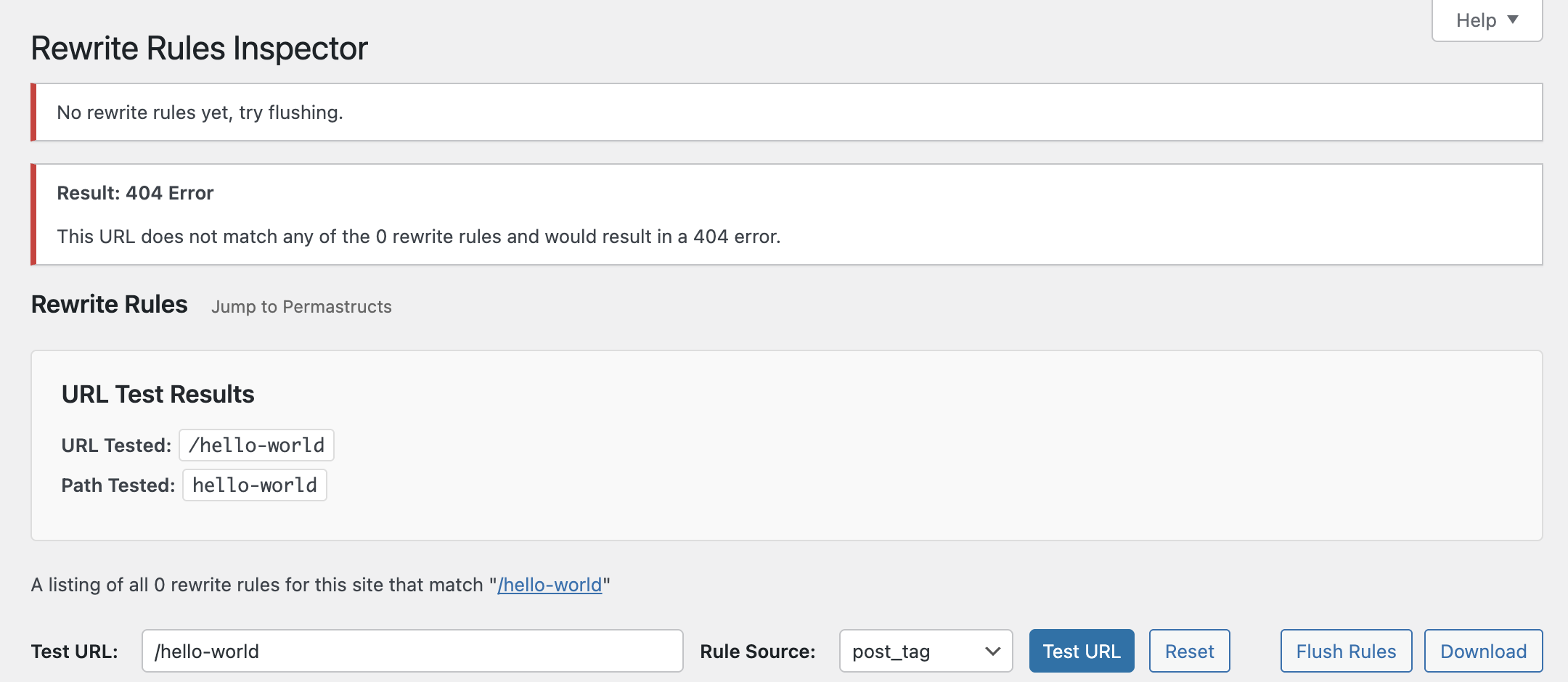
Limit rules and URL testing results down to specificrule sources.
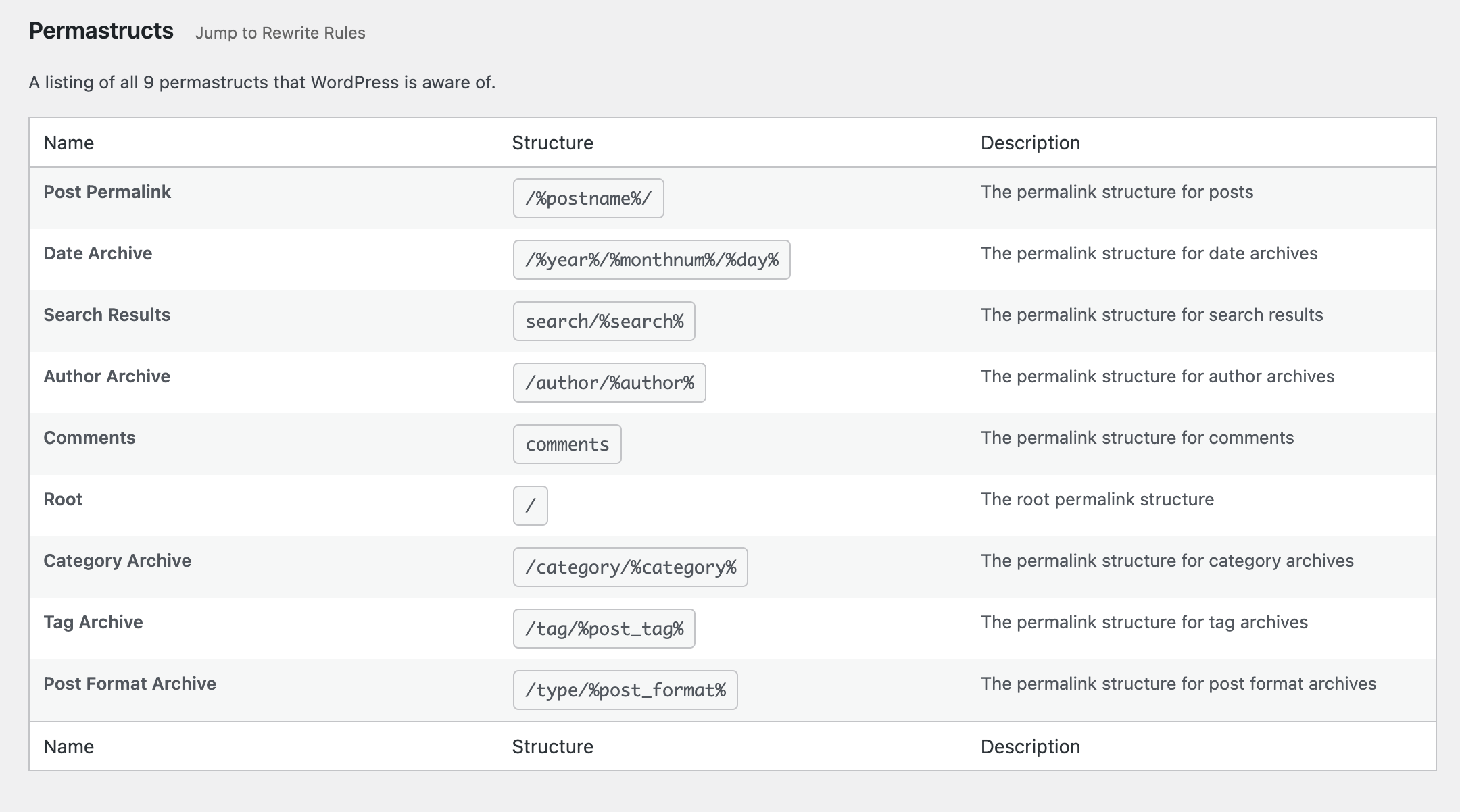
See which permastructs WordPress knows about.
Changelog
See the change log.