

RoleMaster Suite – User Role Editor for Ecommerce, Membership admin panel
RoleMaster Suite the best user role management and access control plugin. Create, modify, and assign capabilities, ideal for ecommerce and membership …
Plugin info
Maintenance & Compatibility
Maintenance score
Possibly abandoned • Last updated 581 days ago • 1 reviews
Is RoleMaster Suite – User Role Editor for Ecommerce, Membership admin panel abandoned?
Possibly abandoned (last update 581 days ago).
Compatibility
Languages
Similar & Alternatives
Explore plugins with similar tags, and compare key metrics like downloads, ratings, updates, support, and WP/PHP compatibility.
Description
RoleMaster Suite a User Role Editor plugin for WordPress that allows website administrators with the ability to fine-tune user roles and capabilities with precision.
Designed for flexibility and easy of use, it is the perfect tool for managing access control on your WordPress site. With its user-friendly interface and rich feature set, this plugin simplifies the process of user role management, saving you valuable time and effort.
Liked RoleMaster Suite Plugins?
Rate us on WordPress Forum 🙂
🚀 Why RoleMaster Suite?
-
Custom User Role Creation & Deletion: Easily create new user roles and remove them anytime when it’s not needed.
-
Capability Management: Add new capabilities to roles or delete them to maintain a secure and organized site structure.
-
Duplicate User Roles: Easily clone existing roles, saving time and effort when setting up similar capabilities.
-
Role Renaming: Update user role names to reflect their purpose or organizational changes.
-
Intuitive User Interface (UI): RoleMaster Suite’s user-friendly interface ensures a smooth experience for administrators.
-
User Level Selection: Assign users to different levels, ensuring users have access to the features they need.
-
Ecommerce & Membership Ready: Ideal for ecommerce platforms and membership sites requiring specialized access levels.
-
Enhanced Role Customization: Modify existing roles by adding new capabilities to meet your site’s unique needs.
-
One-Click Capability select & deny: Quickly assign or revoke capabilities with a single click, for faster role management.
🏆 What’s Coming next?
- Hide menu item based on user role
- Hide Dashboard widget based on user role
🙌 Support
For any questions, get in touch with us via our Contact Page
Installation
- Upload the ‘rolemaster-suite’ folder to the ‘/wp-content/plugins/’ directory.
- Activate the plugin through the ‘Plugins’ menu in WordPress.
- Navigate to ‘Settings > RoleMaster Suite’ to configure User Role Editor options.
Frequently Asked Questions
Yes, you can easily revert to the default settings by deactivating the plugin.
RoleMaster Suite is designed to be compatible with most WordPress themes and plugins. However, in rare cases, some themes and plugins may have conflicting styles or customizations that could affect the appearance of the plugin, but the functionality will works properly.
Review feed
Screenshots
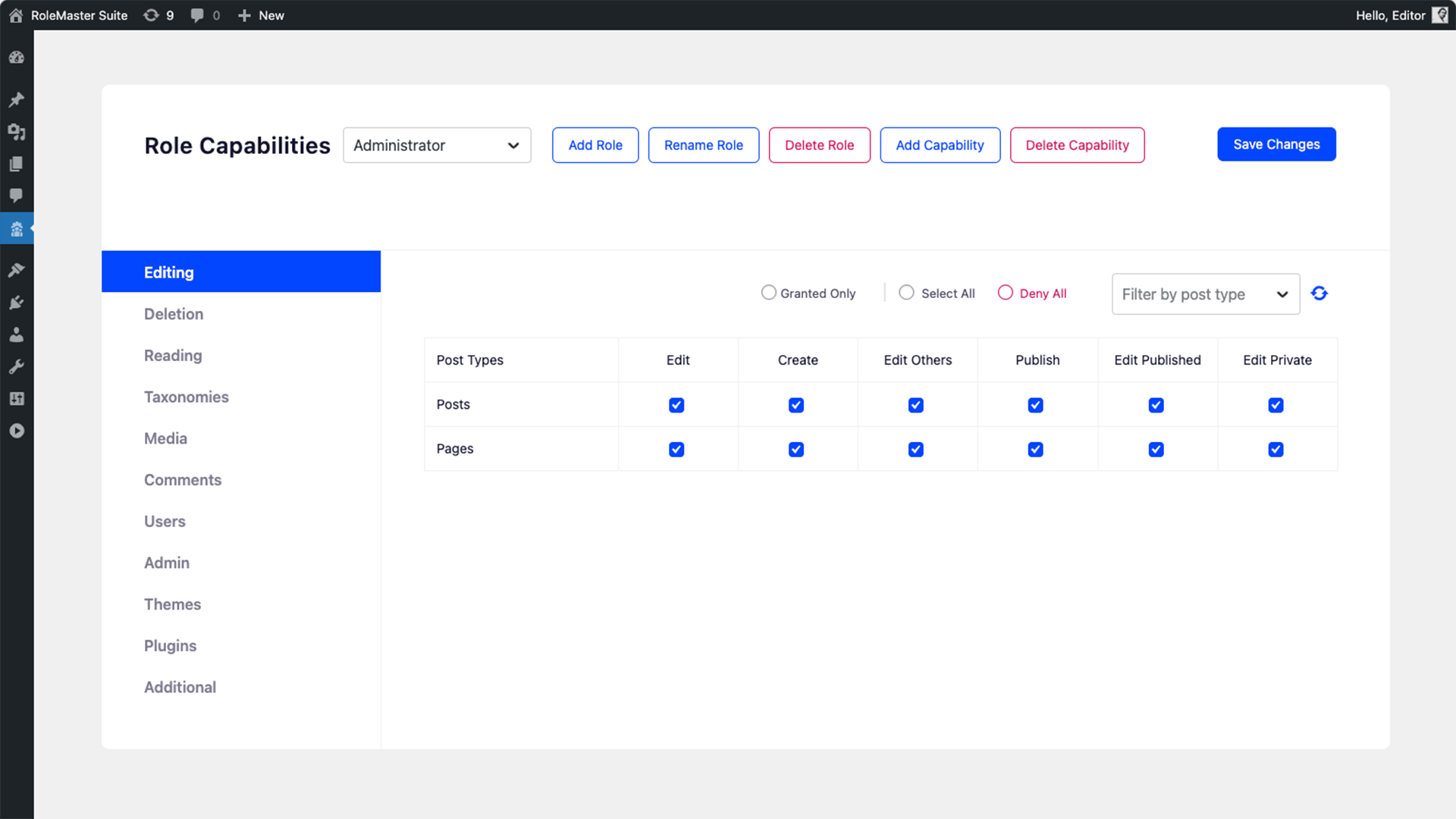
RoleMaster Suite options panel

Create a custom role

Rename any User role

Additional capability for User role

Delete any custom role that you've created

Add new capability using Rolemaster Suite
Changelog
1.0.0
- Initial release.