

RSS Featured Image
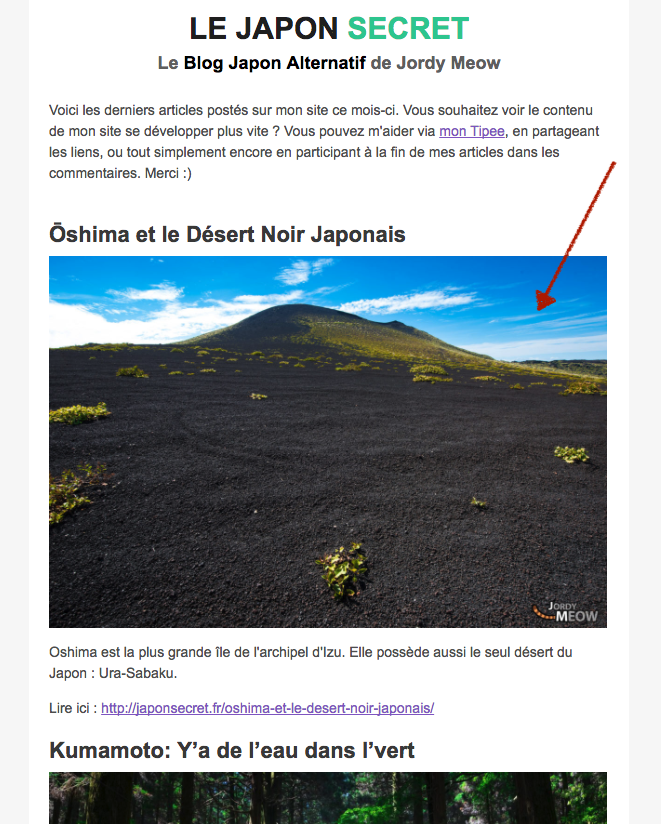
Add the featured image into your RSS feed (in the media:content). Works nicely with Mailchimp (|RSSITEM:IMAGE|). Light and simple, no options, no clut …
Plugin info
Maintenance & Compatibility
Maintenance score
Possibly abandoned • Last updated 904 days ago • 23 reviews
Is RSS Featured Image abandoned?
Possibly abandoned (last update 904 days ago).
Compatibility
Developers
Similar & Alternatives
Explore plugins with similar tags, and compare key metrics like downloads, ratings, updates, support, and WP/PHP compatibility.
Description
RSS Featured Image adds the featured image into your RSS feed (in the media:content). It works nicely with Mailchimp (|RSSITEM:IMAGE|). In fact, it basically does the same thing as another (and more famous) plugin but without cluttering your WordPress Admin. This is a simple task, and I believe it should be invisible and run peacefuly in the background, with no impact on the UI and the overall WordPress performance.
Usage
By default, the size of the image is “large”. I think it would be a shame to add new options to your WordPress admin only for this, so if you want to change the size, I propose you a filter 🙂 You can include some code in your functions.php to take care of this. This is how you can use it:
function thumbnail_size_for_rss( $default ) {
return ‘thumbnail’;
}
add_filter( ‘rfi_rss_image_size’, ‘thumbnail_size_for_rss’, 10, 1 );
Installation
- Upload
rss-featured-imageto the/wp-content/plugins/directory - Activate the plugin through the ‘Plugins’ menu in WordPress
- That’s all 🙂 Can you believe it?
Frequently Asked Questions
Review feed
Screenshots

Changelog
1.0.6
- Update: WordPress 6+.
- Info: This plugin has currently no visibility on the WordPress Repository. If you like it, for its survival, do not hesitate to share a little review here.
1.0.5
- Update: WordPress 5.0.
1.0.0
- Add: Filter to choose the size.
0.0.1
- First release.