

RSVP Manager
Enhance your event management with RSVP tracking, attendee relationships and customizable labels. Perfect for managing guest lists seamlessly.
Plugin info
Maintenance & Compatibility
Maintenance score
Possibly abandoned • Last updated 510 days ago • Support resolved 0% • 1 reviews
Is RSVP Manager abandoned?
Possibly abandoned (last update 510 days ago).
Compatibility
Similar & Alternatives
Explore plugins with similar tags, and compare key metrics like downloads, ratings, updates, support, and WP/PHP compatibility.
Description
A simple and lightweight plugin for managing private event RSVPs effortlessly. Ideal for events with a user-friendly interface and minimal setup.
In the WordPress admin console you have the following features:
- View the event you want the attendees to rsvp.
- Edit the details of the event, including name, start & end date time for rsvp.
- View the list of attendees.
For attendees you have the following options:
- View the details of the attendee.
- View the RSVP status, RSVP date and custom message.
- Add a new attendee.
- Add related attendees for an attendee.
- Reciprocal attendee associations.
- Update an attendee.
- Delete an attendee.
- Bulk delete attendees.
For the UI, you have options to customize the following labels:
- The message displayed when the RSVP is not open.
- The message displayed when the RSVP is already closed.
- The message displayed above the search form.
- “Firt name” label.
- “Last name” label.
- Search button leabel.
- Error displayed when no first and/or last name is provided.
- RSVP button label.
- The message displayed when the user already did the RSVP.
- Positive answer label for already RSVP.
- Negative answer label for already RSVP.
- Welcome label in the RSVP form.
- RSVP question.
- RSVP positive answer.
- RSVP nevative answer.
- Custom message label.
- Related attendees info message.
- Related attendees RSVP question.
- Confirmation button label in the RSVP form.
- RSVP positive confirmation message.
- RSVP negative confirmation message.
Installation
- Upload the
rsvp-managerfolder to the/wp-content/plugins/directory. - Activate the plugin from the ‘Plugins’ menu in WordPress admin console.
- Edit the event, add your attendees and configure it as you wish.
- To display the rsvp form in your website, add the short code
[event_rsvp]in the page.
Frequently Asked Questions
To configure RSVP settings, go to the RSVP menu in the WordPress admin consle. There you can edit the event details, define the RSVP open and close dates, customize labels, and manage the attendees.
Yes, you can integrate the plugin with Elementor by using the shortcode provided in the plugin settings. Simply add the shortcode to an Elementor widget, and the RSVP form will be displayed on your page.
Review feed
Screenshots
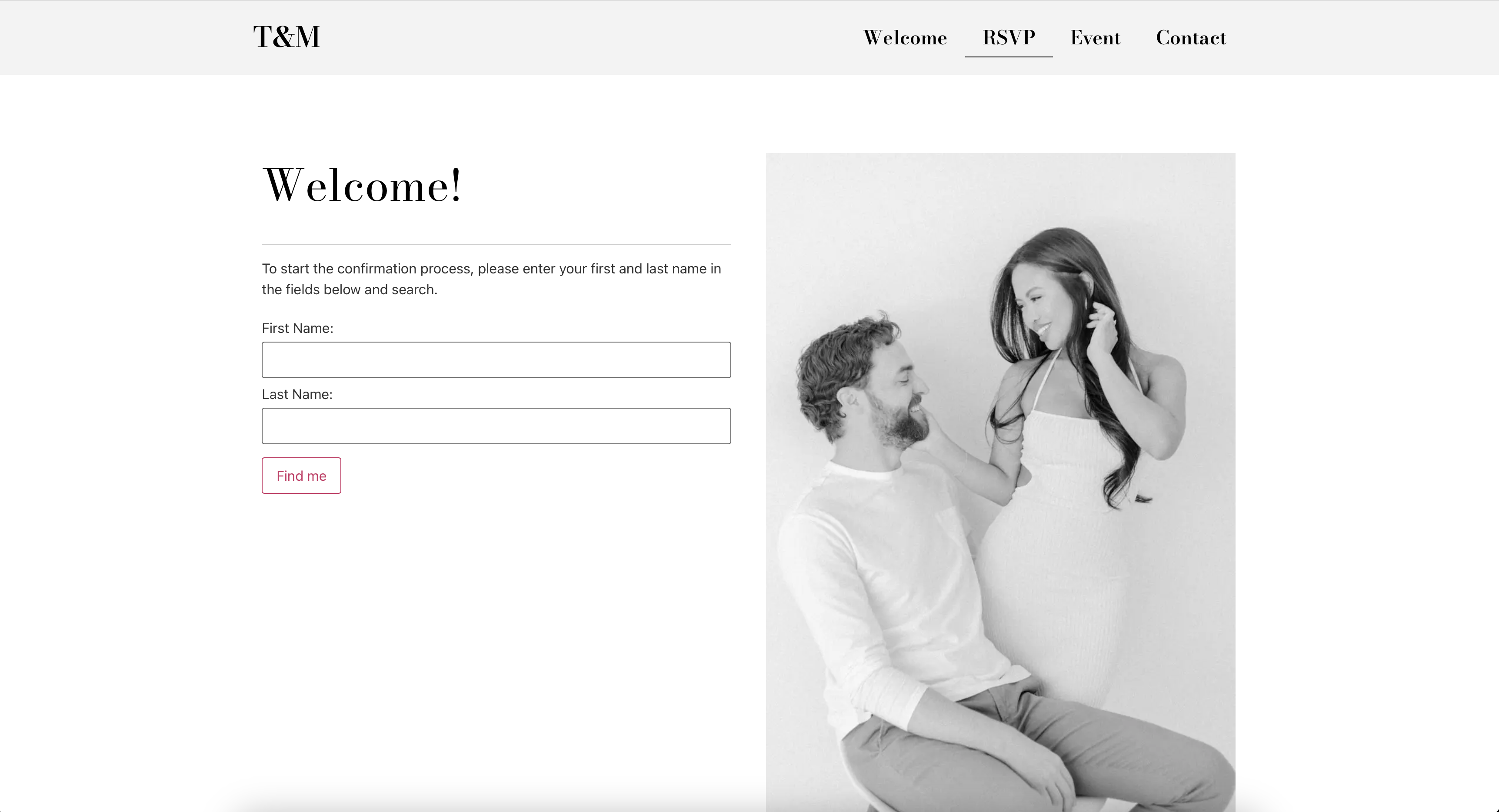
The event short code integrated in a sample website created with Elementor.

RSVP search functionality which allows the user to find themselves and start the RSVP process.

RSVP form allowing the user to submit the answer.

RSVP confirmation.
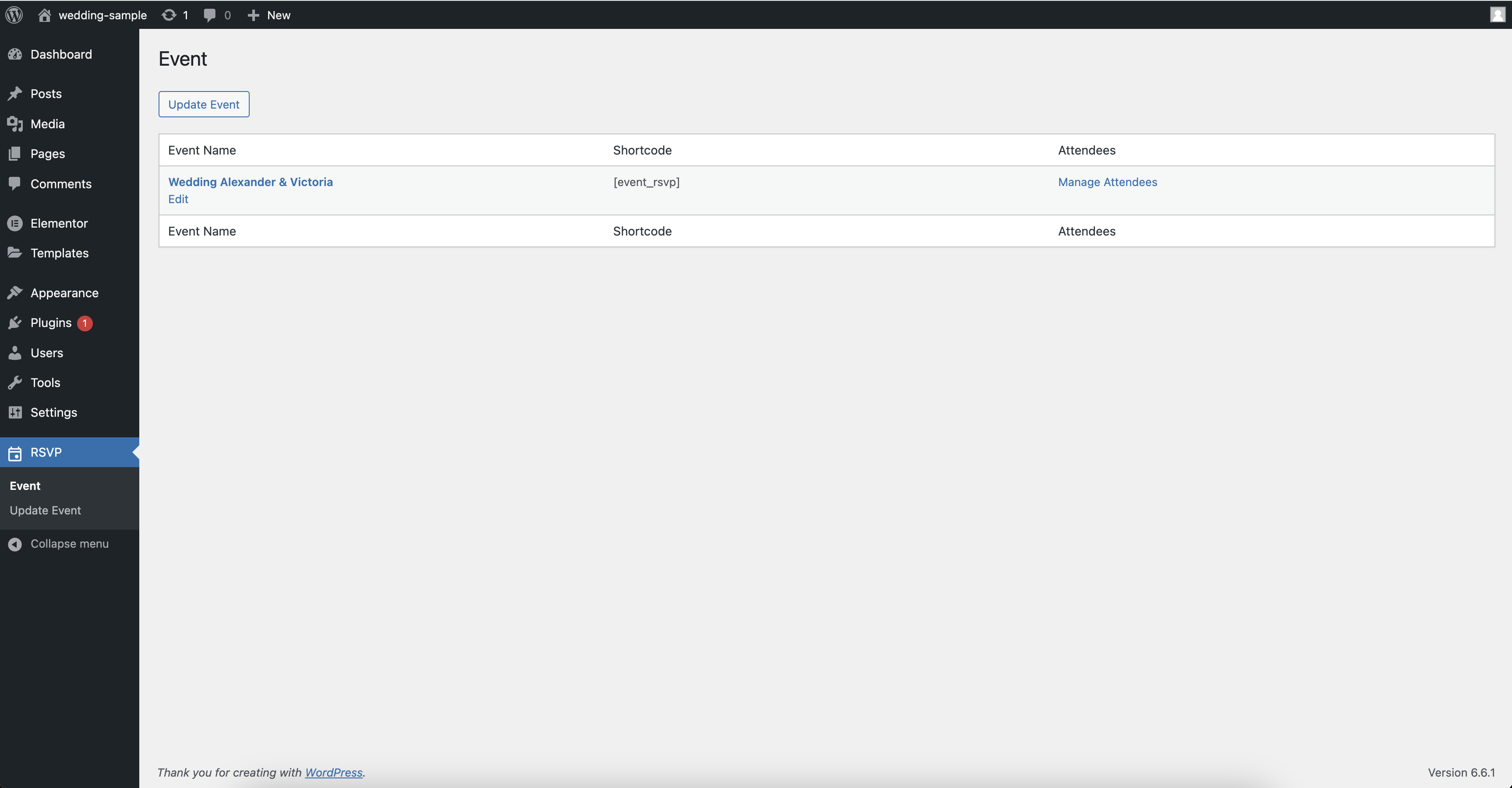
Event page in Wordpress admin console.

Page to manage the attendee list of the event.

The event details page which can be edited.

Page which provides the posibility to customize the texts displayed in the short code.
Changelog
Version 1.3
Release Date: 08.11.2024
Bug fixes
- Clean-up the inexistent attendee relation when you create a new attendee.
Version 1.2
Release Date: 07.11.2024
Bug fixes
- On atendee creation sometimes a related attendee is added by default.
Version 1.1
Release Date: 17.10.2024
New Features
- Reciprocal Attendee Associations:
- Added a new option to enable reciprocal (mutual) associations between attendees. When attendee X is associated with attendee Y, Y is automatically associated with X.
- Introduced the “Reciprocal Association” checkbox in the attendee creation/edit screen to control this behavior.
Version 1.0
Release Date: 07.10.2024
- Initial release of the plugin with core functionality for managing RSVPs for a private event.