

RT Slider
RT Slider is a Simple Plugin which Helps you in Creating a Slider for your Front Page or Homepage. Works with Supported Themes only.
Plugin info
Maintenance & Compatibility
Maintenance score
Possibly abandoned • Last updated 3047 days ago
Is RT Slider abandoned?
Possibly abandoned (last update 3047 days ago).
Compatibility
Similar & Alternatives
Explore plugins with similar tags, and compare key metrics like downloads, ratings, updates, support, and WP/PHP compatibility.
Description
Developers: Integrate this Plugin with your themes.
Documentation here
RT Slider is a Very Simple and Easy to use Plugin. All this Plugin does is that, it adds a Panel to your WordPress Customizer, which helps you create a Slider. It works with only those themes, which support this plugin and does not work with every theme.
The Benefit of this Plugin, is that you don’t loose your Slider data once you switch from one theme to another. Here are a few themes which support this plugin.
If you are a developer and have integrated this plugin with your theme, contact me.
Installation
This Plugin is Generally Recommended by themes which Support it. If you theme doesn’t support this plugin, you will get a notice as soon as your activate this plugin.
- Upload the plugin files to the
/wp-content/plugins/directory, or install the plugin through the WordPress plugins screen directly. - Activate the plugin through the ‘Plugins’ screen in WordPress
- Once its Activated, Go to Appearance > Customize to Configure the Slider.
Frequently Asked Questions
Installation Instructions
This Plugin is Generally Recommended by themes which Support it. If you theme doesn’t support this plugin, you will get a notice as soon as your activate this plugin.
- Upload the plugin files to the
/wp-content/plugins/directory, or install the plugin through the WordPress plugins screen directly. - Activate the plugin through the ‘Plugins’ screen in WordPress
- Once its Activated, Go to Appearance > Customize to Configure the Slider.
Review feed
Screenshots
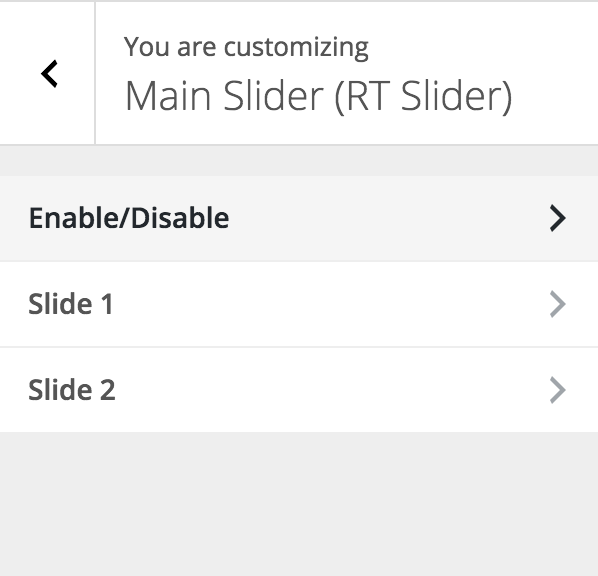
Appearance of the Plugin Section in Customizer.

Select Location, where the slider should appear.
Changelog
0.9
- Initial Release
0.92
- Added Configuration Options
- Added Options to Enable Slider on Specific Pages
- More Custom Functions to Make it easy for Theme Developers
- Completely Object Oriented Code now.
1.0.2
- Disabled Auto Refresh while changing no. of slides from Admin screen.
1.0.3
- Fixed bug when slider loaded on all pages.
1.0.5
- Fixed bug when slider won’t load on manually chosen pages.