

Run SQL Query
Run SQL Query is a simple plugin to quickly execute any type of SQL query into the WordPress's DB and export the results in a CSV format file.
Plugin info
Maintenance & Compatibility
Maintenance score
Possibly abandoned • Last updated 3530 days ago • 1 reviews
Is Run SQL Query abandoned?
Possibly abandoned (last update 3530 days ago).
Compatibility
Similar & Alternatives
Explore plugins with similar tags, and compare key metrics like downloads, ratings, updates, support, and WP/PHP compatibility.
Description
This plugin will allow you to execute any type of SQL query into the WordPress’s DB connecting through the driver provided by the MySQLi extension without the need to use another tool like phpMyAdmin.
It also gives you the ability to export the results in a CSV format file.
In order to access this plugin’s admin page (Tools -> Run SQL Query), your account needs to have the install_plugins capability, that means a Super Admin in the multi-site installation or an Admin in a single site.
Feel free to contribute:
https://github.com/Sefirost/run-sql-query
Use on you own risk. Under no circumstances will the Author of this plugin assume responsibility or liability for any damages or destructive effects on the database resulting from the queries executed using this tool.
Installation
- Upload the plugin folder
run-sql-queryto the/wp-content/plugins/directory or by using the “Add Plugin” function of WordPress. - Activate the plugin
Run Sql Querythrough the ‘Plugins’ menu in WordPress - The plugin page can be accessed via the ‘Run SQL Query’ link under ‘Tools’ menu in the administration area of a site (if your role is Admin for site administration role for single-site installs, or Super Admin for network installs).
Frequently Asked Questions
Where is the plugin page to run the queries?
The plugin page can be accessed via the ‘Run SQL Query’ link under ‘Tools’ menu in the administration area of a site (if your role is Admin for site administration role for single-site installs, or Super Admin for network installs).
Can a query make unrecoverable changes in the database?
Yes, and this plugin doesn’t provide and a way to undo the changes. Under no circumstances will the Author of this plugin assume responsibility or liability for any damages or destructive effects on the database resulting from the queries executed using this tool.
What driver it uses to connect to the Database?
Unlike other similar plugins it uses the driver provided by the MySQLi extension included since PHP 5.3.0 which is designed to work with MySQL version 4.1.13 or newer.
Review feed
Screenshots
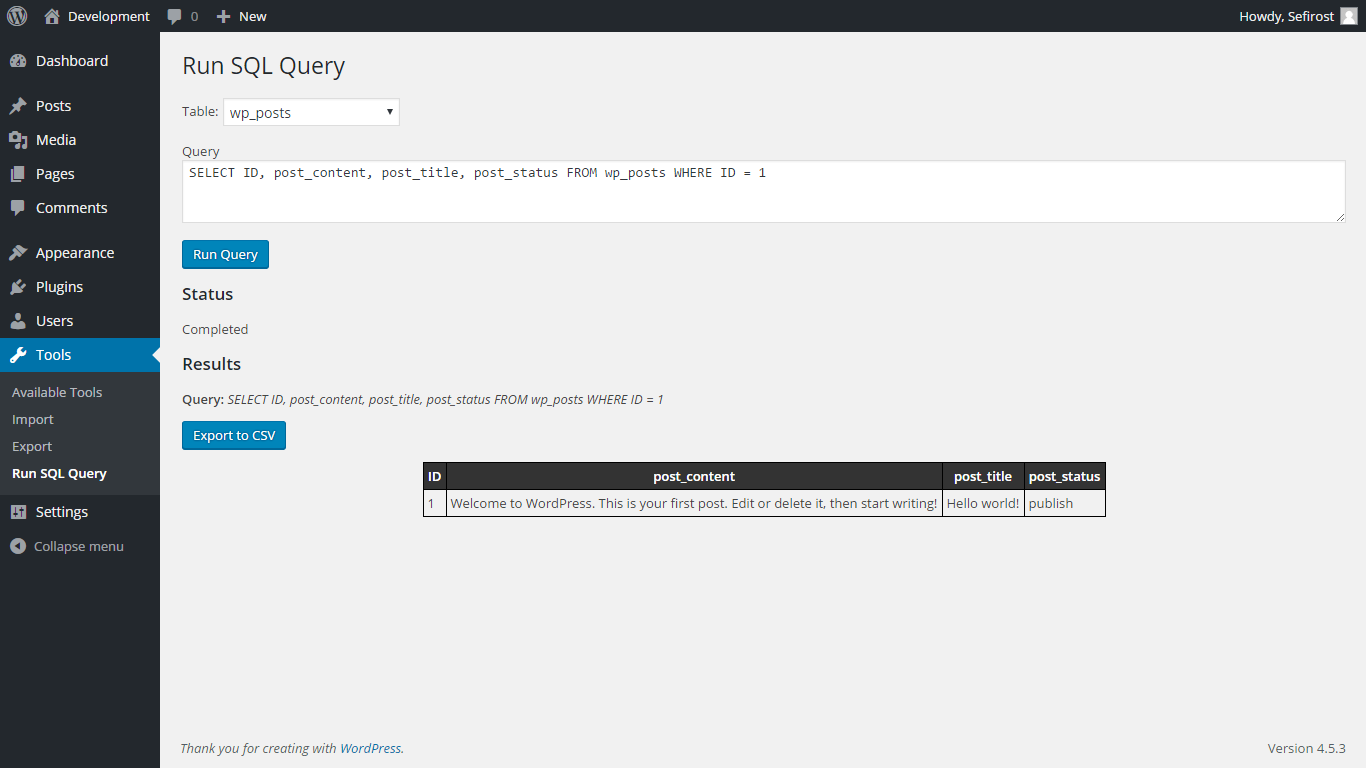
Run SQL Query plugin screen
Changelog
1.0
- Initial version