

Safe Private
A Private Wordpress, a Members-only Website, helpful during a site maintenance and useful for developers...
Plugin info
Maintenance & Compatibility
Maintenance score
Possibly abandoned • Last updated 4491 days ago • 3 reviews
Is Safe Private abandoned?
Possibly abandoned (last update 4491 days ago).
Compatibility
Similar & Alternatives
Explore plugins with similar tags, and compare key metrics like downloads, ratings, updates, support, and WP/PHP compatibility.
Description
The Safe Private Plugin set up a members-only area on your WordPress and protect your content, pages and resources from public access.
Only registered users will be able to browse your site. The plugin will redirect all others users to the login page of your blog.
Deny access to unregistered users, perfect for a private website, helpful during a blog maintenance and useful for developers…
- Membrers-only area
- Members only feed
- No template modifications
- Fast, Safe and secure…
Author Plugin link page: Safe Private
Installation
- Upload the folder
safe-privateto the/wp-content/plugins/directory - Activate the plugin through the ‘Plugins’ menu in WordPress
Frequently Asked Questions
How to enable the plugin ?
Activate the plugin through the ‘Plugins’ menu in WordPress
How to disable the plugin ?
Deactivate the plugin through the ‘Plugins’ menu in WordPress
If i can’t access to ‘Plugins’ menu in WordPress, How to disable the plugin ?
You can remove the folder safe-private in the /wp-content/plugins/ directory.
Review feed
Screenshots
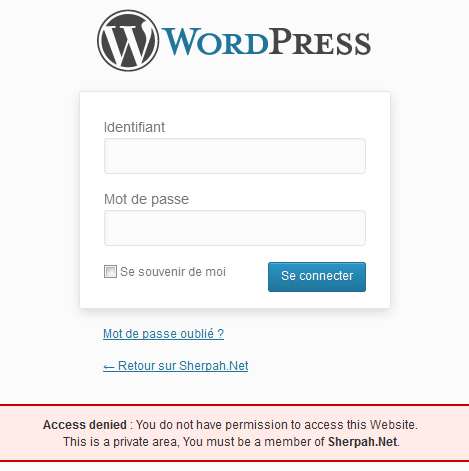
screenshot-1.png in folder
safe-privatein the/wp-content/plugins/directory
Changelog
1.0
.
1.1
- New Description.
1.2
- Update Description.
1.3
- Update Description.