

SAFO CRM Connector – Business Management Software
The SAFO CRM Connector integrates WooCommerce with SAFO to automatically sync products, stock, and prices.
Plugin info
Maintenance & Compatibility
Maintenance score
Maintained • Last updated 115 days ago
Is SAFO CRM Connector – Business Management Software abandoned?
Likely maintained (last update 115 days ago).
Compatibility
Similar & Alternatives
Explore plugins with similar tags, and compare key metrics like downloads, ratings, updates, support, and WP/PHP compatibility.
Description
SAFO is an all-in-one business management platform developed in Portugal that centralizes company operations into a single online system.
It includes modules for invoicing, CRM, scheduling, access control, local accommodation, inventory management, HR, communication, and more.
The SAFO CRM Connector is a plugin that connects WordPress with the SAFO ecosystem, enabling automatic data synchronization between your website and the platform.
If you are not yet a SAFO client, try it free at: https://31dias.safo.pt/
Features
This integration is designed for companies that use SAFO as their main management system and wish to connect their WooCommerce online store to the same professional and centralized environment.
- Sync products and stock between WooCommerce and SAFO
- Automatically update prices, images, and availability
- Ensure consistent data between your online store and back office
Installation
Frequently Asked Questions
You just need to have a SAFO account and follow the WooCommerce integration instructions available on our platform.
If you are not yet a SAFO client, you can try it free at: https://31dias.safo.pt/
Review feed
Screenshots
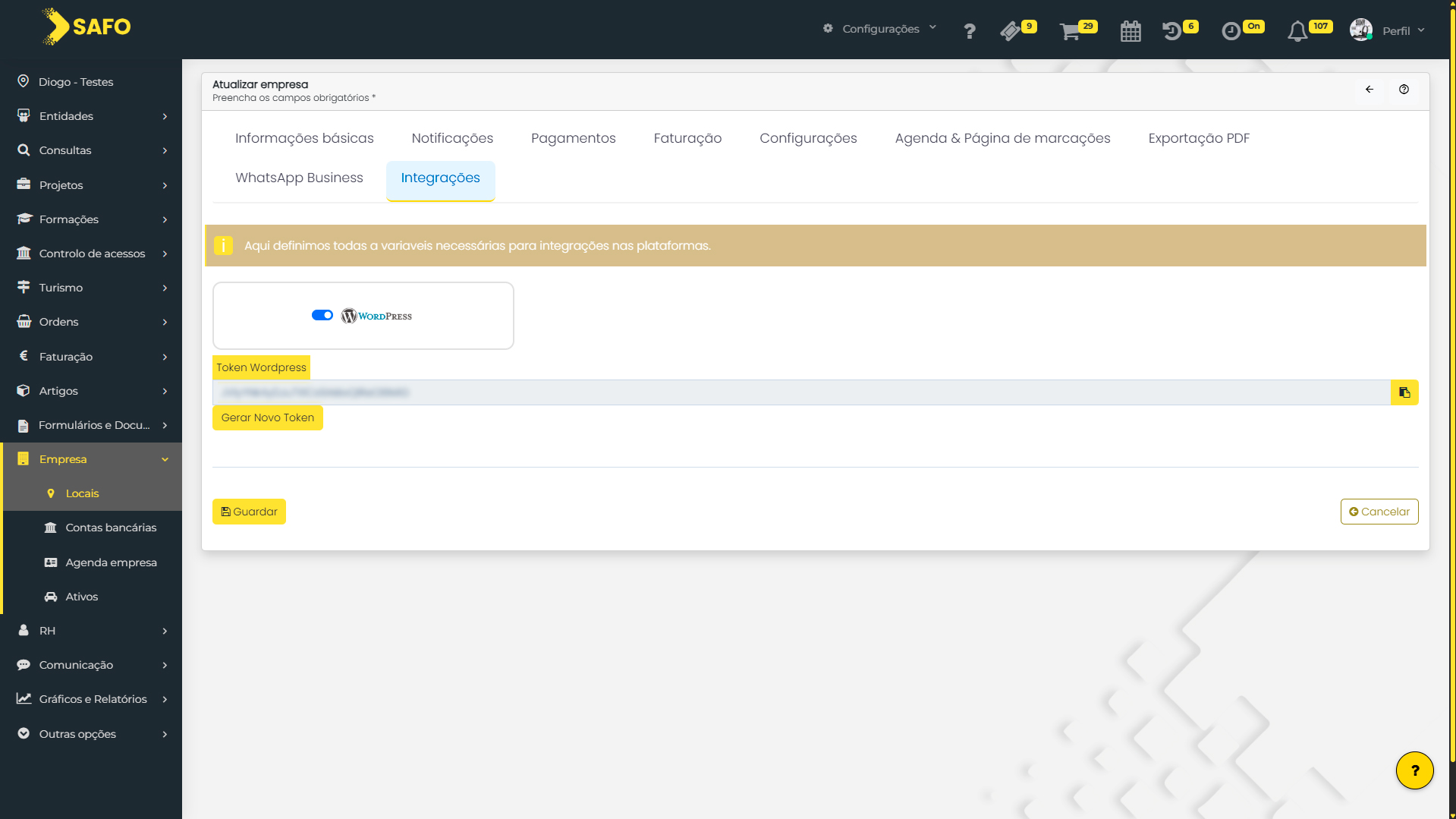
Safo platform back office
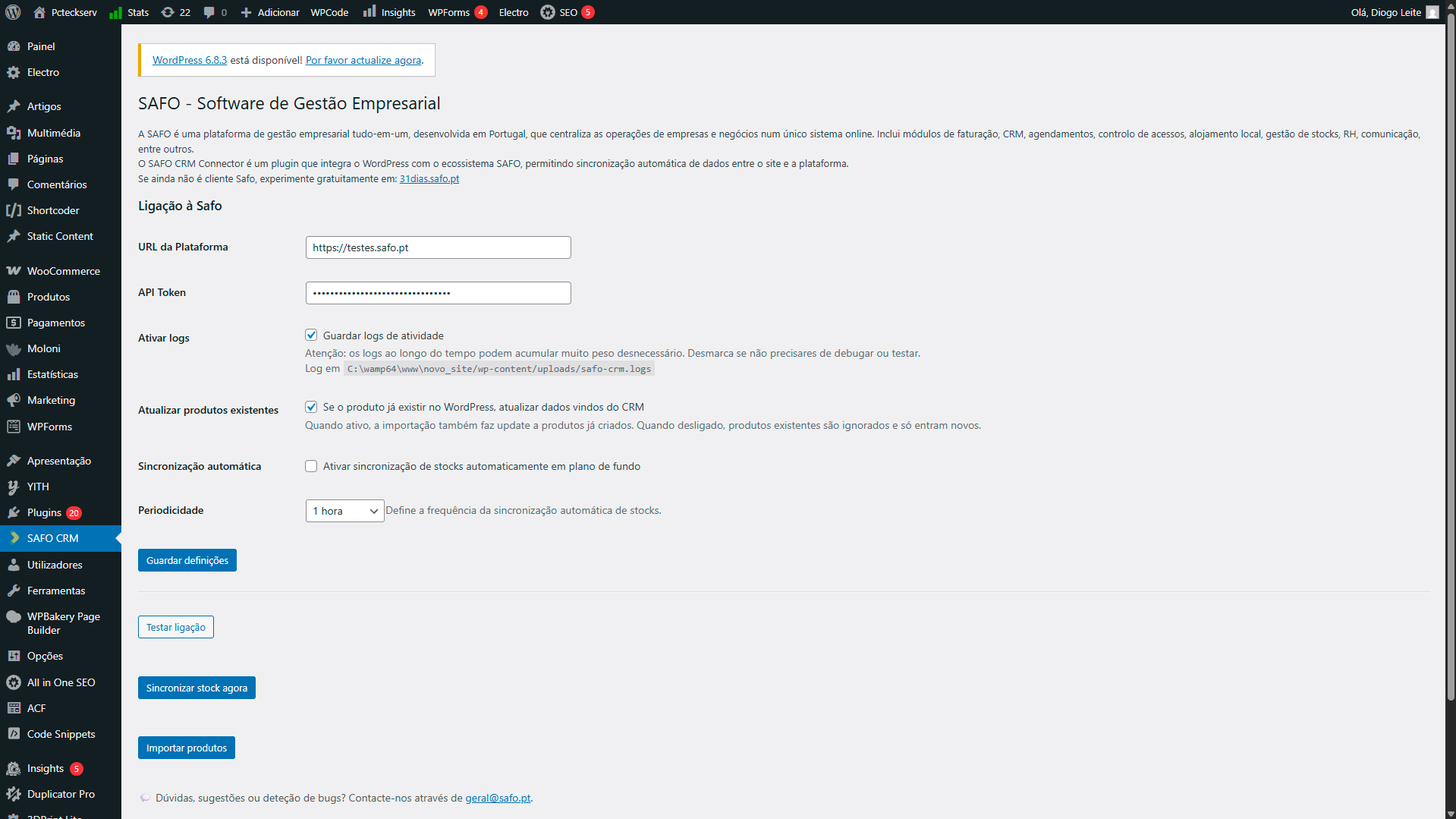
Plugin panel
Changelog
1.0.0 (07/10/2025)
Initial release with the following features:
- Product import from SAFO to WordPress
- Automatic and manual stock synchronization