

Sam Reading Time
Display estimated reading time for your posts using a clean shortcode. Includes a lightweight settings panel under the "Posts" menu.
Plugin info
Maintenance & Compatibility
Maintenance score
Stale • Last updated 192 days ago • 1 reviews
Is Sam Reading Time abandoned?
Likely maintained (last update 192 days ago).
Compatibility
Languages
Similar & Alternatives
Explore plugins with similar tags, and compare key metrics like downloads, ratings, updates, support, and WP/PHP compatibility.
Description
Sam Reading Time (SRT) is a lightweight and efficient plugin to show estimated reading time in WordPress posts using the [sam_reading_time] shortcode.
Includes a minimal settings page directly accessible under the “Posts” admin menu.
Features include:
– [sam_reading_time] shortcode for displaying reading time
– Settings panel for WPM (words per minute) speed and output format
– Clean output: “Reading Time: 4 minutes”
– Compatible with all post types
– Easy to use and theme-friendly
– No external dependencies or JS
-SEO & Rich Snippets
-Multilingual Support
Usage
Insert the shortcode anywhere inside your post or page content:
[sam_reading_time]
Or use it in template files like so:
echo do_shortcode('[sam_reading_time]');
Settings can be accessed via Posts > Reading Time Settings, where you can adjust:
- Words-per-minute speed
- Prefix/suffix text around reading time
Credits
Developed by SAM Web Design Agency – https://samwda.ir
License
This plugin is licensed under the GPLv2 or later.
See https://www.gnu.org/licenses/gpl-2.0.html for details.
Installation
- Upload the plugin folder to the
/wp-content/plugins/directory. - Activate the plugin through the ‘Plugins’ menu in WordPress.
- Navigate to
Posts > Reading Time Settingsto customize behavior. - Use
[sam_reading_time]shortcode in posts or pages to show the reading time.
Frequently Asked Questions
Yes. You can adjust the WPM value from the settings page.
Under the WordPress Dashboard menu: Posts > Reading Time Settings.
Yes, as long as they support the_content.
Review feed
Screenshots
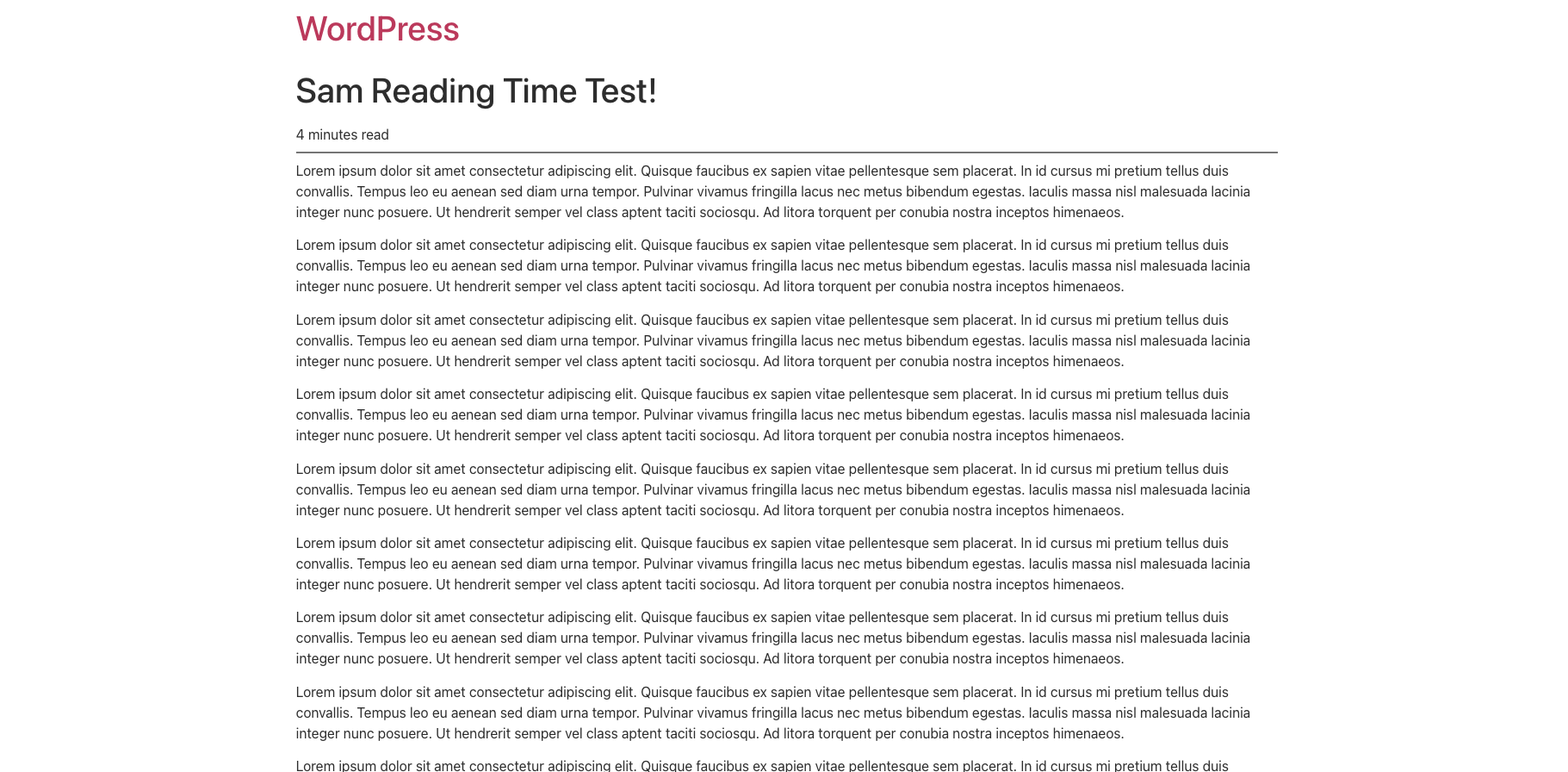
Reading time output in a post.

Simple settings panel under "Posts".
Changelog
2.0
- Added admin post list column to display reading time for all post types.
- Added sorting capability for reading time column.
- Accurate reading time calculation excluding code blocks, images, videos, and HTML tags.
- Full support for Custom Post Types (CPT).
- Added Schema.org
timeRequiredJSON-LD markup for SEO Rich Snippets. - Shortcode-aware schema: schema markup only added if [sam_reading_time] is used.
- Full compatibility with Polylang and WPML for translated content.
1.0
- Initial public release with shortcode and settings page.