

Scroll Page To Top
Scroll Page To Top is a lightweight plugin that helps to add "Scroll to top / Back to top / Scroll Page to Top / Bottom to top" feature in y …
Plugin info
Maintenance & Compatibility
Maintenance score
Possibly abandoned • Last updated 1749 days ago • 1 reviews
Is Scroll Page To Top abandoned?
Possibly abandoned (last update 1749 days ago).
Compatibility
Similar & Alternatives
Explore plugins with similar tags, and compare key metrics like downloads, ratings, updates, support, and WP/PHP compatibility.
Description
Web pages can be very long. This makes them really easy to view on tablets, but if the navigation isn’t visible, it can make it difficult for visitors to return to the top of the page. Some Web templates have a ‘back to top’ button in the footer, but others don’t. Visitors find it helpful to have a button that fades into view as you scroll down and floats along the bottom of the browser.
The “Scroll Page To Top” plugin allows users to smoothly scroll back to the top of the page. It’s a little detail which enhances navigation experience on website with long pages.
Usage
It is very simple to use and does not require any technical skills. Install the plugin through the plugin interface then Go to Settings menu > Select “Scroll Page To Top” menu and make changes and save it. You can customize the arrow icon, position, BG Color, Font-Size etc by plugin settings.
Installation
- Upload “scroll-page-to-top” directory to the “wp-content/plugins/” directory
- Activate the plugin through the ‘Plugins’ menu in WordPress
- Enjoy!
Frequently Asked Questions
Review feed
Great Plugin and Easy to Use
Screenshots
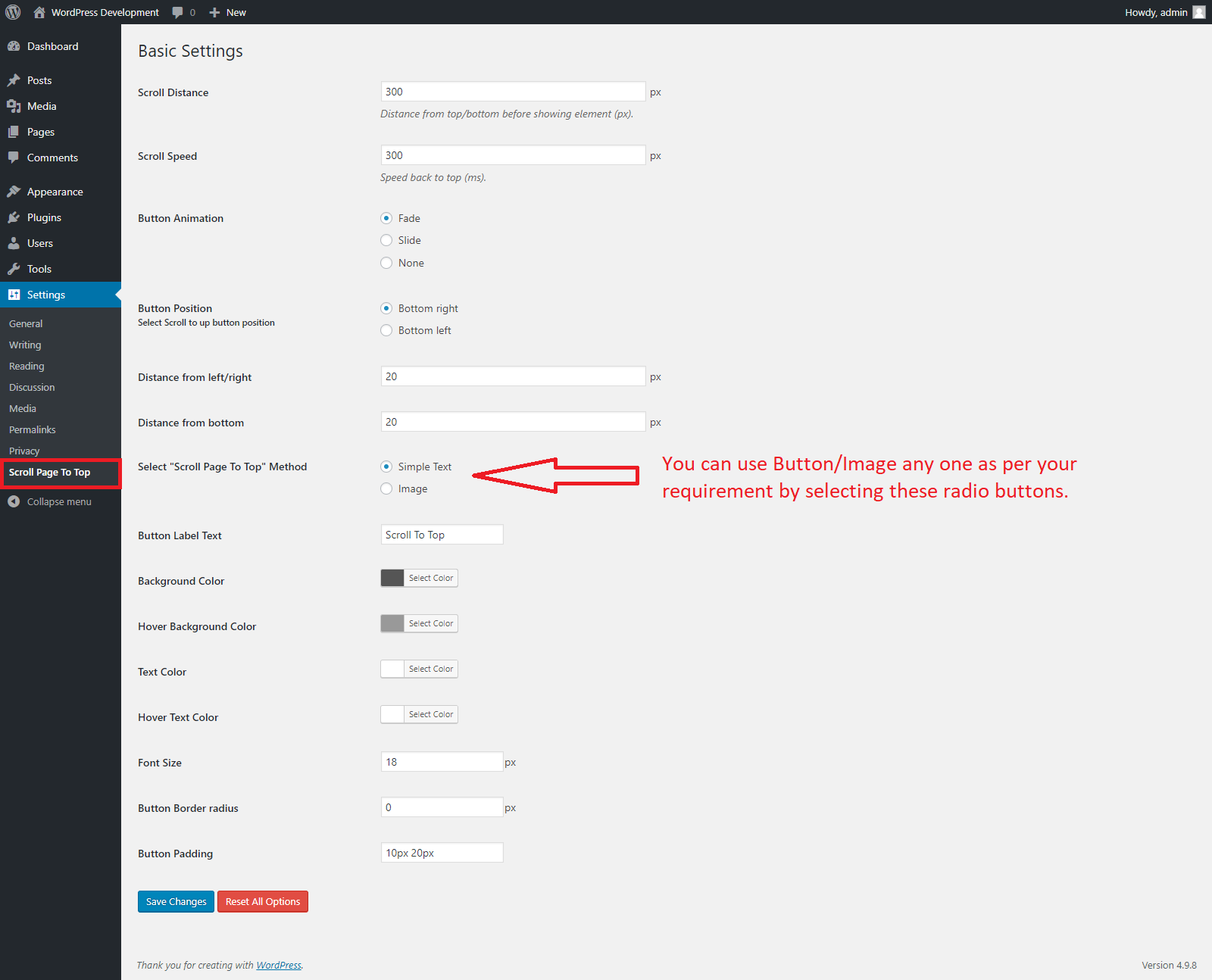
Activate the plugin go to "Scroll Page To Top" menu under WordPress Settings and manage the plugin settings like as above screen.
Changelog
1.0.0
- Initial release.