

Search Everything
Search Everything increases WordPress' default search functionality in three easy steps.
Plugin info
Maintenance & Compatibility
Maintenance score
Possibly abandoned • Last updated 3047 days ago • 86 reviews
Is Search Everything abandoned?
Possibly abandoned (last update 3047 days ago).
Compatibility
Similar & Alternatives
Explore plugins with similar tags, and compare key metrics like downloads, ratings, updates, support, and WP/PHP compatibility.
Description
Search Everything improves WordPress default search functionality without modifying any of the template pages. You can configure it to search pages, excerpts, attachments, drafts, comments, tags and custom fields (metadata) and you can specify your own search highlight style. It also offers the ability to exclude specific pages and posts. It does not search password-protected content. Simply install, configure… and search.
Search Everything plugin now includes a writing helper called Research Everything that lets you search for your posts and link to them while writing. You can also enable Power Search to research posts from the wider web (for WP3.7 and above).
Better WordPress search in three steps
- Activate
- Configure options
- Search!
What it does
Search Everything increases the ability of the default WordPress Search, options include:
- Search Highlighting
- Search Every Page
- Search Every Tag
- Search Custom Taxonomies ( new )
- Search Every Category
- Search non-password protected pages only
- Search Every Comment
- Search only approved comments
- Search Every Draft
- Search Every Excerpt
- Search Every Attachment (post type, not the content itself – check FAQ)
- Search Every Custom Field (metadata)
- Exclude Posts from search
- Exclude Categories from search
Update
From Jan 24, 2014 Search Everything originaly developed by dancameron, sproutventure will be maintained and developed further by Zemanta.
Terms of Service
The plugin source code is released under GPLv2. Usage of our service is governed by Zemanta Terms of Service and Zemanta Privacy Policy.
Installation
Installation Instructions:
- Download the plugin and unzip it.
- Put the ‘search-everything’ directory into your wp-content/plugins/ directory.
- Go to the Plugins page in your WordPress Administration area and click ‘Activate’ next to Search Everything.
- Go to the Settings > Search Everything and configure it.
- That’s it. Enjoy searching.
Frequently Asked Questions
Installation Instructions
Installation Instructions:
- Download the plugin and unzip it.
- Put the ‘search-everything’ directory into your wp-content/plugins/ directory.
- Go to the Plugins page in your WordPress Administration area and click ‘Activate’ next to Search Everything.
- Go to the Settings > Search Everything and configure it.
- That’s it. Enjoy searching.
It doesn’t search in my PDF/Word/Excel attachments
We know, this is not a bug. It’s not that easy to search through binary files.
Anyway, if there’s a will, there’s a way. Just ask us for a workaround and we’ll gladly help.
It doesn’t work
Read the installation guide.
It *still* doesn’t work
Please open a new support topic at our Support page
I don’t get any results in research tool
Are you using WordPress 3.6? Sorry, but research tool requires at least version 3.7.
What Translations are included?
Note: We changed some labels in settings, old translations might not work and need to be updated.
- Arabic
- Belarusian
- China / Chinese
- Czech
- Dutch
- French
- German
- Hungarian
- Italian
- Japanese
- Korean
- Latvian
- Norwegian (Bokmål)
- Norwegian (Nynorsk)
- Romanian
- Russian
- Spanish
- Swedish
- Turkish
- Taiwan / Chinese
What about Terms of Service and Privacy policy?
Before using the plugin please read the full version of Zemanta Terms of Service and Zemanta Privacy Policy.
Review feed
Screenshots
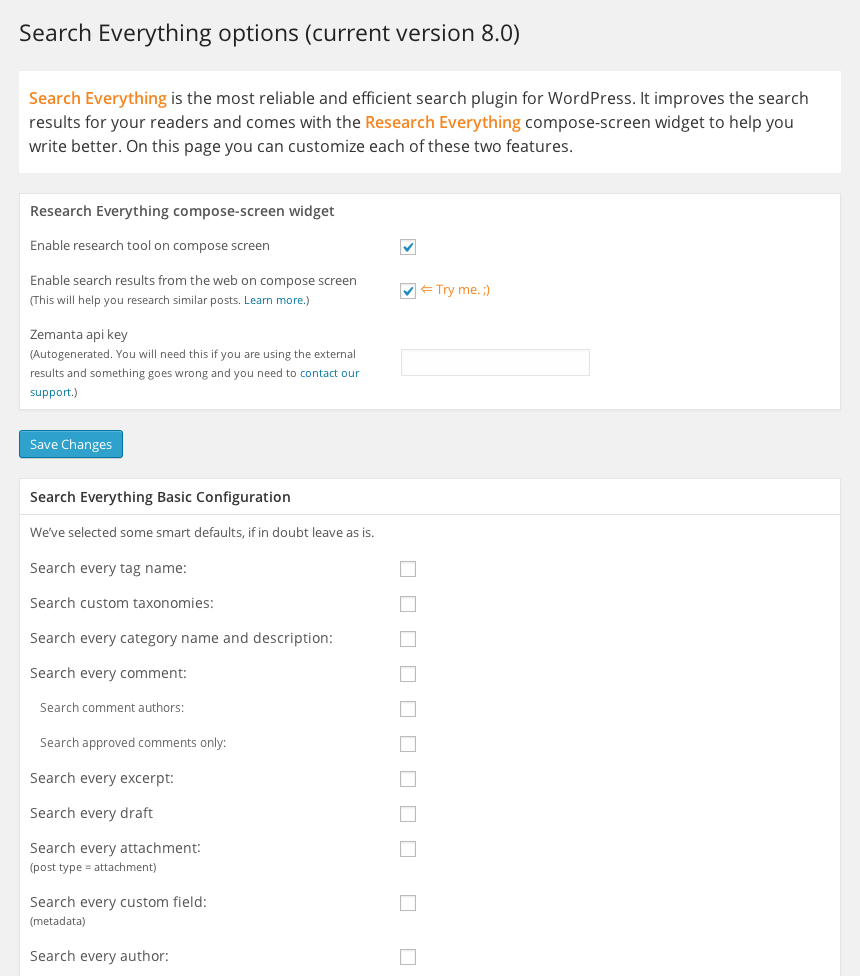
Screenshot of the options panel
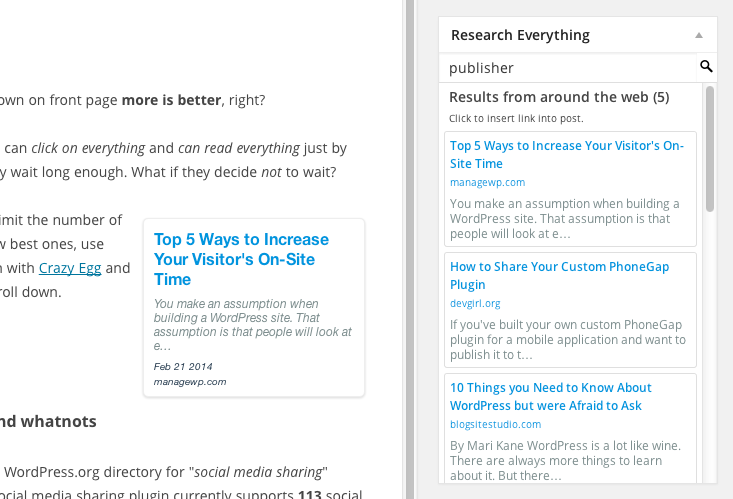
Screenshot of the writing helper Research Everything
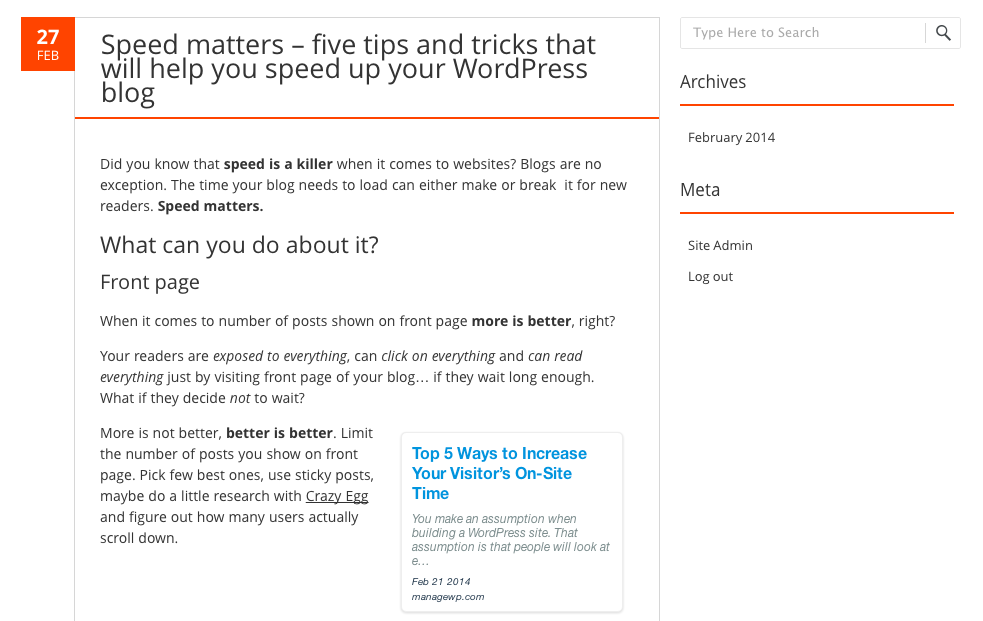
Screenshot of a post with search results from the Research Everything writing helper
Changelog
8.1.9
- Fixed a search issue that caused all results to be returned regardless of the options.
8.1.8
- Fixed a migration/update issue
8.1.7
- Compatibility with WordPress 4.7
- Security update: resolve SQL injection vunerability related to WP 4.7
8.1.6
- Security update: filtering out empty search strings that could enable sql injections
8.1.5
- Compatibility with PHP 7
- Bypassing highlighting in dashboard searches
8.1.4
- Removed unnecessary styles on frontend
- Fixed php notice showing up sometimes
- Czech language added
8.1.3
- Support for multitag search
8.1.2
- CSS bugfix
8.1.1
- Security update (CSRF vunerability fix)
- Added form validation to Options page
8.1
- Fixed link search bug
- Fixed bug of limiting number of results in Research Everything
- Improved code robustness
- Fixed translation system
- Fixed upgrade bug
- Renamed methods with too generic names
- Fixed admin notices – they’re only visible to admins now
8.0
- Added research widget on compose screen
- Reorganized settings
- Security updates
7.0.4
- Urgent bugfix – changed migration script
7.0.3
- Fixed vulnerability issue in se_search_default and started escaping terms
- Refactored code, extracted html from PHP code
- Added support for ajax call
7.0.2
- Added config file with installation and migration functions
- Refactored code, removed Yes options
- Replaced deprecated functions