

Search in Place
Search in Place improves blog search by displaying query results in real time. It displays the results dynamically as you enter the search criteria.
Plugin info
Maintenance & Compatibility
Maintenance score
Maintained • Last updated 122 days ago • 61 reviews
Is Search in Place abandoned?
Likely maintained (last update 122 days ago).
Compatibility
Similar & Alternatives
Explore plugins with similar tags, and compare key metrics like downloads, ratings, updates, support, and WP/PHP compatibility.
Description
Search in Place features:
» Performs real time search as you enter search criteria
» Groups search results by post type (post, page)
» Allows to limit the number of elements in the dynamic search results
» Offers a different navigation option on the website
» Use a friendly AJAX technology for searching
» Suggests search terms based on the information typed by the user.
Search in Place improves blog search by displaying query results in real time. Search in place displays a list with results dynamically as you enter the search criteria.
Search in Place groups search results by their type, labeling them as post, page or the post type entered, and highlights the searched terms in search page and resulting pages. Search in Place advanced allows to search in metadata and author display name too.
More about the Main Features:
- Performs real time search as you enter search criteria;
- Use a friendly AJAX technology for searching;
- Groups search results by post type (post, page);
- Allows to limit the number of elements in the dynamic search results;
- Allows to customize the box colors;
- Allows highlight the criteria for searching in results;
- Offers a different navigation option on the website.
The plugin converts the website’s search boxes into search in places. Furthermore, the plugin allows to insert additional search boxes using the shortcode:
[search-in-place-form]
For searching in the current page only, insert the shortcode with the in_current_page attribute:
[search-in-place-form in_current_page="1"]
For inserting the shortcode in the website’s pages it is possible to use the specific integrations with the editors: Gutenberg, Elementor, or the widget for Page Builder by SiteOrigin. For the other editors, insert the shortcode.
Frequently, while performing a search in a blog with terms we think are present in the blog’s pages and posts, after various search attempts and a slow/tedious process of page reloads, we feel frustration because we haven’t found the page/post being searched for. With Search in Place the search process is easier and seamless. The Search in Place makes the post search in real time, allowing the correction of the search criteria without reloading the website (The basic version of “Search in Place” makes the search in posts and pages).
The plugin transforms all search boxes in the website into search in place boxes, furthermore, the plugin includes a shortcode allowing to insert additional “search boxes”, or “search in current page boxes”.
Premium Features:
- Allows the searching in metadata, taxonomies, and author display name associated to the post, page or custom post type;
- Allows to define additional post_types to be considered for searching;
- Includes the integration with popular plugins like: WooCommerce, WP e-Commerce, Jigoshop, Ready! Ecommerce Shopping Cart and more;
- Include labels in the search results page;
The plugin displays search results in a popup window by default. However, it is possible to show them in a div tag in the page content:
Demo of Premium Version of Plugin
https://demos.dwbooster.com/search-in-place/wp-login.php
https://demos.dwbooster.com/search-in-place/
The usual WordPress behavior is searching in the posts, but the post’s search may not be sufficient if you are using plugins that includes custom post_types. The WordPress born as a blog manager, but this great platform has been evolved through its plugins until allow be used as a content management system, an eCommerce (WooCommerce, WP e-Commerce, etc.) or a social network, so the search feature require evolve too and allow searching by products, users and any custom post_types. Search in Place came to fill this empty in WordPress, Search in Place allow to search in custom post_types, taxonomies associated to the post_types, its metadata, or the authord display name.But Search in Place don’t stop there, with Search in Place is possible to format the results, set labels to identify the search results, and highlight the terms in the resulting pages.
If you want more information about this plugin or another one don’t doubt to visit my website:
Installation
To install Search in Place, follow these steps:
- Download and unzip the plugin
- Upload the entire search_in_place/ directory to the /wp-content/plugins/ directory
- Activate the plugin through the menu option “Plugins” in your WordPress dashboard.
Search in Place Setup
Search in Place has several setup options to simplify searches and personalize results. Among the setup possibilities you will find:
Enter the number of posts to display: limits the number of elements in the dynamic search results. (Enter a whole number).
Enter a minimum number of characters to start a search: The dynamic search will be activated only when the entered search term equals or exceeds the number of characters specified in this setup field.
Elements to display: defines the elements that will be shown for each dynamic search result. The post title will always be visible, but the featured image, the author, the publication date, and the post summary can be visible or not depending on this setting option.
Select the Date Format: allows to select the format of publication date to be shown in the dynamic search results.
Enter the number of characters for post summaries: if you choose to display post summaries in search results, you can use this option to limit the amount of characters in these summaries.
In Search Page/Identify the posts type in search result: if this option is checked, each search result will be identified by type (post or page).
Translations
The Seach in Place use the English language by default, but includes the following language packages:
- Spanish
- French
- Portuguese
- Russian
Frequently Asked Questions
A: Search in Place allows to find posts and pages without abandon the webpage (the premium version of plugin allows include custom post types).
A: The thumbnails are get from the featured images assigned to the post or page. Please verify your posts have assigned featured images.
A: Modify the value of field “Enter the number of posts to display” in the settings page of Search in Place.
If you require more information, please visit our FAQ page in:
A: In the settings page of the plugin there is a new attribute for selecting if get the pages/posts with all terms entered through the search box (AND), or any of terms (OR)
A: The Pro version of the plugin allows searching in custom post types, and taxonomies.
In the settings page of the plugin there are two attributes: the “Post type”, and “Taxonomy”. You simply should press the “Add new type” button, and type the name of post_type, the process to add the taxonomies is similar, press the “Taxonomy” button, and type the taxonomy name.
For common plugins like: WooCommerce, WP e-Commerce, Jigoshop, and Ready! Ecommerce Shopping Cart, with only pressing the corresponding button, all post types and taxonomies used by these plugins are added to the “Search in Place”.
A: Go to the settings page of the plugin, and enter the IDs of pages or posts through the attribute: “Exclude posts/pages (Ids separated by comma)”, separated by comma.
Review feed
Just What Was Needed
Search on page with Arabic support
Great Plugin
Screenshots
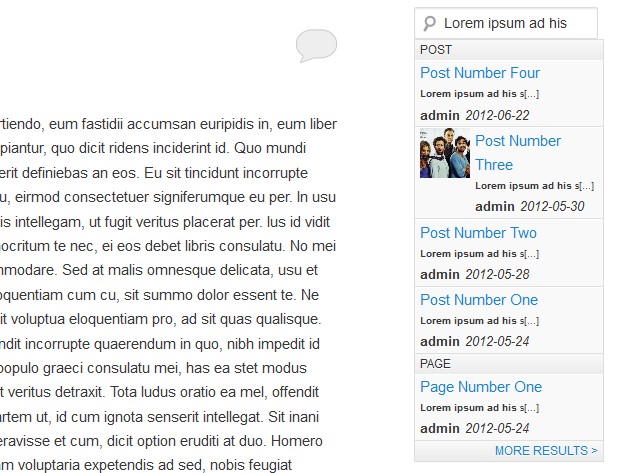
Dynamic Search result.
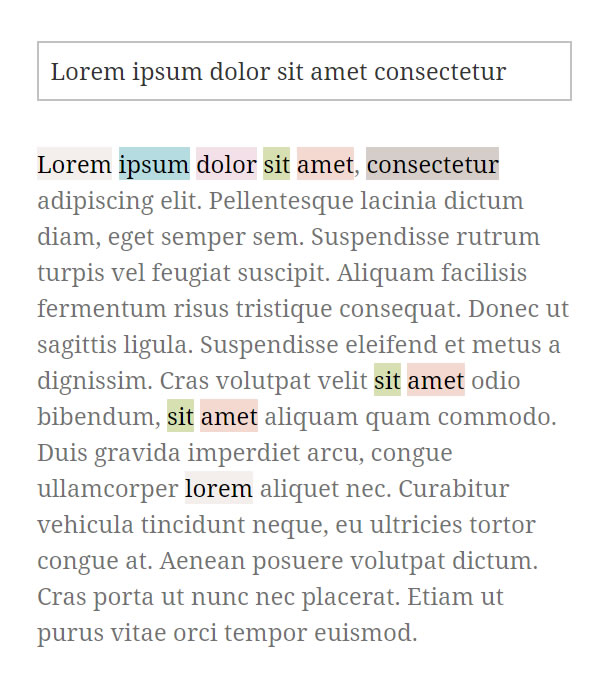
Inserted a Search in Page box.
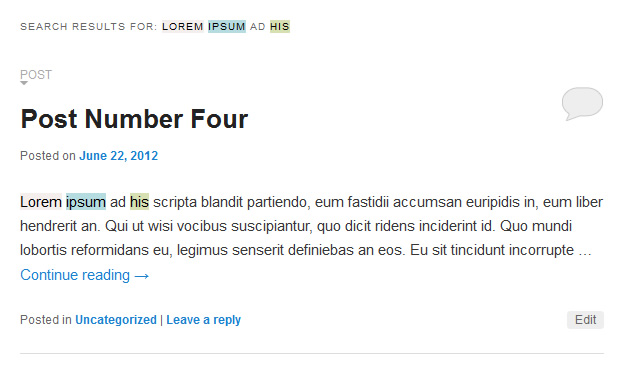
Search page (Advanced version only)
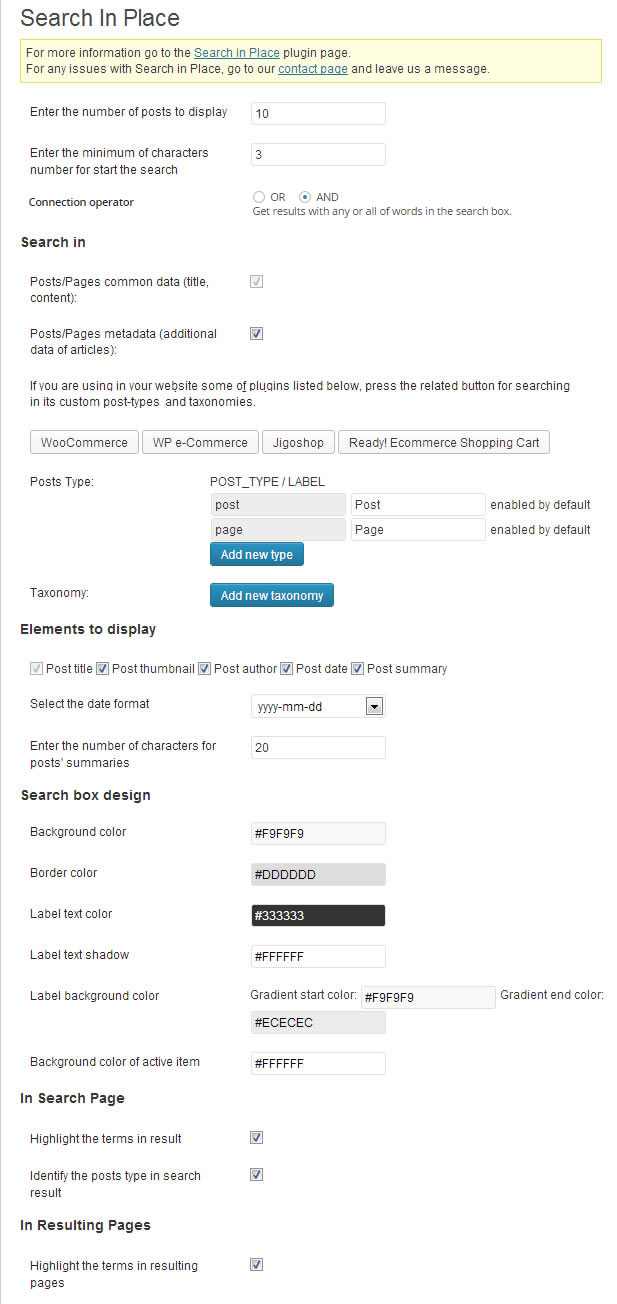
Search in Place's Setup page.
Changelog
1.5.1
- Enhances the term suggestion module to provide suggestions directly from both the website and Google.
1.5.0
- Modifies the search in page module to support visual apostrophes and double quotation marks.
1.4.5
- Fixed an issue with the search operator used for searching content on the current page.
1.4.4
- Provides multilingual website support through integration with Polylang.
1.4.3
- Modifies how the plugin handles the language files.
1.4.2
- Implements support for the User Access Manager plugin by Alexander Schneider.
1.4.1
1.4.0
- Modifies the module that highlights and scrolls to the search terms in the results pages, unifying the process.
1.3.3
- Resolves a notice by ensuring the language files are properly loaded.
1.3.2
- Implements the support for Kadence tabs.
1.3.1
- Fixes accessibility issues in the plugin settings page.
1.3.0
- Redesigns the search box and search results popup.
- Includes a new section in the plugin settings to reset the popup results design.
- Allows selecting between the new search box design or the default WordPress design.
1.2.0
- Reimplements the search form insertion module to allow the plugin to recover smoothly from conflicts with third-party themes and plugins.