

Search Modal Block
A customizable search modal block that adds an elegant and accessible search experience to your WordPress site.
Plugin info
Maintenance & Compatibility
Maintenance score
Maintained • Last updated 142 days ago • 3 reviews
Is Search Modal Block abandoned?
Likely maintained (last update 142 days ago).
Compatibility
Similar & Alternatives
Explore plugins with similar tags, and compare key metrics like downloads, ratings, updates, support, and WP/PHP compatibility.
Description
The Search Modal Block enhances your WordPress site with a modern, popup search interface that’s both beautiful and functional. Built specifically for the block editor (Gutenberg), it provides a seamless way to add search functionality to any part of your content.
Key Features:
- Clean, minimal design that works with any theme
- Fully responsive layout
- Accessibility-ready with ARIA labels and keyboard navigation
- Customizable text elements:
- Search input placeholder
- Search button text
- Screen reader labels
- Focus-visible support for better keyboard navigation
- Seamless integration with WordPress search
Perfect For:
- Minimalist themes needing an elegant search solution
- Sites wanting to improve their search UX
- Accessibility-focused websites
- Any WordPress site using the block editor
Development
This block is built using the WordPress Create Block tool, ensuring compatibility with modern WordPress standards and practices. The source code is available in the plugin’s /src directory.
Building from Source
To build the plugin from source:
- Clone the repository
- Install dependencies with
npm install - Run
npm run buildto build the production files - For development, use
npm run startto start the development server
The build process uses @wordpress/scripts to compile and minify the JavaScript and CSS files. The source code for the compiled files in the /build directory can be found in the /src directory.
Development Dependencies
- @wordpress/scripts: ^27.9.0
- @wordpress/eslint-plugin: ^21.4.0
- @wordpress/stylelint-config: ^21.41.0
- eslint: ^8.57.1
The complete source code is available on GitHub: https://github.com/philhoyt/search-modal-block
Credits
This plugin uses the following third-party libraries:
- MicroModal – A lightweight, configurable modal library for web applications.
Installation
- Upload the plugin files to the
/wp-content/plugins/directory, or install the plugin through the WordPress plugins screen directly. - Activate the plugin through the ‘Plugins’ screen in WordPress.
- Go to the block editor and search for “Search Modal Block” in the block inserter to add it to your content.
Frequently Asked Questions
The search button inherits your theme’s colors by default. You can customize its appearance using your theme’s custom CSS or the WordPress site editor.
Review feed
Lightweight and works great!
Screenshots
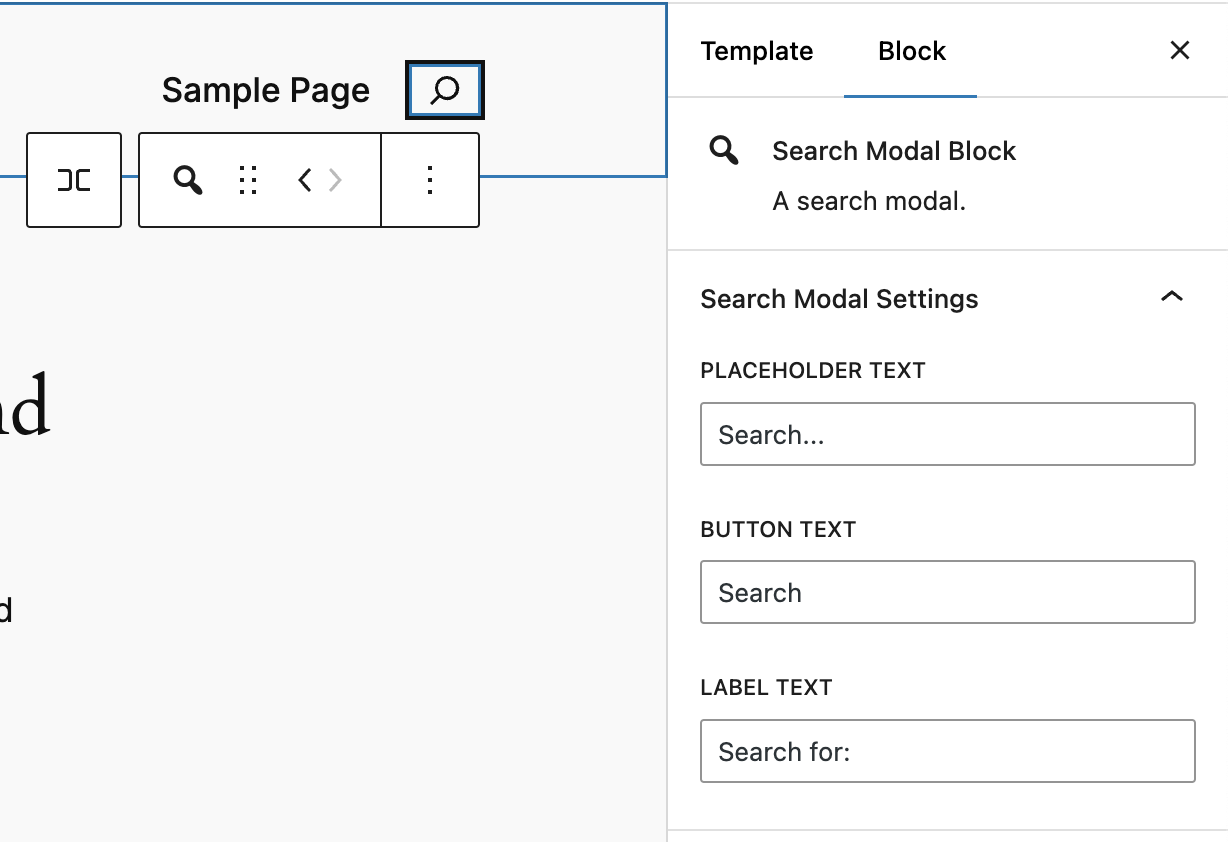
The search modal block in the block editor with customizable settings.
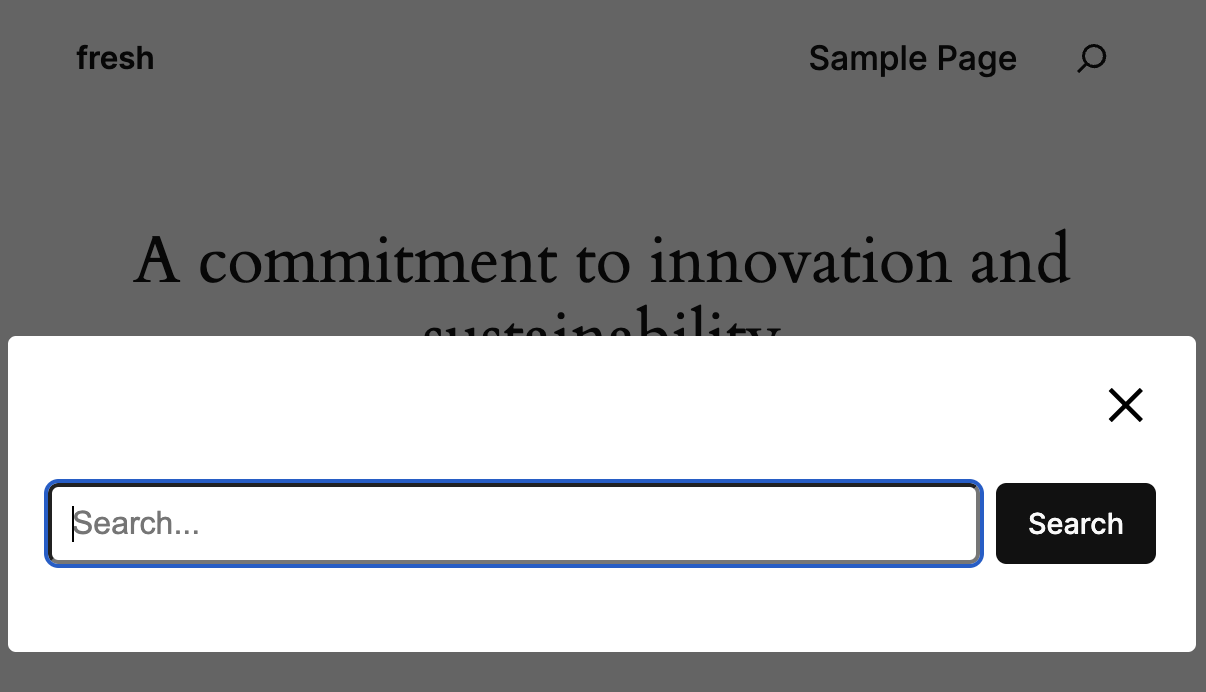
The search modal displayed on the frontend after being triggered by the search icon.
Changelog
1.2.0
- WordPress 6.9
- Fixed form action URL to work correctly on subdirectory and multisite installations
- Improved accessibility with proper ARIA labels and modal title
1.1.0
- Added ability to upload custom icons for the search button
- Added icon size controls with preset sizes (S, M, L, XL) and custom size option
1.0.1
- Include assets for .org
- Include src for .org
1.0.0
- Initial release with search modal block functionality
- Customizable placeholder text, button text, and label text
- Responsive and accessible design
- Integration with WordPress search functionality
- Focus-visible support for enhanced keyboard navigation