

Search terms cloud
Provides a Search terms cloud widget in the front of your website.
Plugin info
Maintenance & Compatibility
Maintenance score
Possibly abandoned • Last updated 4462 days ago
Is Search terms cloud abandoned?
Possibly abandoned (last update 4462 days ago).
Compatibility
Similar & Alternatives
Explore plugins with similar tags, and compare key metrics like downloads, ratings, updates, support, and WP/PHP compatibility.
Description
Search terms cloud is a fully localized and costumizable widget for your website, it displays the most used terms in your website.
Installation
- You can either download the plugin from WordPress.org directory or upload files to your server.
- Activate the plugin through the ‘Plugins’ menu in WordPress.
- Go to “Settings > Search terms cloud” page to costumize the plugin.
Frequently Asked Questions
Is the plugin fully localized?
Search terms cloud plugin is fully localized to fit your language needs.
How can i costumize the plugin css styles?
The plugin use a classname “search_terms_widget” that contain a serie of “a” and “span” tags that you can style within your css file.
I have some settings that i can’t change on the plugin?
If you have any requests for some settings that you want to change you contact me and i will try to include it on the next release.
Review feed
Screenshots
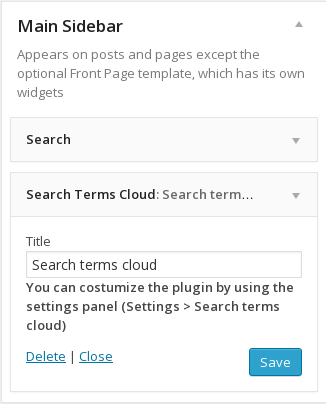
Adding the Search terms cloud wordpress plugin to the main sidebar.

Preview of the widget with the Twenty Twelve theme.

Plugin settings page where yo can costumize the plugin (Number of terms to display, the minimum number of search a term must have to be displayed, etc..).
Changelog
0.9
- Initial release of the plugin