

Secondary Product Image for WooCommerce
Secondary Product Image for WooCommerce adds a hover effect that will reveal a secondary product thumbnail to product images on your WooCommerce produ …
Maintenance 28/100505d since update
Active installs
2,000
Downloads
9,768
Reviews
2
Age
3.1y
Plugin info
Total downloads: 9,768
Active installs: 2,000
Total reviews: 2
Average rating: 3.5
Support threads opened: 0
Support threads resolved: 0 (0%)
Available in: 2 language(s)
Contributors: 1
Last updated: 11/13/2024 (505 days ago)
Added to WordPress: 2/9/2023 (3 years old)
Minimum WordPress version: 5.7
Tested up to WordPress version: 6.7.4
Minimum PHP version: 7.2
Maintenance & Compatibility
Maintenance score
Possibly abandoned • Last updated 505 days ago • 2 reviews
28/100
Is Secondary Product Image for WooCommerce abandoned?
Possibly abandoned (last update 505 days ago).
Compatibility
Requires WordPress: 5.7
Tested up to: 6.7.4
Requires PHP: 7.2
Similar & Alternatives
Explore plugins with similar tags, and compare key metrics like downloads, ratings, updates, support, and WP/PHP compatibility.
Product Watermark for WooCommerce
Rating 3.7/5 (55 reviews) • Active installs 2,000
TP Show Product Images on Checkout Page for WooCommerce
Rating 5.0/5 (3 reviews) • Active installs 600
Quick Product Image Upload
Rating 5.0/5 (7 reviews) • Active installs 100
Product Image Watermark for WooCommerce
Rating 4.4/5 (7 reviews) • Active installs 50
LabelBaker – Advanced Label Design & Generator
Rating 0.0/5 (0 reviews) • Active installs 20
360 Product Detait View
Rating 0.0/5 (0 reviews) • Active installs 10
Description
Secondary Product Image for WooCommerce adds a hover effect that will reveal a secondary product thumbnail to product images on your WooCommerce product listings
Features
- Allows to upload a secondary Featured Image for WooCommerce products
- Uses the first image from product gallery as fallback if there’s no second Featured Image
- Works with Classic & Block Themes
- Works with 99% themes
- Supports Lazy Loading Images
- The secondary image is loaded only when hovering a product so it doens’t affect the loading speed of pages
Recommended Themes & DEMO
Balance
Inspiro
Inspiro PRO – NEW
Additional Resources
Installation
This section describes how to install the plugin and get it working.
- Go to Plugins > Add New
- Search for plugin name
- Install & Activate.
Frequently Asked Questions
No FAQ available
Review feed
No reviews available
Screenshots

Secondary Product Image for WooCommerce
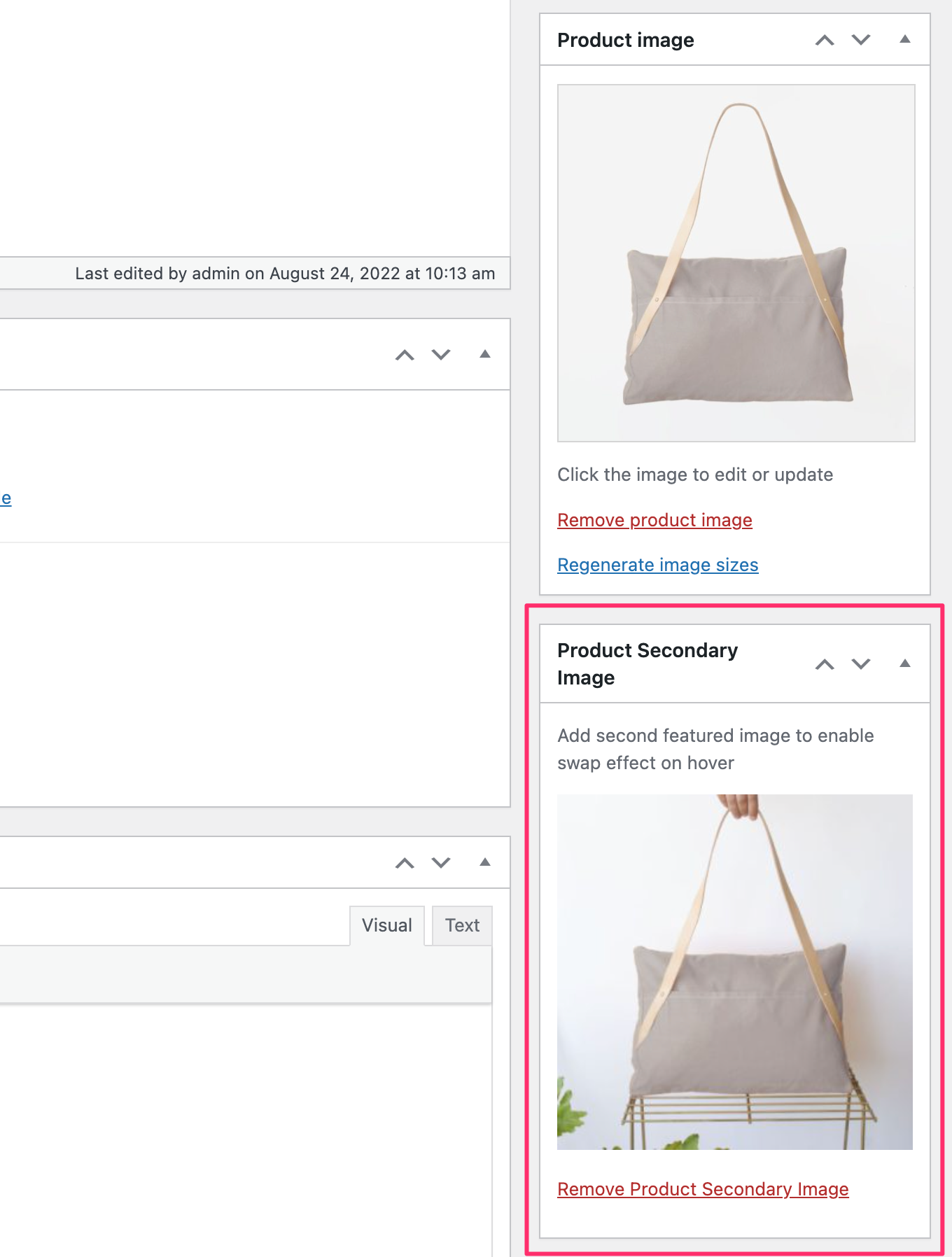
Add a 2nd Featured Image for your products
Changelog
1.0.2
- Fixed an issue with the secondary image preloading
- Added compatibility with Block Themes
- The secondary image is now hidden on mobile devices to make it easier to navigate to products
1.0.1
- Minor bug fix
1.0.0
- Initial plugin release