

Secondary Title
Secondary Title is a simple, lightweight plugin that allows you to easily add an alternative title to posts, pages, and/or custom post types.
Plugin info
Maintenance & Compatibility
Maintenance score
Possibly abandoned • Last updated 448 days ago • 72 reviews
Is Secondary Title abandoned?
Possibly abandoned (last update 448 days ago).
Compatibility
Developers
Languages
Similar & Alternatives
Explore plugins with similar tags, and compare key metrics like downloads, ratings, updates, support, and WP/PHP compatibility.
Description
Secondary Title is a simple, light-weight plugin that adds an alternative title to posts, pages, and/or custom post types, which can be displayed automatically, with a shortcode or by using PHP.
The plugin comes with an extra settings page, which allows you to customize the plugin according to your needs. You can change:
- post types, categories, and specific post IDs the secondary title will be
shown on, - whether the secondary title should be automatically added to the standard title (Auto show),
- the format both titles are being shown (only works when Auto show is activated),
- the position where the secondary title input field should be displayed (above or below the standard title) within the admin interface (Classic Editor only),
- whether the secondary title should only be displayed in the main post and not within widgets, etc.,
- if the secondary title should be usable in permalinks,
- and even more.
Please see the official website for a full documentation.
Installation
Quick Installation
- Install Secondary Title either by searching for the plugin with WordPress’ native plugin installer found under Plugins Add New or download the plugin manually and copy the secondary-title folder into the /wp-content/plugins/ directory of your WordPress installation.
- Activate the plugin in the Plugins section of your admin interface.
- Go to Settings Secondary Title to customize the plugin as desired.
IMPORTANT: If the Auto show option is set to Off, you have to use either
<?php echo get_secondary_title($post_id, $prefix, $suffix); ?>
or
<?php the_secondary_title($post_id, $prefix, $suffix); ?>
in your theme file(s) (e.g., single.php) where you would like the secondary title to be displayed.
For more detailed documentation with parameters, functions, and examples, please see the official documentation.
Frequently Asked Questions
The full FAQ can be found in the documentation.
Review feed
Works as expected
I enchanced with ChatGPT
Screenshots
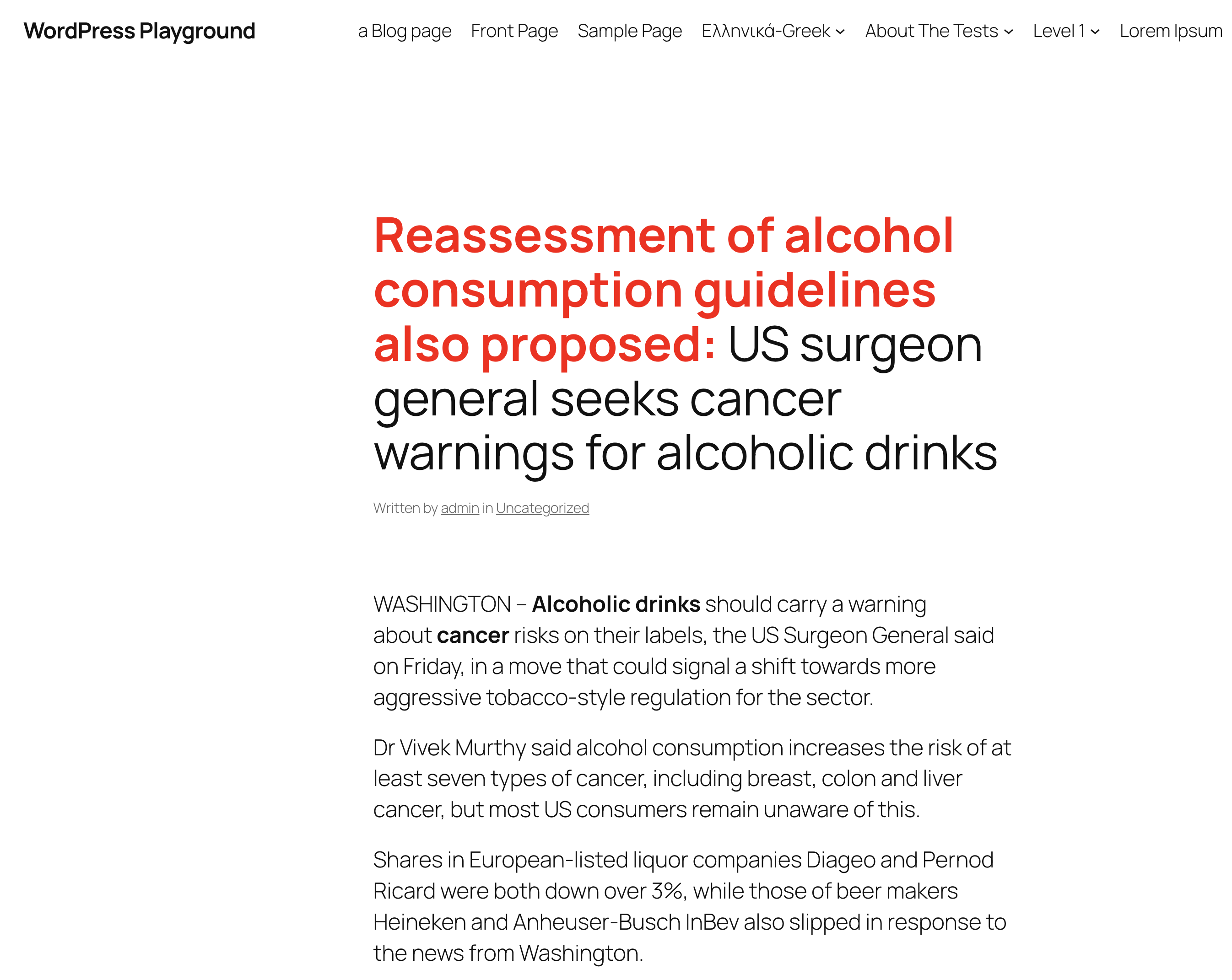
The output of an example news article where the secondary title is highlighted in red and followed by the default post title as set in the plugin's "Title format" setting.
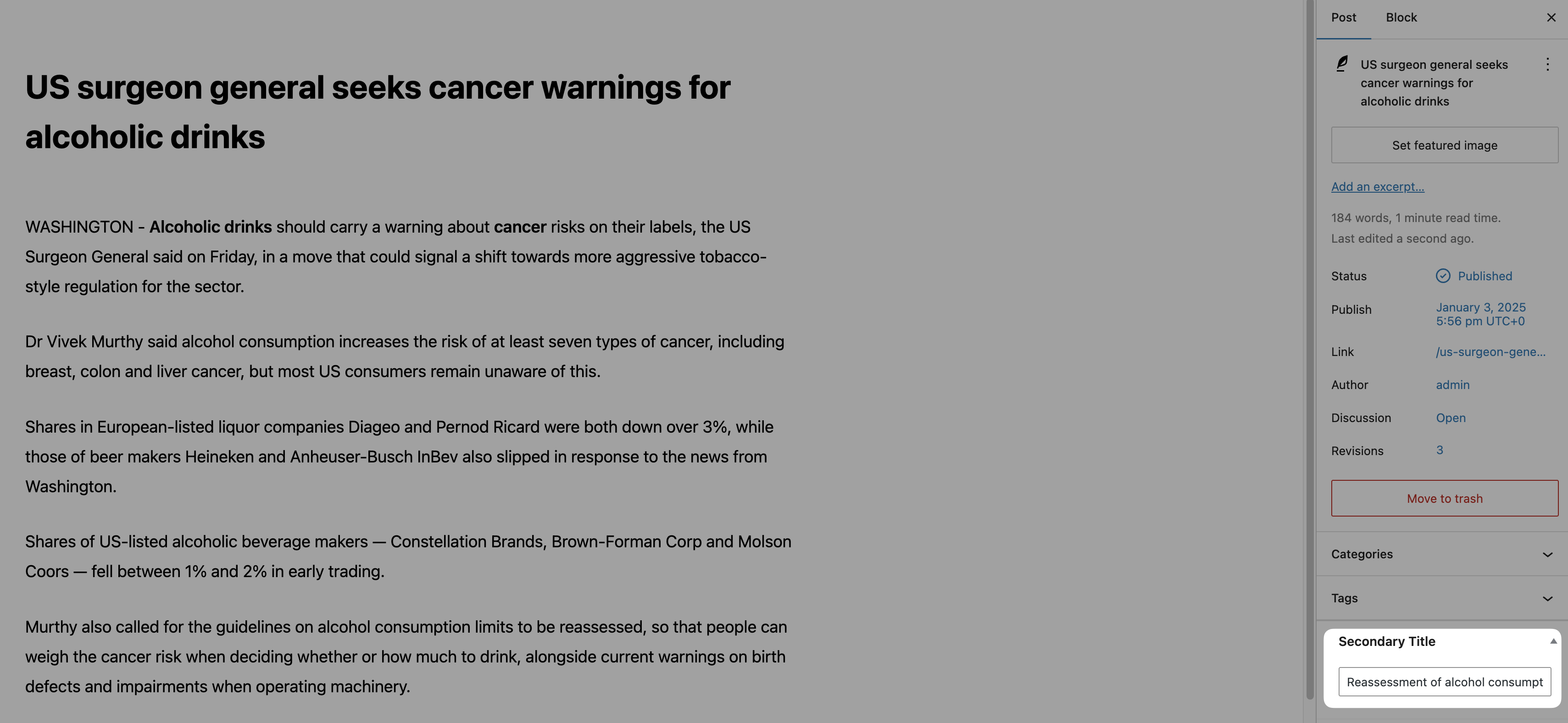
A post using the Gutenberg block editor. The secondary title can be entered on the right-hand side of the "Post" tab.
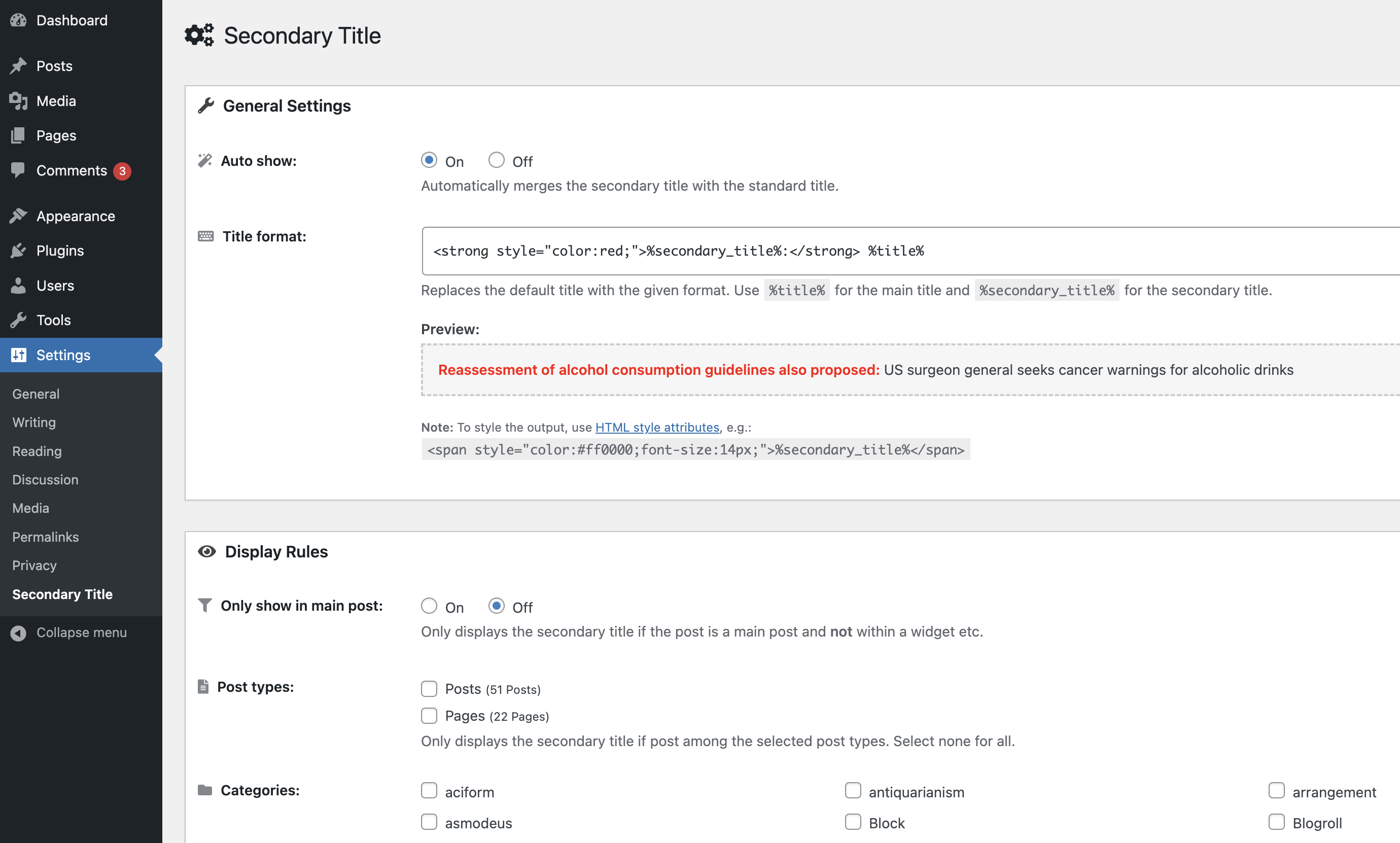
A part of Secondary Title's settings page that you can use to specify how the secondary title is displayed on your website. Styling and HTML can be used in the "Title format" input field.
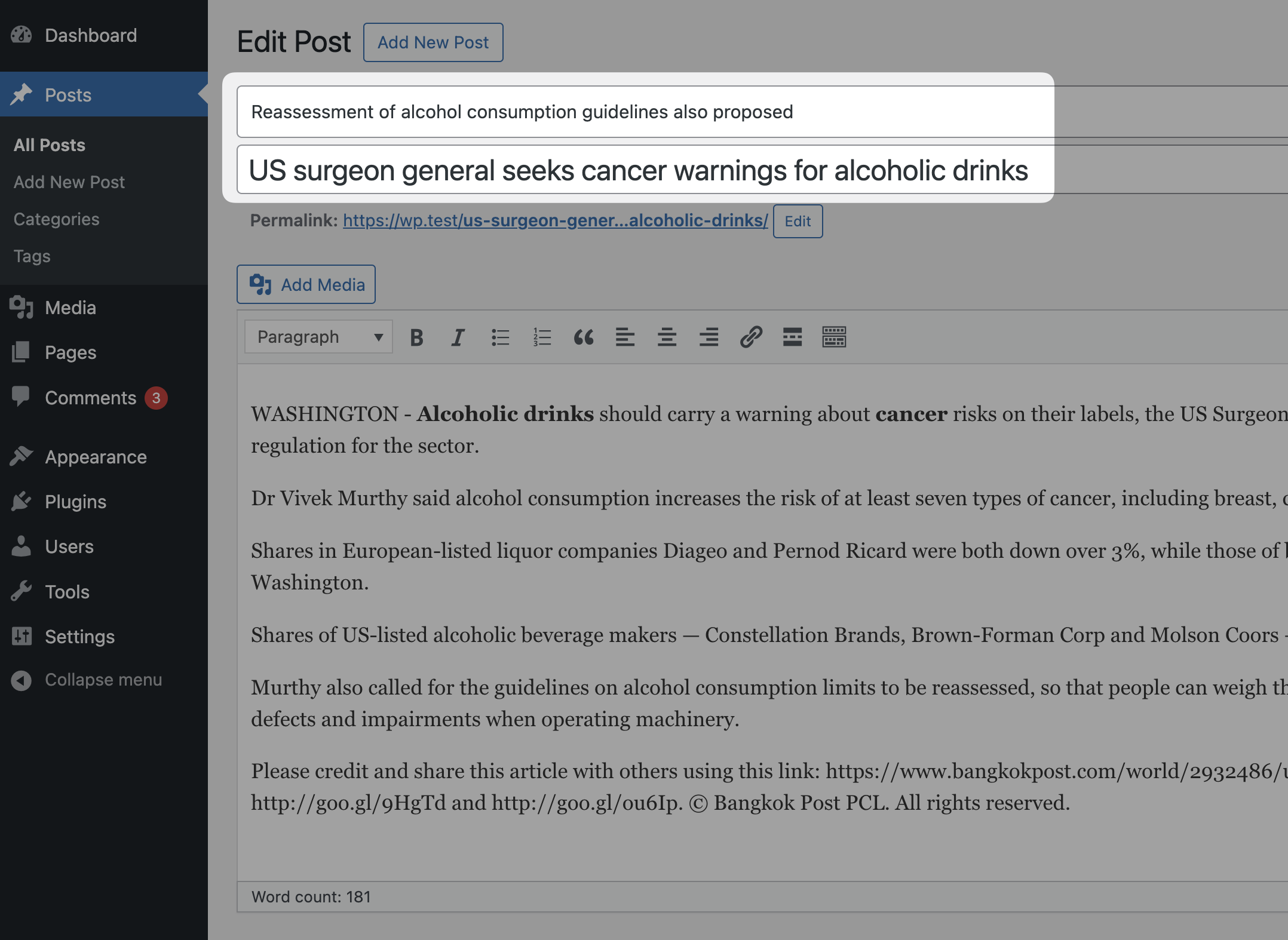
Secondary Title supports the Classic Editor plugin and lets you enter the alternative title right above the primary post title.
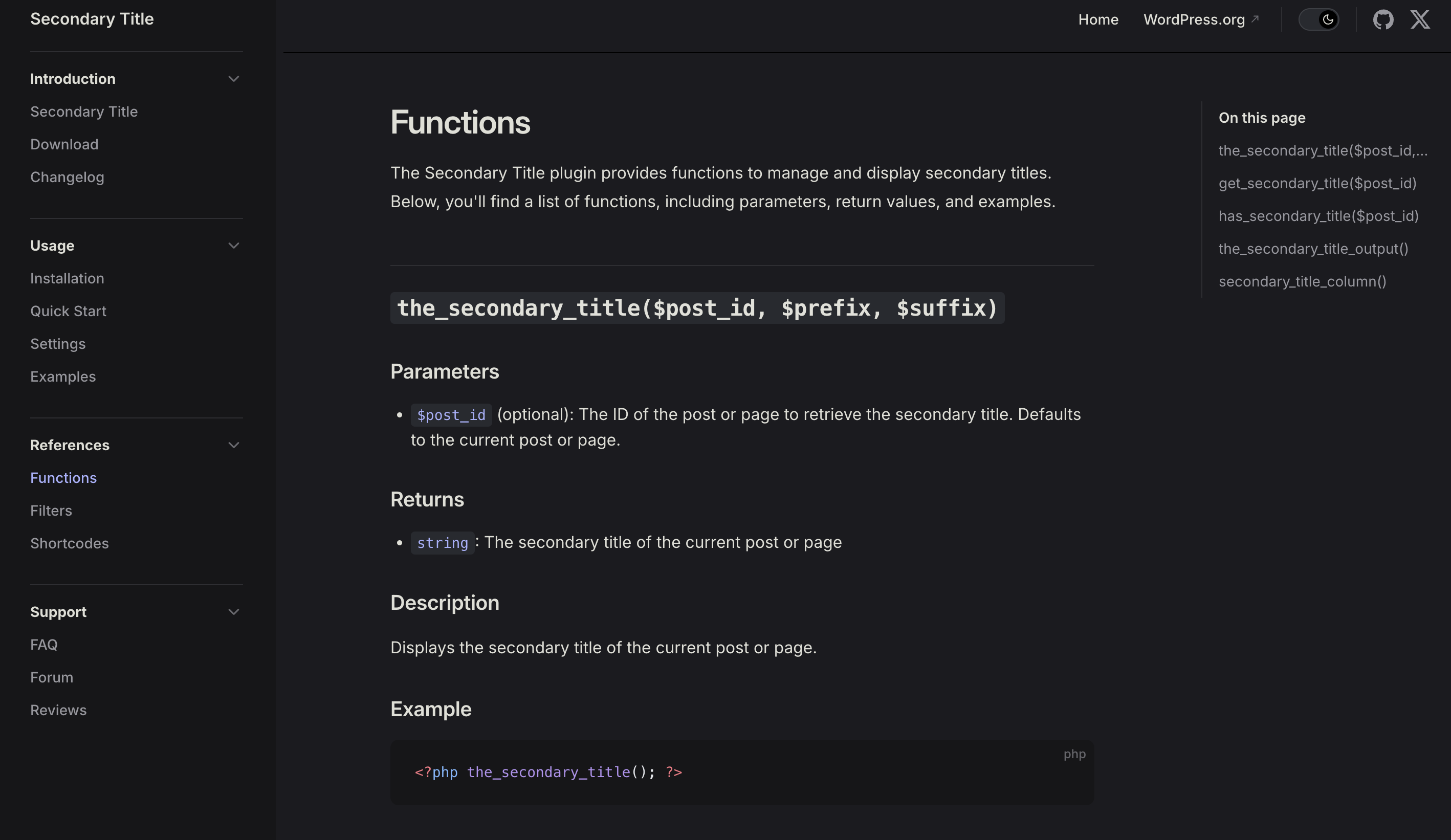
Learn how Secondary Title works and use it for your theme or plugin by reading the official documentation.
Changelog
2.2.0
- Added support for WordPress
v6.7.1 - Added official Secondary Title documentation (still in progress)
- Added comments in the code for better readability
- Changed minimum PHP version from
v7.1tov7.4since the majority of WordPress sites use PHPv7.4or above - Fixed possible security vulnerability for XSS
- Fixed and renewed dead screenshots on WordPress.org’s plugin website
- Updated dead links in this
README.txtas well as inside the plugin’s settings page. You will now be redirected accordingly - Updated voku/anti-xss to
v4.1.42via PHP Composer - Updated Font Awesome version to
v6.6.0 - Updated Copyright to 2025
2.1.0
- Added support for WordPress
v6.2 - Added translations
- Added minor performance improvements
- Updated Font Awesome version
2.0.9.1
- Critical security vulnerability fixed and measures taken to prevent future vulnerabilities
2.0.9
- Added support for WordPress
v6.1.1 - Added padding to
<input>for Post IDs - Rebuilt the “Select all” link to toggle all categories
- Enlarged “Post IDs” input field
2.0.8
- Added support for WordPress
v5.8
2.0.7.1
- HOTFIX: Reverted a change that caused a bug when displaying the secondary title in sidebars
2.0.7
- Added support for wp-Typography plugin
- Fixed bug that caused some special characters to be displayed incorrectly when using wp-Typography plugin (thanks to @msailer and @pepe)
- Reintroduced the “Input field position” option, but only if Classic Editor is installed and activated (thanks to @boborg)
- Removed localized files and their related PHP functions since this is now being handled and downloaded automatically by WordPress
2.0.6
- Fixed bug resulting in
PHP fatal errorwhen using undeclared variables in function parameters (thanks to @philsimon)
2.0.5
- Added compatibility with WordPress
v5.7 - Removed all previously (since version
v1.9.5) deprecated functions from the plugin’s codebase - Removed “Input field position” option when using WordPress
v5.0and above - Removed dismissible notice on all pages except for Secondary Title’s settings page
- Fixed PHP notice
- Fixed code formatting in PHP file headers
- PHP files now use
die()instead ofreturnstatement to prevent files from being accessed directly - Code in SCSS files has been nested for better readability
- Updated language files (.pot)
- Added type annotation to certain PHP functions
2.0.4
- Fixed bug printing
PHP Notice: Trying to get property of non-object on line 471 - Fixed bug that resulted in not showing the correct post type names on the settings page
- Updated code to match current PHP standards
- Updated dead URLs leading to the documentation website
2.0.3
- Compatibility with WordPress
v5.5and below. - Changed the minimum required PHP version to
v7.1.
2.0.2
- Added full support for All in One SEO Pack
v3.0. Use%secondary_title%to display. - Added note reminding that Input field and Column position options only apply when using Classical Editor in WordPress versions with Gutenberg (>=
v5.0). - Cosmetic changes to the plugin’s settings page.
2.0.1
- Hotfix: Moved file
admin/settings.phptoincludes/setings.phpdue to PHP complications.
2.0.0
- Added support for Gutenberg editor. The secondary title can now be entered via a meta box on the sidebar of the editor.
- Added minimized versions for CSS (compiled from SCSS) and JS files for performance improvement.
- Added partial support for All in One SEO Pack. Use
%secondary_title%to display. - Updated Font Awesome to
v5.8.1. - Updated translations.
- Updated screenshots.
- Fixed bug with reoccurring donation notice.
- Minor style adjustments.
- Removed
/includes/gutenberg-info.phpand the notice saying “Secondary Title doesn’t work anymore.” - Moved
/includes/settings.phpto/admin/settings.php.
1.9.9
- This version was skipped.
1.9.8
- This version was skipped.
1.9.7.5
- Hotfix and minor adjustments.
1.9.7
- Secondary Title is now compatible with PHP version
v5.2.17and above. - Added info icons next to every setting, which links to the official documentation where those settings are being explained in detail.
- Added “Settings” link to the “Plugins” section in the admin area, which leads to the Secondary Title’s settings page.
- Updated Font Awesome to
v5.2.0. - Minor restructure of resources directories.
- Declared unused
secondary_title_get_default_setting()as deprecated function. - Donation notifications dismissed by users will start to show up again if the plugin is re-activated (please don’t kill me!).
- Minor adjustments to the donation notification.