

HTTP Security Header
Add and manage essential HTTP security headers with ease. Protect your WordPress site from XSS, clickjacking, and other common vulnerabilities.
Plugin info
Maintenance & Compatibility
Maintenance score
Stale • Last updated 338 days ago • 3 reviews
Is HTTP Security Header abandoned?
Likely maintained (last update 338 days ago).
Compatibility
Similar & Alternatives
Explore plugins with similar tags, and compare key metrics like downloads, ratings, updates, support, and WP/PHP compatibility.
Description
HTTP Security Header helps protect your WordPress site by adding critical HTTP headers to each response — with no code required. These headers provide additional layers of protection against attacks such as cross-site scripting (XSS), clickjacking, content injection, and resource leaks.
This plugin offers a modern, responsive admin dashboard with validation, fallback safety, and full control over each header’s default or custom value.
Features Include:
– Visual toggles for enabling/disabling headers
– Option to use default or custom header values
– Secure fallback if a header is misconfigured
– Integrated header validation
– Support for all major browser-supported headers
– Nonce-based saving and admin notices
– WP Multisite compatible
– “Disable All” and “Reset to Important Headers” actions
– Per-header input validation with real-time error fallback
Supported Headers:
* Strict-Transport-Security (HSTS)
* X-Frame-Options
* X-Content-Type-Options
* Referrer-Policy
* Content-Security-Policy
* Permissions-Policy
* X-XSS-Protection
* X-Permitted-Cross-Domain-Policies
* Expect-CT
* Cross-Origin-Opener-Policy (COOP)
* Cross-Origin-Resource-Policy (CORP)
* Cross-Origin-Embedder-Policy (COEP)
Features
- Lightweight and performance-focused
- No front-end impact
- Choose default or custom header values
- Secure validation and auto-fallbacks
- Seamless plugin compatibility (e.g. WP Rocket)
- Fully translation-ready and i18n-compliant
- Nonce-protected admin save actions
- Optional reset-to-defaults support
- Reset or disable all headers with one click
Installation
- Upload the plugin folder to
/wp-content/plugins/. - Activate the plugin via WordPress admin.
- Navigate to Settings Security Headers to configure.
Frequently Asked Questions
No, this plugin applies headers dynamically using send_headers — making it cache-safe, portable, and compatible with all environments.
Yes, you can configure headers per site on a WordPress Multisite network.
The plugin uses fallback logic to prevent breaking the site by reverting to a known safe default. An admin notice will also show up when this happens.
Click the “Reset to Defaults” option in the admin panel to revert all settings to secure recommended defaults.
Yes. The “Disable All” button in the admin interface allows you to turn off all headers in a single action.
Some headers like Content-Security-Policy or COEP can affect script loading. You should test after enabling them, especially with third-party scripts or iframe embeds.
Yes, the plugin supports advanced cross-origin headers like COOP, CORP, and COEP.
Review feed
Essential for Enhancing Website Security
Screenshots
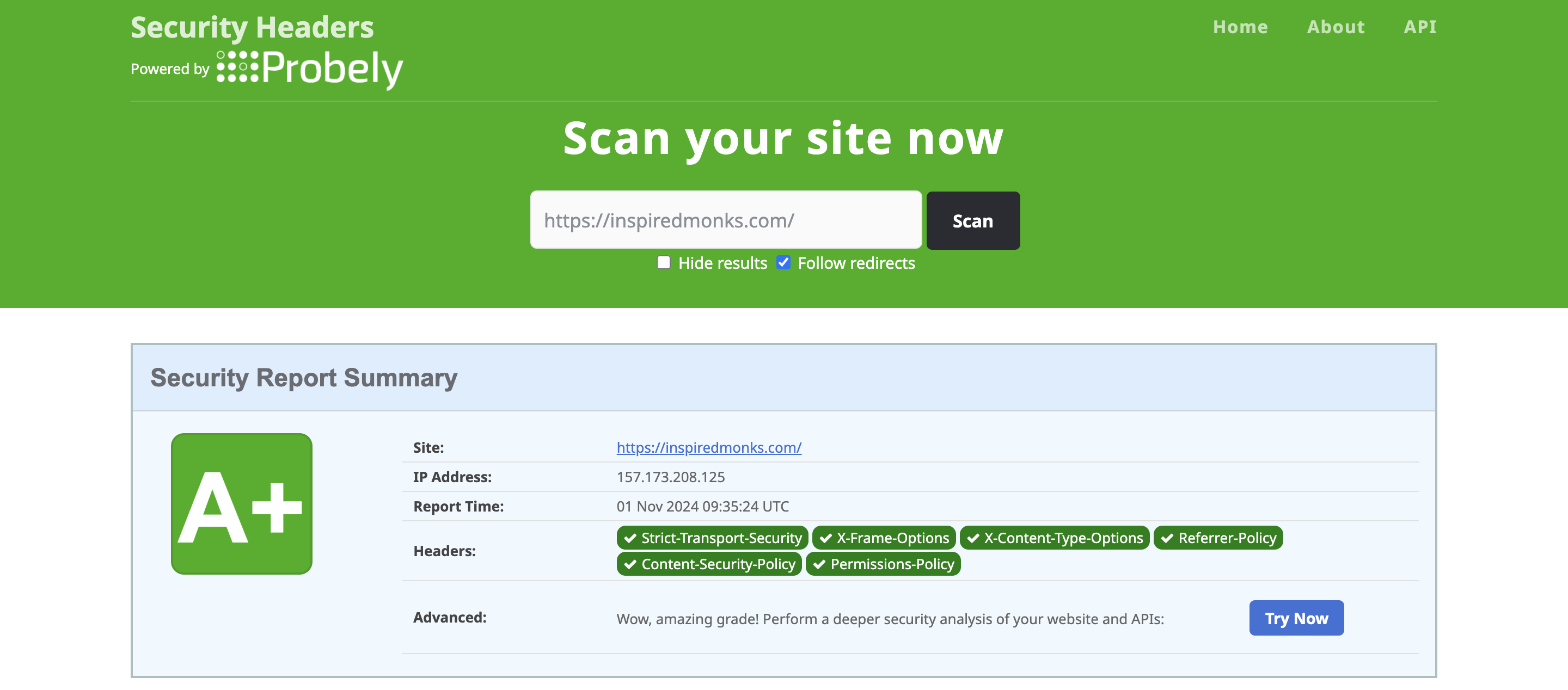
With Plugin: Your website is secured with essential security headers.
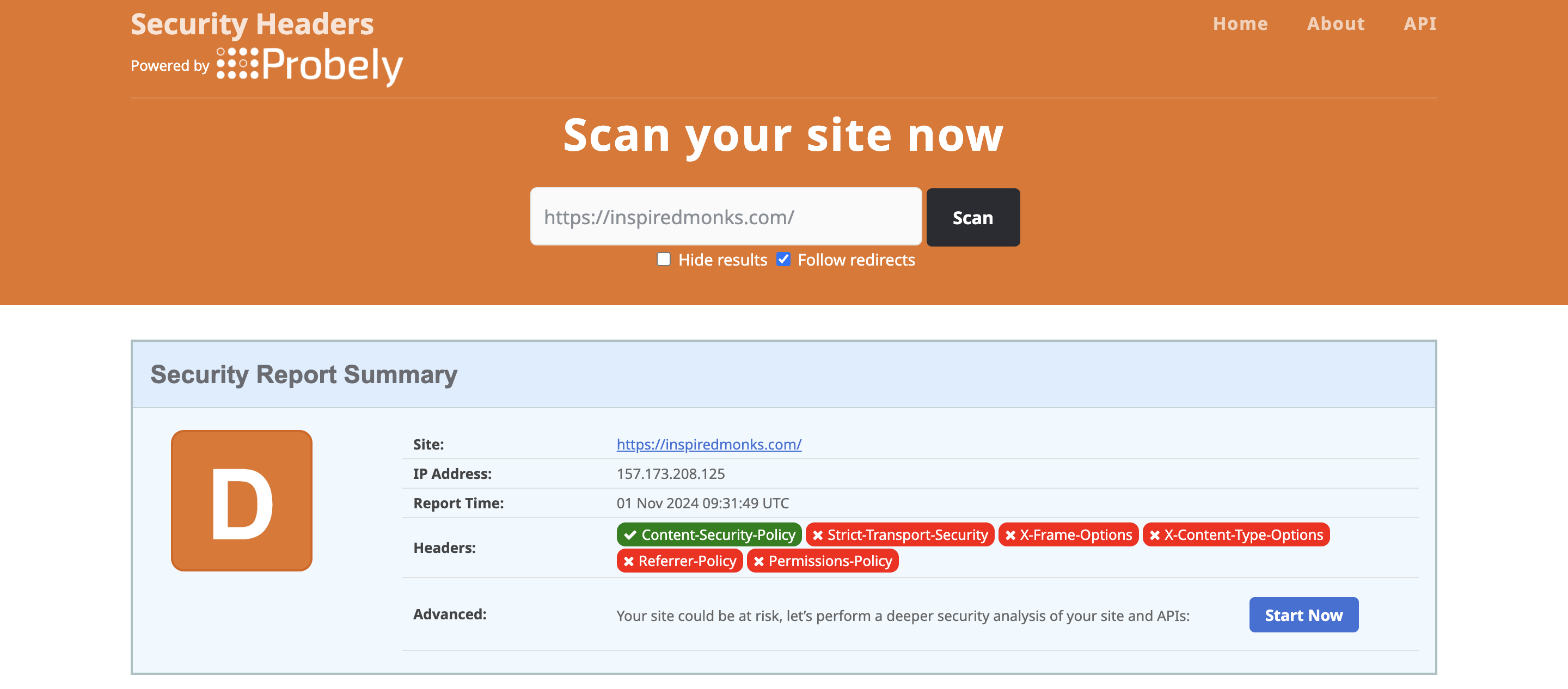
Without Plugin: Your website is vulnerable to various security threats.
Changelog
3.1
- NEW: Real-time validation for custom headers with fallback + admin warnings
- NEW: “Disable All Headers” button in settings UI
- NEW: Reset-to-default activates only important headers
- Improved validation logic for
Permissions-Policy,CSP, andExpect-CT - Refined translations and I18N compliance
3.0
- Added support for Cross-Origin-Embedder-Policy (COEP)
- Refactored header application with auto-fallback and validation
- Introduced full nonce protection and security hardening
- Enhanced admin UI, with tooltips and mobile-first design
- Introduced reset-to-defaults architecture (optional)
- Removed
.htaccessdependency for full dynamic application
2.2
- Merged Feature-Policy with Permissions-Policy
- Improved
.htaccessheader injection logic - Enhanced Content-Security-Policy formatting
2.1
- Added Cross-Origin-Opener-Policy and Cross-Origin-Resource-Policy
- Improved UI layout and validation
2.0.3 – 2.0.1
- Minor UI improvements and compatibility fixes
2.0
- Major refactor with modular header handling
1.0
- Initial release with core security headers