
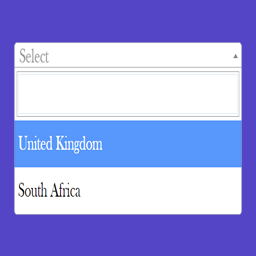
Select and Multi-Select Field for Contact Form 7
This plugin uses Select2 , a jQuery plugin which replaces traditional select boxes with a customizable one with a capability for a search on the conta …
Plugin info
Maintenance & Compatibility
Maintenance score
Possibly abandoned • Last updated 2308 days ago • 6 reviews
Is Select and Multi-Select Field for Contact Form 7 abandoned?
Possibly abandoned (last update 2308 days ago).
Compatibility
Similar & Alternatives
Explore plugins with similar tags, and compare key metrics like downloads, ratings, updates, support, and WP/PHP compatibility.
Description
This plugin uses Select2 , a jQuery plugin which replaces traditional select boxes with a customizable one with a capability for a search on the contact form 7.
This plugin generates both single select and multi-select field and allows us to add placeholder, specify width and add required input validation.
Required Plugin
Contact Form 7 by Takayuki Miyoshi is required for this plugin to work.
Credits
Installation
Automatic Installation
- First Install Contact Form 7 if not installed (Required).
- On the left side menu select Plugins > Add New
- In Search Plugins field enter “Select and Multi-Select CF7” and search
- Press “Install Now” button
- Done and Enjoy.
Manual Installation
- Download the archived zip file from WordPress Repository.
- Upload the plugin on
wp-content/pluginsdirectory. - On the WordPress Admin Dashboard Navigate to Plugin > Installed Plugins.
- Locate the plugin and activate it.
- Done and Enjoy.
Frequently Asked Questions
How to set Select and Multi-Select input width?
You can pass the input width when you generate the form input tag. Default is 400px.
How to set Select and Multi-Select Input Placeholder?
You can pass the input placeholder when you generate the form input tag (Default is –Please Select–).
How to Add Multiple Select Box
You can enable the multiple option when you generate the form input tag.
Review feed
Screenshots

screenshot-1.png

screenshot-2.png

screenshot-3.png
Changelog
1.1
- Compatible with WordPress 5.3 and CF7 5.1.6
- Added Support for Languages for French, Chinese (Simplified) and Hindi
- Fixed minor bugs
1.0
Initial Release