

LinkBoss – AI-Powered Internal Linking
NLP, AI, and Machine Learning-powered semantic interlinking tool. Manual interlinking, bulk interlinking in one click – it does it all.
Plugin info
Maintenance & Compatibility
Maintenance score
Maintained • Last updated 163 days ago • 7 reviews
Is LinkBoss – AI-Powered Internal Linking abandoned?
Likely maintained (last update 163 days ago).
Compatibility
Languages
Similar & Alternatives
Explore plugins with similar tags, and compare key metrics like downloads, ratings, updates, support, and WP/PHP compatibility.
Description
LinkBoss is an advanced WordPress internal linking plugin that uses AI, NLP, and machine learning to automatically create semantically relevant internal links. Save hours of manual work while improving your site’s SEO performance with intelligent automation.
What is LinkBoss?
Why Choose LinkBoss?
Traditional internal linking is time-consuming and inconsistent. LinkBoss solves this with AI-powered automation that delivers faster, more accurate results than manual linking or virtual assistants.
Key Features
AI-Powered Semantic Linking
- Advanced NLP algorithms analyze content for contextually relevant link suggestions
- Machine learning ensures high-quality, semantically appropriate connections
- Support for 30+ languages including English, Spanish, German, Dutch, French, Portuguese, Indonesian, Romanian, Italian, Danish, Finnish, Swedish, Tagalog, Traditional Chinese, Simplified Chinese, Malay, Polish, Russian, Bulgarian, Turkish, Czech, Hungarian, Serbian, Slovak, Arabic, Norwegian, Greek, and Ukrainian for international SEO optimization
Bulk Operations & Automation
- Link up to 200 pages with a single click
- Automated anchor text optimization prevents keyword cannibalization
- Custom network builder for bespoke linking strategies
One-Click Silo Automation
- Reverse Silo – Automatically create bottom-up linking structures for enhanced topic authority
- Serial Silo – Build sequential linking patterns for step-by-step content flows
- Priority Silo – Implement hierarchical structures based on content importance
- Circle Jerk Silo – Create circular feedback loops for maximum link equity distribution
- One-click implementation through the Custom Network tool
- Visual network diagrams show linking relationships and content hierarchy
Advanced Management Tools
- Anchor Manager – Detect and prevent anchor text cannibalization
- Duplicate Link Finder – Identify and fix duplicate outbound links
- SILO Structure Builder – Create logical topic clusters and manage content hierarchies for better organization
- Site Visualizer – Interactive site map showing orphaned pages and dead ends
Comprehensive Analytics
- Detailed link reports with Link Flow Score analysis
- Structural issue identification
- Multi-site management from unified dashboard
Wide Compatibility
Works with popular page builders including Elementor, Beaver Builder, Divi, Bricks, Oxygen, Thrive Architect, and all Gutenberg block editors. Full support for Custom Post Types and ACF Custom Fields.
Perfect for:
* SEO professionals managing multiple sites
* Content creators building topic authority
* Agencies optimizing client websites
* E-commerce sites improving internal navigation
* Publishers with large content libraries
How It Works
- Install & Sync – Connect your site and sync content
- AI Analysis – Our algorithms analyze your content semantically
- Smart Suggestions – Get contextually relevant link recommendations
- One-Click Implementation – Apply links individually, in bulk, or with automated silo structures
Demo & Tutorials
Privacy Policy
LinkBoss processes your content to provide semantic linking suggestions. For complete privacy details, visit https://linkboss.io/privacy-policy
Support
- Knowledgebase: https://linkboss.io/knowledgebase
- Video Tutorials: Check Our Playlist
Installation
Automatic Installation (Recommended)
1. Go to Plugins Add New in your WordPress admin
2. Search for “LinkBoss”
3. Click Install Now, then Activate
Manual Installation
1. Download the plugin ZIP file
2. Upload to /wp-content/plugins/ directory
3. Activate through the ‘Plugins’ menu
Setup Process
1. Get your API key from https://app.linkboss.io
2. Navigate to WordPress Dashboard LinkBoss API Settings
3. Paste your API key and click Save
4. Go to Sync tab and click “Prepare Data”
5. Once prepared, click “Sync Now”
6. Start linking from https://app.linkboss.io after sync completes
Installation video guide:
Frequently Asked Questions
LinkBoss uses advanced Natural Language Processing (NLP) and machine learning algorithms to analyze your content semantically. It identifies contextually relevant opportunities for internal links and suggests appropriate anchor text, ensuring each link adds value for both users and search engines.
LinkBoss works with all major WordPress page builders:
* Visual Builders: Elementor, Beaver Builder, Divi, Bricks, Oxygen, Thrive Architect
* Block Editors: Gutenberg, Spectra, GenerateBlocks, Kadence Blocks, CoBlocks, Otter Blocks, Essential Blocks, Ultimate Blocks
* Content Types: Custom Post Types, ACF Custom Fields, WooCommerce categories
Use the Anchor Manager (LinkBoss Anchor Manager) and enable “Find Cannibalized Anchors.” This tool identifies when multiple pages target the same keywords and helps you distribute anchor text strategically.
Yes! Go to LinkBoss Links Report and enable “Duplicate Link Finder” to identify posts with duplicate outbound links. Remove the ones that aren’t necessary.
Absolutely! LinkBoss supports 30+ languages with tailored semantic analysis for each language, making it perfect for international SEO optimization.
* European Languages: English, Spanish, German, Dutch, French, Portuguese, Romanian, Italian, Danish, Finnish, Swedish, Polish, Russian, Bulgarian, Turkish, Czech, Hungarian, Serbian, Slovak, Norwegian, Greek, Ukrainian
* Asian Languages: Traditional Chinese, Simplified Chinese, Indonesian, Malay, Tagalog
* Middle Eastern Languages: Arabic
More languages are being added regularly to expand international SEO capabilities.
All internal links created by LinkBoss remain permanently on your site, even after plugin deactivation. Your SEO investment is protected.
The bulk tool can process up to 200 pages in a single operation. For larger sites, you can run multiple bulk operations or use the individual linking suggestions.
Our NLP algorithms are trained on semantic relationships and contextual relevance. The system learns from your content patterns and consistently delivers high-quality suggestions that outperform manual linking in both speed and accuracy.
Review feed
Very Convenient to use, saves a lot of time.
Screenshots
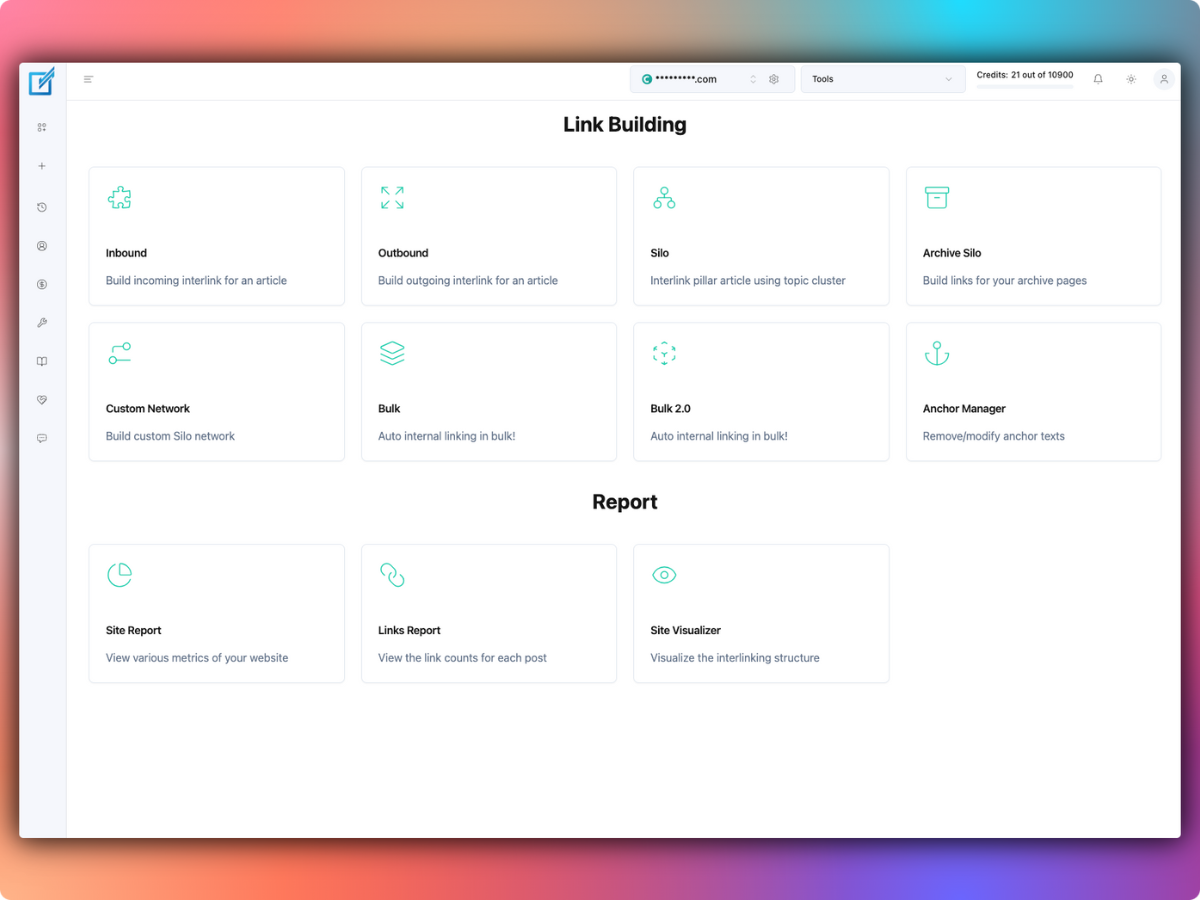
Tools Page - Comprehensive interface with options for Inbound, Outbound, Silo, Archive Silo, Custom Network, Bulk, and Anchor Manager
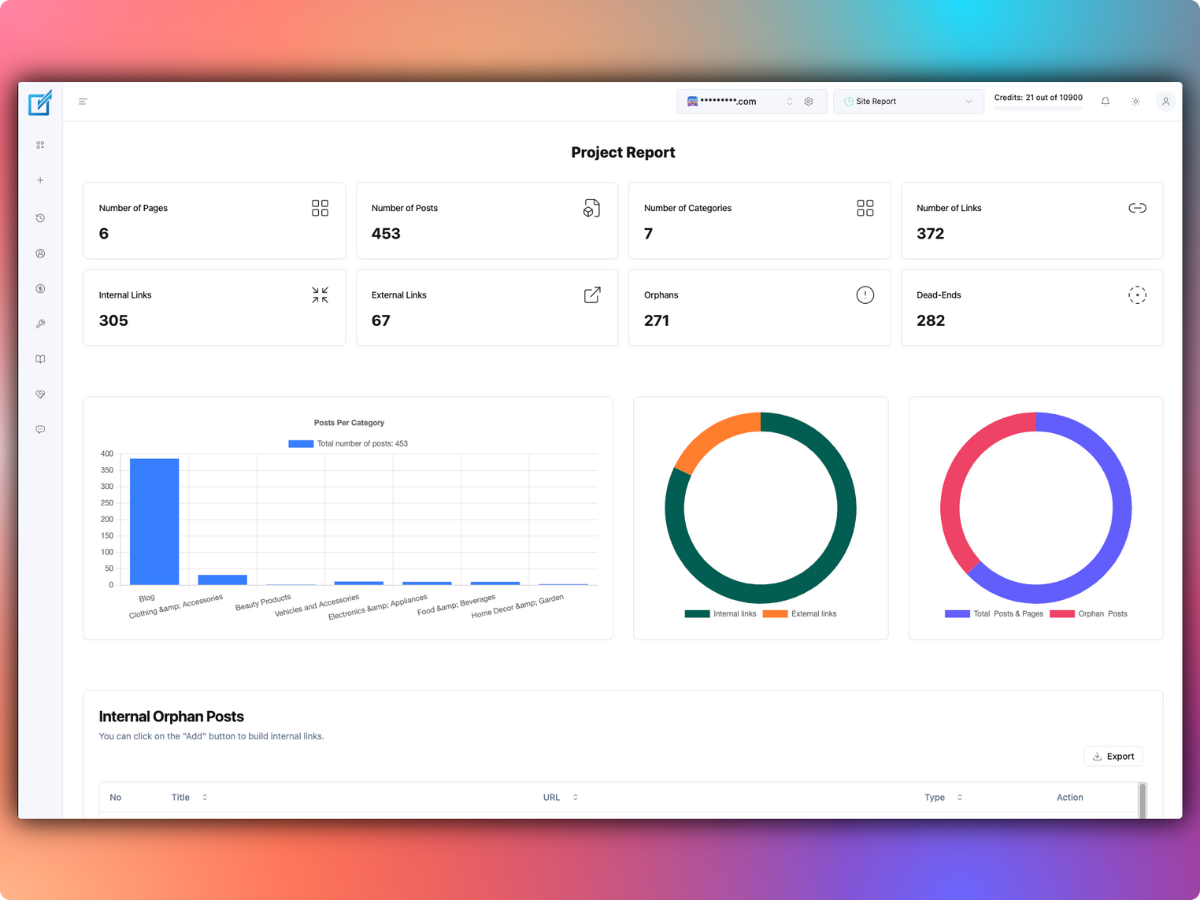
Site Report - Performance metrics showing page counts, post counts, link statistics, and visual analytics
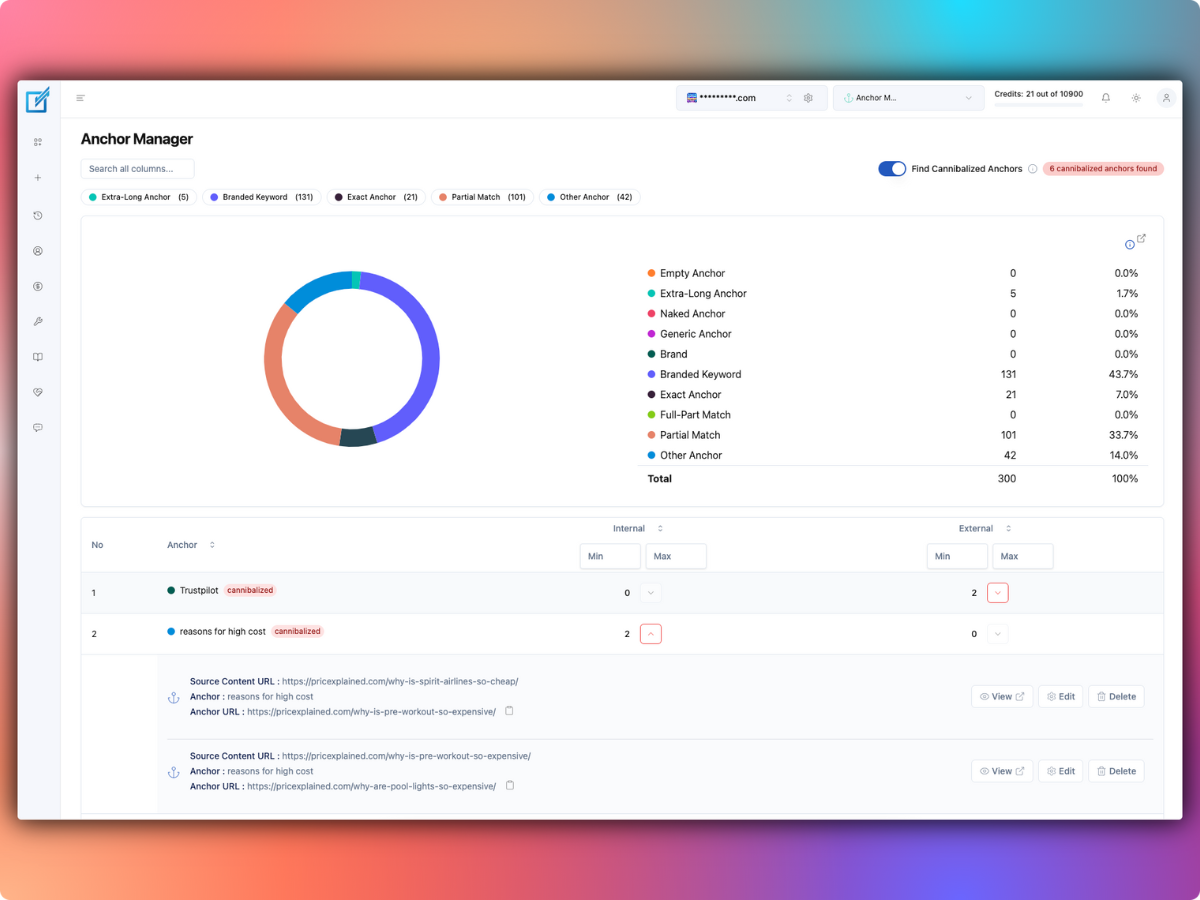
Anchor Manager - Detect cannibalization and manage anchor text distribution with visual analytics and filtering options
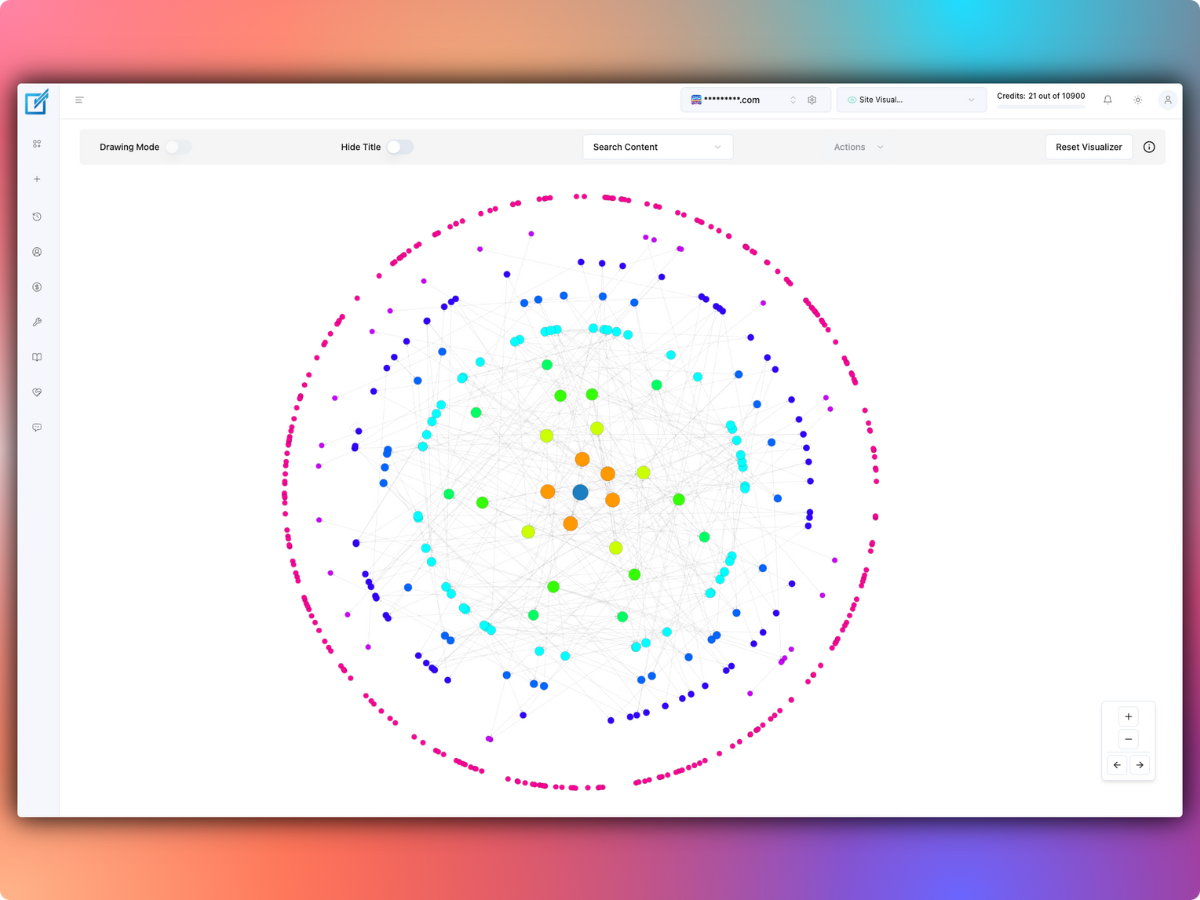
Site Visualizer - Interactive site map showing link structure and orphaned content with color-coded nodes
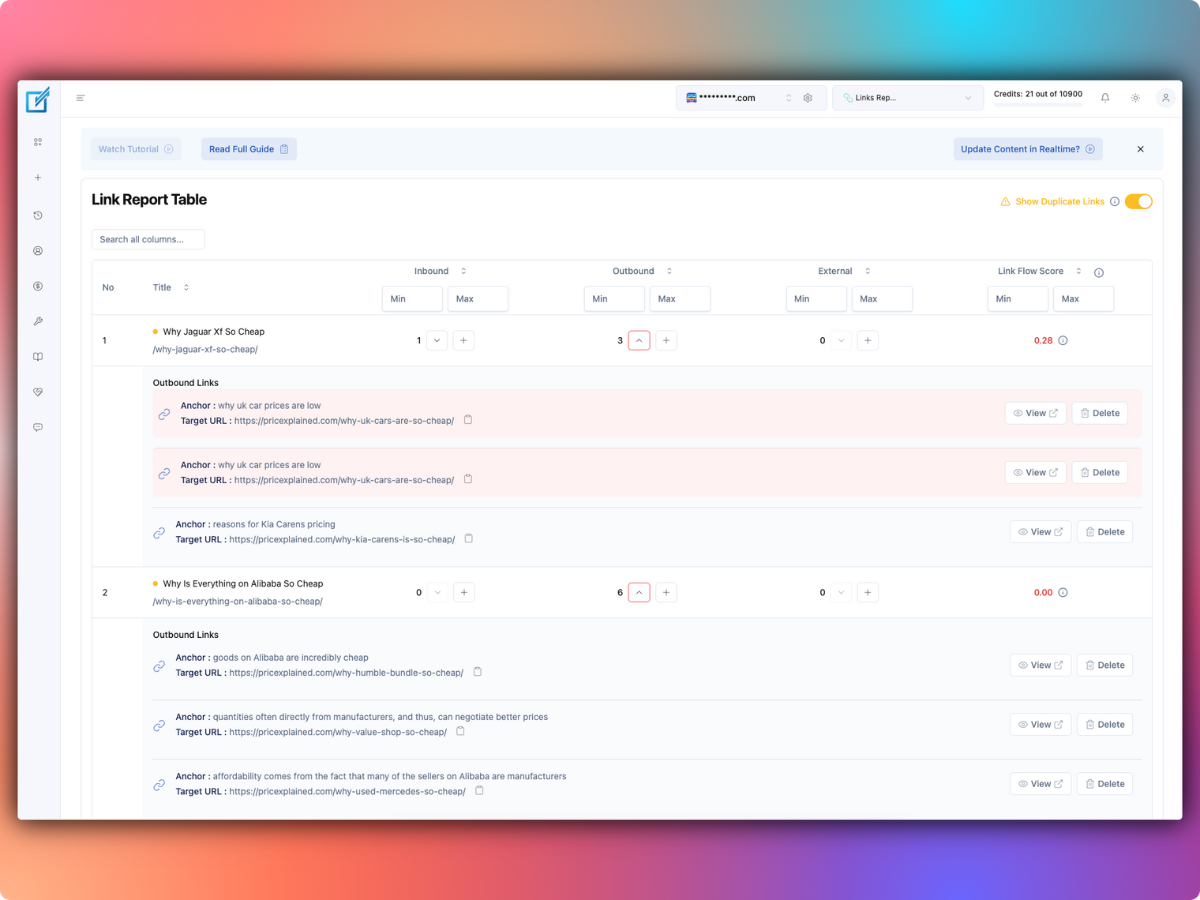
Link Report Table - Comprehensive link analysis with Link Flow Score and duplicate link detection
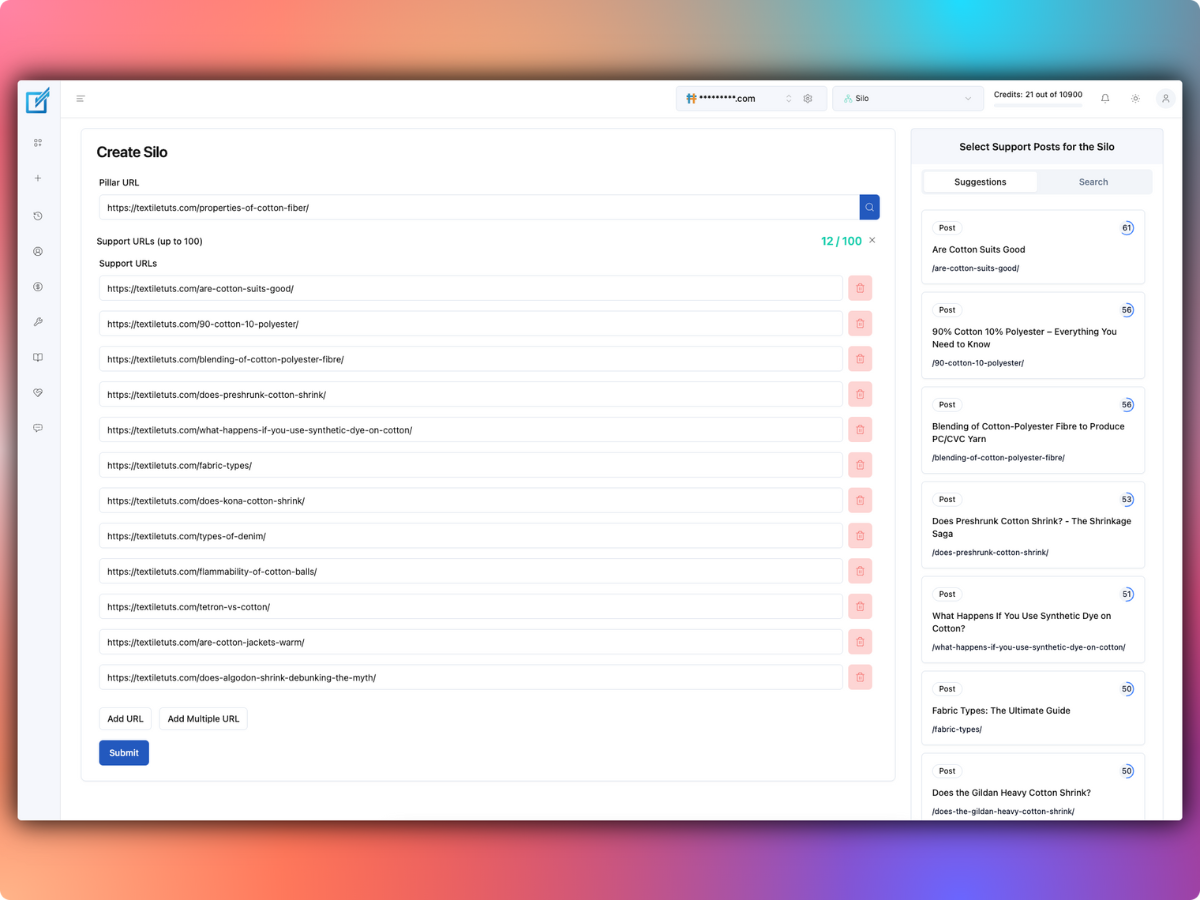
SILO Builder - Create logical content hierarchies and topic clusters with support URL management
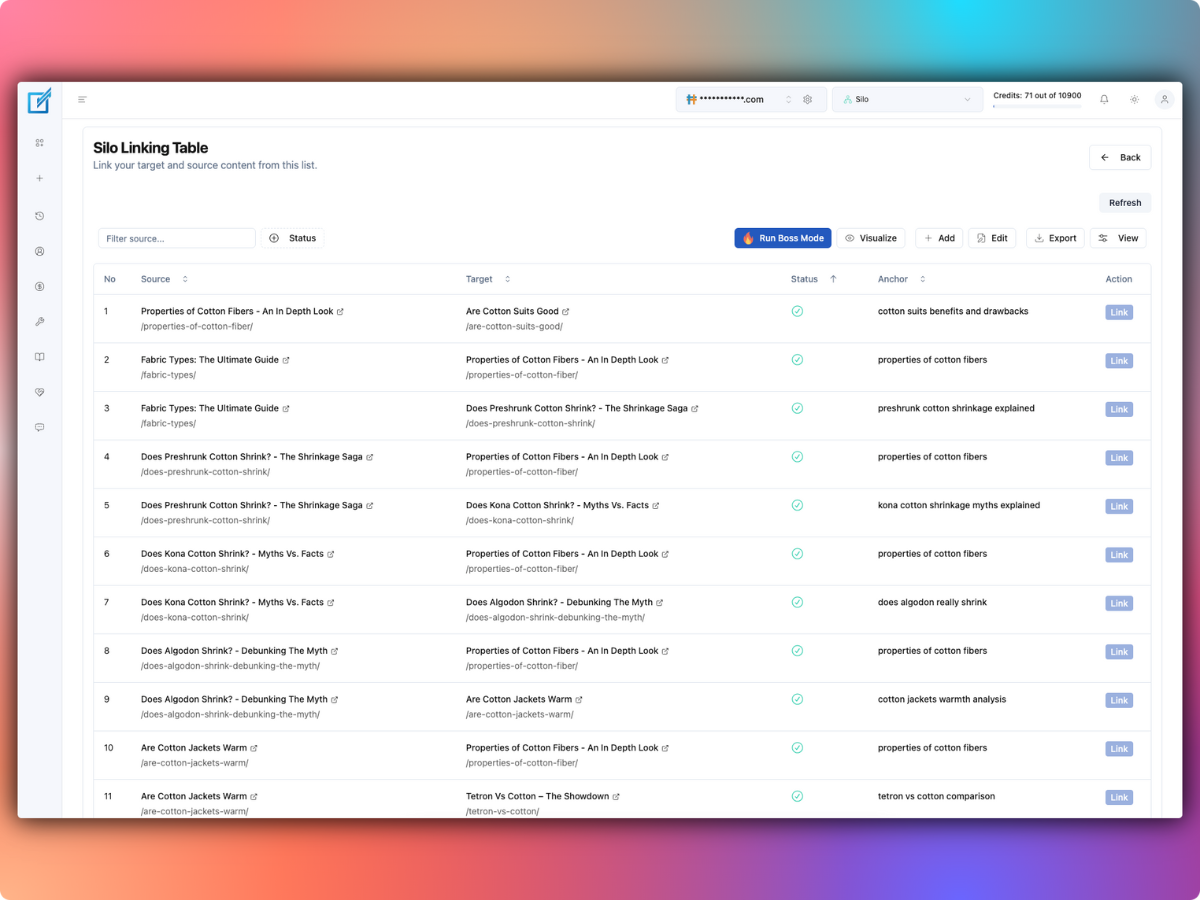
Silo Linking Table - Manage and implement links within SILO structures with source-target relationships
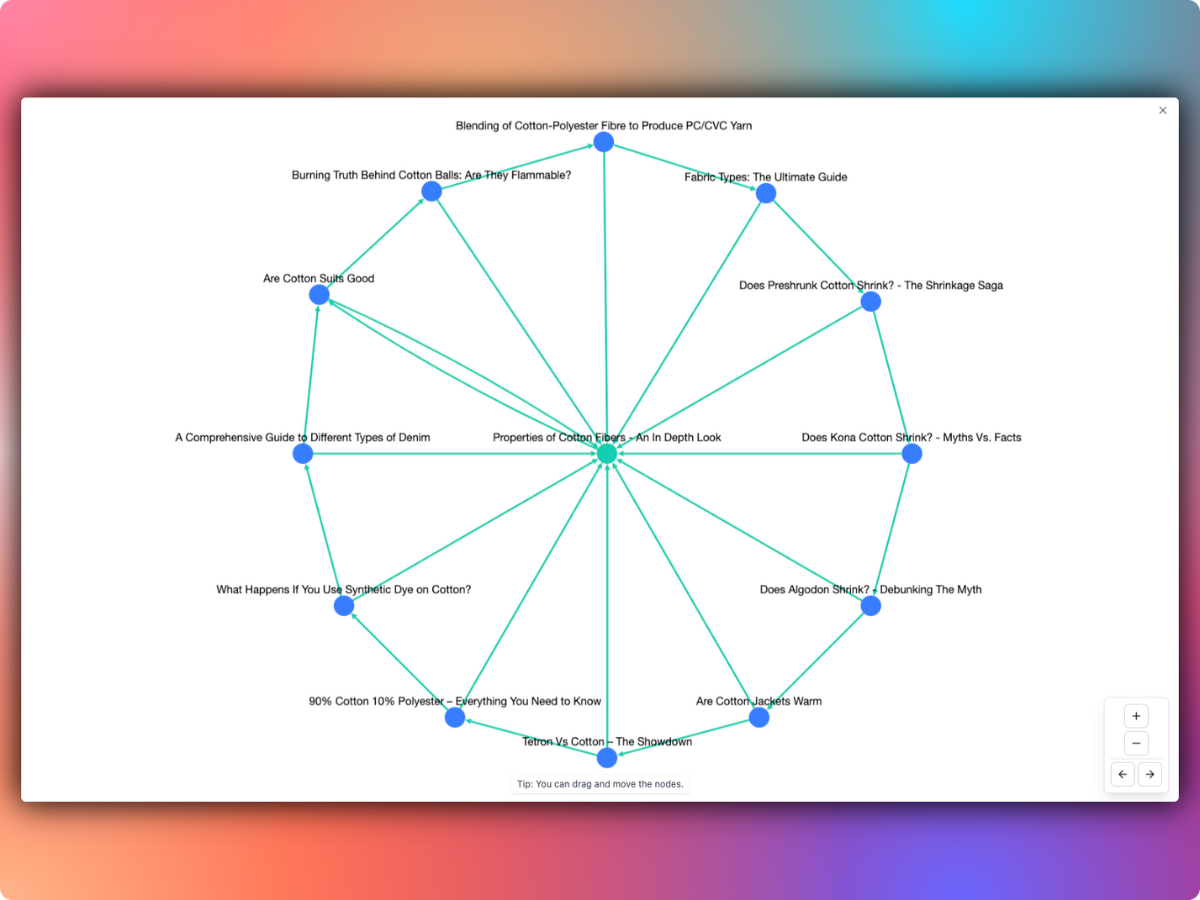
SILO Visualization - Interactive hub-and-spoke diagram showing content relationships within a topic cluster
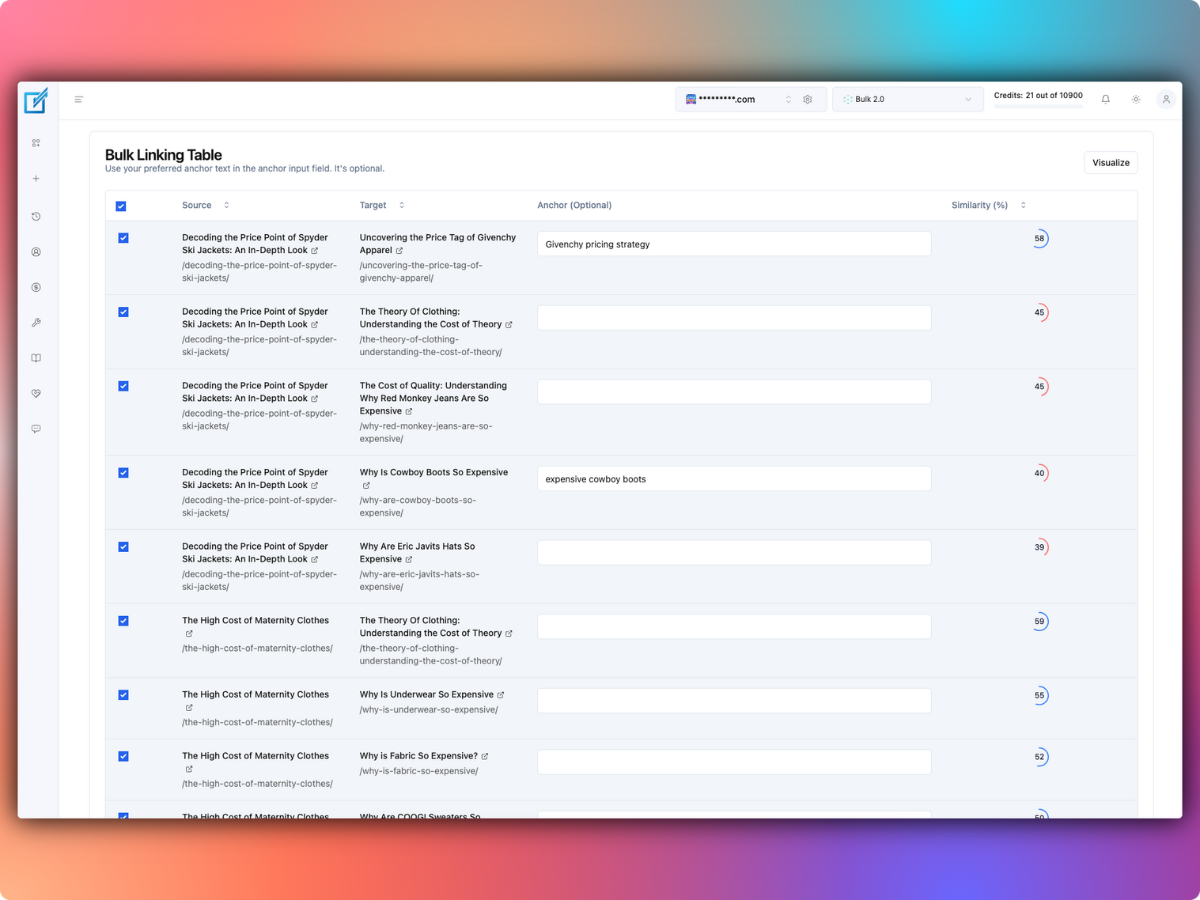
Bulk Linking Interface - Process up to 200 pages with AI-suggested connections and similarity scoring
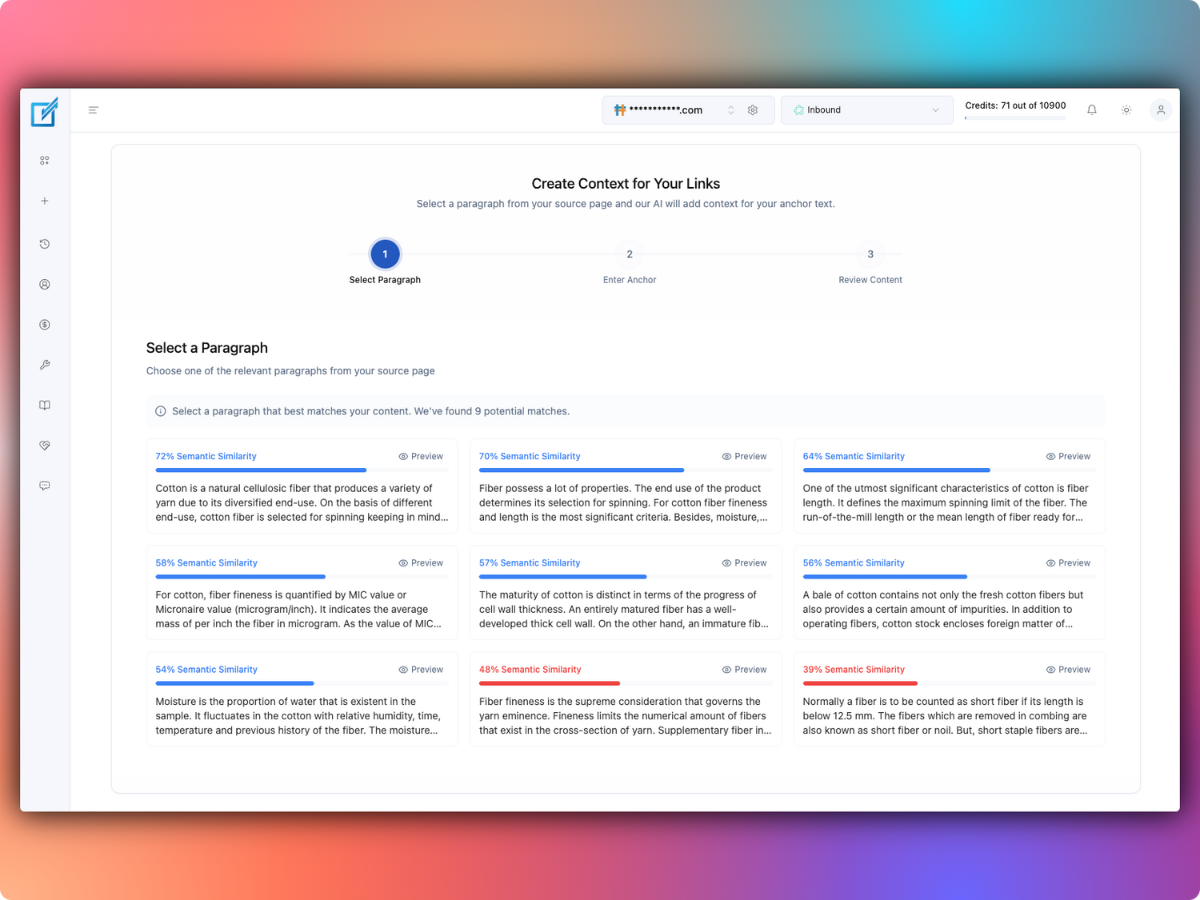
Contextual Link Creator - AI-powered paragraph selection with semantic similarity analysis for optimal anchor text placement
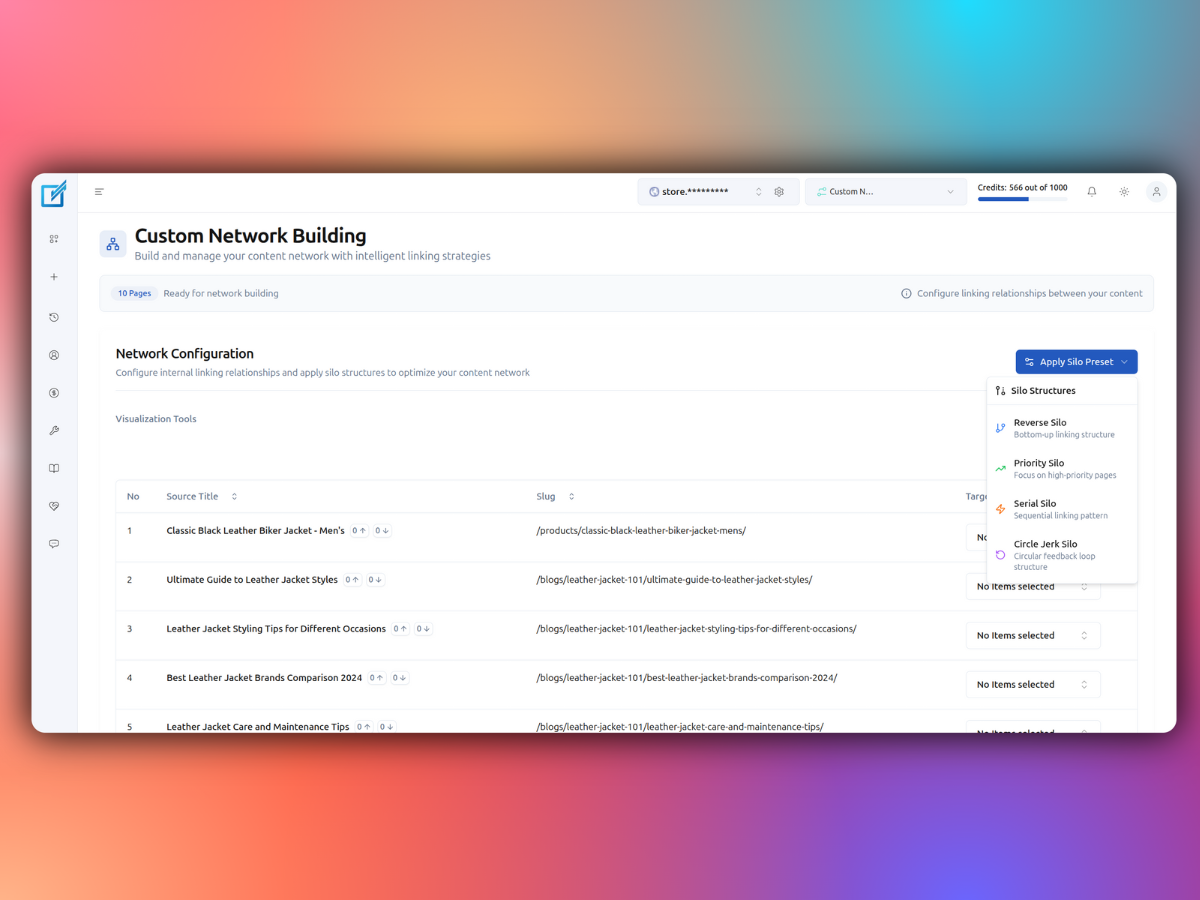
Custom Network Builder - One-Click Silo Options - Interface showing automated silo structure options (Reverse Silo, Serial Silo, Priority Silo, Circle Jerk Silo) with network configuration panel
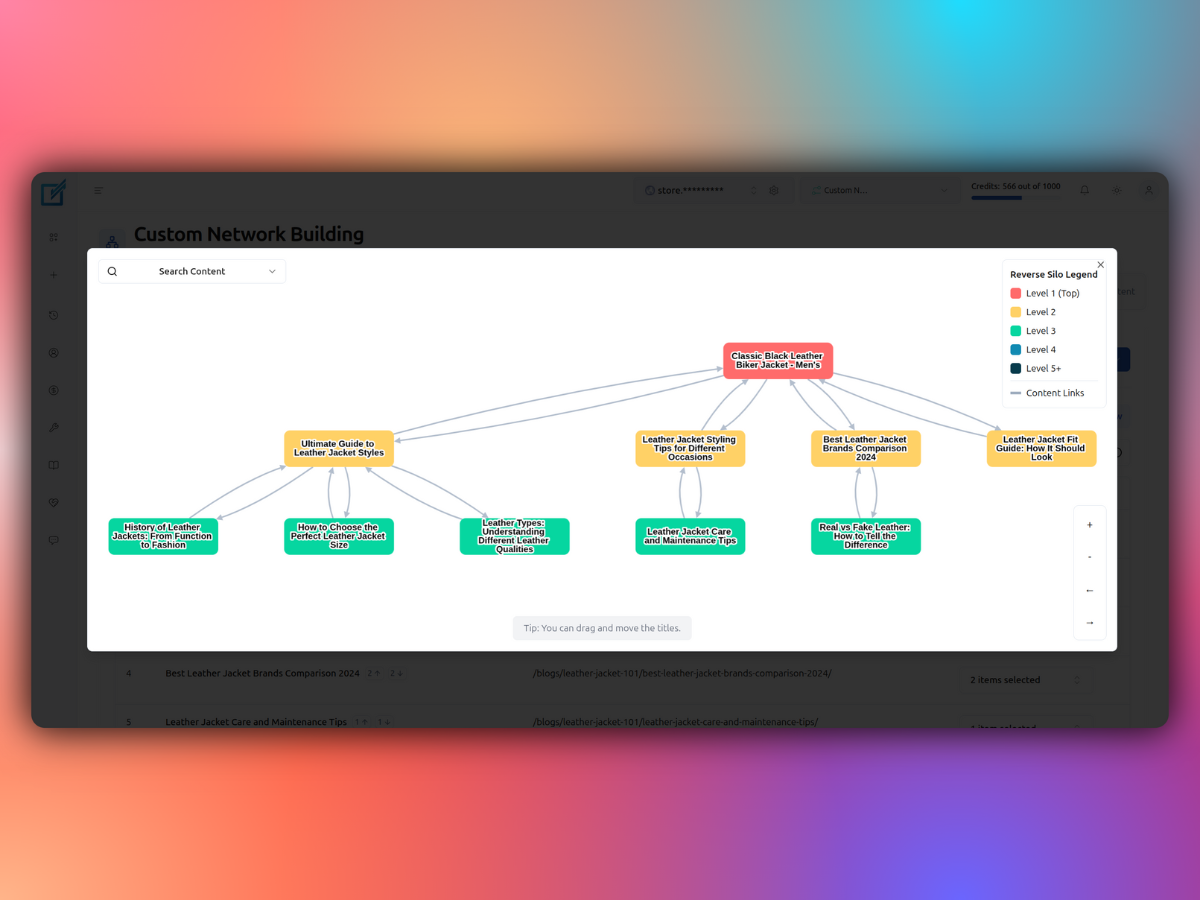
Reverse Silo Structure Visualization - Interactive network diagram displaying hierarchical content relationships with color-coded levels and visual linking patterns
Changelog
2.8.2 [October 22, 2025]
- Added: One click reset and sync functionality
- Fixed: Remove synced URLs error
- Improved: ACF builder compatibility with classic builder
- Improved: Elementor builder detection
2.8.1 [August 12, 2025]
- Added: One-click silo implementation with four automated structures (Reverse Silo, Serial Silo, Priority Silo, Circle Jerk Silo) through Custom Network tool
- Fixed: ACF and Elementor Compatibility
- Improved: System-wide performance optimizations
2.8.0 [June 12, 2025]
- Added: Option to remove synced URLs
- Fixed: Elementor bug fix
2.7.9 [June 10, 2025]
- Added: Get updates from the LinkBoss app manually
- Fixed: Elementor empty content bug resolution
- Fixed: Bricks content update bug
2.7.8 [May 31, 2025]
- Added: Sync contents by custom URL
- Fixed: URL Extractor tool bug resolution
2.7.7 [May 28, 2025]
- Fixed: Advanced Sync Settings bug resolution
2.7.6 [May 28, 2025]
- Added: URL Extractor tool for bulk operations
- Improved: Enhanced UI for Sync and Advanced Sync Settings
2.7.5 [May 28, 2025]
- Added: ACF custom field support (beta)
- Added: WooCommerce category support (beta)
- Improved: Enhanced post preparation animation
- Improved: Optimized cache management for Elementor
2.7.4 [March 25, 2025]
- Added: Post count-based sync speed optimization
- Improved: Enhanced cron job performance
- Improved: Faster sync processing
- Improved: Socket token security enhancement
- Deprecated: KB-based sync speed (replaced with post count method)
2.7.3 [March 9, 2025]
- Updated: GET requests converted to POST for better security
- Improved: System-wide performance enhancements
2.7.2 [February 25, 2025]
- Fixed: Post update issue in Socket PATCH requests
2.7.1 [February 23, 2025]
- Fixed: Category synchronization bug resolution
2.7.0 [February 21, 2025]
- Added: Complete UI redesign with modern interface
- Added: Beaver Builder support
- Added: WPML multilingual support
- Improved: System-wide performance optimizations