

Plugin info
Maintenance & Compatibility
Maintenance score
Stale • Last updated 243 days ago • 5 reviews
Is Semrush Content Toolkit abandoned?
Likely maintained (last update 243 days ago).
Compatibility
Similar & Alternatives
Explore plugins with similar tags, and compare key metrics like downloads, ratings, updates, support, and WP/PHP compatibility.
Description
The Semrush Content Toolkit is a smart AI writing tool that finds data-driven content for your website, creates SEO-ready briefs, and generates long-form content using real-time data.
Use it to write articles for your blog, optimize your existing drafts, and guide the entire content creation process.
It integrates with WordPress, allowing you to post articles created with the tool directly to your blog.
Key Features
- Find keyword and topic ideas for your website
- Create SEO content briefs
- Generate SEO-friendly long-form content
- Edit and optimize your drafts
- Generate AI images
- Post directly to WordPress
How does it work?
Using the Semrush Content Toolkit plugin, you can publish articles created with the tool straight to your WordPress website.
To install the plugin, check this quick guide or follow the steps below:
- Click “Download” at the top of this page. The plugin will automatically save as a .zip file. You can also head to WordPress and search for the Semrush Content Toolkit in the “Plugins” tab.
- Log in to the admin area of your WordPress account
- Find “Plugins” in the main menu, and click on “Add New”
- Find and click “Upload Plugin” at the top of the page and select the .zip file.
Once the plugin has been installed, go to “Settings”, find “Semrush Content Toolkit” and click the “Connect” button.
Finally, log in to the Content Toolkit and allow the WordPress connection.
To use WordPress integration once you have your article ready, click the “Share” button and choose the WordPress option.
With just one click, you can publish your article directly to the WordPress site.
Limits
To use the Content Toolkit, you need to have a Semrush account and have a paid (or trial) account for the tool.
See also
Installation
- Upload the entire
contentshakefolder to the/wp-content/plugins/directory; - Activate the plugin through the \’Plugins\’ menu in WordPress.
Frequently Asked Questions
Review feed
Screenshots
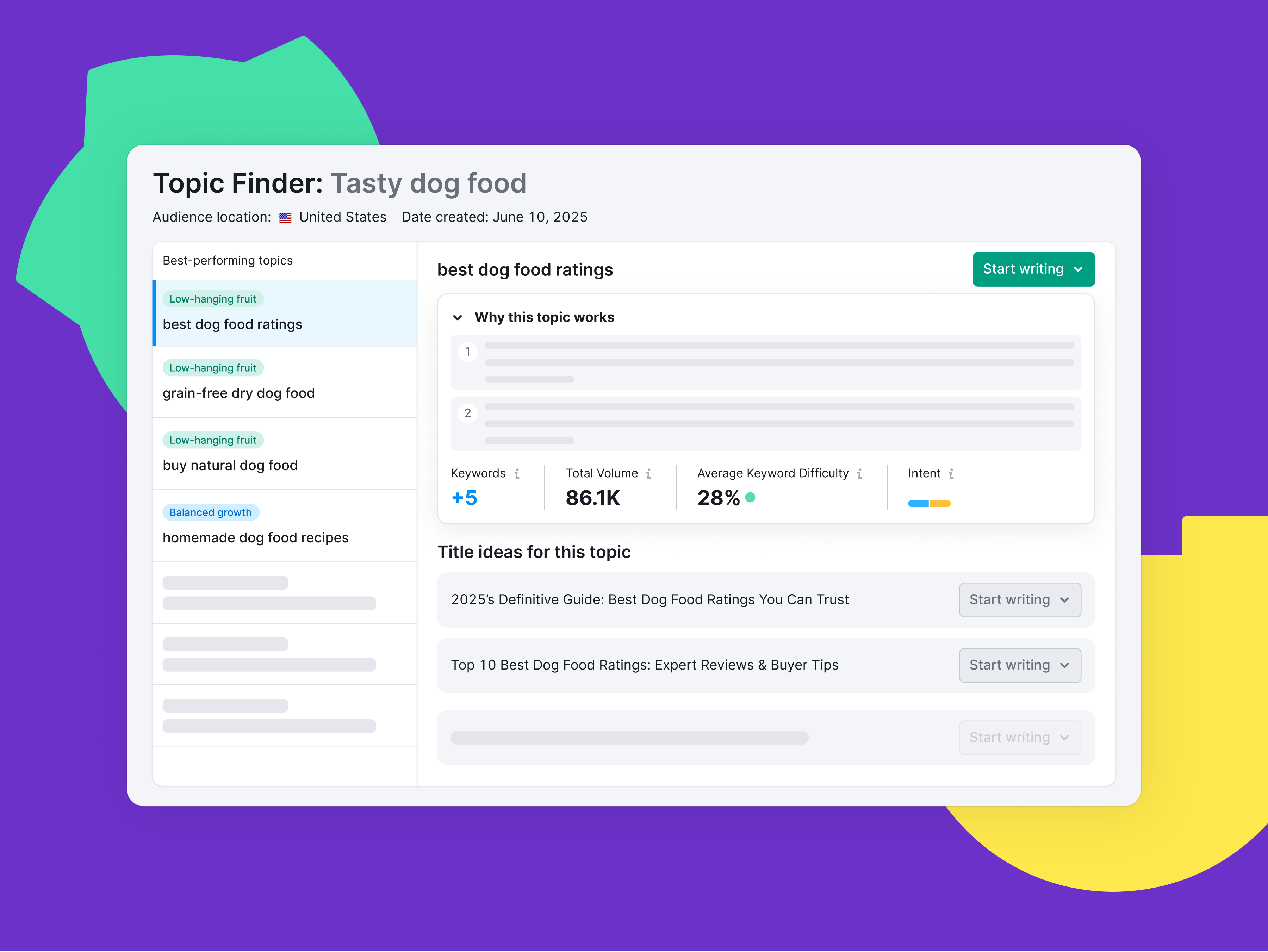
Generate relevant content ideas with Semrush data

Use AI to write content faster and paraphrase blocks of text

Get data-driven suggestions for your content’s SEO, readability, and tone of voice
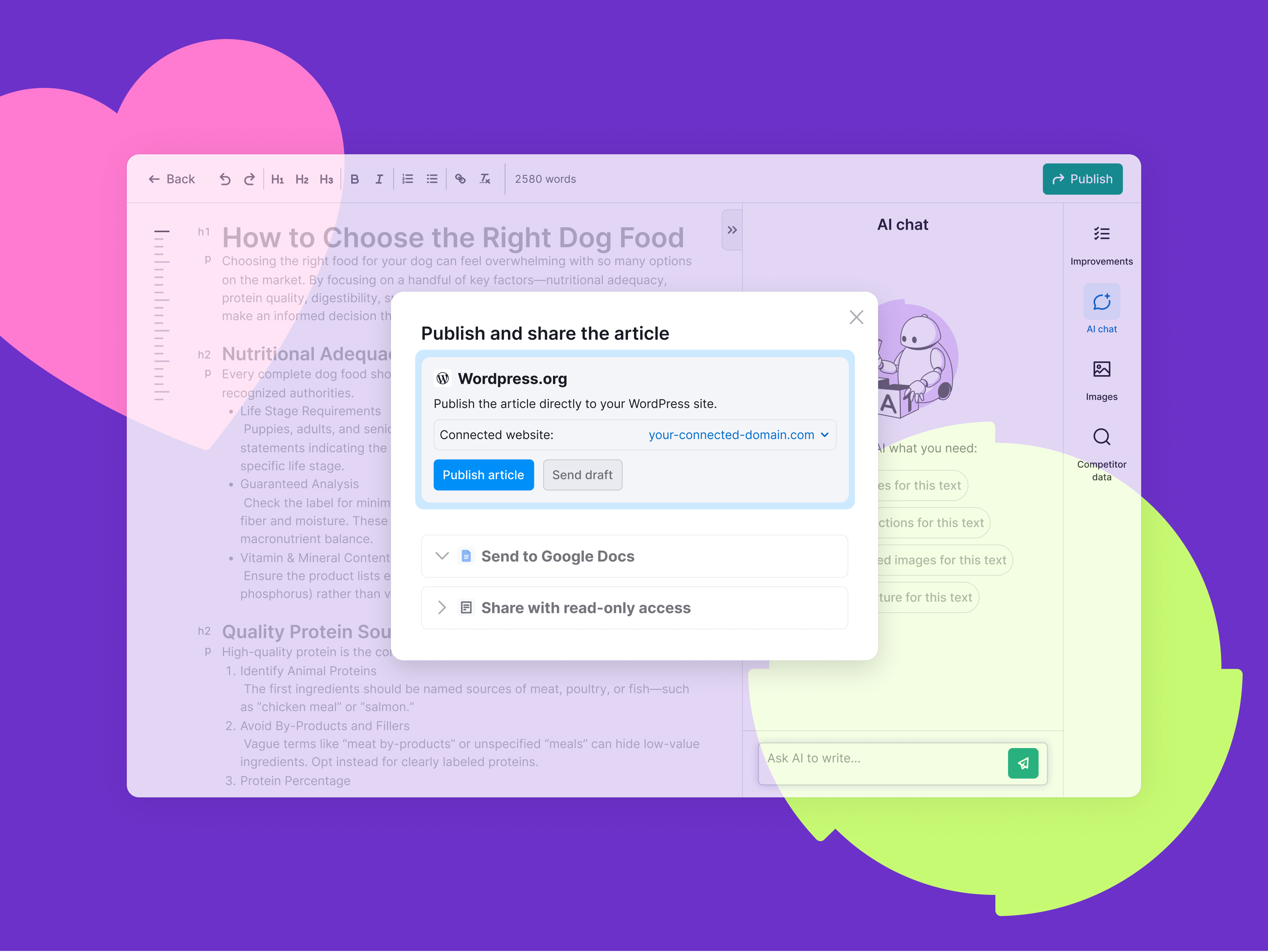
Publish articles directly to WordPress without leaving the tool