Semrush SEO Writing Assistant
The Semrush SEO Writing Assistant provides instant recommendations for content optimization based on the best-performing articles in Google's top 10.
Plugin info
Maintenance & Compatibility
Maintenance score
Stale • Last updated 344 days ago • 25 reviews
Is Semrush SEO Writing Assistant abandoned?
Likely maintained (last update 344 days ago).
Compatibility
Developers
Similar & Alternatives
Explore plugins with similar tags, and compare key metrics like downloads, ratings, updates, support, and WP/PHP compatibility.
Description
For your content to be successful, it needs to be visible and engaging. SEO Writing Assistant—our smart editor tool—ensures that your text ticks both of these boxes by providing recommendations and improvements in real time.
The tool integrates seamlessly with WordPress and offers key readability and SEO suggestions based on the best-performing content in Google’s SERPs. Whether you’re writing your own copy or editing someone else’s, SEO Writing Assistant makes the end product as impactful and effective as possible—for readers and search engines.
Key Features
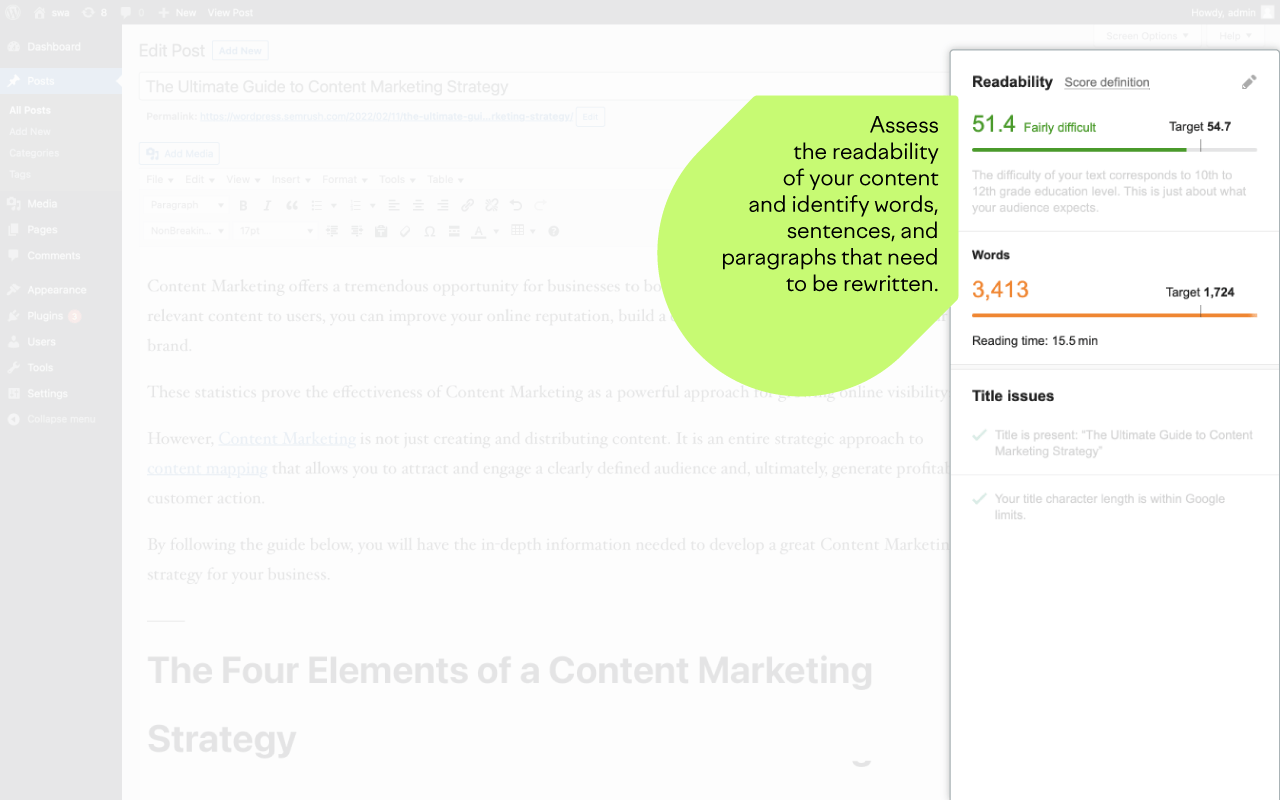
- Readability: Use the Flesch-Kincaid score to assess and improve your text’s readability
- Recommended Keywords: Receive semantically related keyword suggestions that can help boost your visibility
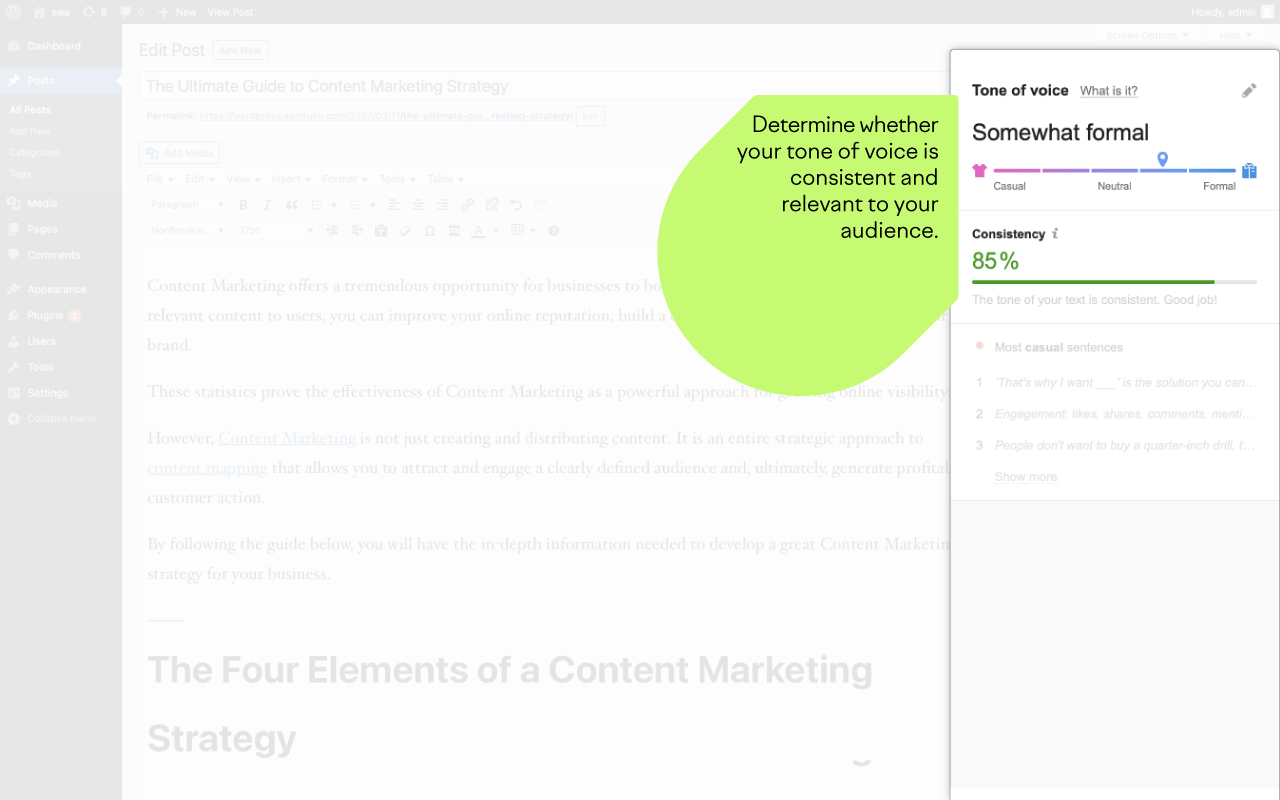
- Tone of Voice: Ensure that your tone is smooth and consistent across your text
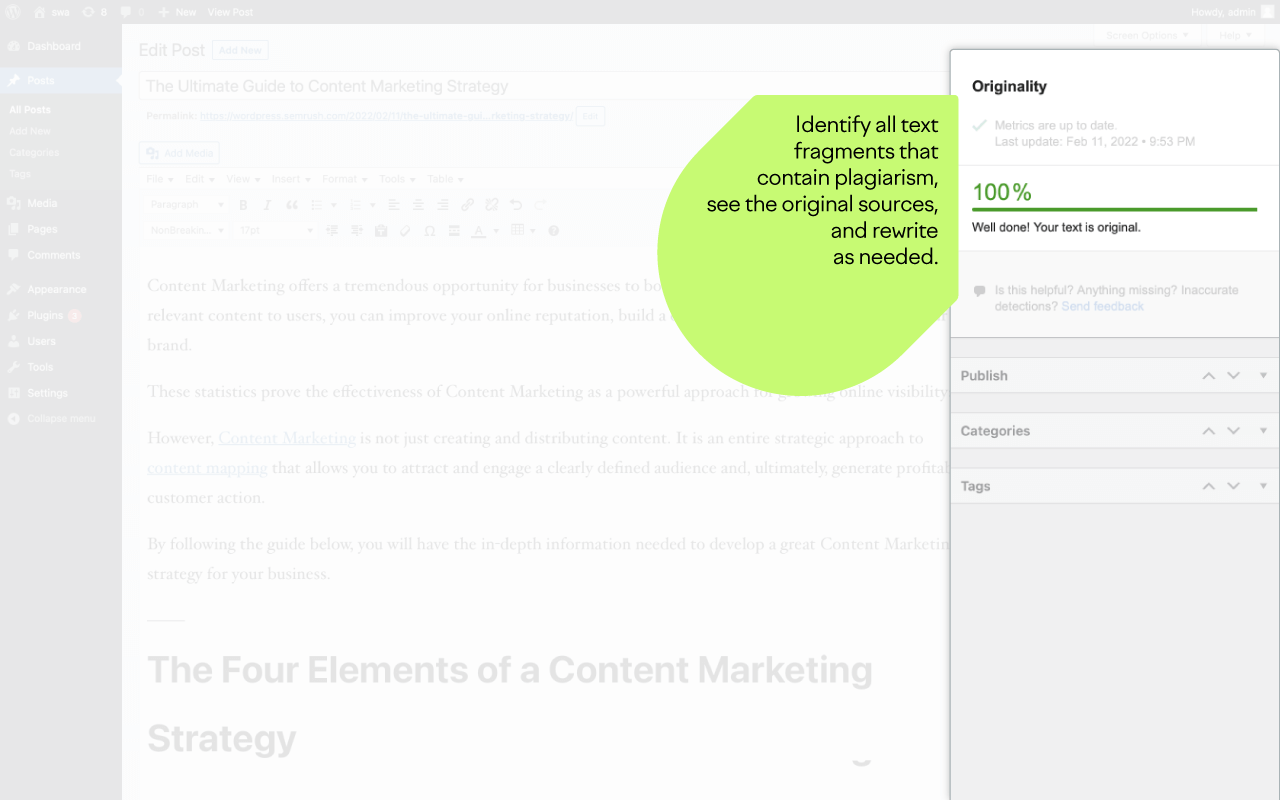
- Plagiarism Check: Verify that your writer has submitted original content and avoid penalization
- Rephraser: Rework pieces of text to improve quality, target different channels, or overcome writer’s block
- Overall Score: Evaluate and maximize the SEO potential of your text based on key on-page factors
How Does It Work?
The SEO Writing Assistant plugin allows you to write, assess, and edit your content in WordPress.
To set it up, follow these steps:
- Click “Download” at the top of this page. The plugin will automatically save as a .zip file.
- Log in to the admin area of your WordPress account.
- Find “Plugins” in the main menu, and click on “Add New”.
- Find and click “Upload Plugin” at the top of the page and select the .zip file.
Once the plugin has been installed, it should be activated in your “Installed Plugins” list (if it isn’t, ensure that you do so). Go to the page or post you want to optimize and click on “Connect SEO Content Template” (you will need to be logged in to your Semrush account).
Limits
To use SEO Writing Assistant, you need to first specify your target keywords. This requires a Semrush account.
With a Free or Pro Semrush account, you can create one recommendation set (tied to a document) for a lifetime. Higher tier accounts have different keyword budgets depending on the subscription plan, as well as full access to the powerful Semrush Content Marketing Platform.
Technical details
Please be aware that the plugin uses a third-party code provided by the Semrush SEO Writing Assistant tool that is not reviewed by the WordPress team. To analyze your text, the plugin will send it to Semrush API where texts can also be stored for statistical analysis. To improve user experience, telemetry data is collected by Google Analytics.
See also
Installation
- Upload
semrush-seo-writing-assistantto the/wp-content/plugins/directory. - Activate the plugin through the “Plugins” menu in WordPress.