

Send message to Google Chat for CF7
Contact Form 7 Google Chat is an add-on for integrating Google Chat with Contact Form 7.
Maintenance 26/100589d since update
Active installs
0
Downloads
1,151
Reviews
0
Age
1.6y
Plugin info
Total downloads: 1,151
Active installs: 0
Total reviews: 0
Average rating: 0
Support threads opened: 0
Support threads resolved: 0 (0%)
Available in: 1 language(s)
Contributors: 1
Last updated: 7/14/2024 (589 days ago)
Added to WordPress: 7/14/2024 (1 years old)
Minimum WordPress version: 4.0
Tested up to WordPress version: 6.5.7
Minimum PHP version: f
Maintenance & Compatibility
Maintenance score
Possibly abandoned • Last updated 589 days ago
26/100
Is Send message to Google Chat for CF7 abandoned?
Possibly abandoned (last update 589 days ago).
Compatibility
Requires WordPress: 4.0
Tested up to: 6.5.7
Requires PHP: f
Similar & Alternatives
Explore plugins with similar tags, and compare key metrics like downloads, ratings, updates, support, and WP/PHP compatibility.
No similar plugins found yet.
Description
This plugin allows you to send messages from Contact Form 7 submissions to Google Chat.
How to find Google Chat Webhook
- Google Chat webhooks are available only if you use google workspace
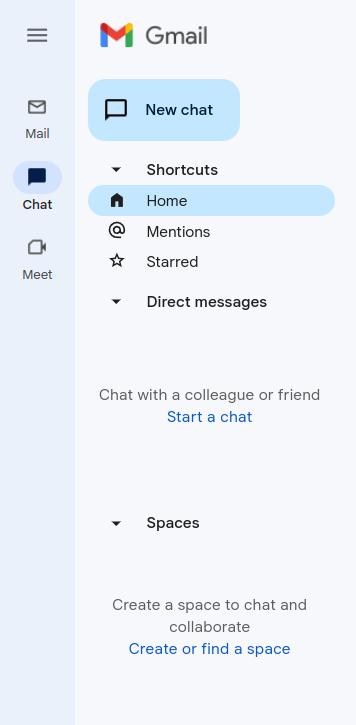
- Go to your gmail admin panel and click on chat icon and after that you need to click on “Create of find a space” – screenshot-2
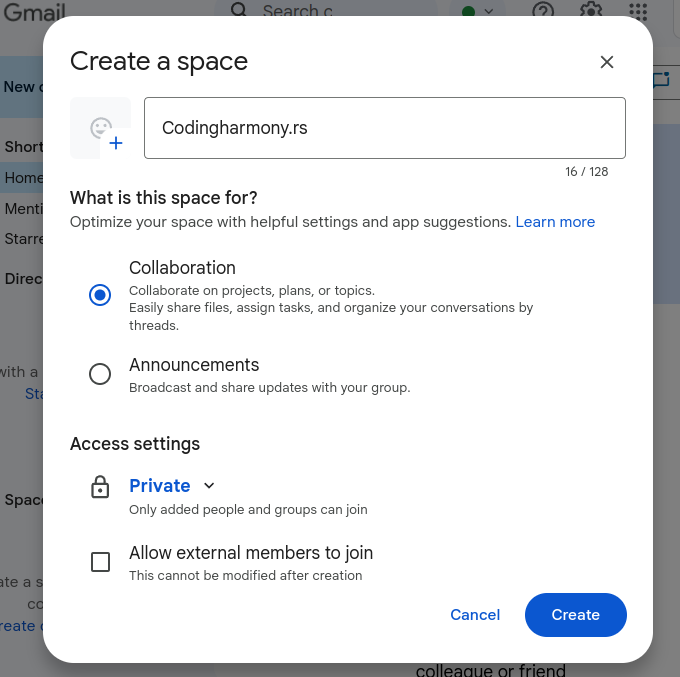
- Name your space and click on create – screenshot-3
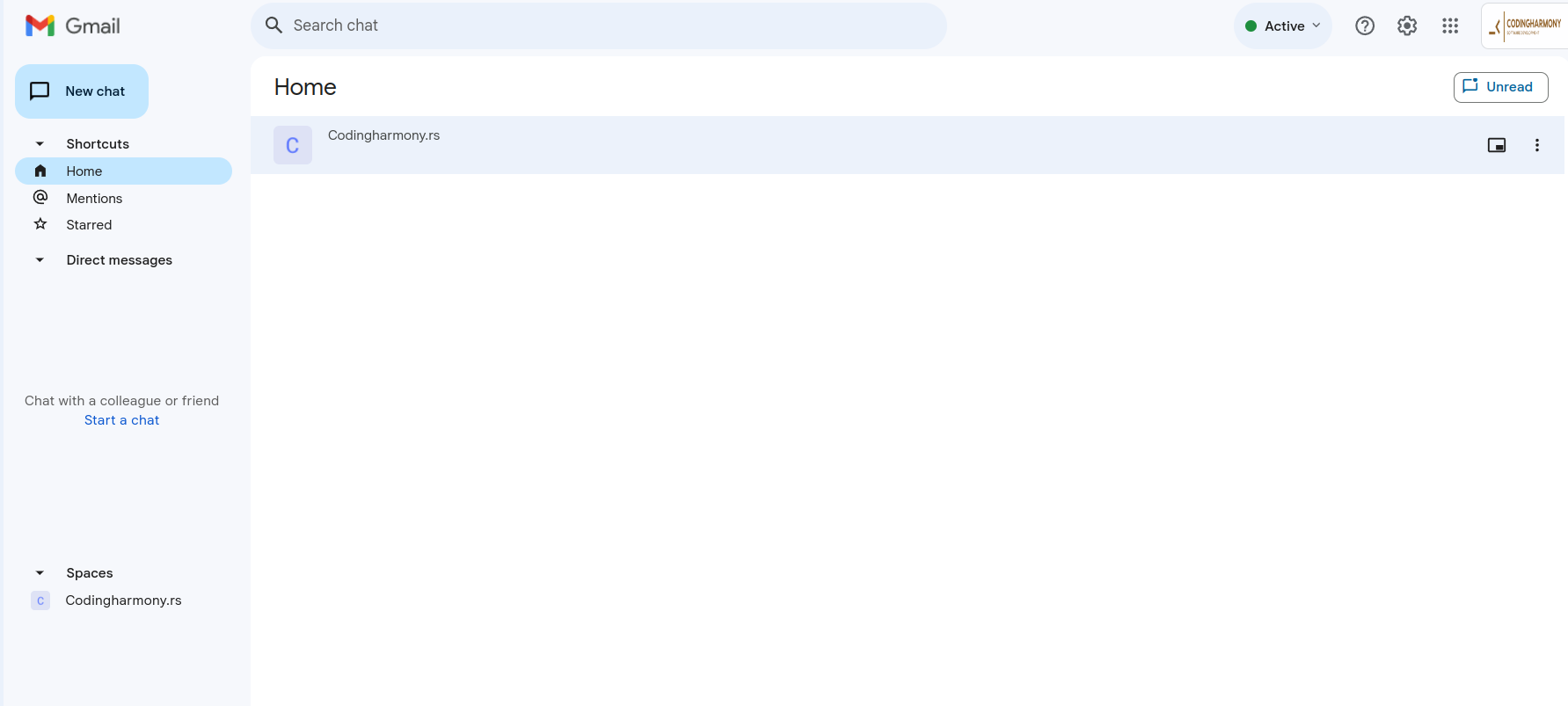
- Click on your space – screenshot-4
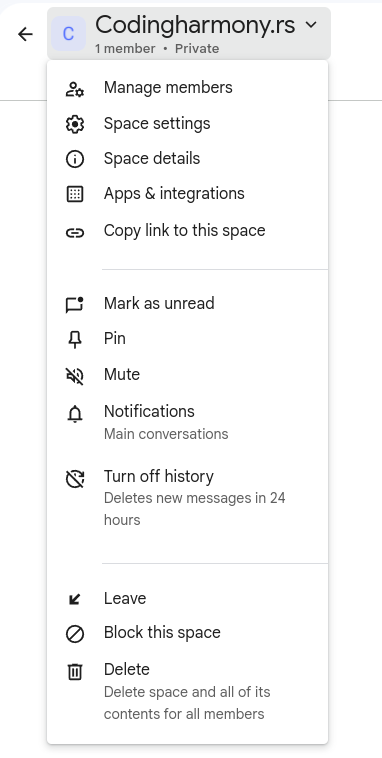
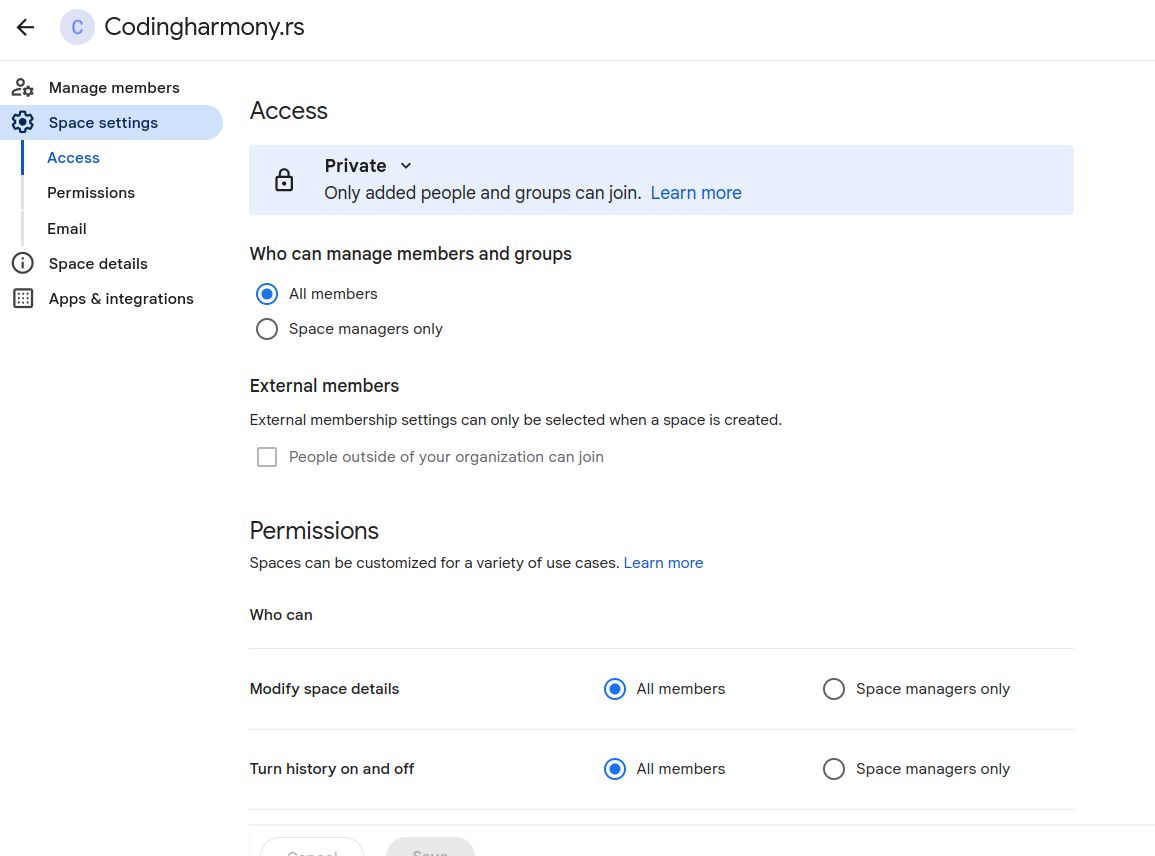
- Click on this dropdown and after that on “space settings” – screenshot-5
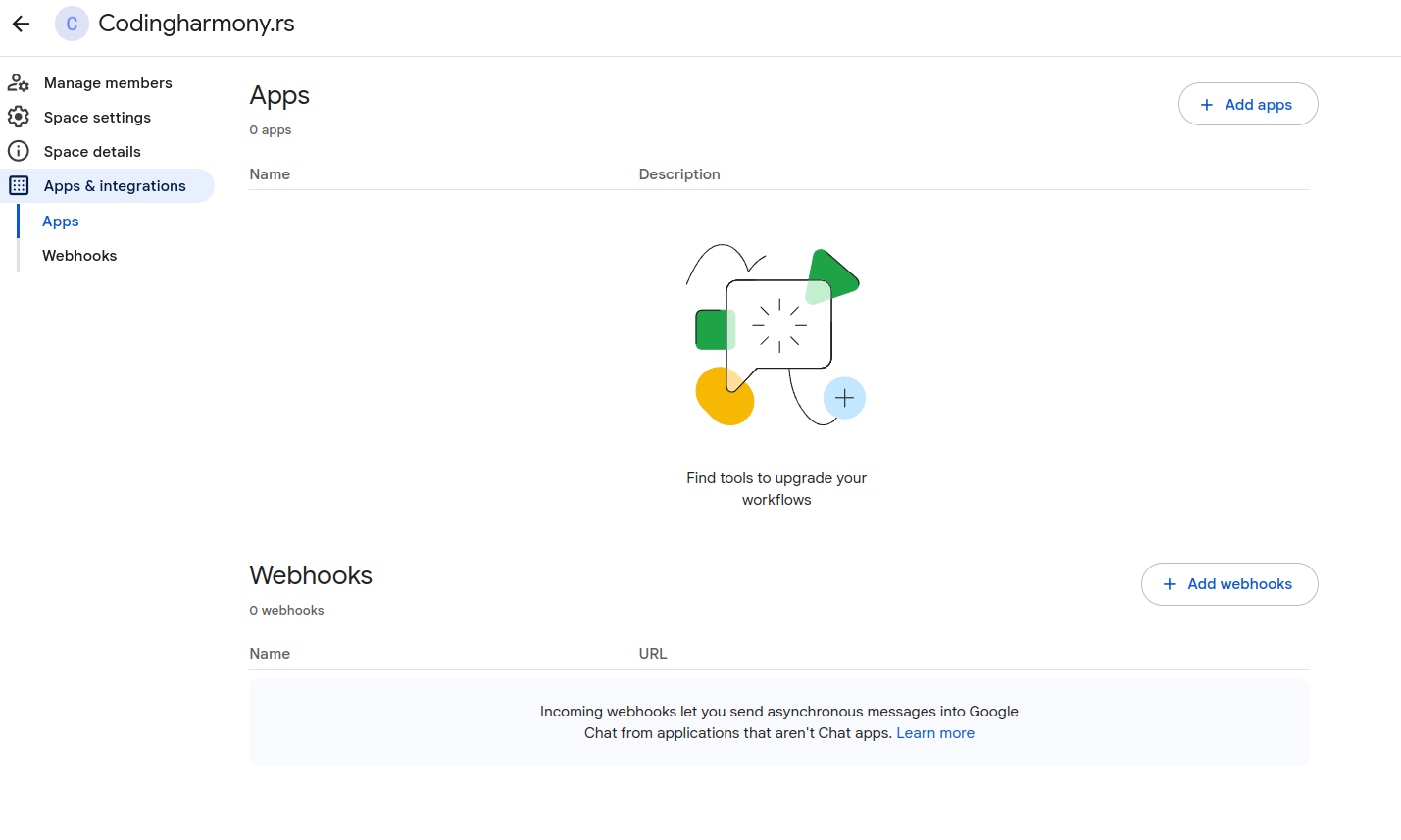
- Click on apps and integrations – screenshot-6
- Click on “add webhooks” – screenshot-7
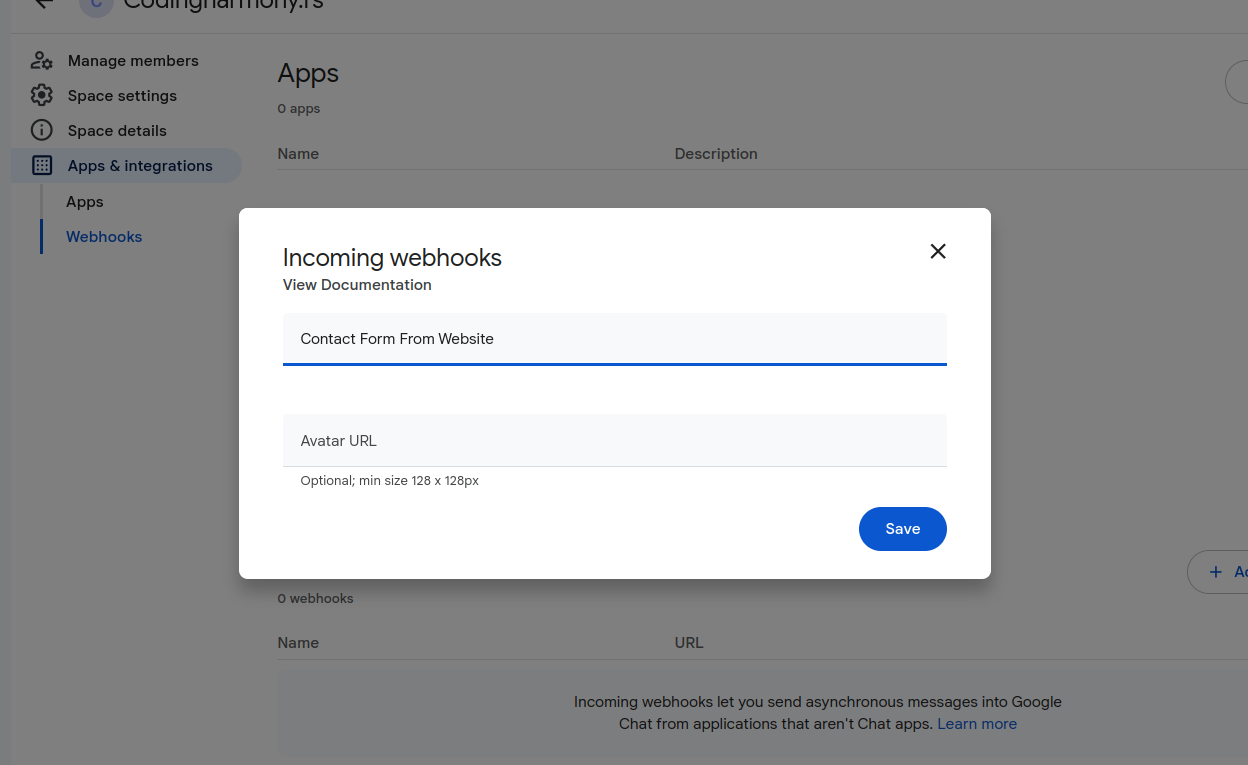
- Name your webhook and click save – screenshot-8
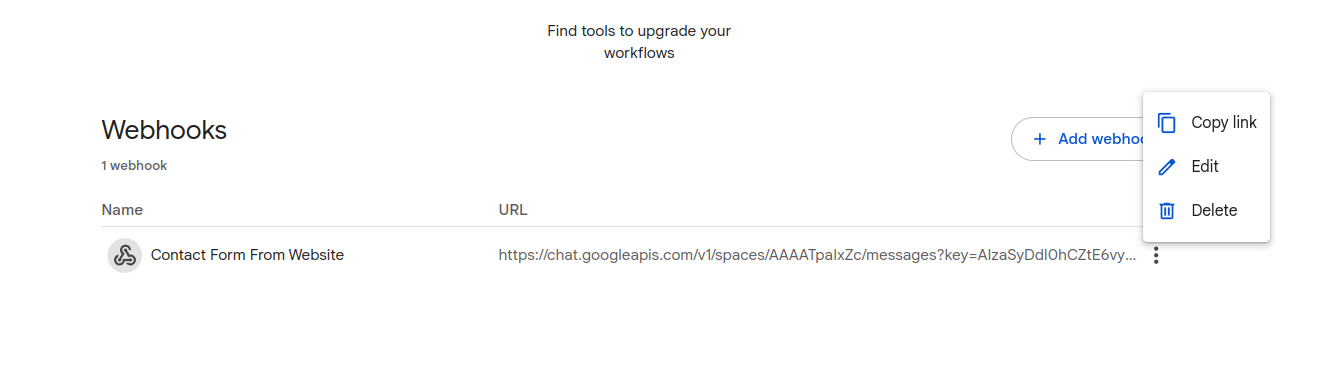
- Click on webhook settings and copy link – screenshot-9
- Paste that link to your contact form settings – screenshot-1
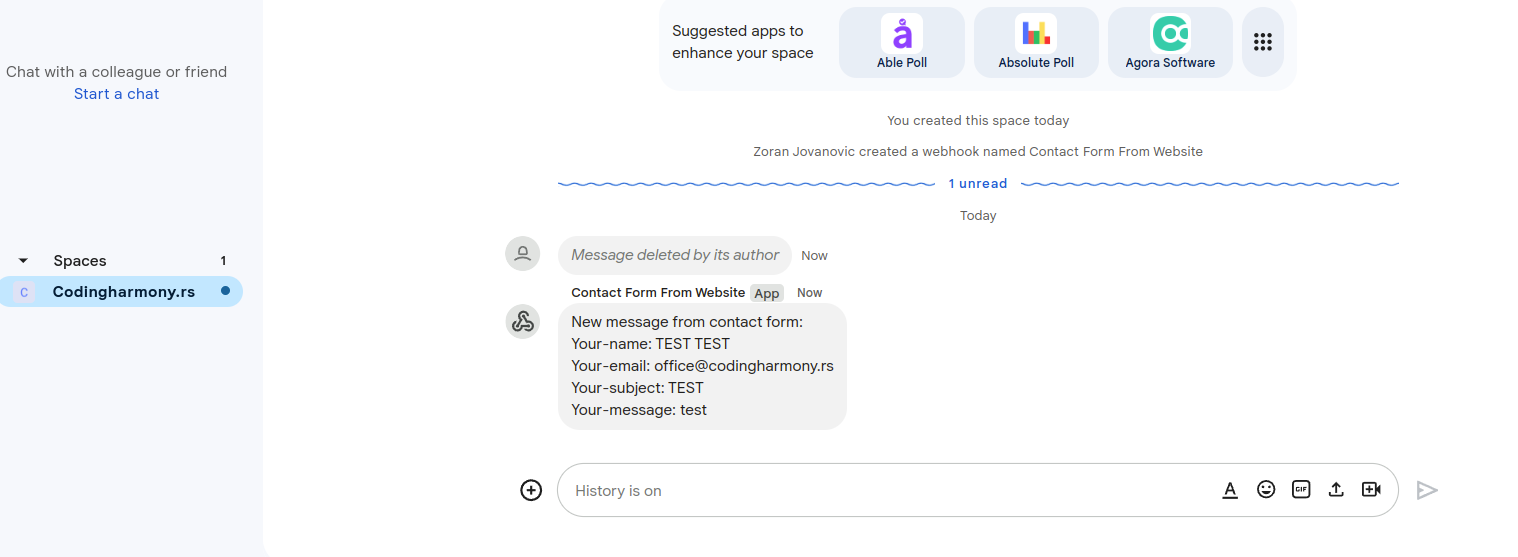
- After form is submitted on the website you will receive message to your google chat space – screenshot-10
Installation
- Upload the plugin files to the
/wp-content/plugins/send-message-google-chat-cf7directory, or install the plugin through the WordPress plugins screen directly. - Activate the plugin through the ‘Plugins’ screen in WordPress.
- Configure the Google Chat webhook URL in the Contact Form 7 Google Chat settings panel.
Frequently Asked Questions
No FAQ available
Review feed
No reviews available
Screenshots

Changelog
1.0.0
- Initial release.