

SendPulse Email Marketing Newsletter
Add a customizable email subscription form to your site, send newsletters, and automate email campaigns with autoresponders using SendPulse.
Plugin info
Maintenance & Compatibility
Maintenance score
Maintained • Last updated 118 days ago • 8 reviews
Is SendPulse Email Marketing Newsletter abandoned?
Likely maintained (last update 118 days ago).
Compatibility
Similar & Alternatives
Explore plugins with similar tags, and compare key metrics like downloads, ratings, updates, support, and WP/PHP compatibility.
Description
SendPulse plugin for WordPress
Add an email subscription form to your site. Each new subscriber will be automatically added to your mailing list. Create and send email campaigns with SendPulse, a multi-channel marketing automation platform.
FEATURES
- Install the plugin in 1 click and set up within minutes;
- Add multiple email subscription forms;
- Customize your subscription forms to fit your brand identity;
- Import contacts from WordPress to your mailing list.
SENDPULSE’S KEY FEATURES
- Rich automation possibilities that allow you to create email, SMS, web push, and chatbot campaigns on one platform;
- Drag and drop email editor;
- Ready-made email templates;
- Email personalization and list segmentation;
- Detailed analytics and reports;
WHAT IS SENDPULSE?
SendPulse is a multi-channel marketing automation platform for multifaceted business promotion and customer retention.
SendPulse allows you to send email, SMS, and web push campaigns, stay in touch with clients using Telegram, Facebook Messenger, WhatsApp, and Instagram chatbots, and create landing pages in just 15 minutes.
You can easily track all of your marketing activities and gather customer data with SendPulse’s free CRM.
Create a SendPulse account, and send up to 15,000 emails every month for free.
You can install SendPulse Free WebPush plugin if you need a plugin for web push notifications.
Contacts
- Customer support – https://sendpulse.com/support
- Twitter – https://twitter.com/SendPulseCom
- Facebook – https://facebook.com/sendpulse
Usage
- Create a subscription form using SendPulse’s builder.
- Add a new SendPulse form using WordPress.
- Paste your subscription form code in the editor.
- To display your subscription form, use a shortcode (for example
[sendpulse-form id="..."]where “…” is form id) in editor or placein your themes file.
Requirement
- PHP version >= 7.2+ (Recommended >= 7.2+)
Installation
- Upload ‘sendpulse-email-marketing-newsletter’ to the ‘/wp-content/plugins/’ directory
- Activate the plugin through the ‘Plugins’ menu in WordPress
Frequently Asked Questions
Shortcode can be used anywhere in the theme templates via do_shortcode function.
For example, <?php echo do_shortcode('[sendpulse-form id="..."]')?>.
Review feed
Screenshots
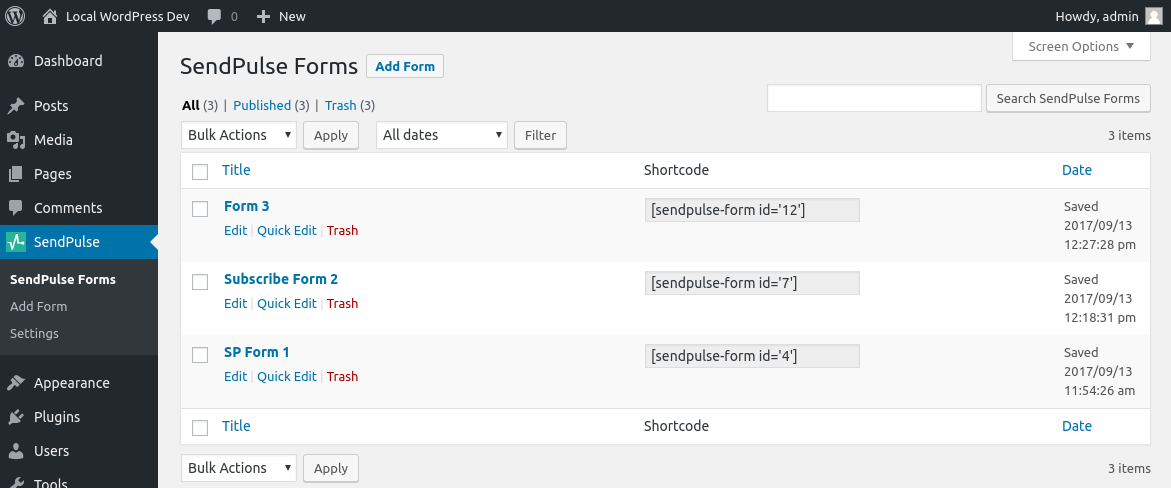
SendPulse Forms table view.
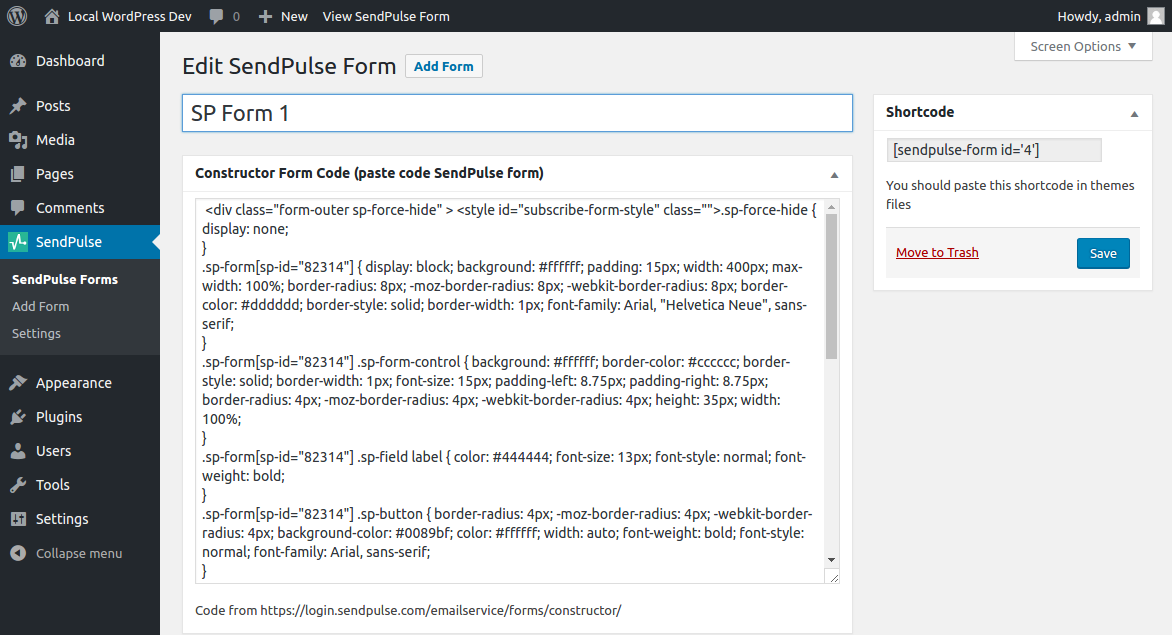
Form editor.

API setting.

Import Wordpress user.
Changelog
1.5.0 – 2017-08-22
- Changed: Ability to use the constructor code from SendPulse dashboard.
- Fixed: Support several forms on the page.
2.0.0 – 2017-09-19
- Added: Ability create multiple form with constructor code from SendPulse dashboard.
- Removed: Plugin generated subscribe form in favor constructor code from SendPulse dashboard.
2.0.1 – 2017-09-25
- Changed: Documentation and help link.
2.1.0 – 2017-10-18
- Changed: Down minimal PHP version requirement.
2.1.1 – 2022-07-16
- Updated supported WP versions
- Tested up to WordPress 6.0.2
- Updated translations
- Various fixes
2.1.3 – 2023-06-05
- Updated supported WP versions
- Tested up to WordPress 6.2.2
- On plugin activation automatic
2.1.4 – 2023-07-14
- Change info messages on plugin activation
- Change message box classes
- Change function to check write available on server
2.1.5 – 2024-05-28
- Update strings
2.1.6 – 2025-01-30
- Fix XSS
2.1.7 – 2025-04-28
- Fix XSS
2.1.8 – 2025-05-07
- Prevent DOMDocument error on empty input. Thanks to khizhnik
2.1.9 – 2025-06-04
- Added error message “You have no books to show” if your account has no available books instead of global message “Error API. Please try again later” for such case.
2.2.0 – 2025-07-14
- Fix vendor library crashing on PHP8.3