

Sensei LMS – Online Courses, Quizzes, & Learning
Create beautiful and engaging online courses, lessons, and quizzes.
Plugin info
Maintenance & Compatibility
Maintenance score
Stale • Last updated 197 days ago • Support resolved 67% • 40 reviews
Is Sensei LMS – Online Courses, Quizzes, & Learning abandoned?
Likely maintained (last update 197 days ago).
Compatibility
Developers
Languages
Similar & Alternatives
Explore plugins with similar tags, and compare key metrics like downloads, ratings, updates, support, and WP/PHP compatibility.
Description
Create beautiful and engaging online courses, lessons, and quizzes.
Sensei LMS is a powerful learning management plugin from Automattic, the company behind WordPress.com, WooCommerce, and Jetpack. At Automattic, we use Sensei LMS to power all our employee training courses.
Share your knowledge and teach freely with Sensei LMS!
Powerful LMS Features
- Seamlessly integrate Sensei LMS into your WordPress site. Sensei LMS looks great with any theme and can be customized to match your branding and style.
- Create engaging courses with the WordPress Block Editor, fully utilized by Sensei’s free Course Theme.
- Enable Learning Mode for an immersive distraction-free learning experience.
- Track student progress and performance with detailed reports.
- Embed videos from YouTube, Vimeo, and VideoPress for video-based courses.
- Add the Course List block to any page or post to display available courses.
Create effective quizzes
Quizzes are a powerful way to improve your students’ understanding of key concepts and track their progress. Select from various quiz question types and settings, such as multiple-choice, fill-in-the-blank, true/false, free response, file uploads, and more.
Showcase your courses
Submit your course to Sensei LMS’ public course showcase at https://senseilms.com/showcase/. Sensei LMS’ course showcase allows you to reach new audiences to expand your course’s visibility.
Discover the power of Sensei Pro
Realize the full potential of your courses with Sensei Pro.
WooCommerce Integration: Effortlessly set a price and sell courses in just a few clicks. Sensei Pro seamlessly integrates with WooCommerce Subscriptions, Payments, Memberships, and Affiliates extensions.
Scheduled Content Drip: Control the pacing of lessons in your courses by specifying when students can access lesson content at fixed intervals after starting the course or on a particular date.
Immersive Interactive Blocks: Enrich your lessons, pages, or posts with engaging videos, flashcards, image hotspots, and task lists.
Enhanced Quiz Features: Set a quiz timer and incorporate an ordering quiz question type. With Sensei LMS Pro, you can include individual quiz questions in any WordPress content, not just quizzes.
Easy Groups & Cohorts: Organize students into groups and cohorts to manage access and customize learning experiences.
Course Access Periods: Define a start date, end date, or a set amount of time that courses will remain accessible to students.
Conditional Content: Personalize the learning journey by hiding or showing lessons and content based on groups, enrollment status, and date.
Dedicated Priority Support: Our team of expert and friendly engineers is always available to provide assistance and ensure your success!
Flashcards: Add text, videos, images, embeds, and more to both sides of the flashcard block type.
Co-Teachers: Share course ownership with co-teachers who can edit course settings, lessons, and quizzes.
Free Extensions
Certificates: Automatically generate beautiful downloadable PDF certificates for students when they complete a course.
Learn more about Sensei LMS Certificates.
Post To Course Creator: Create courses quickly by converting existing blog posts into course lessons in just a few clicks.
Installation
Automatic installation
- Log into your WordPress admin panel and go to Plugins > Add New.
- Enter “Sensei LMS” into the search field.
- Once you’ve located the plugin, click Install Now.
- Click Activate.
- Configure the settings by going to Sensei LMS > Settings.
Manual installation
- Download the plugin file to your computer and unzip it.
- Using an FTP program, or your hosting control panel, upload the unzipped plugin folder to your WordPress installation’s
wp-content/plugins/directory on the server. - Log into your WordPress admin panel and activate the plugin from the Plugins menu.
- Configure the settings by going to Sensei LMS > Settings.
Frequently Asked Questions
For the free plugin, please use the Support Forums for any questions that you may have. We monitor the forums regularly and will reply as soon as we can.
You can also check our Documentation on our website for guides, tutorials, and other helpful information.
Sensei is developed in public on Github. We welcome anyone to report a bug, submit a pull request, and follow along with our progress.
Sensei LMS can be used in conjunction with Sensei Pro and WooCommerce Memberships to enable you to sell courses as part of a membership plan. See Selling Courses as a Membership for more details.
Please visit the Sensei Blog or sign up for our mailing list.
To find out how to submit a course to the Sensei LMS showcase, and the requirements, please see our documentation on the Course Showcase.
Yes! You can add links to Zoom, Google Meet, or whatever platform you choose in a course lesson. In addition, Sensei includes a meeting lesson layout you can select when creating a new lesson to help make this even easier.
Sensei LMS works great in WordPress Multisite. Although a Sensei Pro license covers only one site, the Sensei Agency plan permits the activation of Sensei Pro on up to 20 sites. If you use or plan to use Sensei Pro on a Multisite with more than 20 sites, please get in touch for custom pricing.
Sensei LMS is compatible with Sensei Pro and WooCommerce Memberships, enabling you to sell courses as part of a membership plan.
See Selling Courses as a Membership for more details.
Community members have translated the free Sensei LMS plugin into 18 languages, while Sensei Pro has been professionally translated into 16 languages. We welcome contributions to improve even more.
Review feed
Completely overrated and not worth investing a second or a dime in
The basic LMS actually works: Users can take courses.
But:
The administration via the courses does not work error-free (News lessions and modules are not saved) and the separate setup is not user-friendly Learning mode styles and settings are not saved, you can't overwrite them because they are programmed with !important Quizzes do not appear at all on the frontend in learning mode Documentation is ultra-weak and does not provide any detailed information, which could help bugfixing – two senior developers of us meanwhile advise against sensei, because the plugin is so modestly developed Support tickets from premium users are not responded toNice plugin
Screenshots
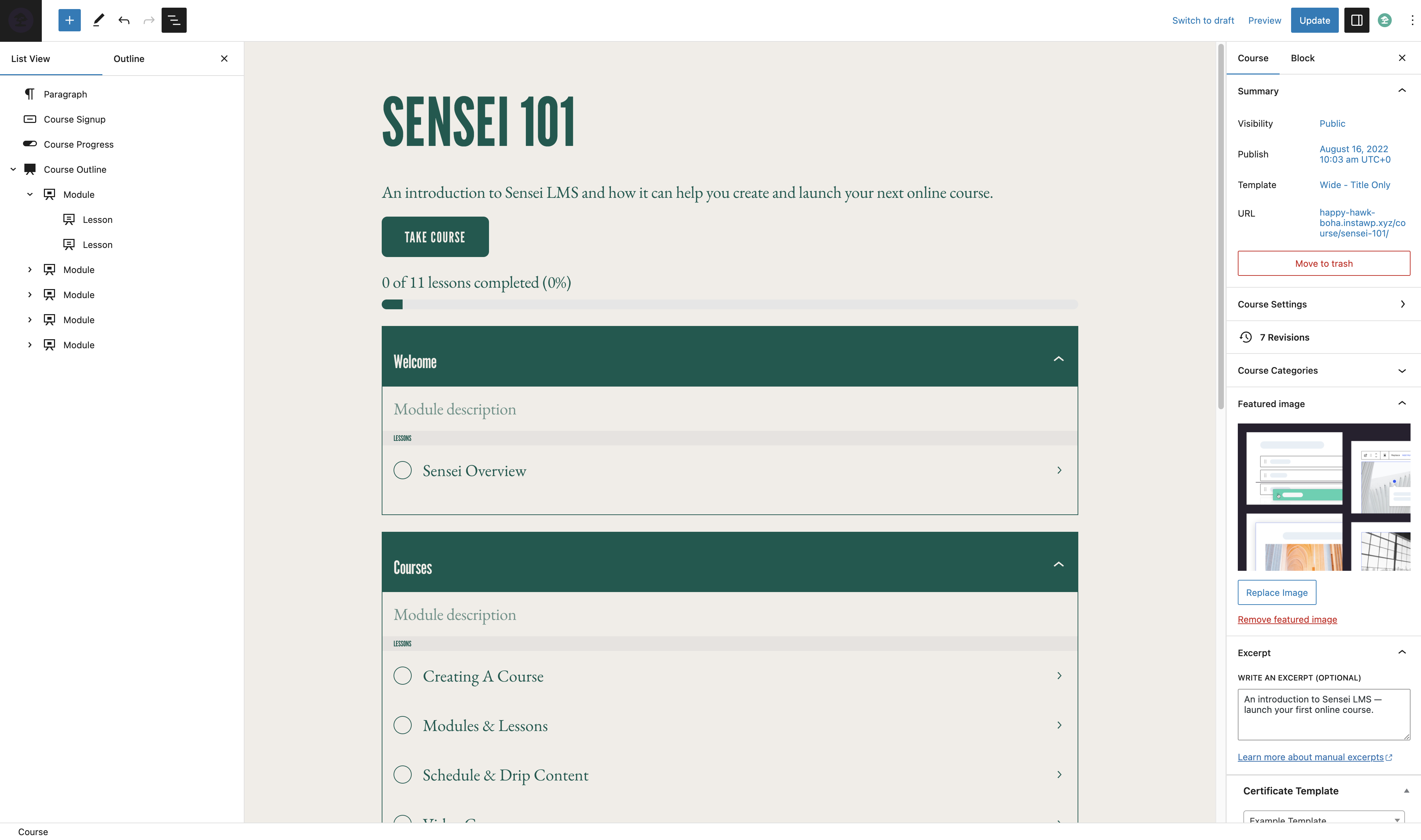
Course Editor

Lesson Editor
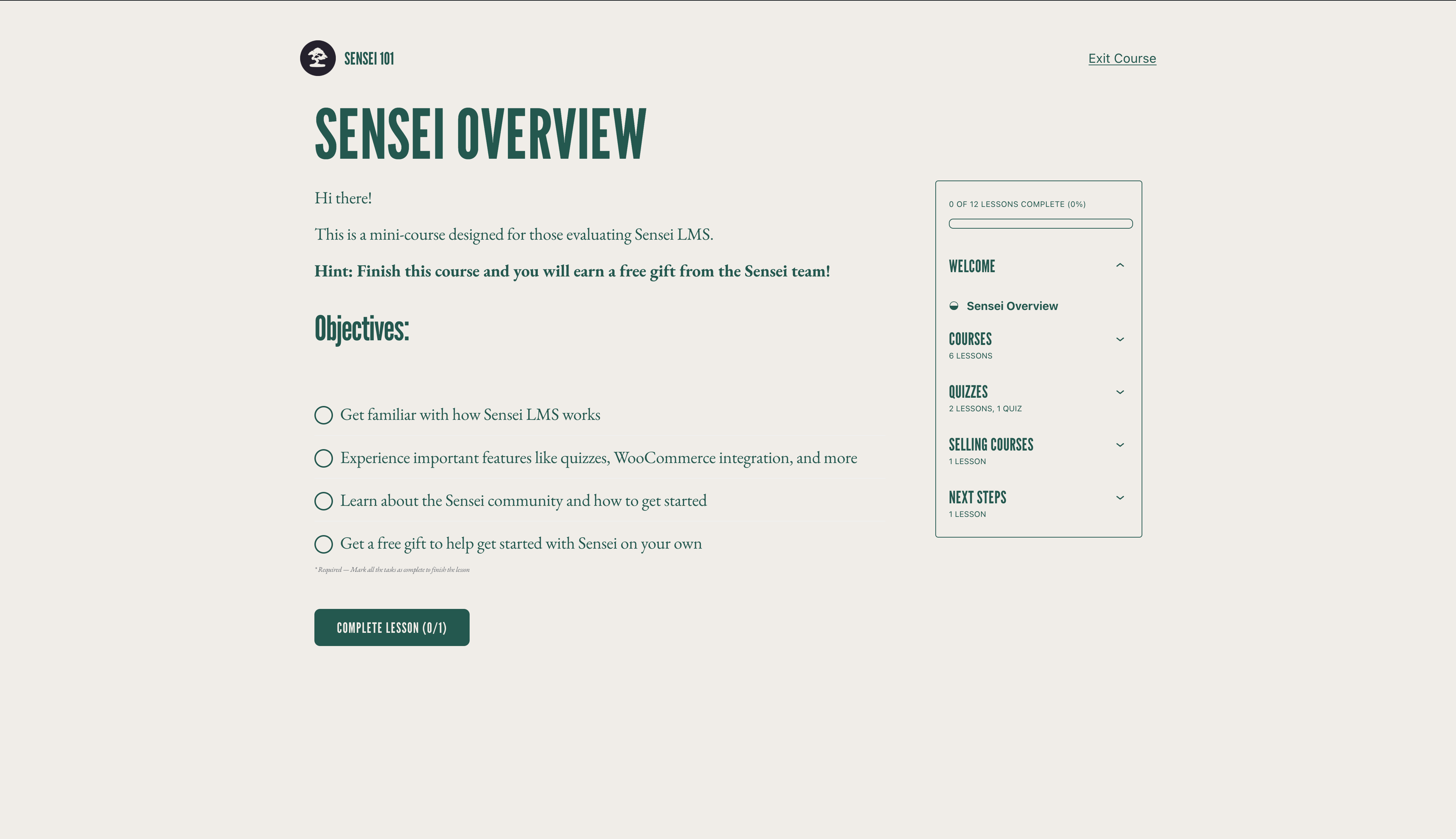
Learning Mode
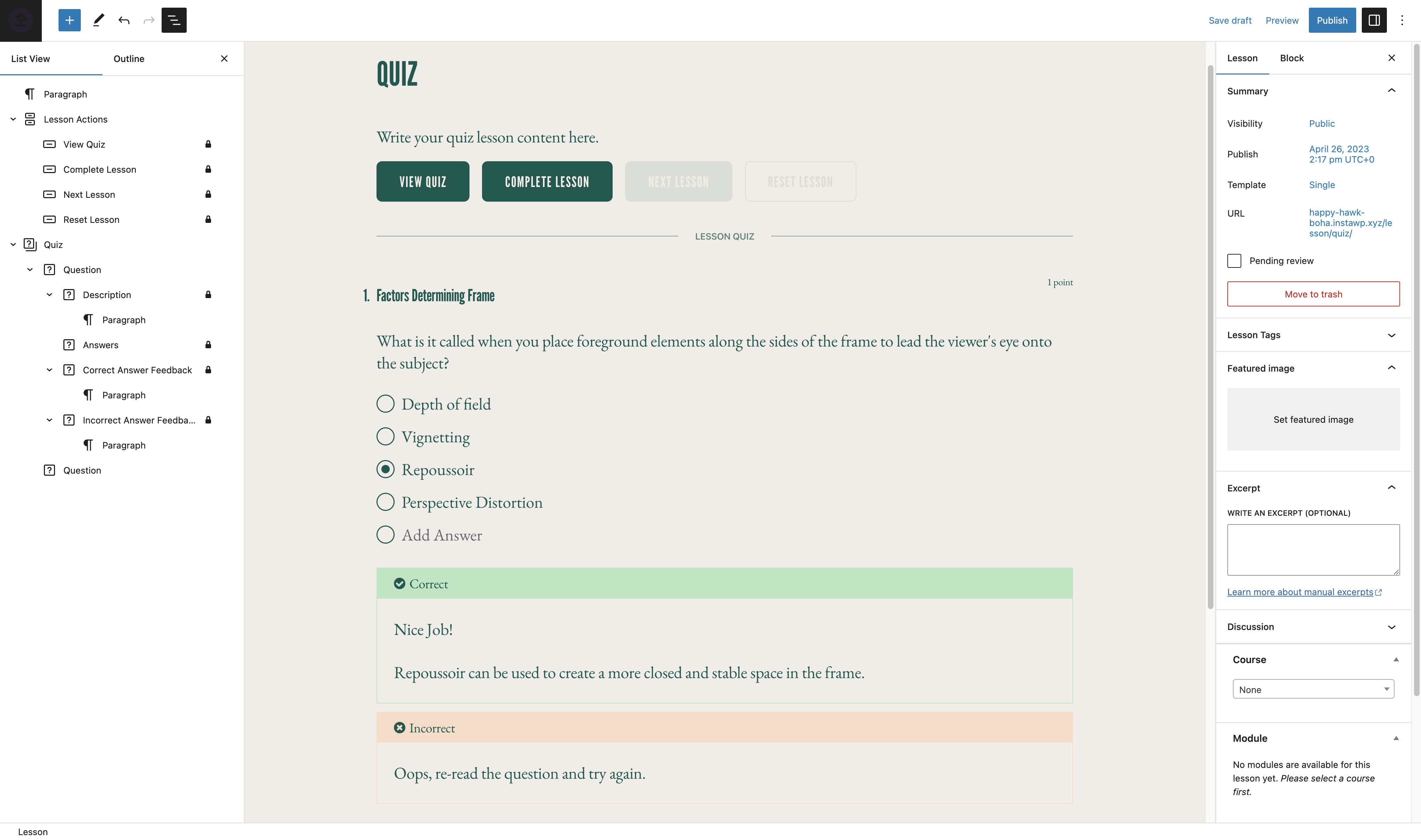
Quiz Editor
Changelog
4.25.1 – 2025-09-18
Security
- Add authorization check when updating the lesson course relation
- Add authorization check when updating a lesson in the course structure
Added
- Add support for changing text color of Course Overview block #7826
Changed
Fixed
- Fix “Calling get_class() without arguments is deprecated” PHP notice #7815
- Invalid property notice for messages #7814
- Non course-list patterns showing up in the Course List block’s pattern picker #7797
- PHP fatal when calling array_rand on empty array #7828
- Squished radio buttons / checkboxes for multi-line quiz answers #7820
- Update button cursor on hover for improved accessibility #7843
4.25.0 – 2025-04-15
Added
- Allow editing course archive page title from the block editor #7786
- Autofocus the title input on the form render #7802
- Clear text indicator to indicate disabled status of Emails #7752
Changed
- Update the activation logic to always enable the setup wizard on first installation #7800
- Update Sensei Pro upgrade URL to handle WordPress.com hosted sites correctly #7790
Deprecated
- Deprecate Student Courses Block in favor of Course List block #7764
Fixed
- Button alignment on Setup wizard notice #7779
- Course outline: Fix focus issue on lesson/module add to inner blocks #7783
- Course pattern layout: Fix Safari render issue #7789
- Fix course ordering on wordpress.com #7799
- Fix loading some translations too early #7780
- Fix plugin configure link pointing to the wrong settings URL #7781
- Fix required quiz score texts #7793
- Fix undefined property notice on WP 6.8 #7773
- Occasional error when submitting a quiz #7755
- Pattern previews: Ensure consistent background color in pattern previews by using theme color variables and fixing iframe sizing issues #7796
- Prevent storing enrolment data in memory on Students screen #7772
- Students dropdown menu being offset in the admin panel #7695
- Workflow: Update PR milestone validation supporting task re-run #7787
- Newsletter wizard form: Handle server errors #7801
Development
- Update NodeJS and NPM versions
4.24.5 – 2025-01-16
Security
- Fix unprepared SQL
- Remove feed content if the user doesn’t have access to the lesson
Added
- Wrap question numbers in
<span>tags #7738
Changed
- Replace
datewithgmdate#7735 - Replace
unlinkwithwp_delete_file#7732 - Replace
wp_json_encodewithjson_encode#7730 - Update the placeholder to use an internal image #7728
- Replace
strip_tagswithwp_strip_all_tags#7731
Deprecated
- Deprecate
load_localisationandload_plugin_textdomainfunctions #7713
Removed
- Remove manual loading of translations #7713
- Remove fallback code for Sensei Pro update reminder #7729
- Remove files that are already included in WordPress Core #7727
- Remove obsolete code from Students area #7726