

Server Info
This plugin will show you very useful information about your hosting server such as PHP version, Server OS, Server IP etc.
Plugin info
Maintenance & Compatibility
Maintenance score
Stale • Last updated 318 days ago • 10 reviews
Is Server Info abandoned?
Likely maintained (last update 318 days ago).
Compatibility
Similar & Alternatives
Explore plugins with similar tags, and compare key metrics like downloads, ratings, updates, support, and WP/PHP compatibility.
Description
This plugin will show you useful information about the hosting server you are using e.g. PHP version, MySQL version, Server OS, Server Protocol, Server IP and other useful information. You can use the information displayed by this plugin to update any settings which is crucial for your website performance and other aspects.
You will see the information about:
- PHP Version
- Operating System
- Server IP
- Server Hostname
- MySQL Version
- System Uptime
- Active Theme
- Active Plugins
- Database Name
- Database Username
- Database Hostname
- Database Charset
- Database Collate
- WordPress Debugging (Enabled/Disabled)
- WordPress Memory Limit
Please rate the Plugin if you find it useful, thanks.
Installation
Instructions for installing the Server Info Plugin.
- In your WordPress admin go to Plugins -> Add New.
- Enter Server Info in the text box and click Search Plugins.
- In the list of Plugins click Install Now next to the Server Info Plugin.
- Once installed click to activate.
- Now go to your WordPress dashboard and you will have a new menu option called Server Info.
Frequently Asked Questions
Yes, it works with all major PHP versions and I have tested it with PHP version 5.3, 5.4, 5.5, 5.6, 7.0, 7.1, 7.2 7.4, 8.0 and 8.1.
Yes, absolutely.
Review feed
Easy to use and helpful!
Crashed with Fatal Error
useful
Server Info menu item missing on some sites
Good work!
Screenshots

WordPress Dashboard Widget.
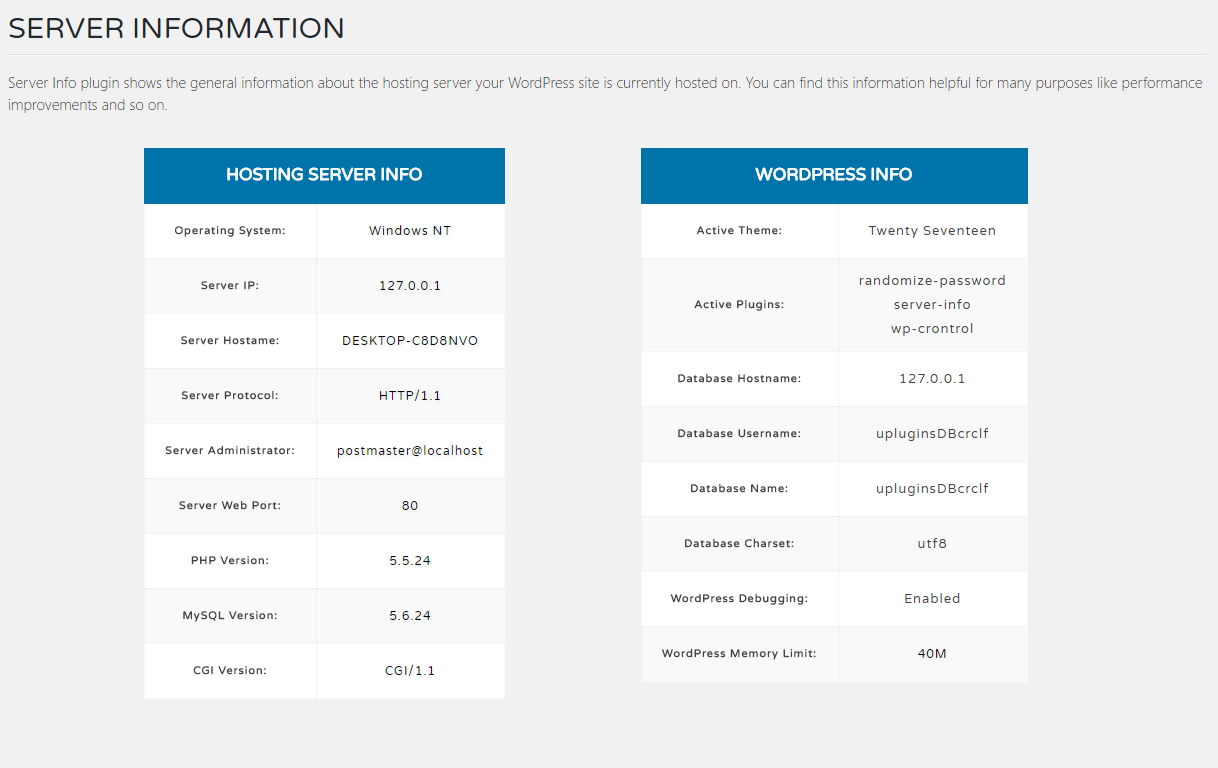
Separate Page for Detailed Server Information.
Changelog
0.0.1
- Plugin Core Restructured Completely