

Server IP Dashboard
Show your server’s internal IP and external/public IP on the WordPress admin dashboard with a simple, secure widget.
Plugin info
Maintenance & Compatibility
Maintenance score
Maintained • Last updated 106 days ago
Is Server IP Dashboard abandoned?
Likely maintained (last update 106 days ago).
Compatibility
Similar & Alternatives
Explore plugins with similar tags, and compare key metrics like downloads, ratings, updates, support, and WP/PHP compatibility.
Description
Server IP Dashboard displays your server’s Internal IP and External/Public IP directly on the WordPress admin dashboard.
Useful for administrators who need quick access to server IP information for debugging, firewall whitelists, or connectivity checks.
Features
- Shows Internal Server IP (from the PHP server environment)
- Shows External/Public IP (via ipify or a custom API)
- Dashboard widget with AJAX refresh (manual or auto)
- Settings page:
- Auto-refresh interval
- Optionally allow Editors to view
- Custom external API URL
- Admin-only by default, secure with capability checks and nonces
- Lightweight, no front-end output, no personal data stored
External Services
This plugin retrieves the site’s External/Public IP by making a server-side HTTP request to an external service.
- Default service: ipify
- API endpoint:
https://api.ipify.org?format=json - What data is sent: No request body is sent. Only standard HTTP headers (such as User-Agent) are included automatically by WordPress. The service sees the server’s public IP as the source of the request.
- When data is sent: Every time the dashboard widget refreshes (manually or on auto-refresh), or when you load the settings page if testing the API.
- Terms and Privacy:
- Terms of Service: https://geo.ipify.org/terms-of-service
- Privacy Policy: https://geo.ipify.org/privacy-policy
You may configure a different endpoint in Settings Server IP Dashboard. If you do, the terms and privacy policy of your chosen provider will apply.
Privacy
This plugin does not collect, store, or share any personal data. The only data transmitted externally is your server’s public IP address (and standard HTTP headers) to the configured external service (default: ipify) in order to retrieve the external/public IP.
Installation
- Upload the plugin folder
server-ip-dashboardto/wp-content/plugins/, or install from the WordPress plugin repository. - Activate the plugin via Plugins Installed Plugins.
- Go to Dashboard Home. You’ll see a new widget titled Server IP Information.
- (Optional) Configure settings in Settings Server IP Dashboard.
Frequently Asked Questions
By default only Administrators (users with manage_options). You can optionally allow Editors from the settings page.
- Internal IP: The IP address of the server hosting WordPress.
- External/Public IP: The address seen by the internet when your server makes outbound requests.
You can set an interval (in seconds) on the settings page. Default is 0 (disabled). You can always click Refresh IP Info manually.
Default is ipify (https://api.ipify.org?format=json). You can set an alternate endpoint if needed (either JSON like {"ip":"x.x.x.x"} or plain text).
No. The plugin does not store IPs in the database and does not transmit them anywhere except to the external service you specify (default: ipify). Only admins (or authorized roles you select) see the IP info.
Review feed
Screenshots
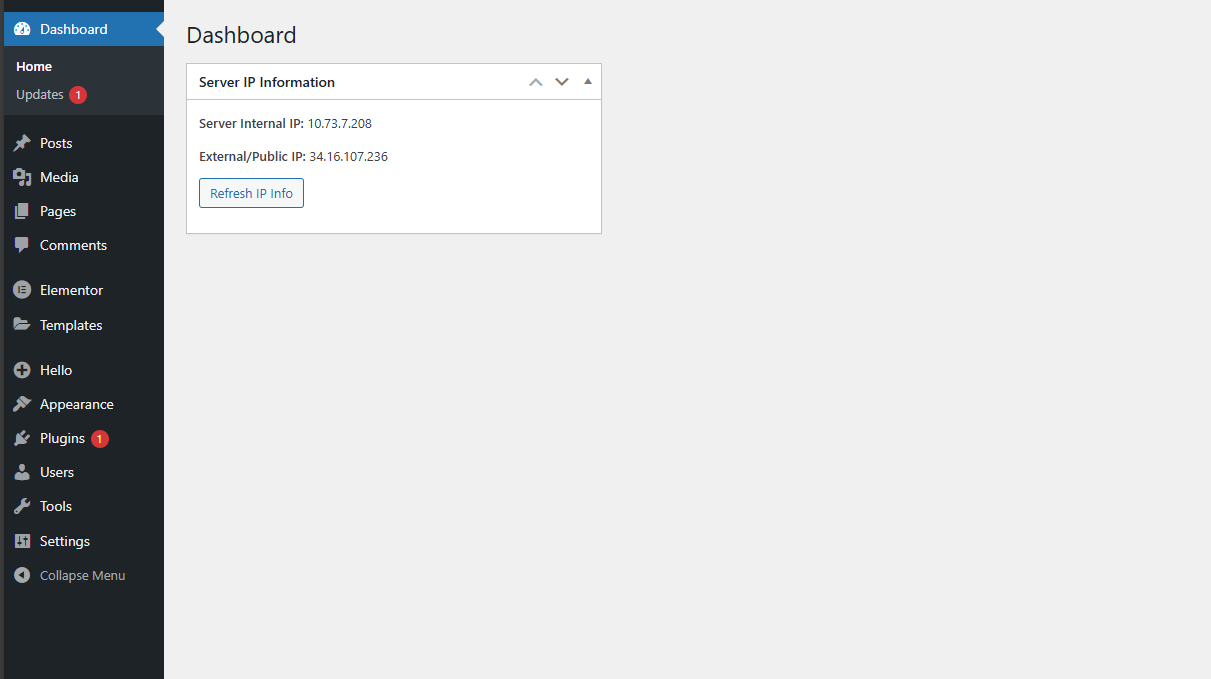
Dashboard widget showing Internal and External IP with Refresh button.
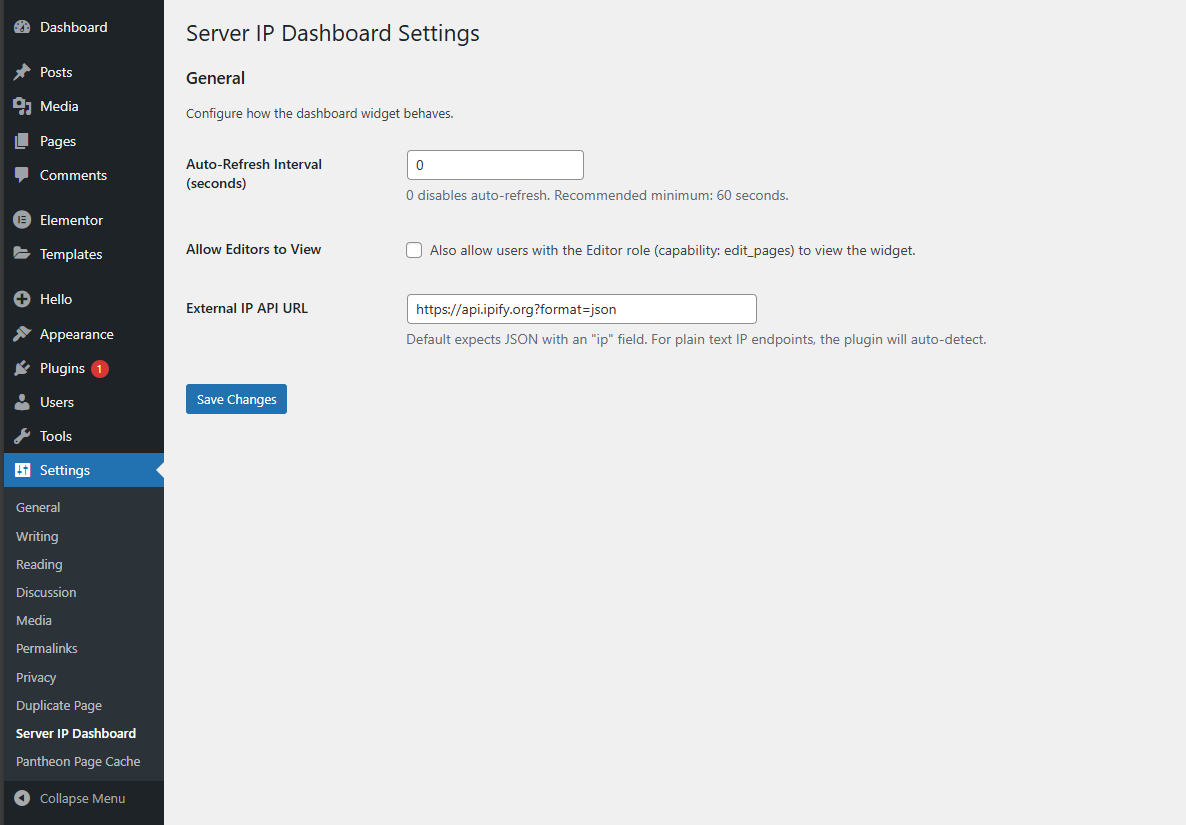
Settings page to configure refresh interval, visibility, and API URL.
Changelog
1.0.1
- Added explicit documentation of external service (ipify) usage and links to Terms/Privacy.
- Updated readme for compliance with WordPress Plugin Guidelines.
1.0.0
- Initial release.
- Dashboard widget shows internal and external IP.
- AJAX refresh (manual or auto).
- Settings page with interval, role visibility, API URL.