

Plugin info
Maintenance & Compatibility
Maintenance score
Possibly abandoned • Last updated 559 days ago • 5 reviews
Is Shipping by City for Woocommerce abandoned?
Possibly abandoned (last update 559 days ago).
Compatibility
Similar & Alternatives
Explore plugins with similar tags, and compare key metrics like downloads, ratings, updates, support, and WP/PHP compatibility.
Description
Transform your WooCommerce store’s shipping options with our intuitive “Shipping by City” option. Say goodbye to the complexities of shipping by postal code and streamline your logistics by configuring shipping options based on cities instead. This plugin is designed to make managing shipping zones and rates easier and more flexible
Features of the plugin include:
- Provide complete solution for Shipping by city option in our E-commerce site instead on Shipping by Postal code for every Zone.
- Our “Shipping by City” plugin enables you to define shipping rates and zones according to cities.
- You can quickly add cities, set up shipping zones, and establish rates tailored to each location.
- Enhance your customers’ shopping experience by presenting clear and transparent shipping options based on their city.
- Easily add or remove cities from your shipping zones as needed.
- it include Option to configure all cities for every Zone under Woocommerce settings.
- Simple-configuration – just install,setup and enjoy.
Installation
This section describes how to install the plugin and get it working.
e.g.
- Upload
shipping-by-city-for-woocommerce.zipto the/wp-content/plugins/directory - Activate the plugin through the ‘Plugins’ menu in WordPress
- Go to the menu name WooCommerce->settings.
- Now we can see new option call “Advance Shipping Zone”.
- After click on this page we can see configuration form.
- Now just configure & see the result on checkout page.
Frequently Asked Questions
To activate this plugin, first, go to Plugins > Add New in your WordPress Admin Dashboard. If you’re using the direct install method, search for the plugin by name, click Install Now, and then Activate. Alternatively, for the upload method, click Upload Plugin, select the .zip file from your computer, click Install Now, and then Activate
Go to WooCommerce > Settings, find “Advance Shipping Zone,” configure the settings, and see the results on the checkout page
Our plugin has been upgraded from 1.0.5 to 1.0.6 and is now compatible with the Table Rate Shipping plugin. We have successfully resolved the conflict with the table rate shipping plugin in the 1.0.6 version.
If the same city matches one or more shipping methods, the system will choose the shipping method with the last specified charge.
Our plugin has been upgraded from 1.0.5 to 1.0.6 and is now compatible with the shipping class cost. We have successfully resolved the conflict with the shipping class cost in the 1.0.6 version.
Our plugin does not conflict with weight-based plugins, but it works based on shipping by city.
Yes, our plugin works with different cities and delivery zones
Our plugin works with the city name, so please use the city name instead of the zip code.
Review feed
Screenshots
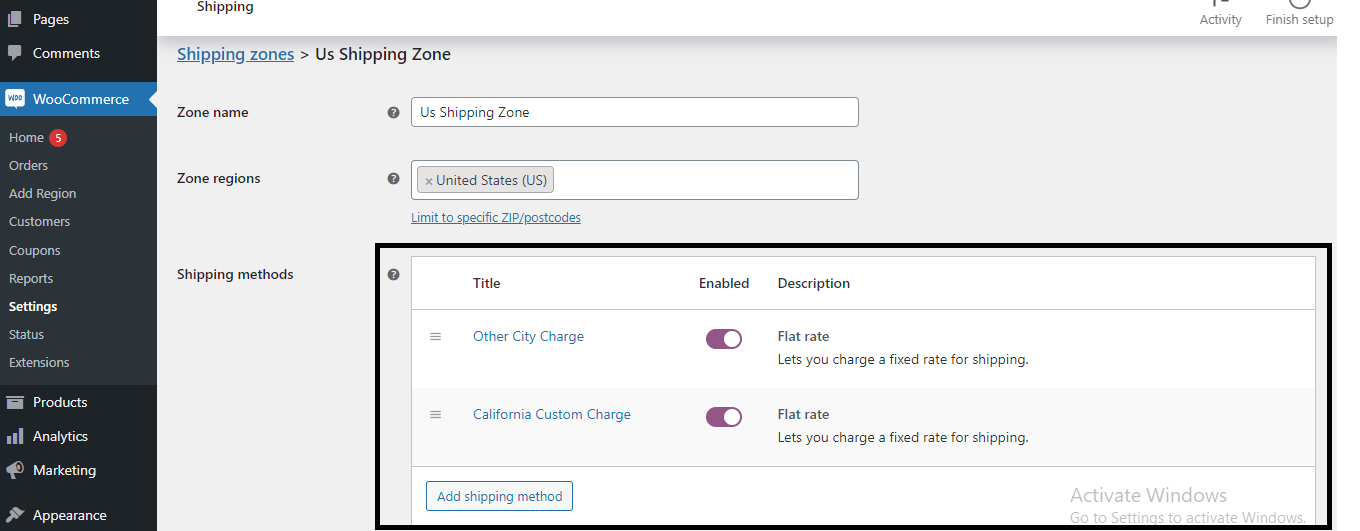
Screenshot of enabling the shipping method
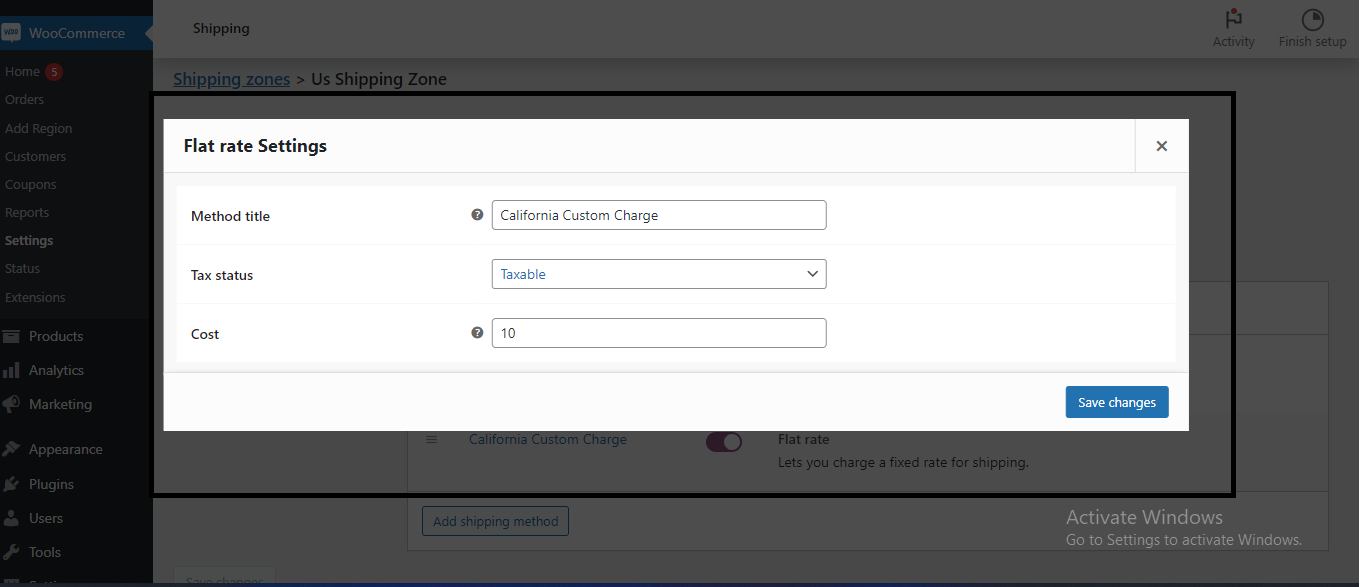
Screenshot of adding the shipping cost

Screenshot of adding a custom city for shipping zones

Screenshot of the shipping charge on the checkout page
Changelog
1.0
- A new version of Shipping by city WooCommerce Add-on plug-in.
1.0.1
- resolved Fatal error from the code: Fatal error: Uncaught Error: Call to undefined function is_plugin_active()
1.0.2
- Resolved free shipping method issue with the minimum order amount rule
1.0.3
- Changes in some require label and tested with latest updated version
1.0.4
- Tested with latest updated version
1.0.5
- Tested with latest PHP and WordPress version
1.0.6
- We have successfully resolved the conflict with the shipping class cost in the 1.0.6 version.
- We have successfully resolved the conflict with the table rate shipping plugin in the 1.0.6 version.
1.0.7
- We have updated the plugin tags