

Shoot My File
A private file transfer. Share files with users, collaborators or clients, directly from your WordPress site with a unique, time-limited link
Plugin info
Maintenance & Compatibility
Maintenance score
Maintained • Last updated 138 days ago
Is Shoot My File abandoned?
Likely maintained (last update 138 days ago).
Compatibility
Similar & Alternatives
Explore plugins with similar tags, and compare key metrics like downloads, ratings, updates, support, and WP/PHP compatibility.
Description
Upload your files and send the download link to whoever you want.
Designed to be intuitive and powerful, this plugin allows you to upload files and send a unique download link to your recipients with just a few clicks. It is ideal for web agencies, freelancers, and businesses that need a reliable system for exchanging documents.
Some features
- Unique, time-limited download links.
- Intuitive interface directly within WordPress.
- Automatic compression of files into a .zip format.
- Logs of access and downloads, with notifications to the sender.
- Centralized management of all active shares.
How It Works
Once your files are uploaded, you can enter the recipient’s email and a personalized message. The recipient will receive an email notification with a secure, randomly generated link. Clicking the link directs them to a public page that verifies the link’s validity and allows them to download the files. For convenience, all sent files are automatically compressed into a single zip file before download. You’ll get a notification as soon as a download starts.
After this period, the download link will no longer be valid, but the files will remain saved on the server until the sender or an administrator deletes them manually, using the “delete” button in the list or in the details.
User Guide
- After installation, you will find a new menu item in the WordPress backend. Click on Shoot My File to access the sending form.
- Use the form to select and upload the files you want to share.
- Type in the email address of the recipient to whom you want to send the link.
- Include a short accompanying message that will be included in the email notification.
- Click the send button and the plugin will generate a unique link and send the email to the recipient.
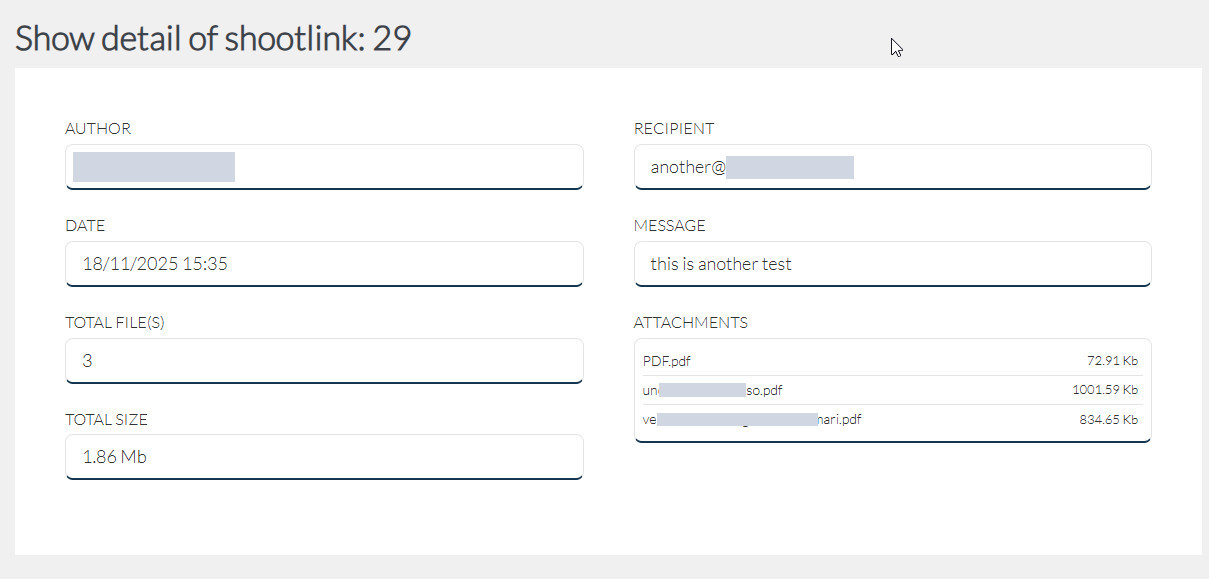
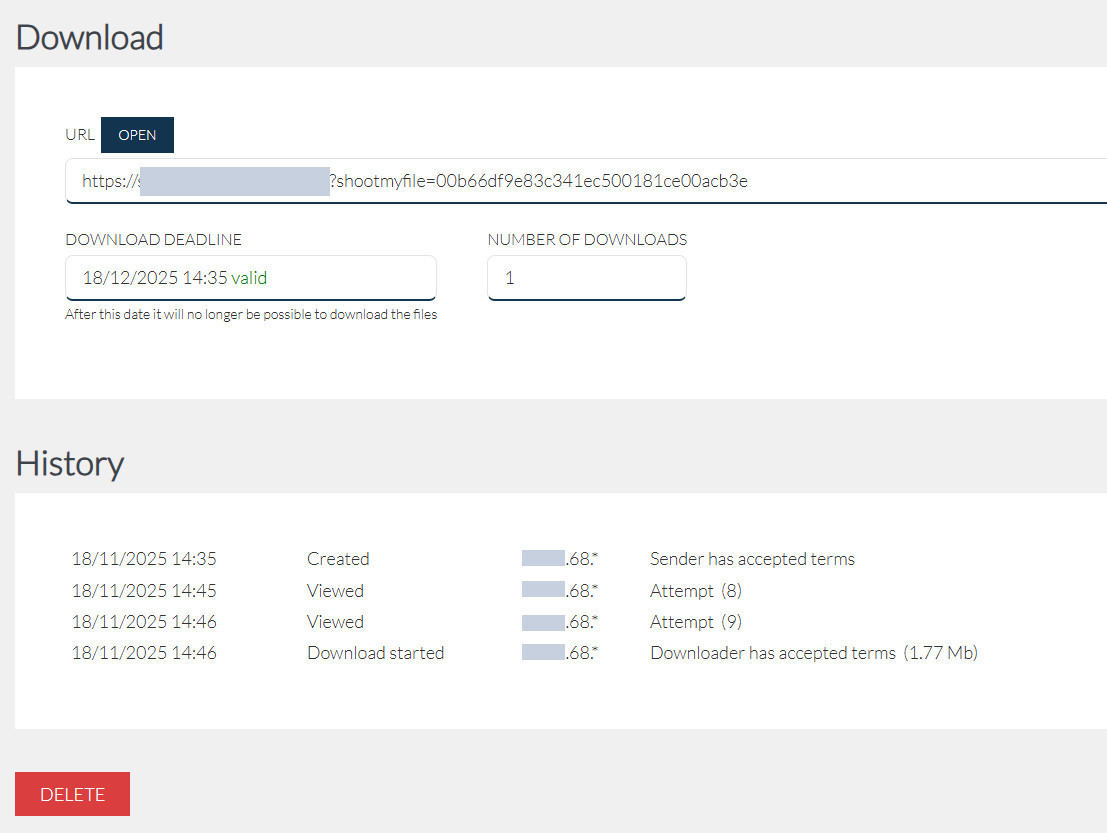
- After sending, you can check the status of your files and monitor download requests from the details page.
- When a recipient starts the download, you will receive a notification via email.
- There is a second menu item that allows you to view a list of all active shares. From here, you can check the expiration date, the number of downloads, and view the details of each individual share, including download logs.
Privacy Consent Configuration
To help you ensure your site is compliant with privacy regulations, we have integrated an informed consent checkbox on the plugin’s public download page.
For this consent system to work correctly, you need to set your Privacy Policy page (by default, it’s the WordPress one) and, if you consider it necessary, also your Terms and Conditions page (by default, it’s set to none).
Once configured, an obligatory acceptance checkbox will be displayed on the download page with direct links to your legal documents. Remember that the Privacy Policy page must also be integrated with the data processing information specified by the plugin. The checkbox will only be visible if you set at least one of the two pages. If both are set to “none,” the checkbox will not be visible, and the plugin will function without requiring user acceptance.
Email configuration
The sender email address that appears to the recipient depends on the default WordPress configuration.
To ensure correct email delivery and prevent them from ending up in the spam folder, we strongly recommend you configure an SMTP (Simple Mail Transfer Protocol) service.
Using a dedicated SMTP plugin is the best way to make sure emails from our plugin and WordPress are delivered reliably.
Installation
Frequently Asked Questions
It’s a WordPress plugin that allows you to upload files and send a private and unique link to one or more recipients, so they can download them directly from your site.
The plugin generates unique and time-limited download links, automatically compresses files into a single .zip archive for download, and tracks accesses and downloads. It also allows you to manage and delete shares.
From the WordPress admin area, you upload the files, enter the recipient’s email, and a personalized message. The recipient receives an email with a secure link to access a public page where they can download the files.
After installing and activating the plugin, you will find a new menu item in the WordPress admin panel. Go to “Shoot My File”, use the form to select and upload the files, enter the recipient’s email address, write a message, and click on “Send link”.
The link is valid for 30 days. After this period, it will no longer be possible to download the files using that link.
No, the download link expires, but the files remain on the server until the user who uploaded them or an administrator manually deletes them from the share management page.
Yes, the plugin logs accesses and downloads. From the “List” section of the menu, you can see the details of each share, including the number of downloads and a history of actions, such as viewing the download page and starting the download.
Yes, you will receive an email notification when a user starts downloading the files.
The files are saved in a subfolder within wp-content/uploads, organized into folders with randomly generated names for security reasons.
For security and fraud prevention purposes, the plugin records the visitor’s IP address but anonymizes it by obscuring the last block (e.g., 192.168.1.*) or the last four digits for longer addresses (IPv6).
Yes, in the plugin’s “Settings” section, you can select a Privacy Policy and a Terms of Service page from a dropdown menu.
The plugin is designed to assist with compliance, but the final responsibility lies with the site owner (the Data Controller). The plugin collects necessary data for share management and security, such as the recipient’s email address and the anonymized IP.
The plugin collects: the recipient’s email address, accompanying message, sender’s WordPress user ID, the date and time of access to the download page, the date and time of the download start, the acceptance of the terms, and the anonymized IP address.
Yes, the sender is the Data Controller of the recipient’s data. You can permanently delete a share and all associated data and files through the plugin’s “List” page. This ensures the right to erasure as required by the GDPR.
Review feed
Screenshots
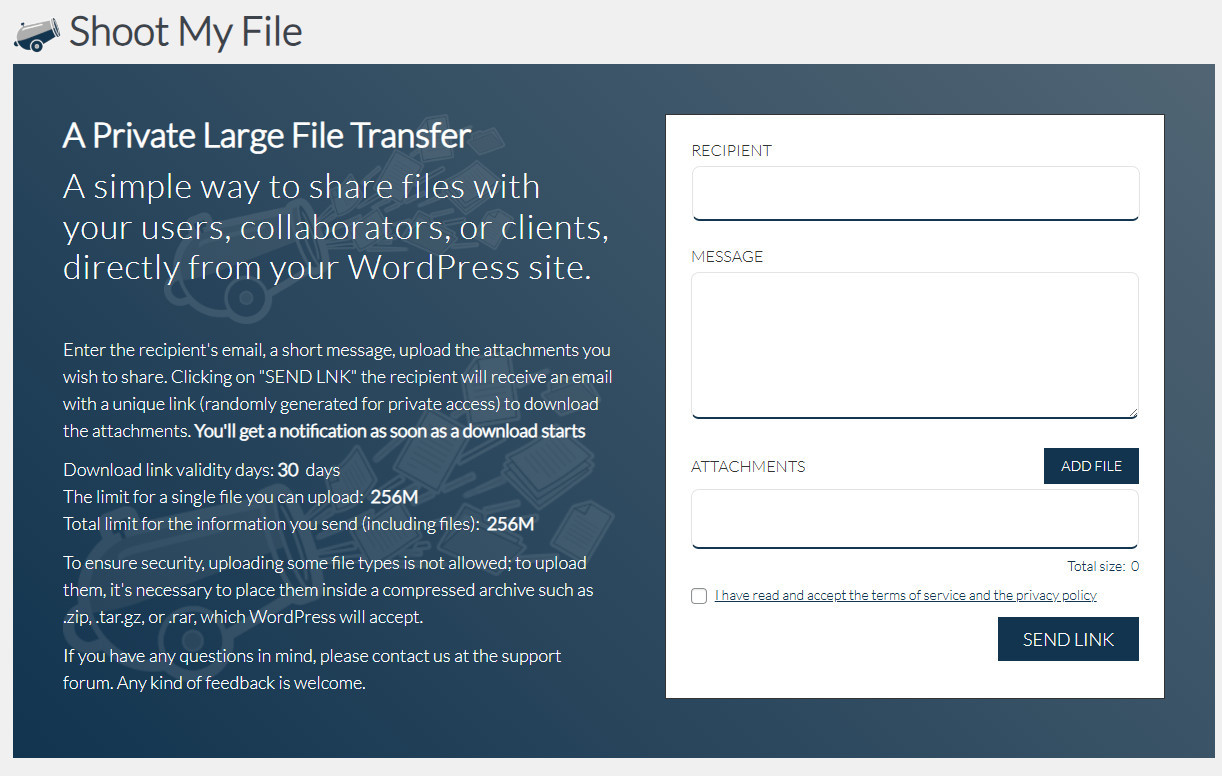
screenshot-1.png- form to fill out for uploading the files and sending the link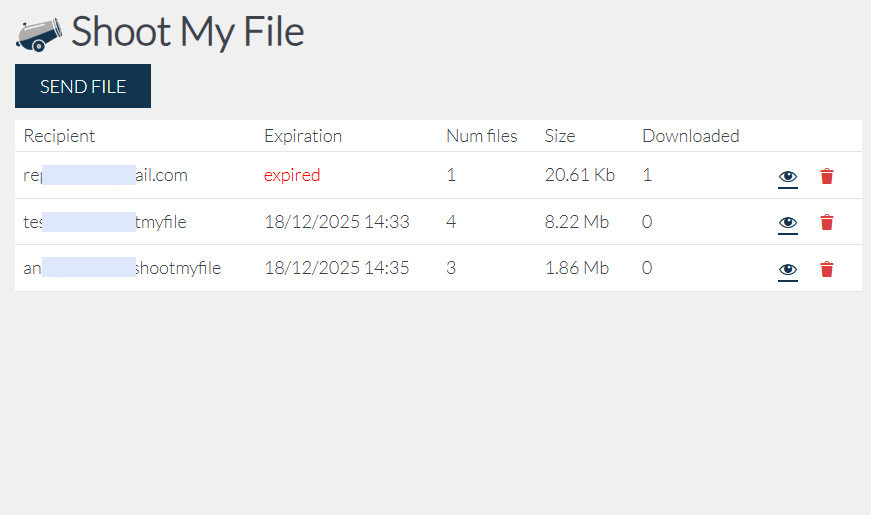
screenshot-2.png- list of shared links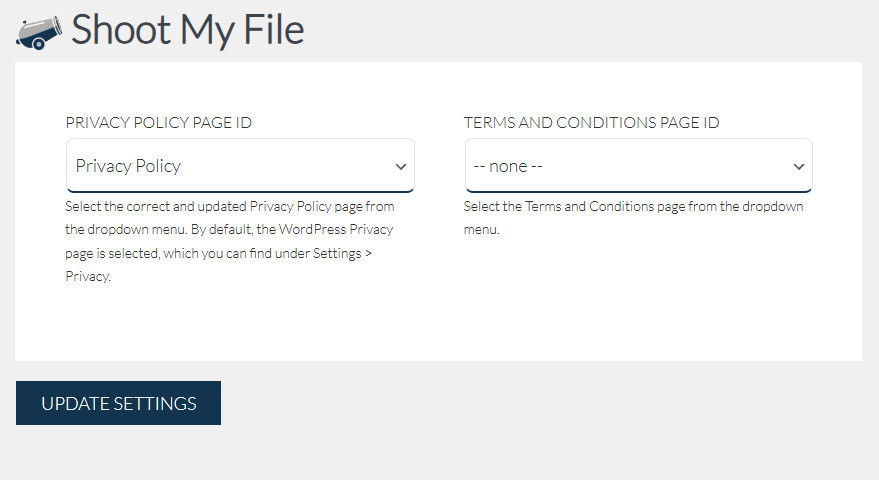
Changelog
1.0.0
- Initial release of the plugin.
- Core functionality to upload files and send a private download link.