

Plugin info
Maintenance & Compatibility
Maintenance score
Maintained • Last updated 146 days ago
Is ShopConnect abandoned?
Likely maintained (last update 146 days ago).
Compatibility
Similar & Alternatives
Explore plugins with similar tags, and compare key metrics like downloads, ratings, updates, support, and WP/PHP compatibility.
Description
ShopConnect allows you to have a product list, product detail page and a shopping cart with your Shopify products inside of your WordPress. The checkout, customer data and all products are still managed in Shopify.
Features
- list of products
- product detail pages with a template you can customize
- cart menu on the side (visible once it contains a product)
- product sync every two hours
- custom permalinks for /products/ and /collections/
- metafield support
Check the help section for all available shortcodes (product title, image, description, price, buy button, metafield, text input) and properties.
Note:
* currently there is no pagination so for better performance only use it for smaller shops with a few products.
* to style your products and lists you’ll have to use your own custom CSS.
* check “ShopConnect – Help” how to setup the connection.
External services
This plugin connects to the Shopify API to fetch the products and will display image with Shopify URLs. If you enable “Prefetch API” in the plugin settings it will also add prefetch links to your header.
This service is provided by “Shopify Inc.”: terms of use (https://www.shopify.com/de/legal/api-terms), privacy policy (https://www.shopify.com/legal/privacy).
Installation
- You will need to have a Shopify shop and get a Storefront Token. Check ShopConnect – Help how to setup and connect the plugin to your Shopify shop.
- After that you can insert the ShopConnect shortcodes to get a product list page and adjust the “Product Details Page” template to setup the detail page look.
Frequently Asked Questions
The plugin will use the Shopify/Storefront API to fetch the products and stores them in your database. After that you can use the shortcodes to display those items in your page and create a custom product details page, all in your WordPress.
No, the plugin doesn’t need WooCommerce or any other shop plugin. All your customer, product or payment data is still managed in Shopify. This plugin will just sync your products and display those in your WordPress.
After clicking the checkout button the plugin will redirected to the default Shopify checkout page to finish the process.
Review feed
Screenshots
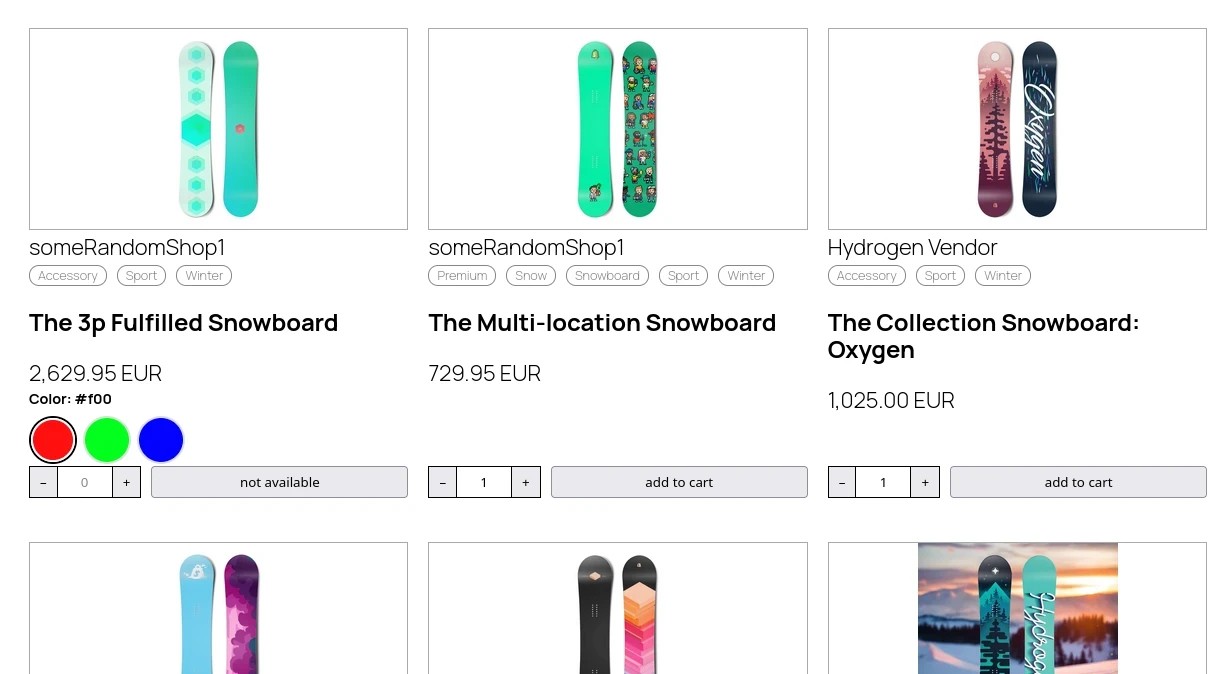
Product list
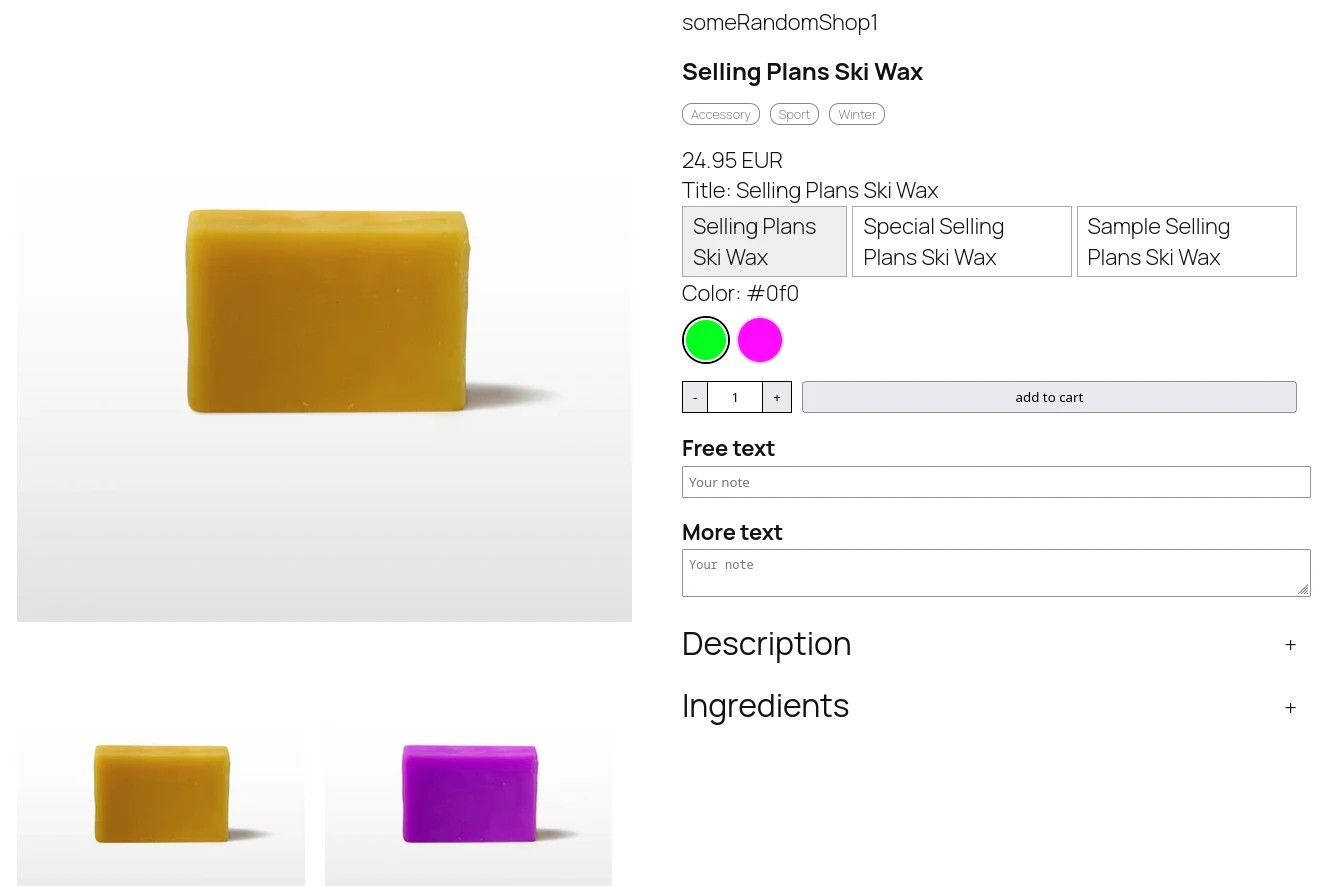
Product detail page
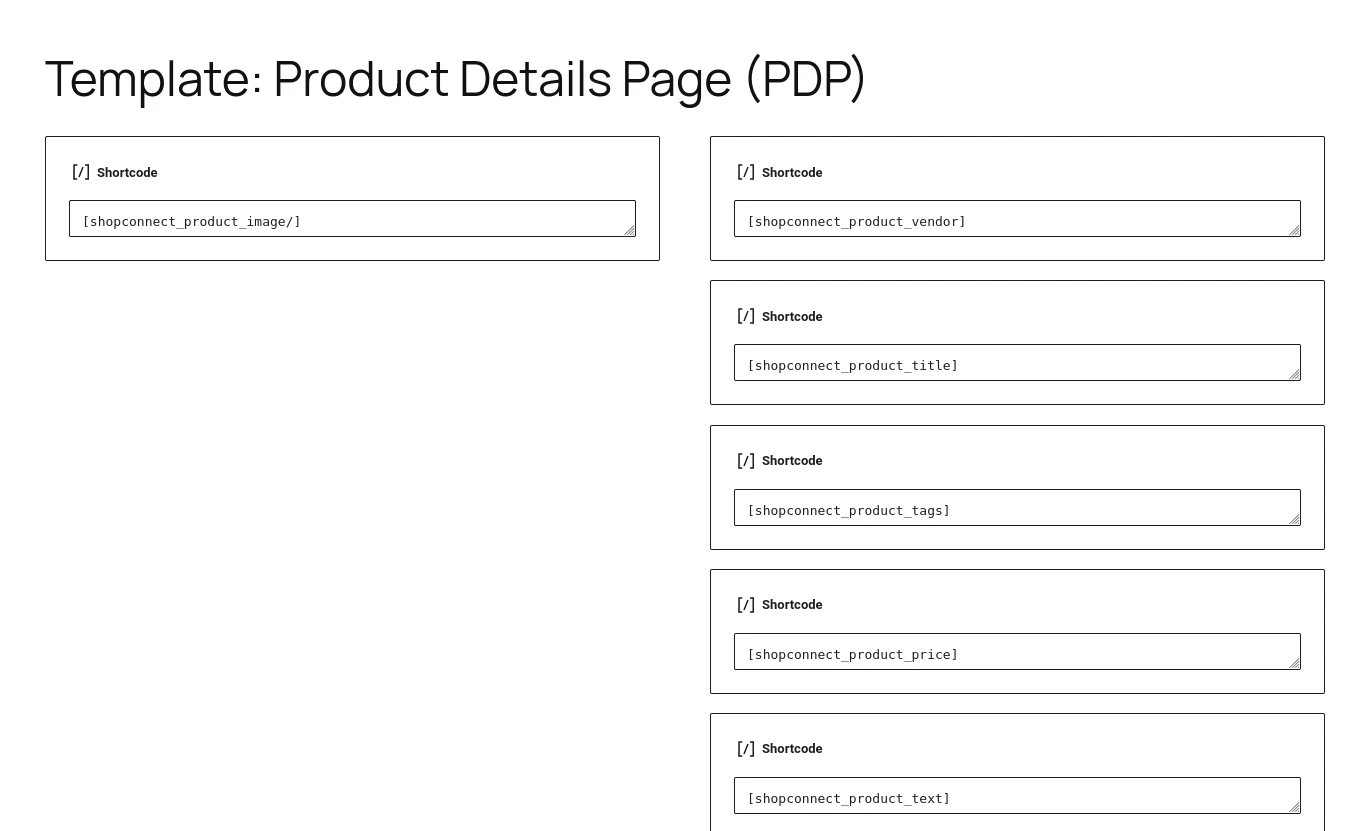
Product details page template inside Gutenberg
Changelog
1.7.1
* cart: 2nd layout for recommendations
1.7.0
* cart: show recommendations in cart
* cart: change product amount in cart
1.6.0
* new shortcode for policy texts
* new setting: always show cart icon
* new setting: only show one open accordion
1.5.0
* metafield: image
1.4.1
* minor default style update
* remove “Default title” from cart
1.4.0
* some error handling
1.3.4
* default country code: US
1.3.3
* country code option in the settings menu
1.3.2
* language option in the settings menu
* fixed metafield sync issue
1.3.1
* fix shortcode names in readme
* add null check in sync
* fix language filename
1.3.0
* adjust single page header/footer in none FSE templates
* render HTML code in text metafields
1.2.0
* added pageSize to product list shortcode
1.1.0
* Cart widget
1.0.1
* Updated readme and help
1.0.0
* Initial release