

Shopp + Wufoo
Customers who make a purchase from your WordPress e-commerce store are added to a specified form on Wufoo.
Plugin info
Maintenance & Compatibility
Maintenance score
Possibly abandoned • Last updated 4238 days ago
Is Shopp + Wufoo abandoned?
Possibly abandoned (last update 4238 days ago).
Compatibility
Languages
Similar & Alternatives
Explore plugins with similar tags, and compare key metrics like downloads, ratings, updates, support, and WP/PHP compatibility.
Description
This plugin integrates Shopp with Wufoo.
After checkout, a customer’s first name, last name, and email will be added to a specified form on Wufoo.
This process occurs in the background without needing action from the user.
With Shopp + Wufoo you no longer need to enter this information in manually. It is done automatically with each order.
Recommendations
- Need help with your Shopp ecommerce store? Hire a Shopp consultant today.
- View additional WordPress plugins for Shopp by Lorenzo Orlando Caum, Enzo12 LLC
- Follow Lorenzo on Facebook, Twitter, LinkedIn, Quora, and Github
Acknowledgements
Credit to Adam Sewell who wrote the original code that allowed data to be transferred from Shopp after checkout. This code has been extended for several other services.
Credit to Wufoo who created the PHP API Wrapper for the Wufoo API.
Recommended Links
Need a Shopp developer to help you with your Shopp? Hire a Shopp developer & consultant today.
What do you think about video tutorials for Shopp? Learn more about Shopp 101
Installation
- You’ll need an account with Wufoo.
- Ensure that your Shopp is activated and up-to-date.
- Download Shopp + Wufoo. Unzip the
shopp-wufoofolder. - Upload the
shopp-wufoofolder to thewp-content/plugins/directory. - Activate Shopp + Wufoo through the Plugins menu in the WordPress admin.
- Go to Shopp 101 → + Wufoo.
- Enter your API Key, Subdomain, and Hash for Wufoo and click Save Settings.
Frequently Asked Questions
How do I get a Wufoo account?
Visit wufoo.com to register for an account.
What is Shopp and how do I get it?
Shopp is an ecommerce plugin for WordPress. Learn more about Shopp.
Are there any other extensions available for Shopp?
Yes, there are different extensions available including emailing marketing, short message service (sms) notifications, forms & reporting, help desk, and more. Please visit Shopp 101.
Review feed
Screenshots
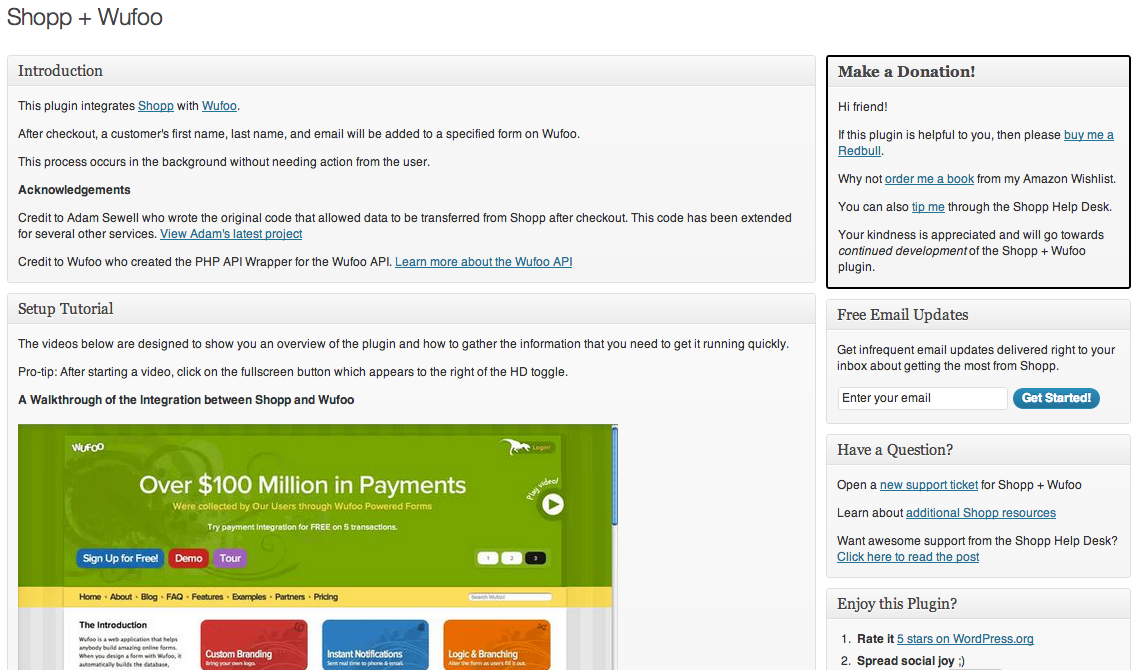
The Shopp + Wufoo WordPress admin page.

An additional view of the Shopp + Wufoo WordPress admin page.
Changelog
1.3
- Changed name of menu from + Extensions to Shopp 101
- Verified support for WP 3.9.2
- Verified support for Shopp 1.3.5
- Removed links to old domain name
- Only load CSS on WP admin screen
1.2
- Moved to new menu
1.0.2
- Removed social sharing
- Verified support for Shopp 1.2.4 & 1.2.5
- Verified support for WordPress 3.5
1.0.1
- Fixed broken links
- Corrected grammar errors
- Verified support for WordPress 3.4.2
- Added notice for Shopp 1.1.9.1 and prior (no longer supported)
- Added links to Amazon Wishlist
- Corrected html syntax
1.0
- First version!